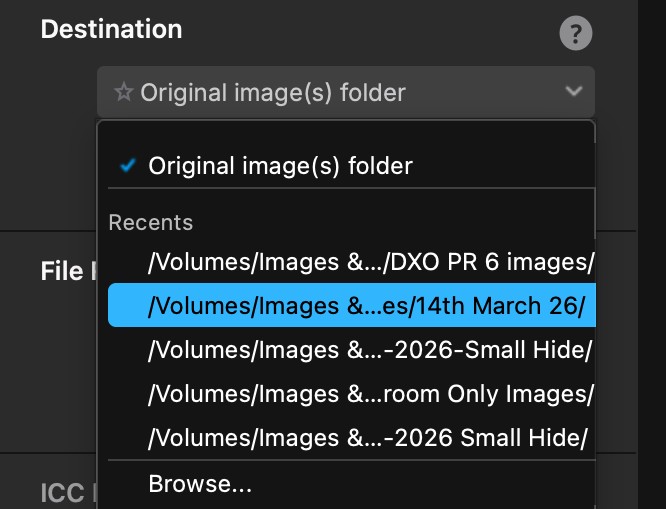
Hi, I am using PR6 alongside On1 Photo raw 2026, drag images from On1 to PR6 then selecting original folder for images to be sent back to inside a new folder, if I put 3 images for example 2 go to the requested folder the other just gets sent back to the original folder I also have to many recent destination folders in PR6 how can I delete them and just use the original folder option only? Thank you.
@russellsnr , you seem to have to items to discuss
- Processed images go to several destinations instead of just one.
- How to delete Recent Destination folders.
Item #1 seems to be something other users see too. Please search the forum and/or open a support request: https://support.dxo.com/hc/en-us/requests/new
For item #2, I’d have a look at the preferences file that you’ll find in your Library/Preferences folder. This folder is normally hidden but can be accessed by unhiding files and folders in macOS. Press Shift-Command-Period to toggle visibility on and off. Open com.dxo.Pure…plist with TextEdit and delete the respective lines, if you find them. If you’re uncomfy with this approach, simply ignore the recents.
Thankyou for the reply.
Contacted Support on the deletion of the folders.
In DxO PureRAW, the “Recents” list in the Destination dropdown is automatically created from the last folders you used, and there is no option in the app to manually delete individual recent destinations.
As a workaround, you can simply:
-
Select Original image(s) folder (as in your screenshot), or
-
Click Browse… and choose the folder you actually want-older “Recents” entries will eventually be replaced as you use new destinations.
Kind regards,
James - DxO Labs Support Team
Also this is happening when I open PR6 on a MAC, I am getting two options the white background cannot be closed or move by dragging only close when close the application.
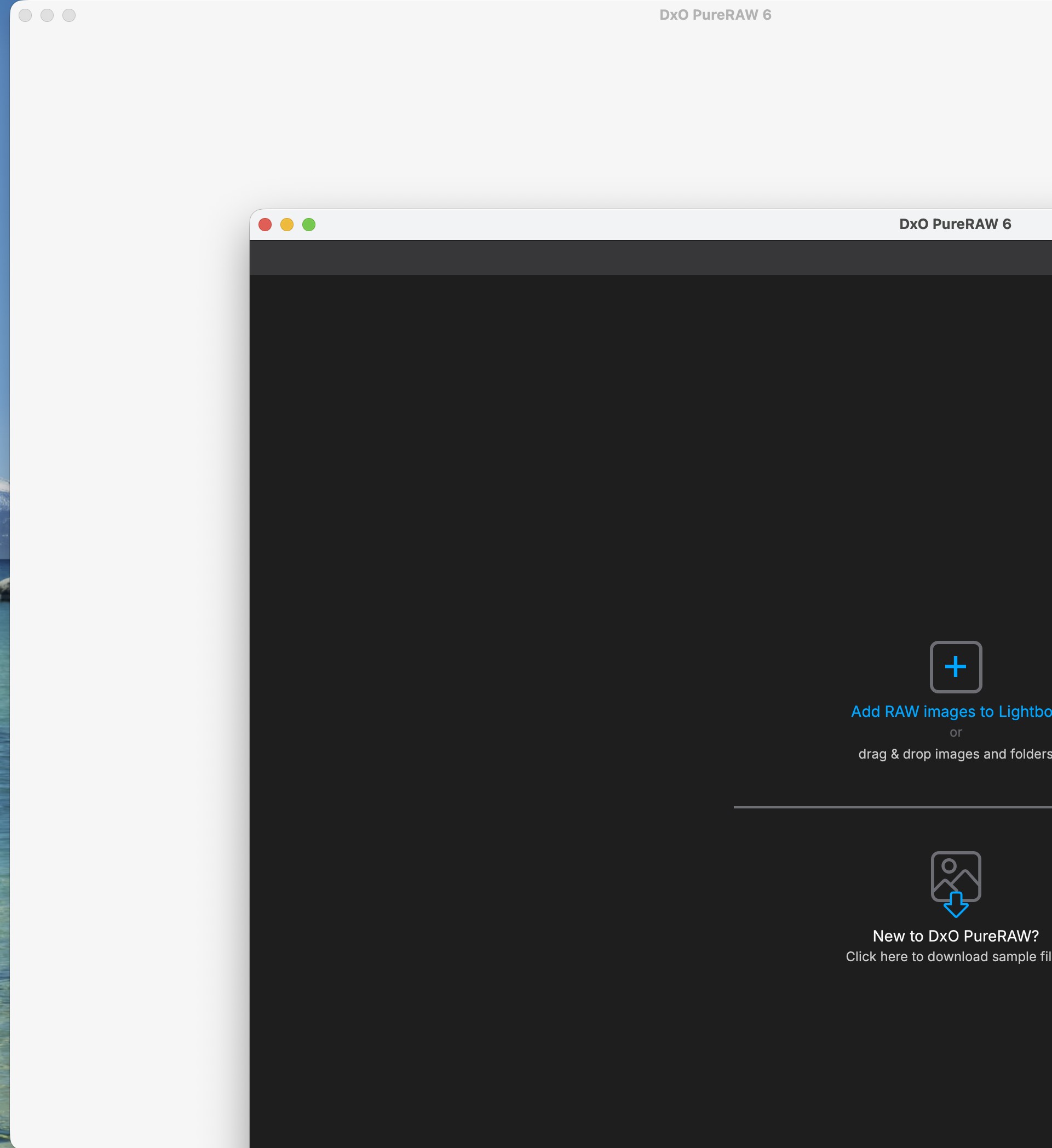
Never seen this (double app) issue, neither live nor in a post here.
Try
- uninstall PuR
- reboot
- reinstall PuR
- test
- create another support request if the issue persists
Thank you, did uninstall twice and installed latest version without success so have sent another request. Thanks again, Russ.
Looked at the other posts on sending to original folder and found the work around but as others stated should not have to do this. Thanks, Russ.