How can I set the white balance automatically? Does Photolab have that feature, or do I really have to adjust each image manually using the eyedropper tool?That’s pretty exhausting with 1,000 pictures.
Welcome @Claudia
By default, PhotoLab applies the color temperature suggested by the DC.
Only the DC can make a proposal.
Pascal
You could shoot in AWB?
Otherwise, I’d go scene-by-scene so if you’re in similar lighting for 75 photos, pick and apply the white balance to one, then copy/paste to all. Should be close enough if conditions aren’t changing.
Even with the eyedropper you must make assumptions. What is neutral gray?
Set AWB in the camera.
George
1 Like
PL does not have “Auto White Balance” as such, rather, it takes the information from either…
-
The camera
-
your PL settings
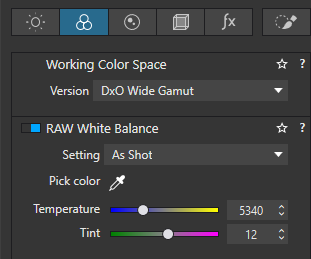
I think what you may be looking for is to use the camera’s WB setting which, in PL, is called “As Shot”. This is normally the default. Then you do not use the colour picker in this case.
So, if you set your camera to “Auto White Balance”, PL will use whatever that value happens to be.
This value can be changed at any time during processing, if you wish. It can also be part of a preset.
Allan
1 Like
White balance depends on the conditions at the time of shooting. I can’t imagine a universal automatic white balance setting, but I select the automatic mode on my camera, and most of my photos turn out well.
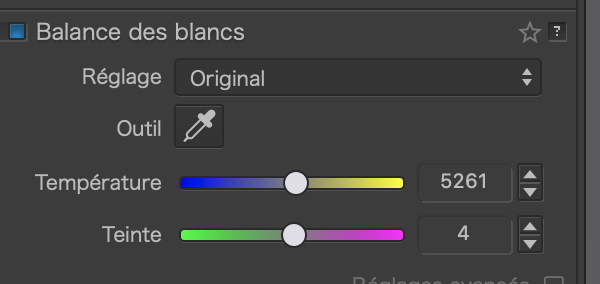
When I take photos in a specific location, such as a museum, I assume that the color temperature of the lights is consistent and try to make global adjustments using
The only perfect method would be a color light meter !
Or a Grey Card. (Must have 20 characters  )
)
Yes it is a cheap color Meter !