Having had the trial version for around a week I have found, apart from the Navidia problem, the means to remove items is quite lacking compared to other software. Also, there seems to be a lack of camera colour profiles to select, unless this is already taken care in the DXO lens/camera data. As I’m just learning I may have missed something.
Could you elaborate on these points a bit, Ken - - I’m not sure what you mean (?)
John M
Removing items such as a bin, a pole or a person one has missed in the image one has missed when taking the image is very easy in LR or On1 etc. The object is selected and with the press of a button and they are gone. AI is of course needed for this.
In the case of casmera colour profiles, there does not seem to be the ability for the raw files, R5Mk2 .CR3 for example, to select the camera profiles such as standard, landscape, neutral or faithful. I’m not sure what generic profile is applied when opening the raw image.
Hi Ken.
Currently, there is a online user guide available for PL 9
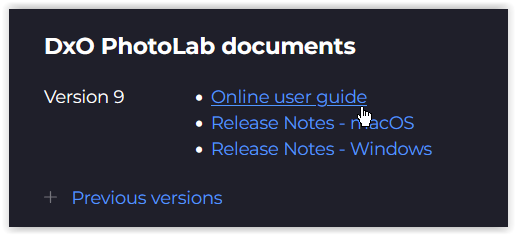
→ Helpcenter → PhotoLab → see …
Alternatively you can download & read in the pdf-file for the → Previous version PL 8,
where you find all information needed (well except the latest additions, like AI … ).
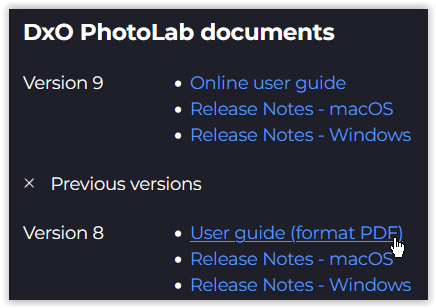
.
about your questions and basic stuff …
-
To remove items use the Retouch tool.
-
A camera profile is available, if your camera + lens combination is supported
→ check here …
Then it will be applied automatically, depending on how it’s configured
in the → Preferences. -
Then you can even apply color renderings from other cameras …
( see " → " where I pointed to that little “?” )
-
“Color profiles”
. 1 - DxO Style - Natural
. 2 - DxO Standard
. 3 - DxO optical Corrections only
. 4 - Neutral colors
. 5 - Black & White
. 6 - No correction
get applied as → “Presets”
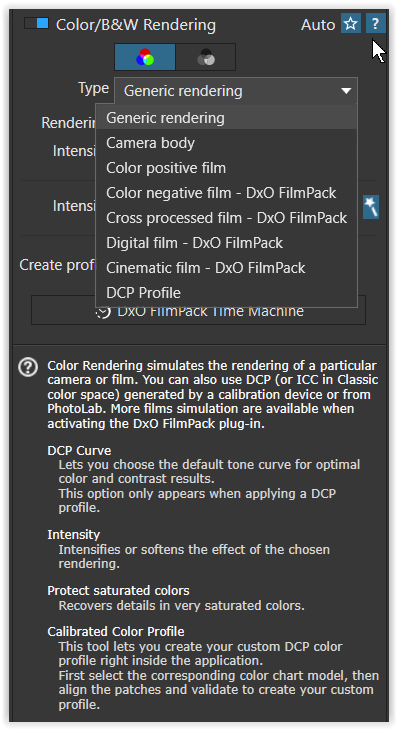
.
Keep exploring and experimenting.
If you’re stuck, come here and ask. 
1 Like
Thanks. I am spending time going through things slowly.
1 Like
Having now had some 20 days of PL9 I am really growing into it. Still getting used to it but quite pleased with the results so far. Although there is still the on going problem with the keyword AI masking I’m not finding it is holding me back. The alternatives of hovering over a subject and clicking or drawing a box around have been working well. So it’s not a deal breaker. I’ve just added the Film Pack on a 30 day trial so as to try out the luminosity masks which should be in PL 9 masks anyway, like they are in other software. Probably will not purchase the FP as its not something I can see me using enough to justify the cost.
To have / to be able to activate in PL the Luminosity mask
and the Fine contrast settings ( see → the ?-help )
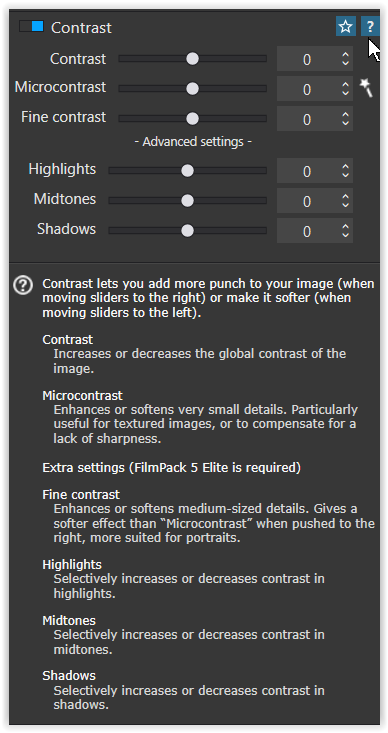
you need a FP license (= now the latest FP version)

So, check carefully what you want to do.
That is what I initially thought back in 2017, but I found I use features from it all the time. As an example, the four Fine Contrast sliders available in PhotoLab with an FP license are among my most used features and apply them to almost every image. The results with them give far superior results compared to the Microcontrast slider. Your mileage may vary.
Mark
1 Like
Many thanks for this info as I was unaware the FP was required. Will now investigate further.
1 Like
Thanks for this info of which I’d been unaware of. It has also been pointed out to me by
Wolfgang. Thats why being in this forum is so very useful as there is always someone has got the help you need.
Ken
Keep in mind that I am not suggesting you spend your hard earned cash on something you don’t believe you want or need. However, in order to get the full PhotoLab experience it requires licenses for PhotoLab Elite, FilmPack and Viewpoint which is very expensive and certainly not budget friendly.
Mark