Hi,
I am currently trying DXO Photolab, and I shoot Fujifilm with x-trans.
In Capture One, I can easily apply the Fujifilm film simulations. Is there something similar in DXO, or a way I can achieve that?
Thanks, Mike.
Hi,
I am currently trying DXO Photolab, and I shoot Fujifilm with x-trans.
In Capture One, I can easily apply the Fujifilm film simulations. Is there something similar in DXO, or a way I can achieve that?
Thanks, Mike.
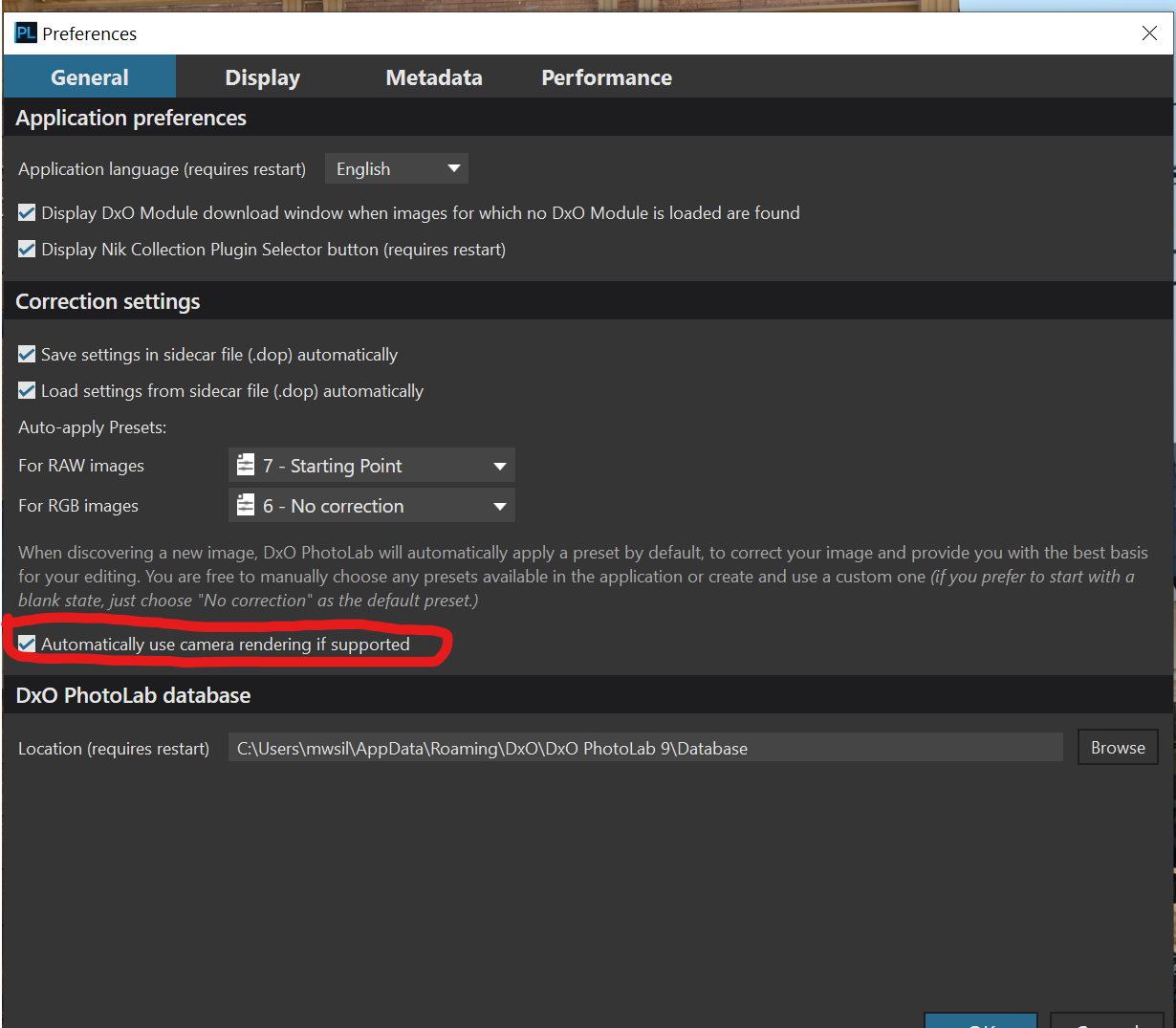
You can get the simulation of the film type the image was captured with automatically applied to your raw file, but you need a license for FilmPack. If you are trialing PhotoLab it should have been included in the trial. You also need to ensure that “Automatically use camera rendering if supported“ is selected in the General tab of Preferences. See below.
Mark
in addition - u can try to procure 3rd party DCP profiles
Hi @MikePix , I also shoot Fuji (X-T5 & X100VI), but I shoot RAW only. Fuji does a couple of weird things and still includes the in camera film simulation in the raw file which you can turn off in the Color/B&W Rendering tool. In that same tool, you will find a few “Generic Fujifilm Renderings” that come with PhotoLab, but they are significantly different to the FilmPack renderings.
@mwsilvers points out an important note about enabling ensuring camera rendering is enabled to do this for your in body selection. Once you install Filmpack, all the Fujifilm renderings (as well as the may others) will be available as presets. I would suggest you use the presets after initial prep work (crop, exposure, smart lighting, etc…) but before you start doing anything with tones, contrasts, saturations, locals.
DxO did a pretty good job with Fuji renderings - they do justice to the actual film stocks!
Good Luck!
Just a reminder that FilmPack Fuji simulations can only be used with images captured with a Fuji camera. Further, if I recall correctly, you can only use simulations on images from Fuji bodies that already have that specific simulation built in. Built in Fuji simulations can differ from camera to camera.
Mark
Hi @mwsilvers , I’m not sure that’s not entirely accurate. I use FilmPack 8 Fuji renderings on my Nikon Z6III & D850 RAW shots as well as iPhone 16 HEIF. Pretty nice results.
Thanks everyone. I will try a trial of filmpack.
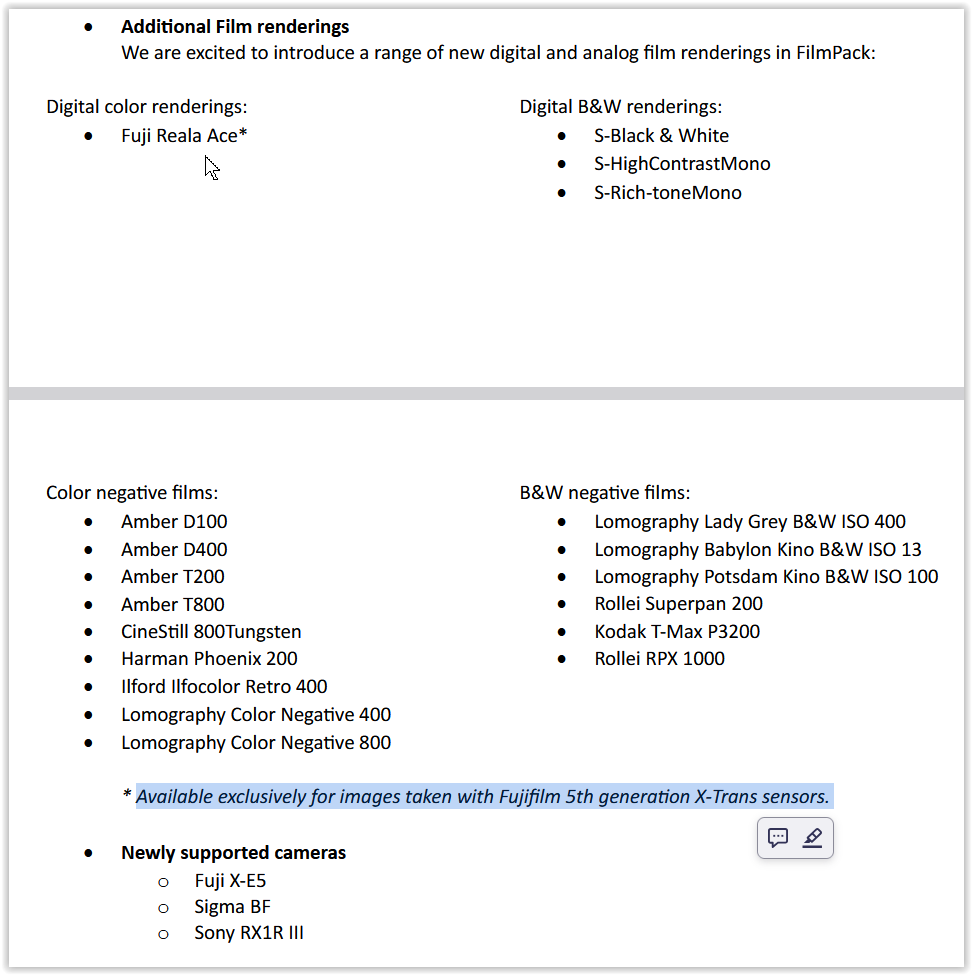
@Wolfgang pointed out the Fuji Reala Ace rendering (one of my favourite films from days gone by) which sent me on the hunt as I had not seen it in the Presets anywhere. If you’re looking for it, it’s not in the preset folders for some reason - it’s in the Color/B&W Rendering tool under the Digital Film drop down…along with all the other Fuji renderings that are in the preset folder  .
.