File naming frustrations

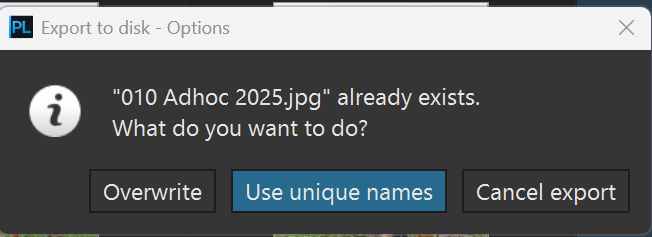
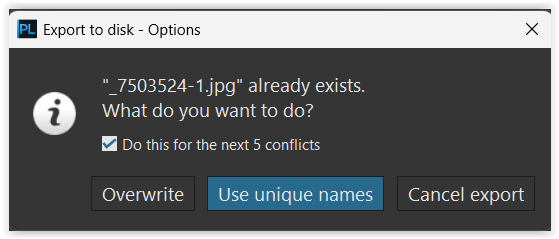
Edit: While it’s totally absent in the file naming dialog box, if you export the same image again it will prompt you to use unique names. This really needs to be clear in the file naming options. That’s all I needed.

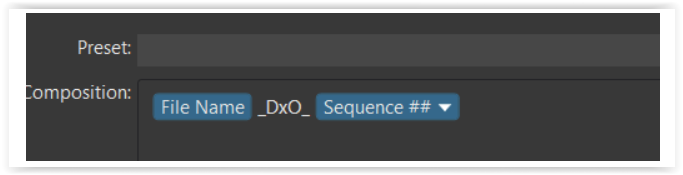
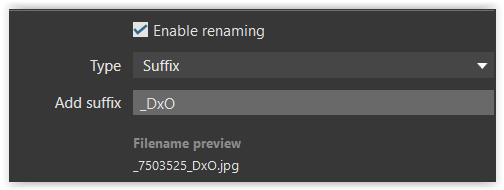
I’m hoping someone can help me figure out the illogical file naming options, or lack thereof, in PhotoLab Elite 9.5. I’m evaluating it to replace LrC but one problem might be a dealbreaker. As an IT engineer by day, file management is deeply engrained in my daily life. Poor file management techniques are a recipe for disaster. Programs that don’t allow good file naming systems are as deeply frustrating. For example, I put a couple dozen cr3 files from my R5 Mark II into a folder, applied edits to each, selected all of them to export, using this as my naming:
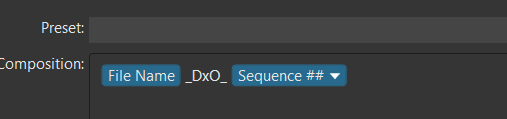
Logically, each file would have it’s original name, followed by _DxO_, with the version of the export of THAT photo tagged on the end, 01, 02, 03, etc.. What it gave me was:

img1234_DxO_01.jpg

img1235_DxO_02.jpg

img1236_DxO_03.jpg

etc…

Why & how anyone at DxO thought this is logical naming system is beyond me, but I guess to each their own, but what I need is:

img1234_DxO_01.jpg

img1235_DxO_01.jpg

img1236_DxO_01.jpg

etc…

then, if I make more changes to a photo I want:

img1234_DxO_02.jpg

img1234_DxO_03.jpg

etc….

How can I get this result? I asked multiple AI engines for advice and I was told that the Mac version has “Virtual Copy Number" that will do this, but if this ability on Windows doesn’t exist it shows DxO’s developers ignored fundamental, good, & logical file management techniques on Windows. The only way I can see to do it is to MANUALLY add the sequence to EACH image and export them one at a time. That defeats the purpose of the background export capabilities of DxO.

Don’t get me wrong, in the week I’ve used DxO I’ve been very impressed. There are few things that LrC does better making DxO a good choice to replace it; however, having to manually rename even 2 dozen will absolutely infuriate me; having to rename hundreds after a long shoot will result in DxO getting uninstalled before I finish my evaluation of the product.

I am very happy to be wrong or have overlooked something here, but after multiple AI engines said what I want isn’t possible in 9.5 on Windows that got me to post here.

Thanks!

You need to experiment now, so that you get familiar with. :slight_smile:

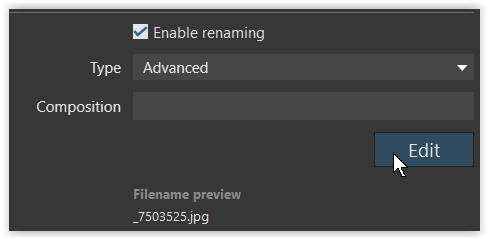
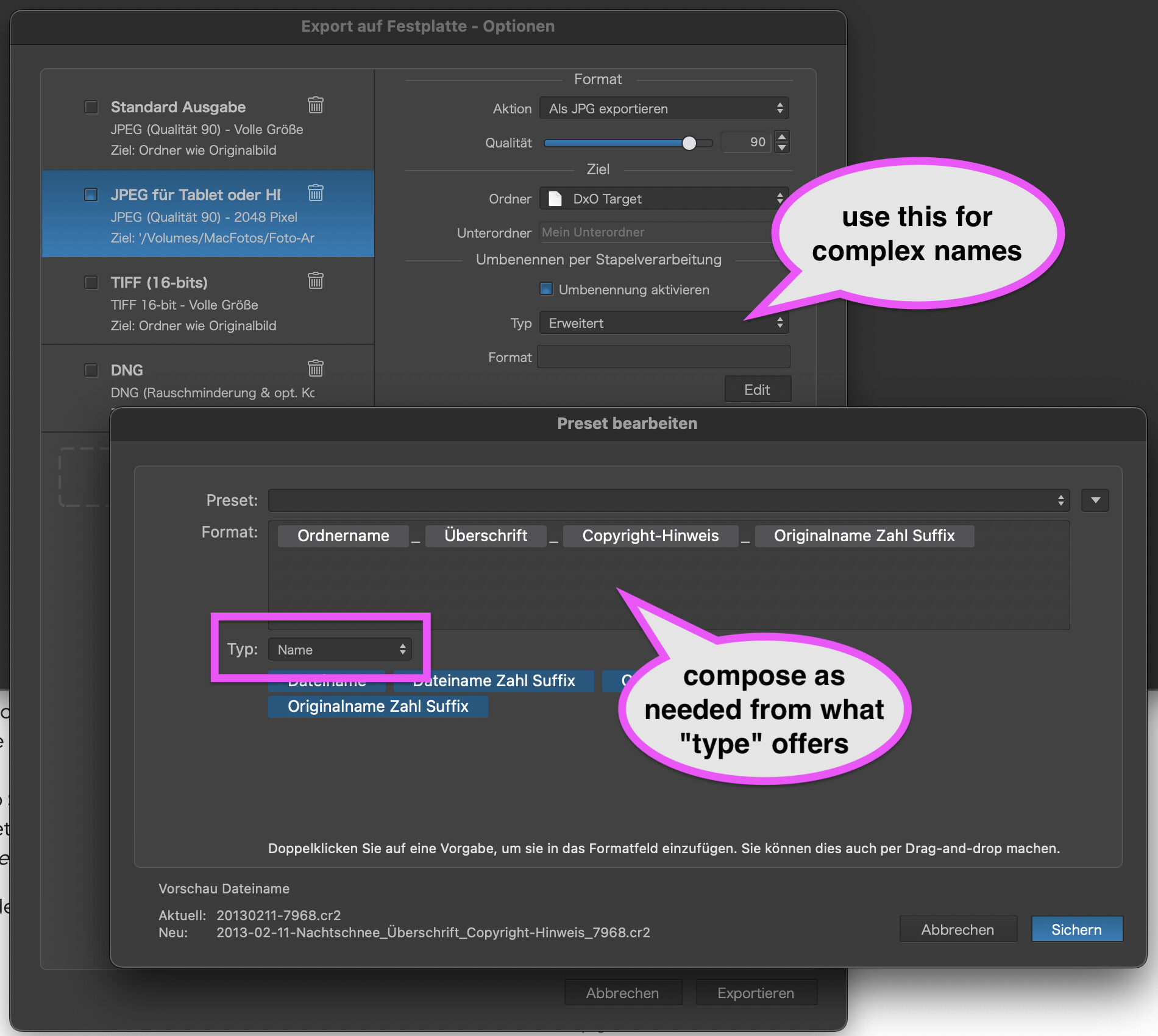
And you can change a lot, which is not so obvious at first glance, and then save stuff as preset.

check this (silly) example

1 Like

…and there are options that might serve for more suitable names.

Imo, a few options have been dropped compared to previous implementations and other apps can do “better”. We use what we get or look for some other way.

:person_shrugging:

I would suggest adding a Feature Request to add more options top the renaming/export fields. Personally I think all EXIF/IPTC fields should be available along with FileName data such as VersionNumber.

If I export one at a time, sure, but when I edit dozens at a time and want to just start the export for all of them and walk away what you suggest here doesn’t work. LrC has had what I need for a decade or longer. In fact, I don’t ever remember LrC not having this. Heck, even downloading the same filename over and over in any browser ever created just adds a (1), (2), (3) to the end automatically. DxO’s options are a file management nightmare. Probably enough that I will be uninstalling and moving on despite how good some of the other features are. I tend to go on vacation and shoot 5000+ photos in a week and while I don’t edit all of them, I’ll often edit a few hundred. How is anyone supposed to keep track of edits as they export and then go back and tweak the image with what DxO has now???

But wont you get that choice at export by chosing to overwrite or select to use unique names?

Maybe it also works better too to put the sequence first otherwise the sequence number will collide with the number of derivates you will create of a certain file. . It works fine for me. I think this rename function does its job fine even if its not as advanced as in Capture One. It is simple, quick and straight forward. I see nothing really to complain about. I uses it a lot and it has so far never caused me any problems

1 Like

Virtual copies are the built-in way.

1 Like

They can certainly be improved…and until then, it’s advisable to use PhotoLab like a plugin and NOT do any file organisation (moving, renaming etc.) with it.

(ed)

It seems to me that you put a technical priority in your naming.

I take the exact contrary for my choice :

  • the name is a short description of the content
  • as I may change the description, I keep the code given by the camera.

Note that this code, example DSC12345, is the principle on all digital camera (probably an heritage form DOS !).

For it to work :

  • the code must be unique, so when I arrive to 9999, I increment the 5th digit
  • if not enough I change the 3 letters in my camera.
  • this code is easy to memorise and search on your disk
  • all associated files have exactly the same name.

Using a file name with date a time must be a nightmare ; and milliseconds if you shot several picture per seconds.

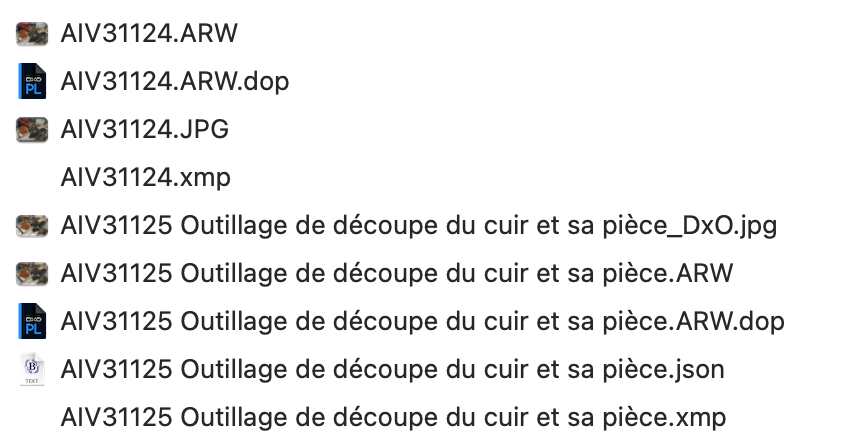
Example

…as adding descriptions to a filename :wink:

File names can be whatever one likes or needs, and as always, there’s a trade-off decision to take. Short names almost require some form of asset management (descriptive folder hierarchies, keywords, software etc.) while descriptive names tend to get complicated and possibly limited/cut during transfers.

  1. Create a new Folder for the event_name
  2. Copy files from SD to the Hard Drive
  3. Rename all files to change Filename to LVSnnnnnn
  4. Select photos to be processed using Rating values
  5. Edit Photos
  6. Add Information to Subject field
  7. When Exporting set the exported name to Subject Filename and store in Export/event_name

All files in the Input Folder and Export folder are unique and I can use PL Search to find the Subject

Thanks @LVS , just learnt something.

Saving as preset helps to reduce errors.

1 Like

I totally agree on the need for more EXIF/IPTC tokens. Having to jump into a third-party renamer just to get the date or lens info into a filename feels like a step backward when the rest of the workflow is so smooth. It’d be great if we could just ‘set it and forget it’ right in the export dialog.

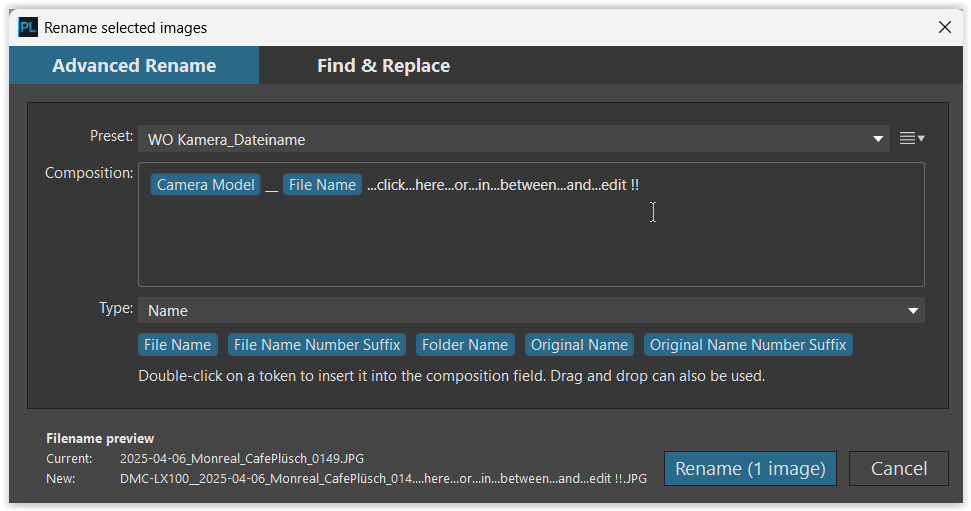
Check out PL 9’s renaming options for export date and lens info are available…but there’s a lot more in a file’s metadata of course. The variety of possible fields is so wide that it’s probably a good idea to propose specific tags, preferably via a ticket onsupport.dxo.com.

I think they could do this very easily/automatically if they used a predefined format for metadata field used in Export/Renaming..

If they allowed the user to type in the name of the metadata field it would recognize it as such and substitute the value from Metadata.

Examples:

filename would be written as !filename!

subject from IPTC would be written as !subject!

Basically looking for a word surrounded by markers, the markers could be selected by the user.

If a camera added some additional fields then PL would automatically be able to read them without requiring an upgrade.