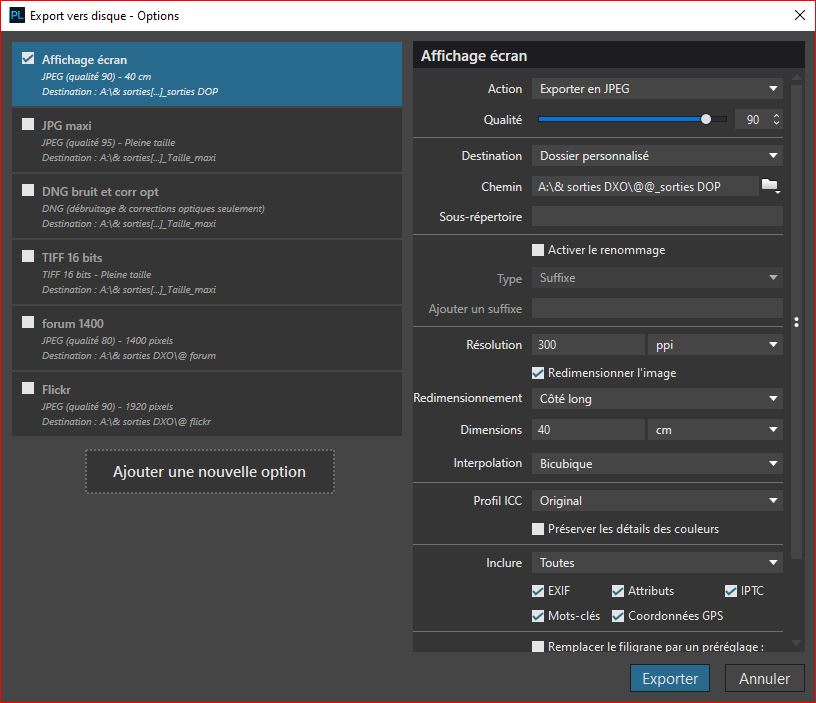
I’m new to Photolab (still in the 30-day trial) and am loving it so far. Today I ran into a strange problem that I couldn’t figure out.
I’m preparing for a photo exhibition and need to print 4 images in 30x40cm. I cropped the 4 photos in 4x3 aspect ratio. I then used one of my export-to-disk presets. Output is set to 300ppi, no resizing. The resulting jpg is 34x45cm. If I open the jpeg in Photoshop it shows the image size as 34x45cm @300ppi. If I use the crop tool set to 30x40 it covers the entire image. I don’t understand how both can be correct. Am I doing something wrong, or do I have the wrong understanding of what is happening?
Welcome aboard!
I’ve just made a test: everything works fine (PL9 / W10).
I’ve made a crop from 3:2 to 4:3 in a file from my R6 mark II (6,000*4,000).
Here are the parameters for the export and then what can be seen in Photo Shop Elements: 40x30 cm