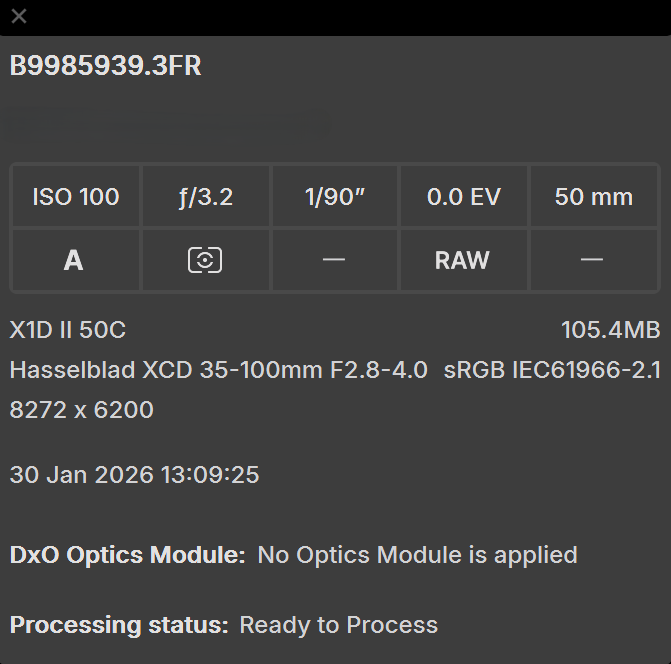
My camera and lens pair is Hasselblad X1D II and XCD 35-100E, which is on the support list. The latest 5.7 update is to support this new lens. But when I load the image in, there isn’t a new optics module to download window, and if I press the DXO module button on the top, it will do nothing. In the image info it shows no optics module is applied. I tried cleaning the module storage folder as well as the database file, it won’t work. I tried reinstalling DXO PureRAW and cleaning all related folders, and it won’t work. I checked DXO’s supported lens website, and the XCD 35-100E is strangely splitted into two, one with (RAW) and one with (JPG), but all other XCD lenses are not like this. I wonder if it’s this naming differences that prevent the detection which leads to this bug. All in all, this is a bug in here. Currently there’s no way for me to download and apply the optics module for XCD 35-100E lens. After deleting the database, I tried images by old lenses, and all of them works well, the new lens window will pop up as expected when I load the first image, and clicking DXO module button will reopen the same window. I am using DXO PureRAW 5.7 build 12 on Windows.
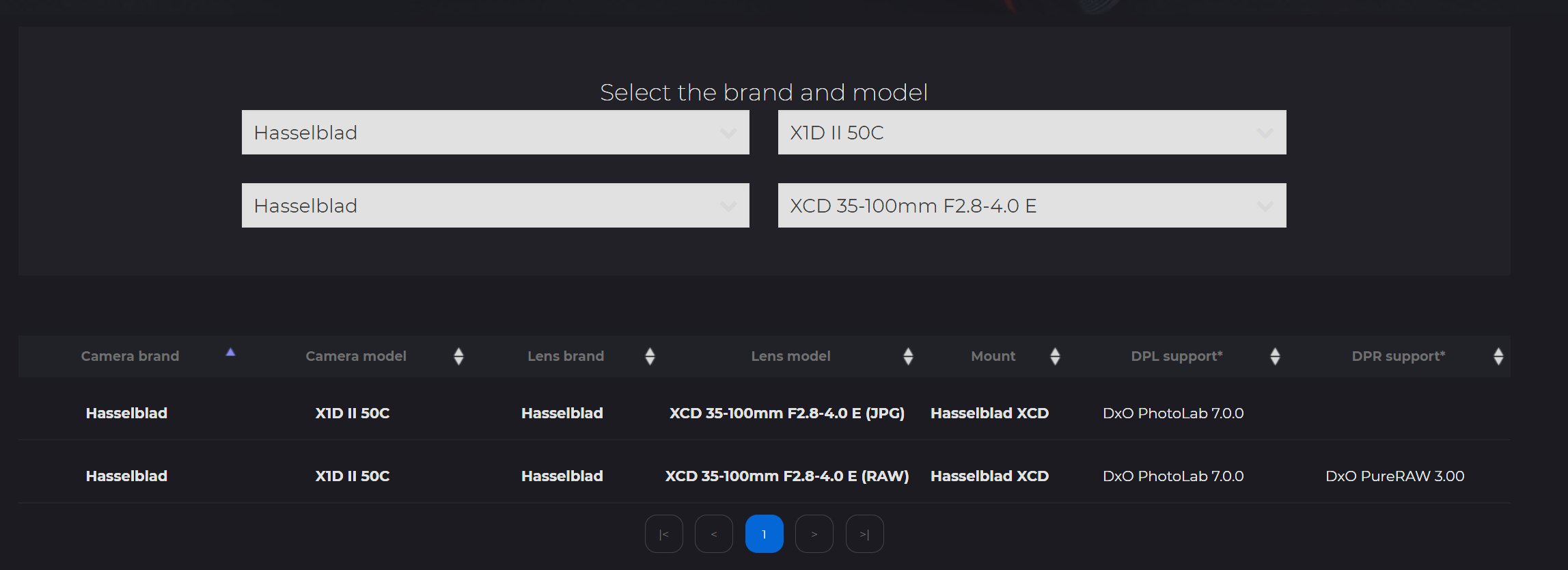
X1D II and XCD 35-100E lens is shown as supported, but strangely splitted into two, which no other lens does in the supported lens page.
Welcome to the user forum.,
One profile is for JPG and the other for the raw file, common to some camera-lens combinations.
If you cannot load the module, you may need to contact DxO.