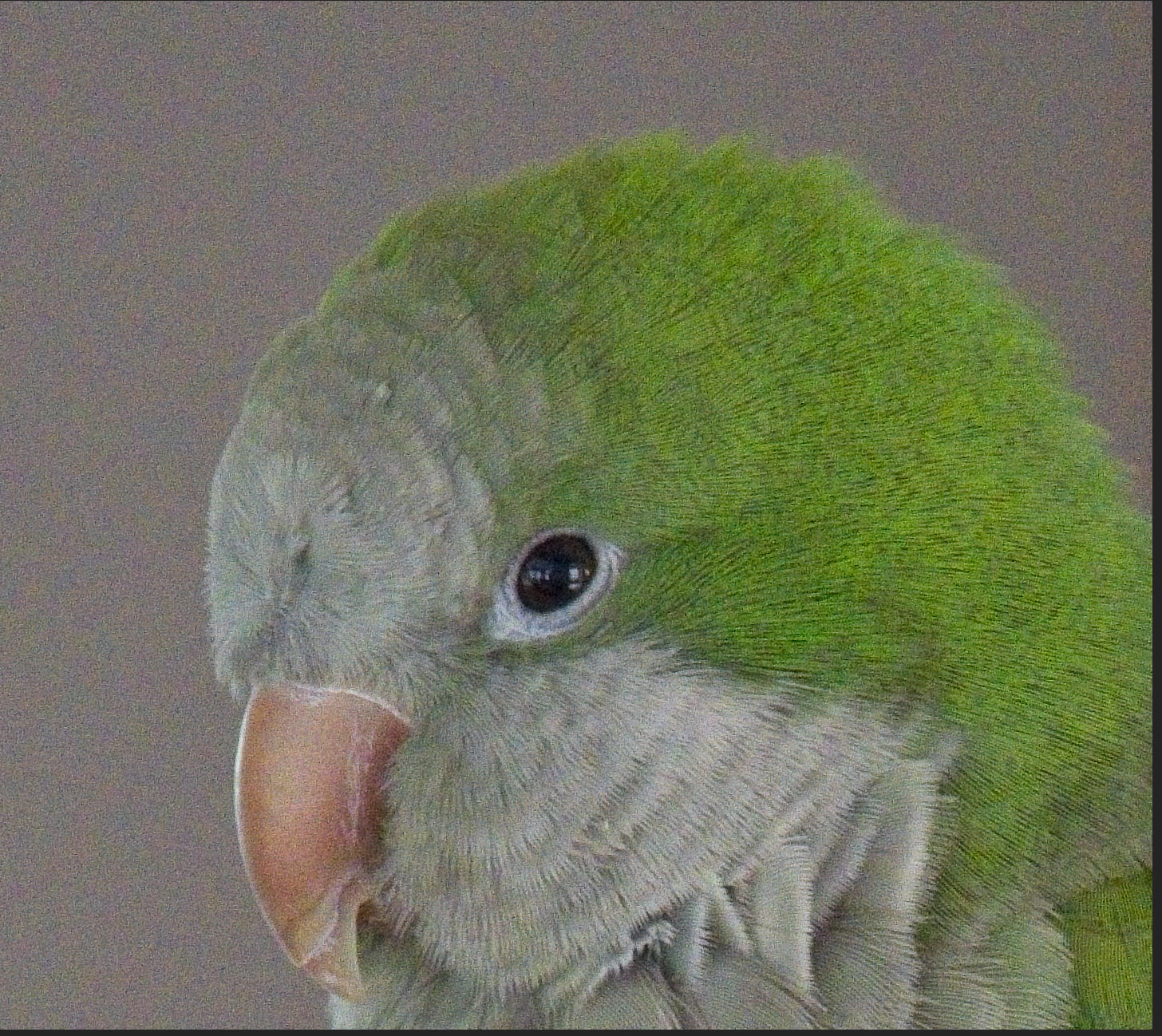
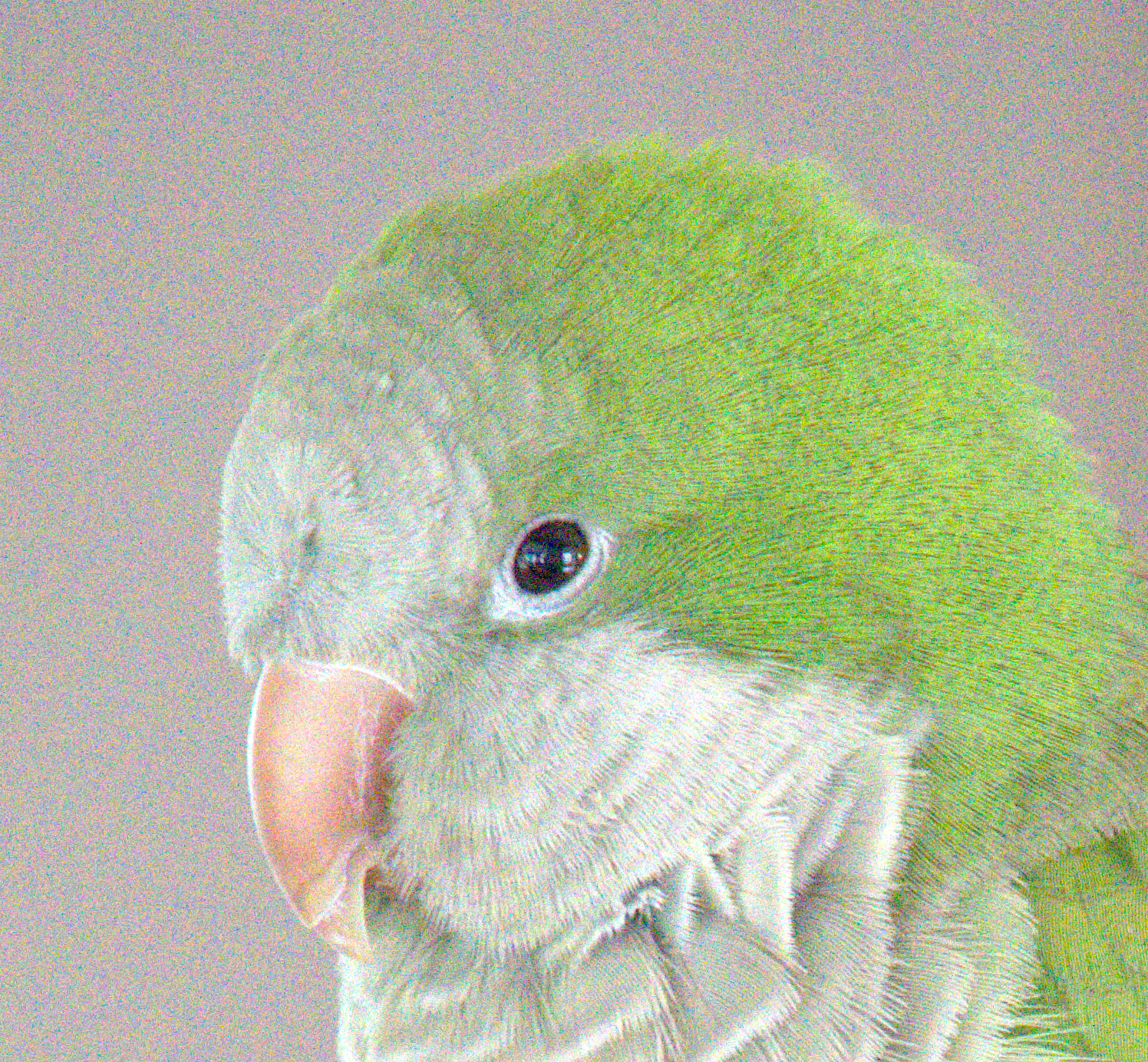
I picked up a Sony a6700 as it is much lighter than my Nikon DSLR, and I am very happy with it. I shoot RAW + JPG and don’t like to do much image manipulation. The only reason I shoot RAW is if I really want a high fidelity image or mostly if need to rescue issues such as white-balance, blown high or lows, .. etc.
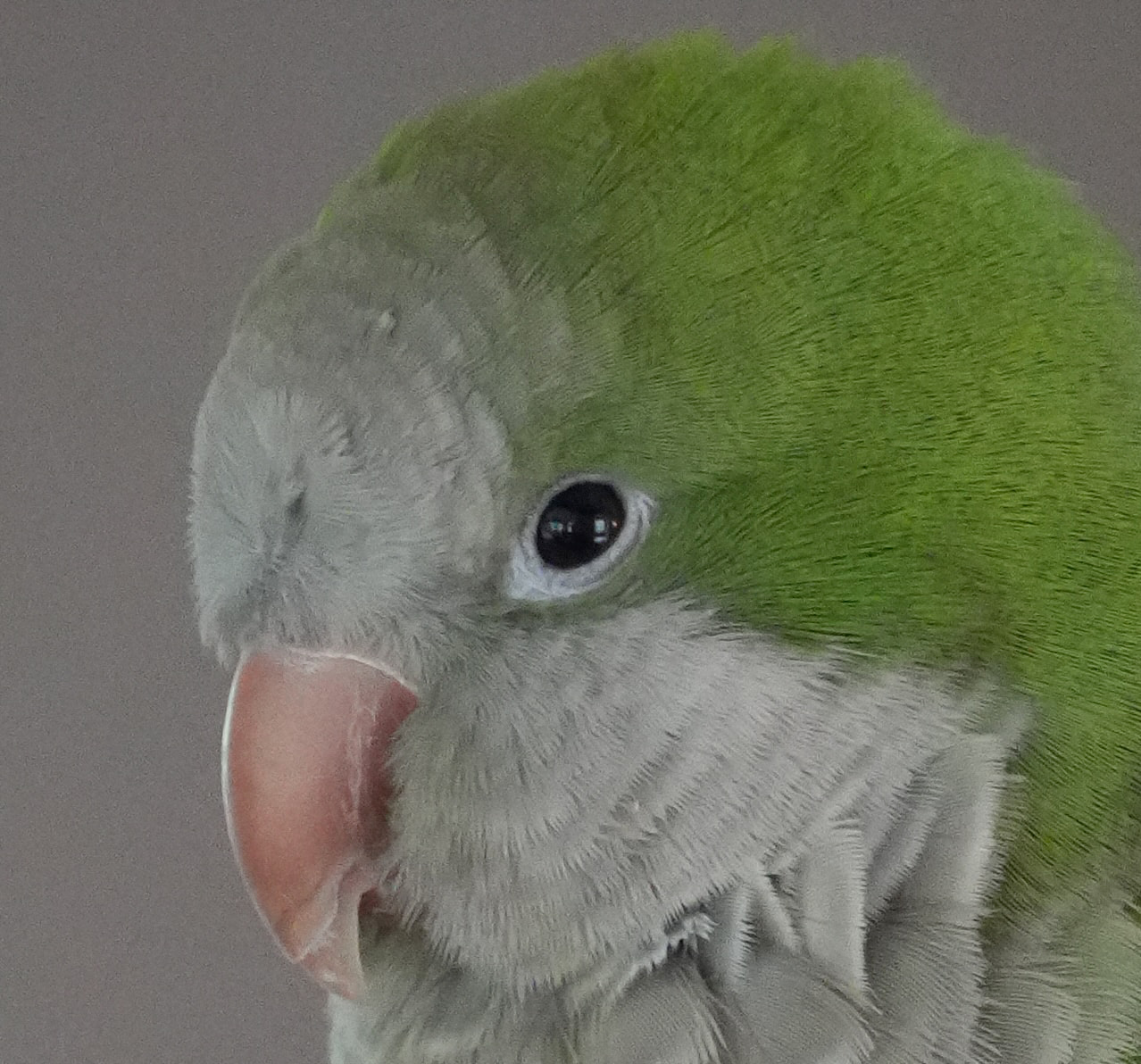
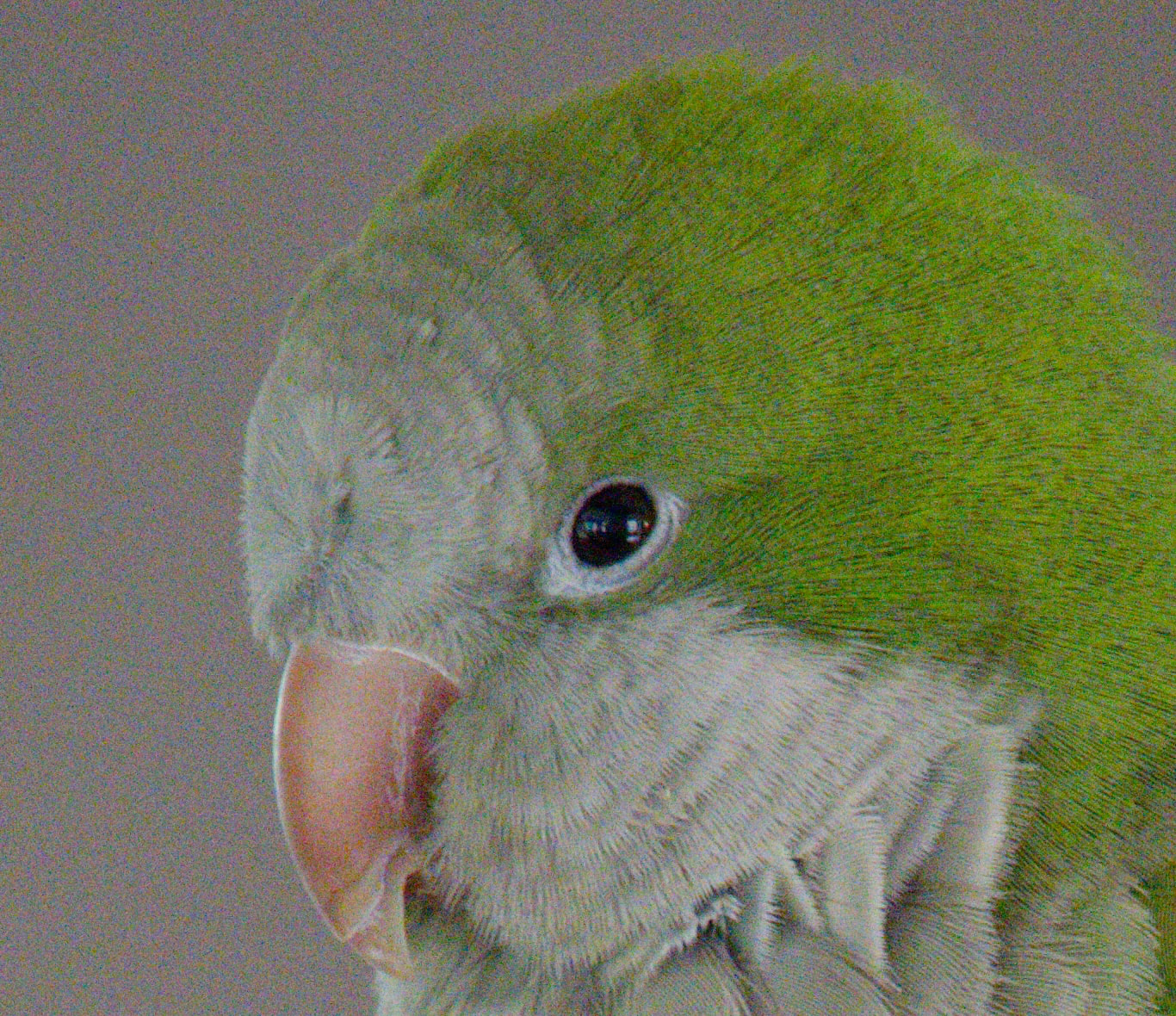
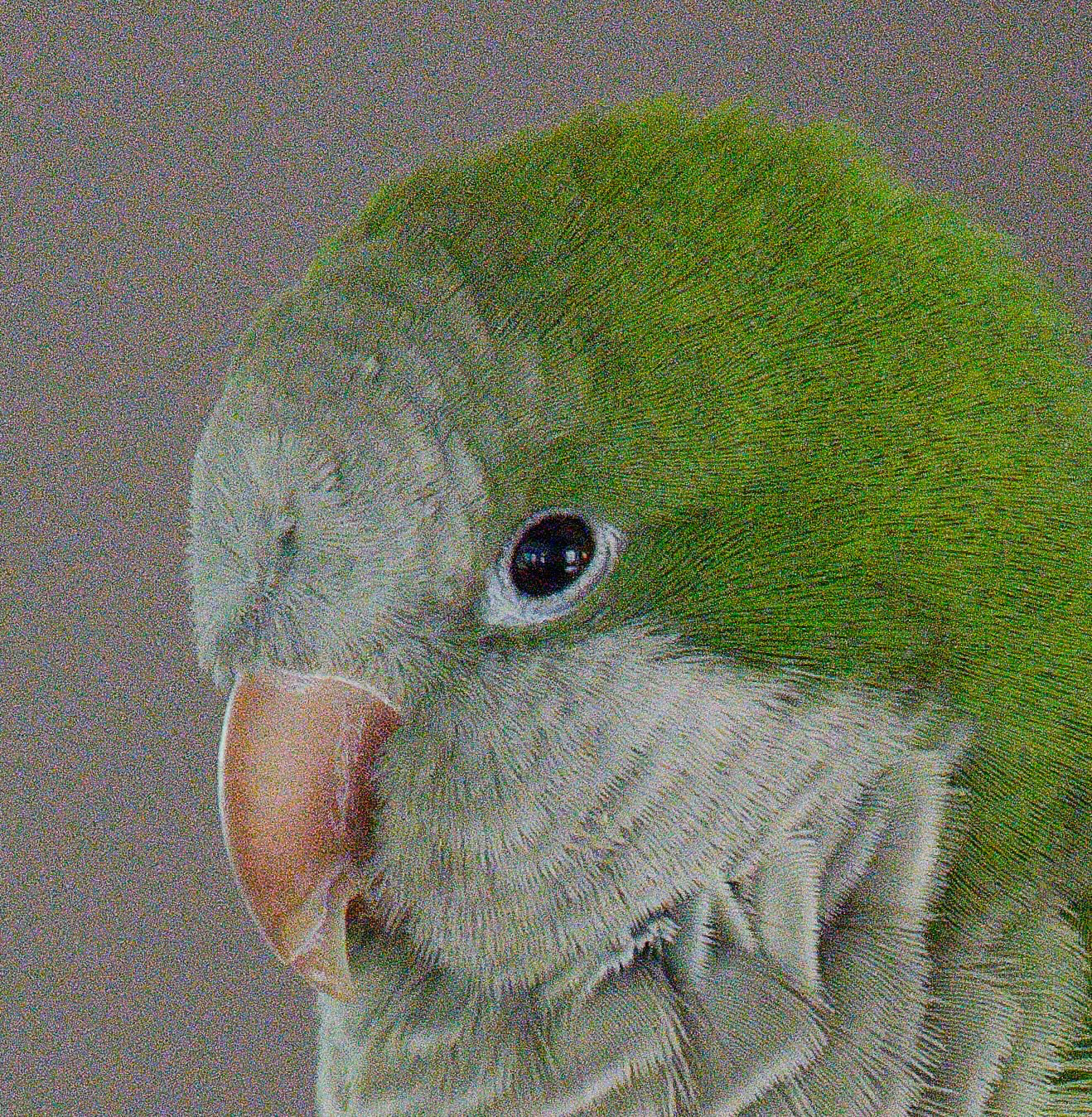
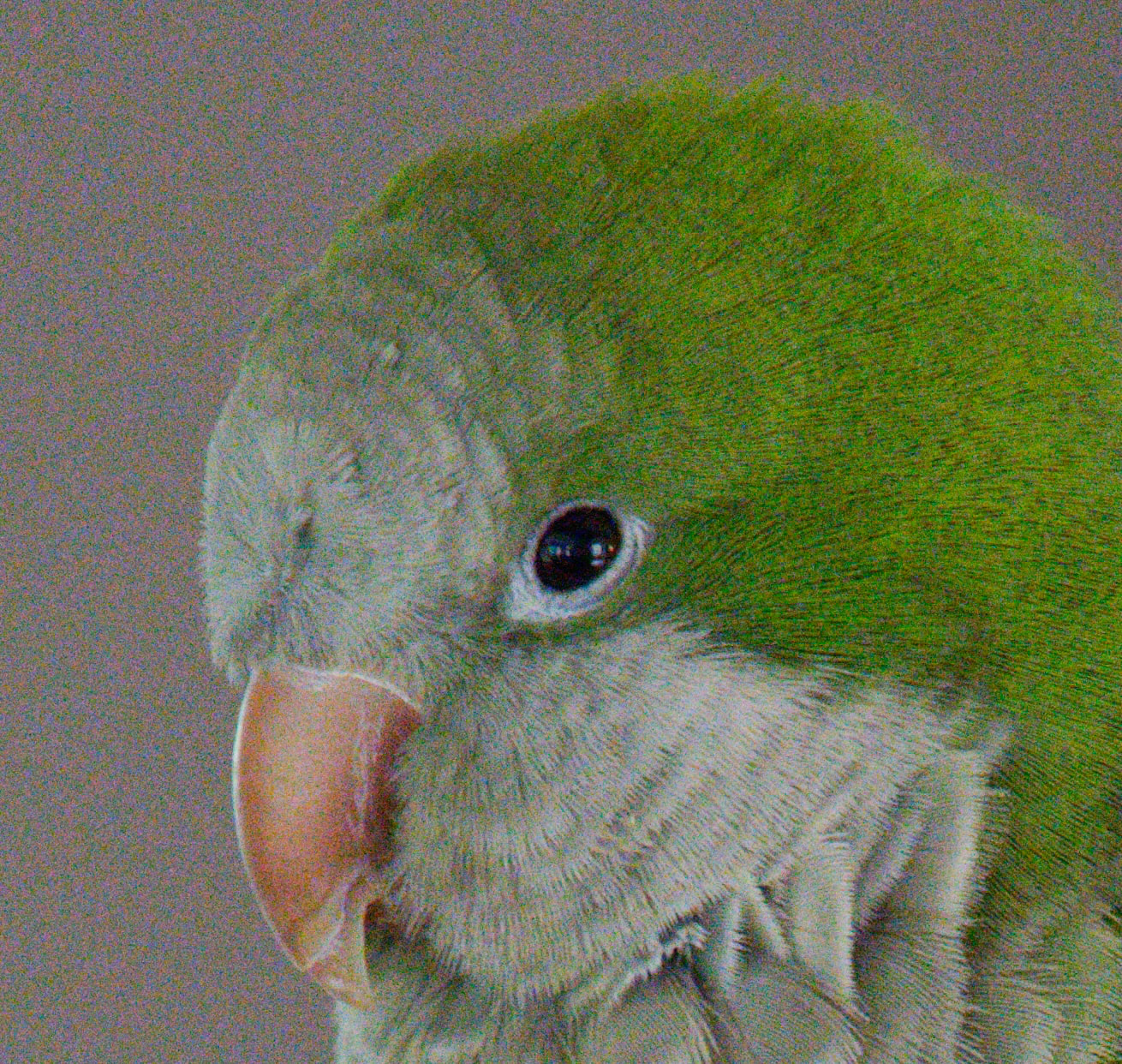
However, I am not happy with DxO photo lab as it looks to add considerable noise for the RAW processing. I have attached 4 images. The first two are 100% crops of a JPG and RAW (ARW) file rendered by DxO. All corrections are off! You will see that the ARW file has a bunch of added noise.
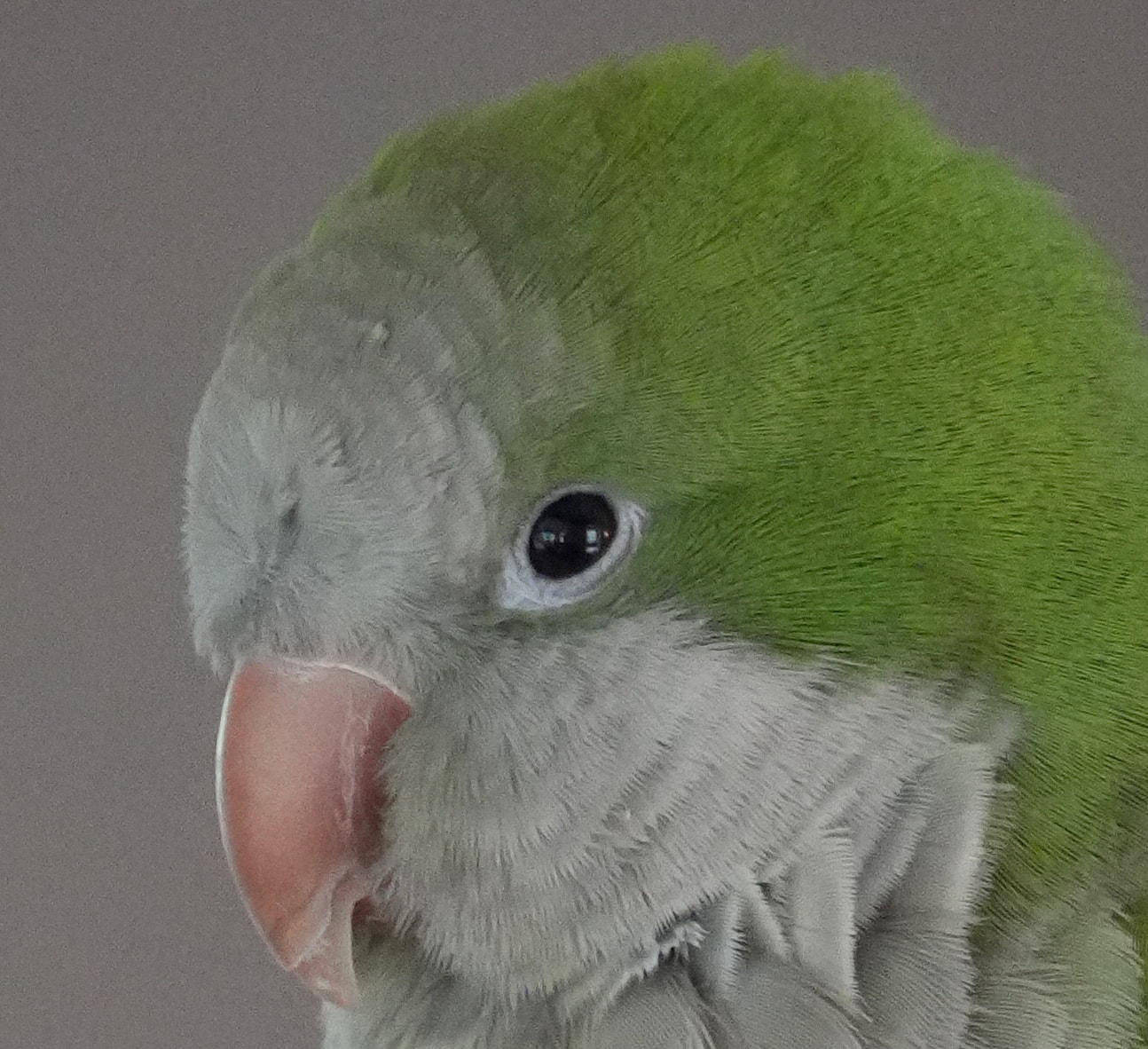
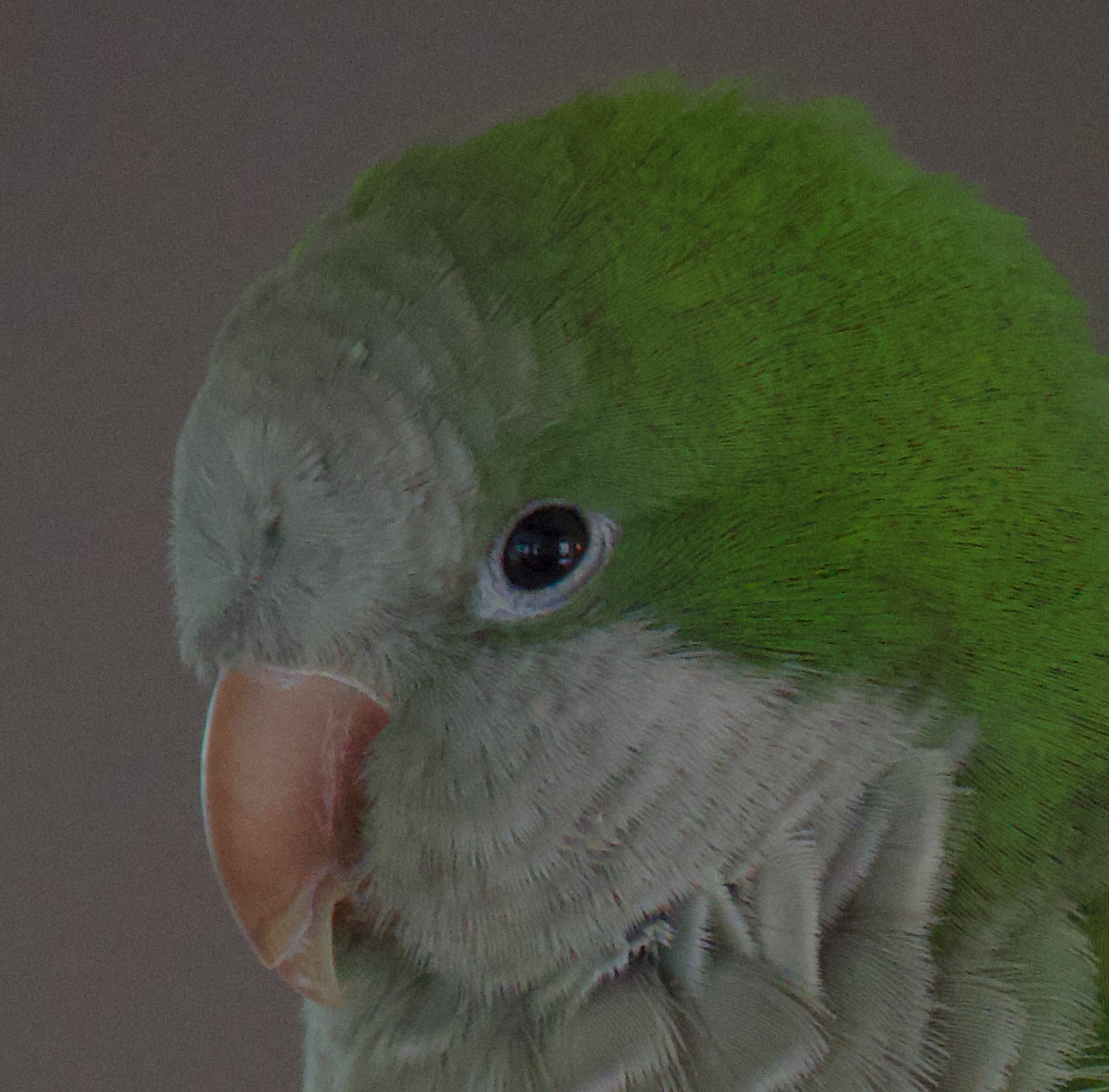
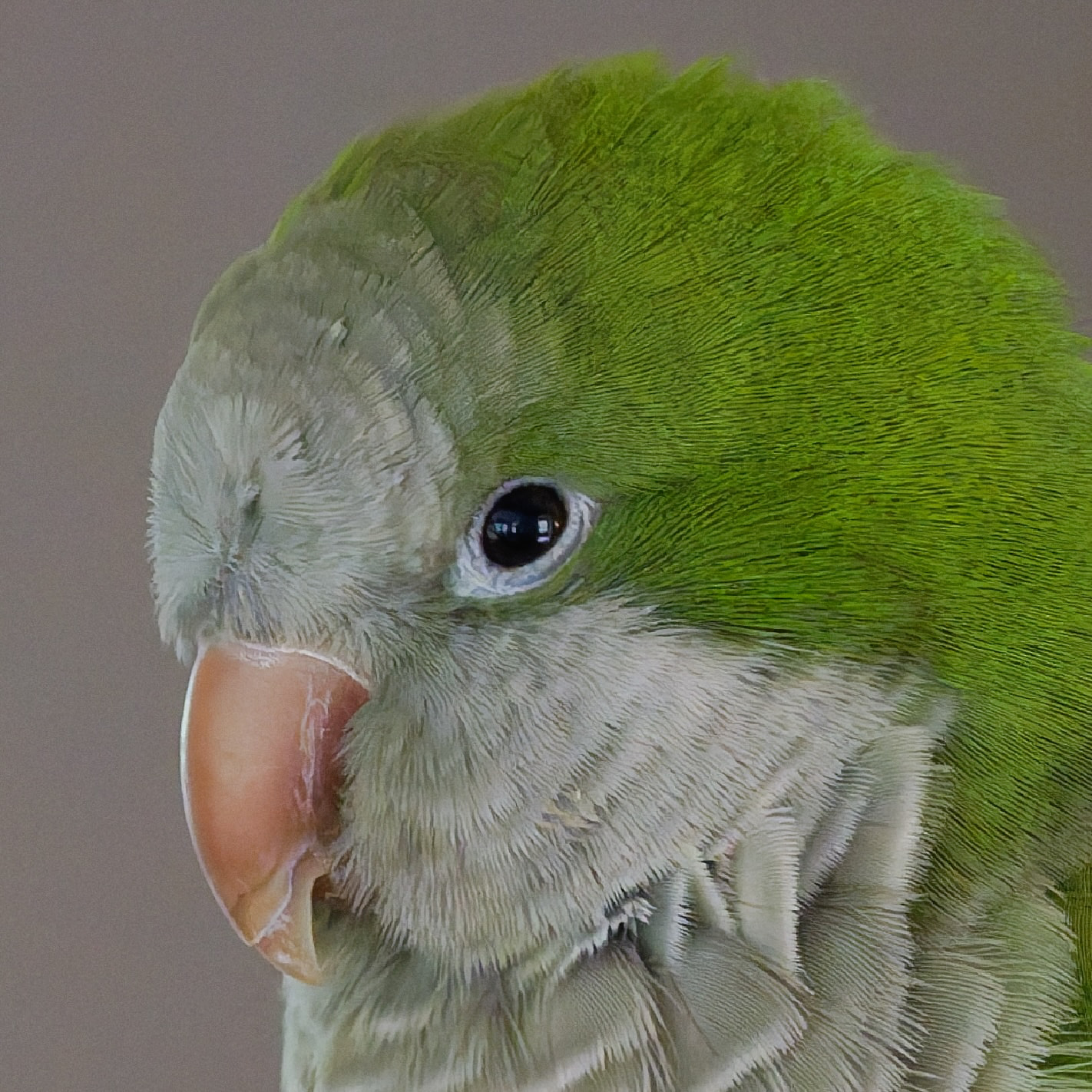
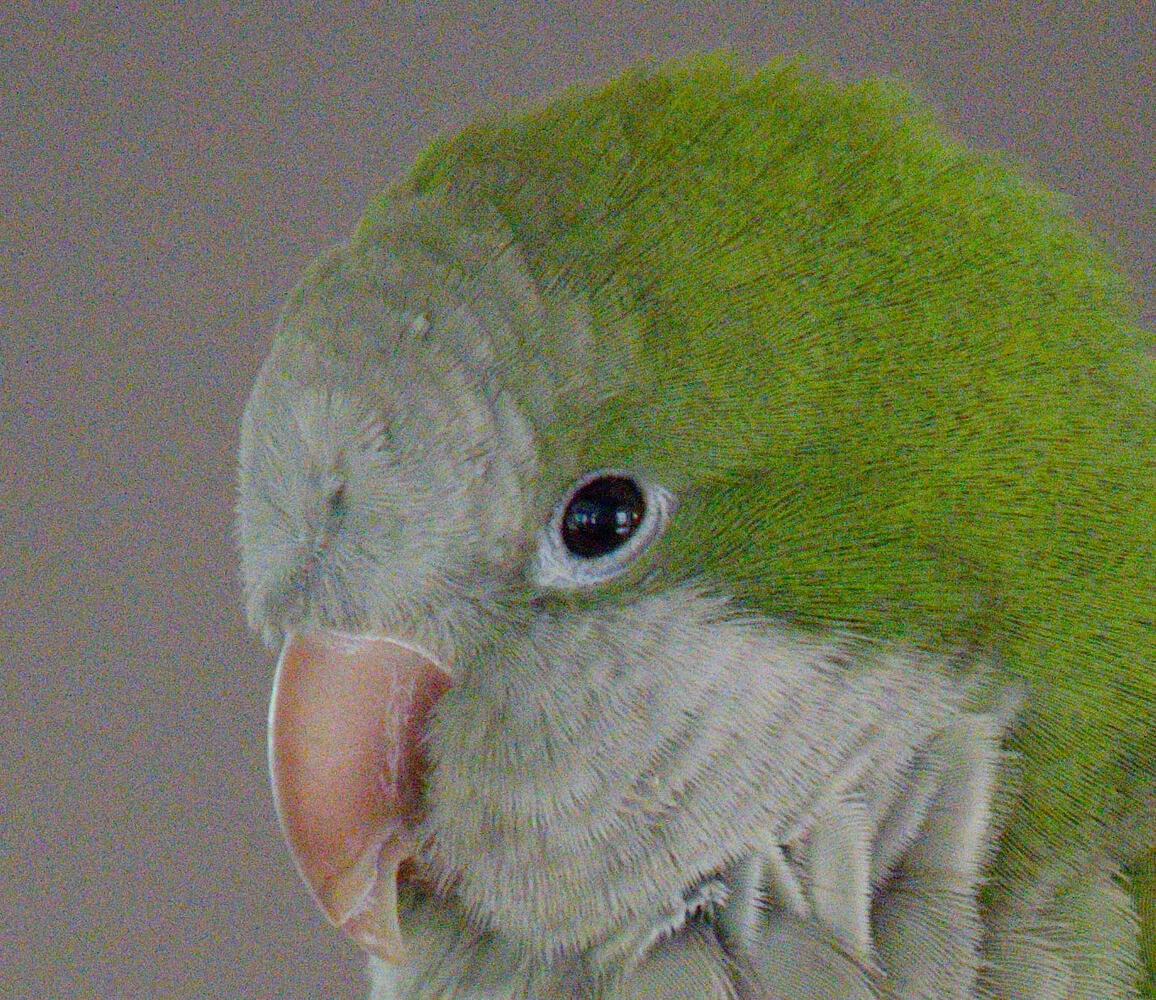
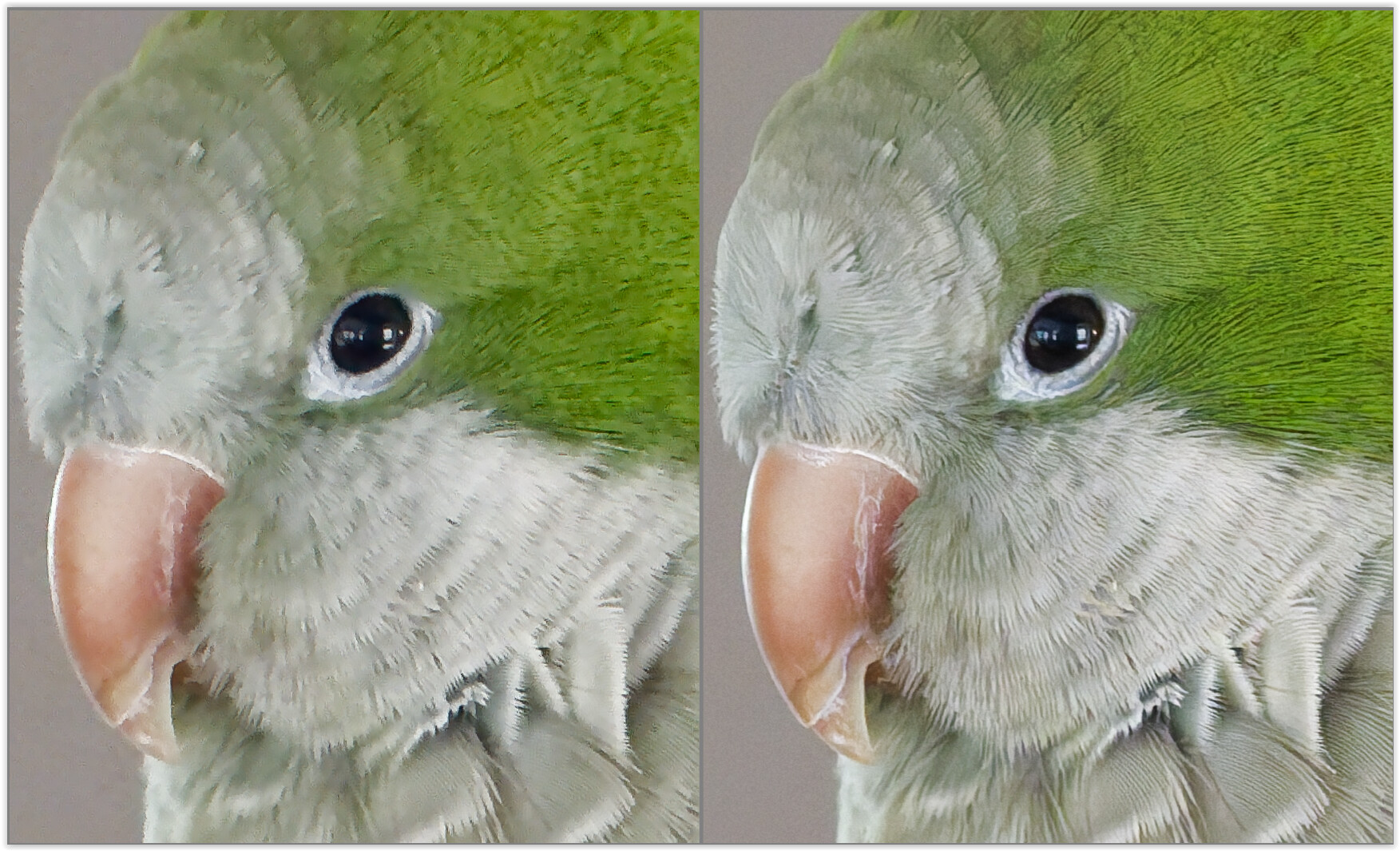
The second two images are from the MacBook Pro’s Preview app. There is no added noise to the RAW file.
I reviewed this image with a different RAW editor, and there is no noise either. I then went back and checked my Nikon RAW files. There is no DxO issue added noise either. So, this may only be a Sony thing.
At Denosing & Demosaicing you either have to choose DeepPRIME 3 or DeepPRIME XD3.
1 Like
mwsilvers
(Mark - New Jersey, USA, Win10, RTX 4060, PL9, FP8, VP5, Nikon Zf )
3
I am not a Mac user but my understanding is that the MacOS preview app applies basic, automatic adjustments to raw files by default. If that is true, did you disable those adjustments for the images you posted? Further, it is not uncommon for multiple raw viewers from different sources to present the look of the same raw file very differently. DxO did not add in color noise to that raw file. It is more likely the Mac viewer altered the image or used the raw file’s internal jpeg.
Please let us know which other raw editor you used that showed no noise in the raw image. Keep in mind that most raw software automatically applies adjustments to raw files on startup. Would you be willing to share the ARW raw file with us so we can try to assess what is happening here?
Thank you for taking the time to reply. I’ve uploaded the RAW and off the camera JPG to this message.
Tom, the other RAW converters I used were PhotoscapeX and RawTharapee. Both showed default images similar to the Mac Preview app.
Here is one epiphany. The color noise looks much worse on my MacBook screen than on my stand-alone monitor (BenQ). Ergo, I need to do some color management for this MacBook (I’m new to the Mac myself).
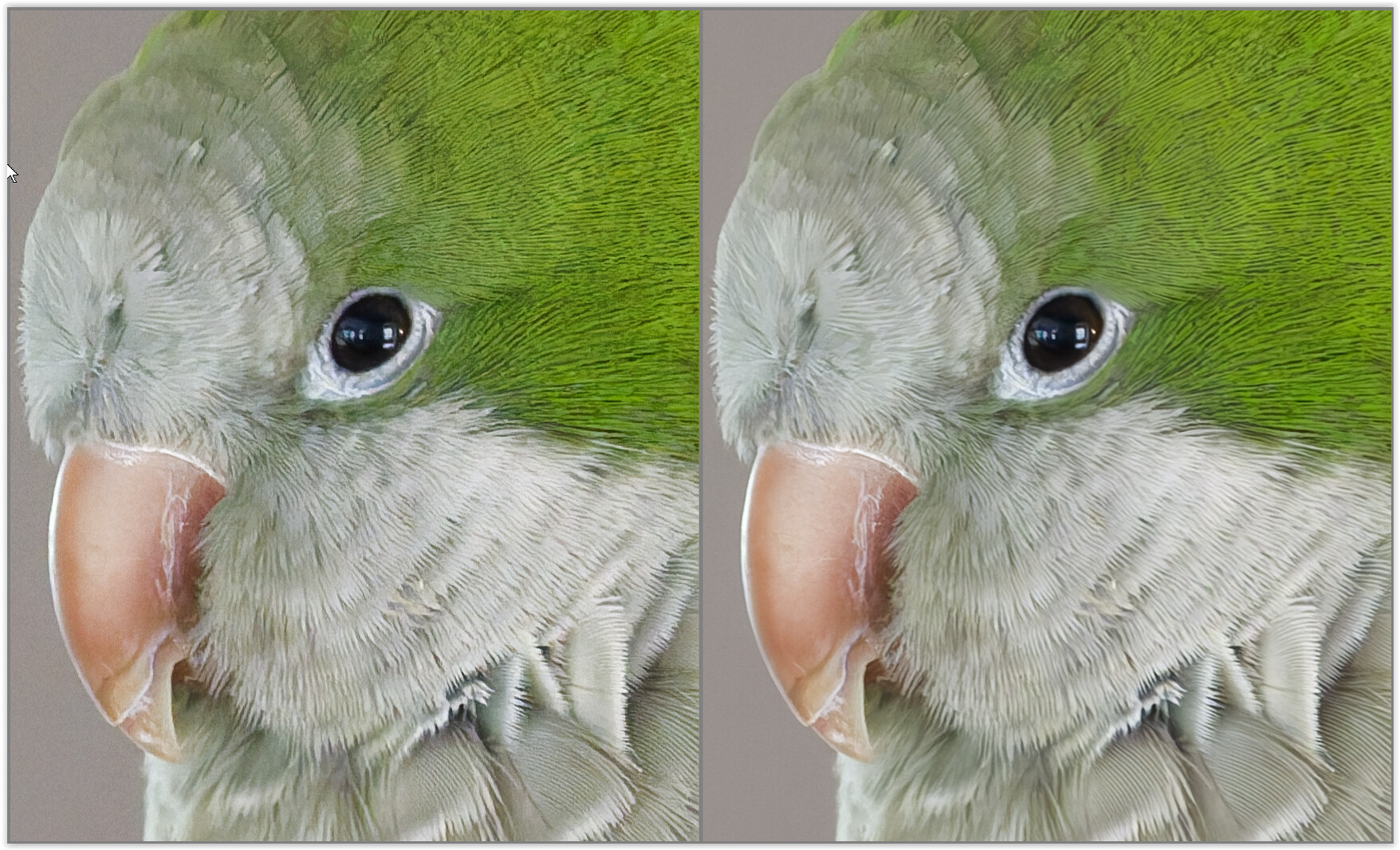
Another epiphany is that DxO’s Lens Sharpness Optimization adds a lot of noise. It is supposed to be profiled from my camera and lens model. The following two images are with the Lens Sharpness ON and OFF. I’m going to keep this off.
Tom, you are spot-on about the denoising. I usually leave this off because (a) I wish to avoid all the over-head processing when just using the PhotoLibrary to cull images. And, (b) I have never seen a RAW file more noisy than the corresponding JPG. I’m guessing this Sony does a good job denoising when producing their JPGs. The following image is with DeepPrime 3 (and Lens Sharpness!).
You will notice that each raw file looks different because there is not a standard for the presentation of raw data. You will also notice that all three of them show noise in your image. PhotoLab did not add noise to your raw file. If you are not going to apply DeepPRIME to raw files that need it to avoid overhead, that is your choice. In PhotoLab 9 the DeepPRIME variants can be set on in preferences so that they are applied to the image automatically in real time in the editing window.
I believe you are correct, and I was incorrect thinking this was a bug. My apologies for providing a sensational headline as I over-reacted.
I don’t believe that I have ever seen an off-the-camera JPG that had less noise than the corresponding RAW with my two other older cameras (Panasonic ZS100 and Nikon D7500). I have been using DxO PL since version 2 and really like the product. I made a bad assumption with this new camera.
Thanks for helping me on this,
Tim
p.s. I am, however, pleased that this new Sony has nicer looking jpgs SOOC than what I am used to.
p.s. The CPU overhead I am referring to is when I am viewing a large number of images in the PhotoLibrary part of DxO as it renders away - creating a .dop file for each image. Ergo, I keep the Auto-Apply presets very simple.
It is a different story when I am editing in Customize. I do not worry about the CPU load here.
If your system is generating a .dop file for every file in a folder when you are just browsing that folder, something’s not right. On my Windows system, PL only creates a .dop file for an image if I edit the image in some way.
2 Likes
mwsilvers
(Mark - New Jersey, USA, Win10, RTX 4060, PL9, FP8, VP5, Nikon Zf )
10
Your experience that out of the camera jpegs are noisier then the raw files may be related to the specific cameras or camera settings you have used in the past and/or the software you were using to view raw files. I shoot with a Nikon Zf which has built in noise reduction for jpeg and Heif images . Many, if not most of my straight out of camera jpegs from it have significantly less apparent noise than the unprocessed raw files.
Keep in mind that out of camera jpegs are fully processed images while raw files are unprocessed interpreted data which is processed differently depending on the software being used. That is the reason raw files can look so different from program to program even when there are no automatically applied start-up presets. As I suggested earlier I don’t think with the software you have been using you are used to seeing completely unprocessed raw files.
Thank you for the pointers. I’ve been using DxO PL since version 2. The better denoising capabilities were welcomed improvements when they showed. For me, however, my aesthetic is to not have my images look overworked. So, I am judicious as to what I do in PP. It is nice to have the DeepPrime tools for when one needs them. They have become quite impressive!
You may be correct as to the noise level of this Sony camera when compared to others. I have been shooting RAW for over 20 years now, and the way the PL presents the Sony RAW files are different to me - alarming at first. Just a false alarm as it turns out.
Hi Mark, My previous camera is 9 years old now. The sooc jpgs were nice, but not nearly as nice as to what I am getting now. This is a welcomed surprise
Thanks for weighing in. I just looked, and you are correct. My folders are not cluttered with side-car files! Thanks for pointing this out - a false memory.
What did happen, with an earlier PL version, was that the PhotoLibrary became very slow rendering all images within a folder. At one point PL was unusable. DxO was super helpful tracking down the issue. It turns out, after a recent update, my calibrated monitor profile created a large CPU load as it worked through each image. DxO fixed this promptly once they figured out the root-cause (very nice).
Since then, I have been keeping my Auto-Apply presets very light. This may not be necessary anymore as my current computer has much more impressive hardware.
I too recently bought an a6700 on July 2nd, however unlike you, my previous camera was a Sony a6100. The only differences I have noticed between my old camera and the new one for processing purposes, is that the new one has better colour rendition.
I do not notice a significant difference in noise, though perhaps the quality of the noise is better. I use DeepPrime 3 on all of my images, however I always set it to level 5, maximum level 10. This is because I also don’t want my images to look overprocessed, however I do not like the look of digital colour noise. DeepPrime XD2 and the lighter successor DeepPrime 3 both do a great job of taking out chroma noise without really touching luma noise at lower settings.
One thing that’s a thing in all editors, and you’ve seemingly ran into in Photolab, is that if you do not use any noise reduction, you will run into quite ugly images. At minimum, I atleast use basic chroma noise reduction in all editors. Such noise begins appearing even at lower ISOs, and it can be very distracting, as you’ve seen. If you don’t want to use DeepPrime processing, but you do want that ugly colour noise softened, set the default to Standard denoising, with Luma at minimum, and Chroma around 20-25 depending on taste. That should give you a better image with minimal processing. These tools do have sliders, let’s use them!
Also, in terms of your settings - I highly recommend turning on GPU acceleration, in the performance tab of settings. It significantly speeds up program responsiveness, even on an iGPU. And I should know because my editing rig has a Ryzen 5800h, no dedicated GPU. The most relevant-to-you speed up you’ll experience is much faster preview load times, and this is even better if your photos can be stored on an SSD.
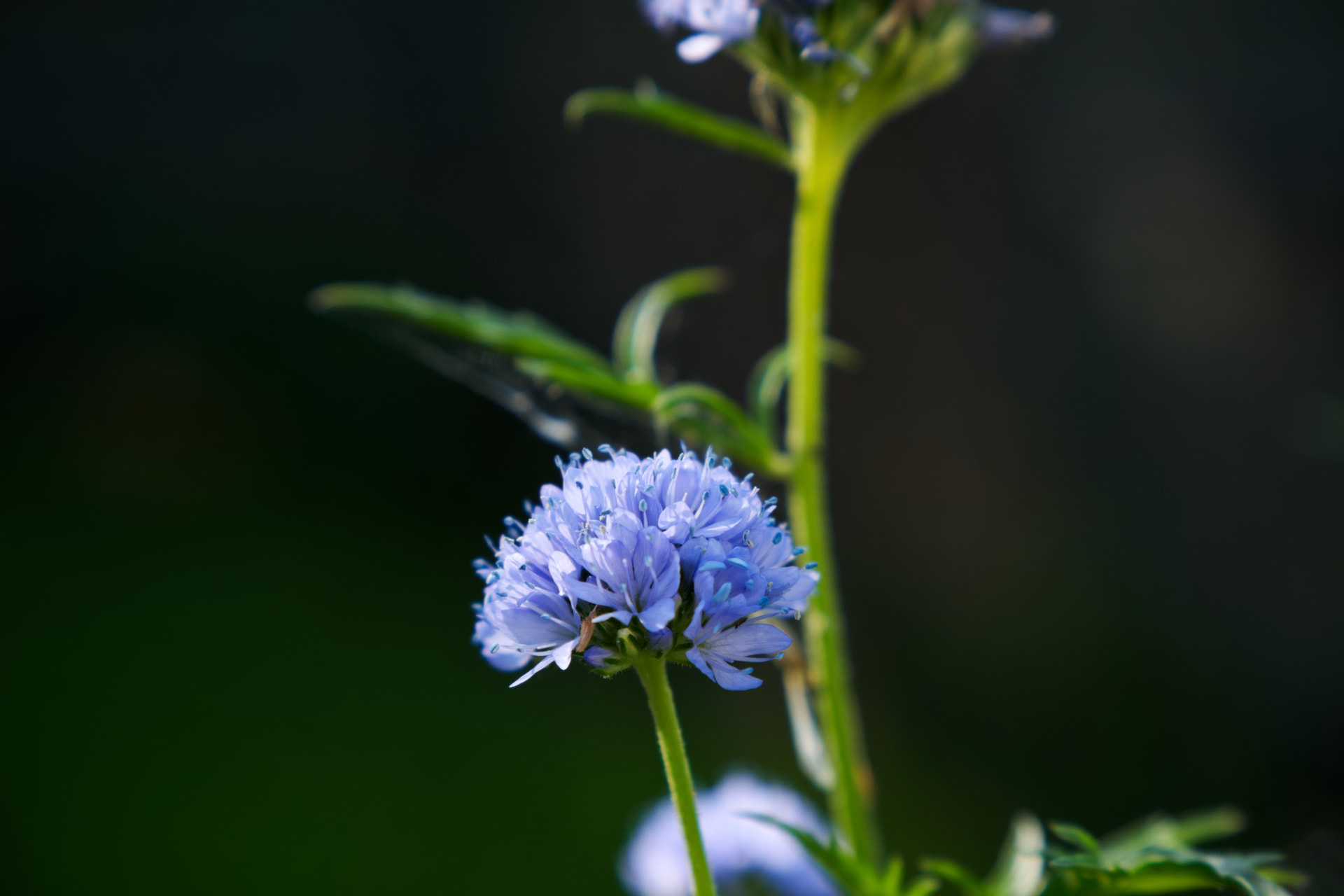
Here’s a photo from my a6700 processed in photolab so you have a reference of how natural deepprime can look.
Stenis
(Sten-Åke Sändh (Sony, Win 11, PL 6, CO 16, PM Plus 6, XnView))
15
I swapped my FF A7 III and At IV to a A6400 (for the street photo - because of the tiltable display that A6700 lacks) and an A6400 for the rest. Really pleased with that .
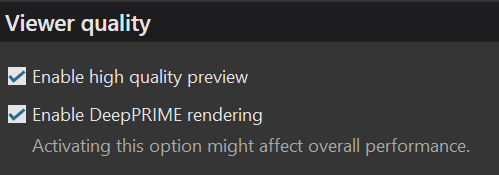
I also upgraded my computer and got a 5070 Ti card that makes it possible to activate high res previews and Deep Prime rendering on the fly even for the screen. That is fantastic compared to anything else I have seen so far.
So just don´t forget to activate Deep Prime 3 when processing pictures and even A6700 pictures will be fine. A6700 is a fantastic little piece of camera. I just came home from Italy with around 500 pictures and are very happy with the results with just one exception and that is nothing specific A6700 problem.
I´m talking about the fact that Sony never have been good to handle blue skies. Correcting them takes most of the time when postprocessing. Nothing else is even close when talking problems and that is regardless of is it is RAW or JPEG right out of the camera. I remember Canon adddressed that already in 5D MK III or maybe IV.
The other Sony issue is over exposure that has always been around 0,7 or 1 Ev that always forces me to compensate that especially sunny days. But that is not really a problem compared to those blue skies that often has far to much black and saturationin RAW and JPEG right out of the camera. My cheap Samsung A35 camera is SOOOO MUCH more accurate and hardly ever needs editing.
Thank you Stenis. I thinking that the original reason I’ve avoided the denoising was that they were originally very slow when they first came out. In fact, some would only be visible after exporting the image. It’s good to see that the deep-prime routines are relatively snappy.
Thank you Lindon. I think I’ve solved what made the Sony RAW files so alarming to me. I had Lens Sharpness Optimization on automatic. The settings worked well with my Nikon RAW files (.NEF), but created significant chroma noise with thy Sony .ARW files. I like how they look now that this is turned off.
This has also been a good journey form me as I’ve learned to used the improved versions of DxO