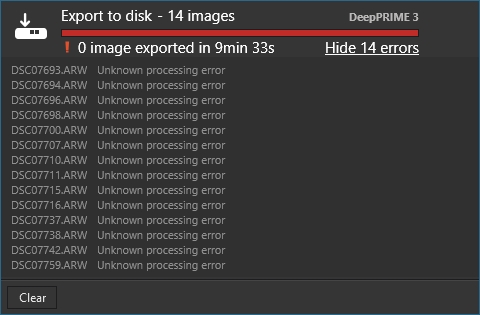
Same experience here on windows, everything was fine until it wasn’t. I exported a few images with version 9.2, until it just stopped working. Some with AI masks, some without. I’ve tried restarting my computer and clearing log files, no change.
I’m on Mac, so this is interesting to see the same thing happening on both platforms.
And they haven’t even fixed the show stopping filtering bugs that are still going on, for the past several days since the last point release.
My confidence in DxO was sky high for years until using version 9.
I’m seriously thinking about going back to version 8 if I can even do that.
But I don’t think I can since probably some of my edits are now saved in formats that only v9 can read.
Ugh.
I figured out a workaround although it destroys all my work.
I went to another shoot edited over a week ago. Copied settings from one of the photos. Then selected all photos in the folder where PhotoLab 9 was broken, and pasted those settings onto them.
It destroyed so many hours of work, but at least now I can start editing that folder of photos again.
PhotoLab is going to lose me as a customer if this kind of stuff keeps going on.
My usual approach is go decrease version number values given in the . dop sidecars. This transports compatible settings without issues, but it can’t work miracles for images that have been treated with new features of PL9.
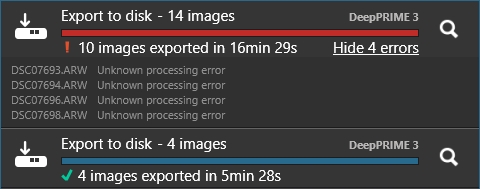
After restarting my computer, I tried exporting the same set of 14 images again. This time, only the first 4 failed. After that was done I tried exporting the 4 failed ones again, and it worked just fine. Not sure what caused this issue but it works now. Hopefully it’s a similar case for you. Just wish I knew more about what had caused the issue in the first place so I could give you a lead.