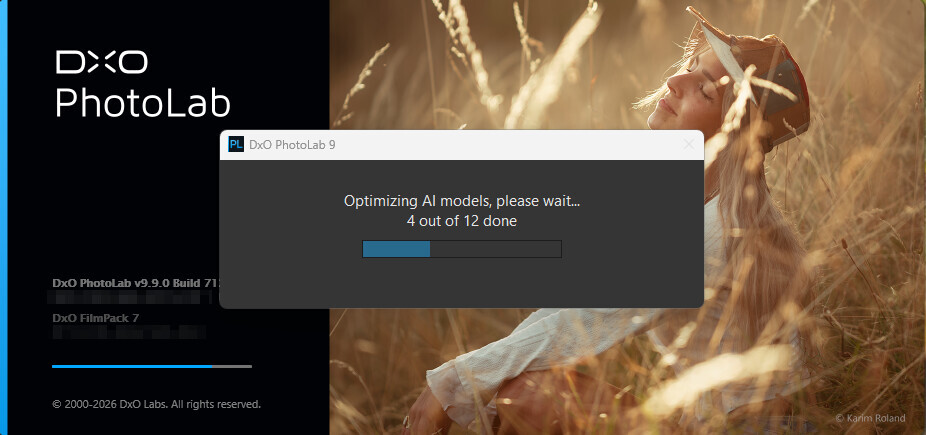
I just downloaded the newest version of DXO Photolab, but when I try to start the software, the program says it wants to download new Ai Models, but after a few seconds it just crashes. I updated my Nvidia Studio Driver to the newest version but it´s still not working… Do you have any idea what I can do? Everything was just working fine before the update…
what are the complete specs of your computer including cpu, ram, gpu, vram, and nvidia driver version?
Your specs are important to check. But also: might you be running out of pagefile/swap on your C: drive or have possibly developed another problem lurking behind the scenes? (1) Make sure your drives aren’t nearly full. (2) If you’re running Windows, check the Application and System logs in Event Viewer. (3) Running sfc /scannow as administrator might also be worthwhile (also a Windows feature).
I bit unclear for me what (when, where) exactly happen.
Its happen during installation of the latest version of PL?
I guess during installation - as usually there the “download of AI models” happen.
Or its after a successful PL installation → and when you try to start first the the fresh installed PL?
I have the same problem with the new version
At startup I see a screen with “Optimizing AI models, please wait .. 0 out of 14 done”
In the dxo start log file “DxO.PhotoLab.txt” the last message is
“ 2026-06-22 11:08:28.386 | DxO.PhotoLab - 90104 - 24 | DxOCorrectionEngine - Info | Compiling model GDino_image_fixed
2026-06-22 11:08:28.386 | DxO.PhotoLab - 90104 - 28 | DxOCorrectionEngine - Info | Compiling model model7x16”
I download again the last Dxo Version today and reinstall, same problem.
Any Idea to debug the problem?
I see this ‘Optimizing AI model’ thing - [PhotoLab 9.9 released - #4 by andras.csore], runs like 2 minute. For me its runs well. However, its done in 12 model, not 14.