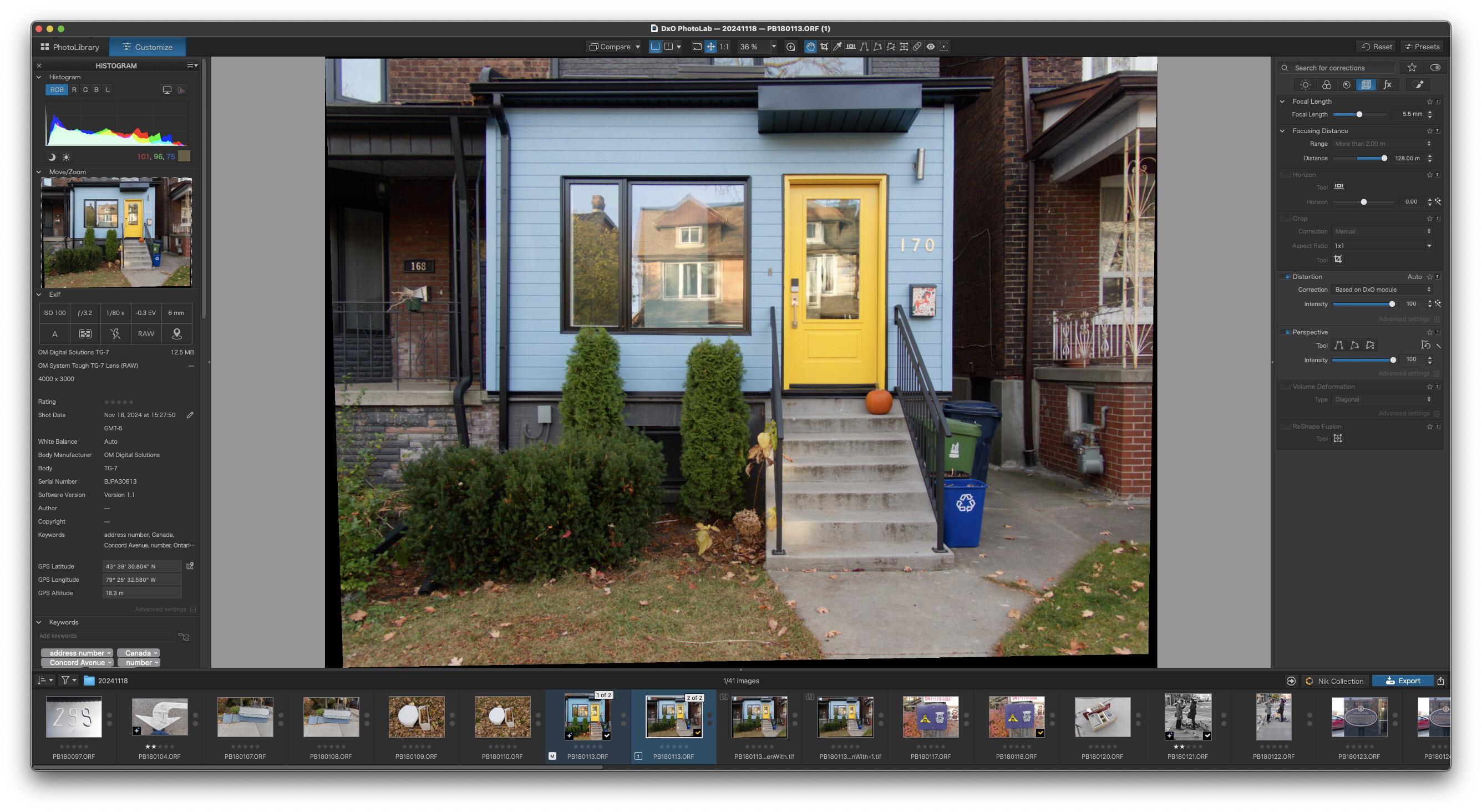
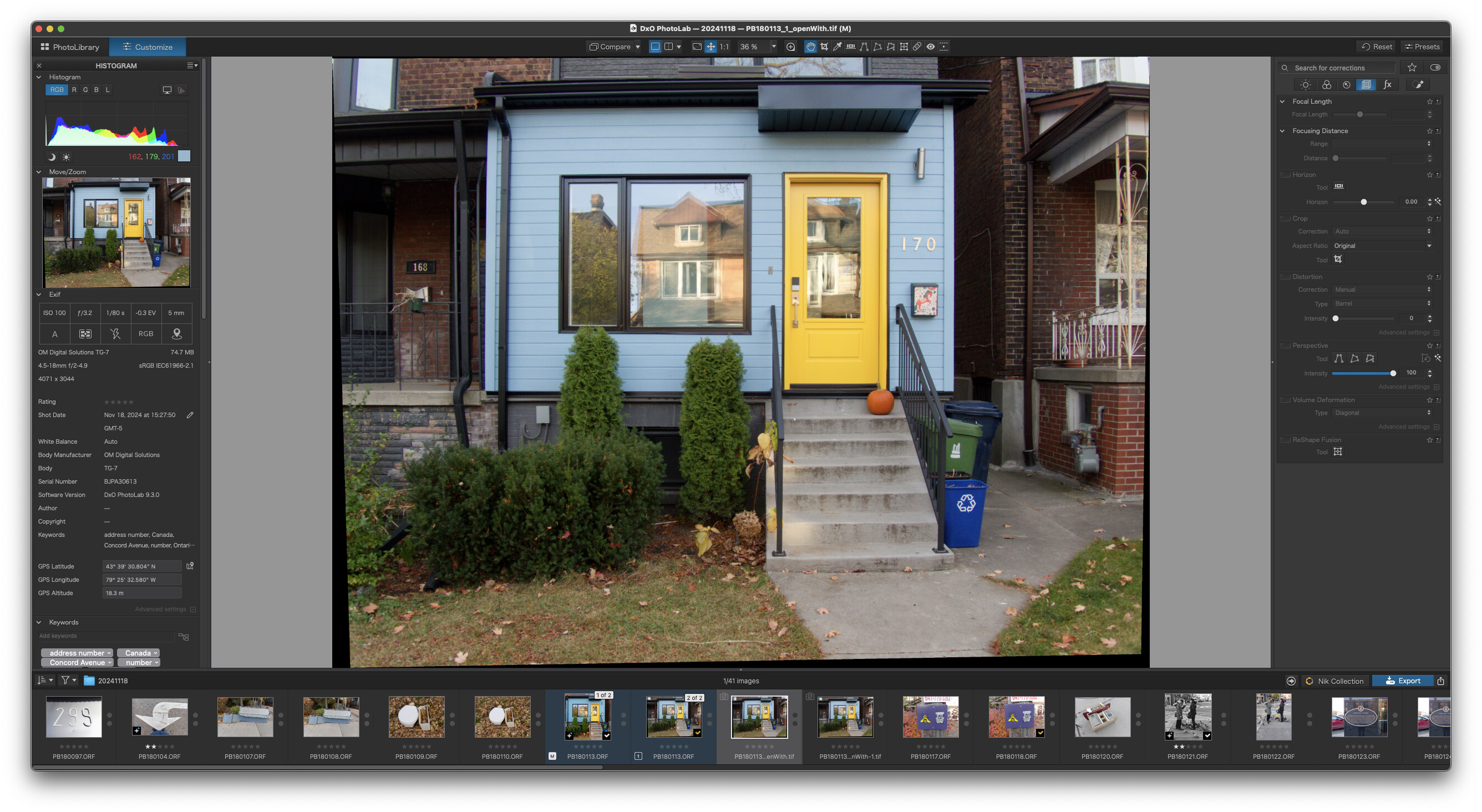
Distortion Correction Based on DxO module is not applied when exporting an image, this worked in v9.2.1.
2 Likes
Indeed! and it seems that sharpness optimization also fails.
1 Like
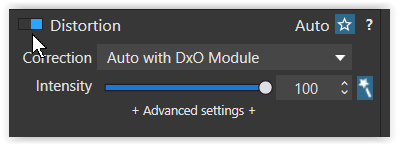
Same in macOS (except it’s not blue  )
)
Did you check the exported files in the Windows environment?
There are four threads on this. Report it to DxO.
I just did, but anyone who experiences it should. If it’s just one or two people, it’s an edge case. If it’s lots of people, it’s something that should get their rapid attention.
6 Likes
Well … when I compare the two screenshots from the OP, the first one (with the raw file) shows Distortion NOT activated, whereas the Perspective correction is.
Did you check the exported files in the Windows environment?
Yes, I have (and even checked with different files). I don’t see any problems with distortion or sharpness in the exports. *)
*) Normal export without resizing or output sharpening
Most people trialing will simply cancel the trial. When you have a problem with a piece of software you need to jump on it and sort it out. If one person reports it, do you think they are the only one to have a problem?
Apologies for including the wrong screenshots. I was trying to determine the problem, so I was turning off/on different edits. I have updated the screenshots.
Meanwhile, as reported by others - the problem does exist. I reinstalled the previous version and it works.
2 Likes
A temporary work-around for those who need something right now, before DXO offer a fix for this problem.
Download darktable, FOSS (so no cost to you). Available for MacOS, Windows and linux. If you’re downloading for Mac, read the installation notes before installling, otherwise install as usual for your OS.
Open a RAW file in Photolab, do all you corrections except sharpen and geometry. Export as DNG.
Open darktable. It should open in “lighttable” view. Top left is a button “Add to library”…click. Navigate to your DNG file(s), select them and open. If you open >1 file they will appear in lighttable, double click to select an image to edit. If only one file it goes direct to “darkroom”.
Open a file in darkroom (double click it). In the right column is a list of modules. Just below the histogram (which you can change to a wonderful waveform  ) is a search box “search modules by name…”. Click there and type diffuse. Select the module that appears. Right click the module header, then lens deblur, then medium. This will sharpen your image; other options available, play around.
Back to the search box, type lens, select lens corrections, turn it on. Under correction option to use the lensfun database or embedded metadata (the latter not always available, depends on your gear).
Back to the search box, type rotate, select the module offered. Click on the module header. To the right of “structure” is an icon which looks like four parallel lines. Click. Tothe right of “fit” there are three icons to choose how to correct perspective, Hover over them to get a tip. Select the most appropriate (usually the rightmost). Close the module when corrections done.
Return to lighttable view (press L). In the right column is export. Set the parameters you want, usually jpeg, quality 92 to 95 is OK, and click export. You can export one image at a time or several. The default is that jpegs go into a subfolder (dartable export) of your image folder; this can be changed.
The above can be (mostly) automated, see the darktable manual, specifically the secition on styles.
Hope this helps.
PS I have no relationship with darktable other than as a user.
Alternatively, install the new version of Affinity by Canva, it too is free. It’s interface might be slightly less confusing for the first time user than Darktable’s. It too allows you apply lens corrections
All good! I was just wondering … 
I always download the DxO updates from the website instead of updating from the prompt in the software - this way you can reinstall the previous version.
Something I haven’t tried yet, on a Mac it appears you can install more than one version of any software…
Same problem here on my Mac Sequoia 15.7.1. If I render with perspective on I get black stripes on export. When I turn off distortion correction I can see the same black areas on preview as I get in rendered jpg.
I have the same problem with the distortion correction not working, and its even more visible (macOS, Sony DSC RX100 M7, raws shot with wide angle setting of the lens). When I revert to PL 9.2 there are no problems
Installed 9.3 on my W11 PC and all seems to be working fine. Check distortion on image on Canon RF14-35 lens. turned off and on and works perfectly. All AI masks seem to work OK and no problems exporting.
1 Like
There are many, many examples in these forums of some people having serious issues that lots of other people don’t have. Yes, in theory you should assume it could affect more people, but there are many external factors as well.
If a wide cross section of users report an identical problem… no doubt where it lies.
3 Likes
 Important Information (macOS users only)
We want to inform you that we identified an issue affecting DxO PhotoLab 7, 8, and 9 (macOS) following this week’s release. The problem was first reported yesterday by community members in several forum threads, and we want to thank you for bringing it to our attention so quickly.
Issue overview
A bug caused by DxO Modules not being applied during export.
As a consequence, certain optical corrections—Distortion, Vignetting, and Lens Sharpness—were not being correctly applied in exported images, even though they appeared correctly enabled in the interface.
Hotfix released
The update is live, and the “Check for updates” dialog will enable the download of the fix.
Please note: Version numbers remain unchanged, as this is a hotfix:
-
PhotoLab 7.19
-
PhotoLab 8.11
-
PhotoLab 9.3
We apologize for any inconvenience this issue may have caused in your workflow.
5 Likes
Thanks very much for resolving this problem.
I opened a case about this and I am not happy that it appears the first reaction of the DxO Labs Support Team is to assume this is a completely new problem or a problem only I have, while several people commented about the issue, and I’m sure I wasn’t the only one to open a case. I cannot believe the suggestion below was sent to me.
Hello Francis,
Thank you for reaching out, and I’m really sorry to hear that the distortion correction is no longer being applied when exporting your images—especially since this was working for you previously. I understand how disruptive this can be to your workflow, and I’m here to help you get this resolved as quickly as possible.
To better identify what’s causing this behavior, could you please try the following basic troubleshooting steps?
Please uninstall PhotoLab 9 from your Mac, then reinstall it directly from the download link in your DxO account to ensure you have the latest official build.
Make sure macOS is fully updated and that your MacBook Pro (M1 Pro) is running the latest system-supported GPU/graphics optimizations.
Could you confirm whether this issue occurs on all images, or only some files? If it affects only certain images, please let us know whether they come from the same camera or shoot.
Since distortion correction relies on the correct DxO Optics Module, please confirm the camera model, lens model, and file type (RAW, JPEG, TIFF, etc.) used for the affected images.
If possible, please provide a sample file where distortion is not being applied on export so we can attempt to reproduce the issue on our side.
Once we have this information, we’ll be in a much better position to determine the root cause and guide you toward a complete resolution.
Thanks again for your patience, Francis. I’m looking forward to your reply so we can continue troubleshooting together.Kind regards,
Zzz - DxO Labs Support Team
I had a different response, suggesting I check out that the relevant modules were downloaded. The email was shown as being 6 hours old when I read it. The above post from DxO also shows as 6 hours old.
I’m not happy, and will be saying so. Happy it was fixed quickly, but not happy the support responses are so disconnected.
They always make you think you are the only one, it’s an age old technique “well it can’t be that bad, you are the only one who has that problem”. It’s a technique, isolation technique I think. A psychological game that companies play.