DxO Needs Modern Color Grading Wheels for Shadows, Midtones, and Highlights

DxO already has some of the best RAW processing and optical correction tools in the industry, but one major modern grading feature still feels missing (unless I’m completely missing it): dedicated tonal color grading wheels for lows, mids, and highs.

Modern workflows increasingly rely on tonal separation rather than only global color adjustments. Applications like Lightroom, Capture One, Resolve, and Premiere already provide shadow/midtone/highlight color wheels because they allow faster, more intuitive, and more precise creative grading than global curves or HSL adjustments alone.

Masking is not an effective option. For photographers and hybrid photo/video creators, this has become a standard part of modern color workflow.

3 Likes

FWIW, they have just introduced it in Nik Collection 9, so if you own it you have it now. I bet it won’t be introduced in PL, at least not in the near future.

1 Like

Absolutely agreed, this is an urgent need to be competitive (both as a software product, and for us photographers) in modern editing trends and controls.

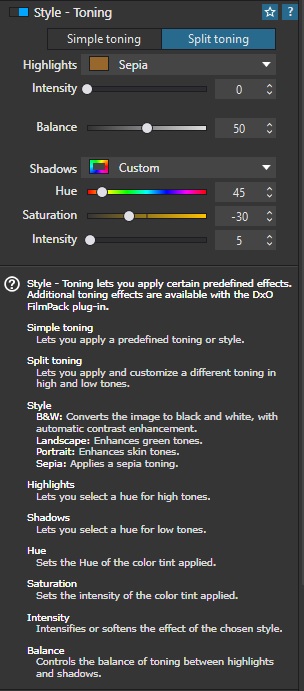
You can get shadow and highlight tone control, but it’s locked behind the purchase of the FilmPack add-on for Photolab. In other words; what other products package as part of their core offering, DxO makes you pay more for:

Even that is substandard when compared with competing controls in other products.

2 Likes

If you search the forum for “color grading,” you’ll find numerous feature request topics already open for this. With the feature now implemented in Color Efex 9 (Nik Collection), I think it’s all the more likely that PhotoLab will gain this feature eventually - possibly through FilmPack (hopefully in PhotoLab itself).

2 Likes

I’ll have to double check, but if I understand correctly, I may need to export my RAW from DxO PhotoLab as a TIFF, import it into Nik Collection Color Efex, do the grading there, export again, then re-import the TIFF back into PhotoLab just to continue editing. I really hope that isn’t the case because that workflow sounds incredibly cumbersome and laborious.

I’d also much rather continue working directly with the RAW file so things like white balance remain metadata-based rather than baked into rendered pixels. RAW still preserves the greatest flexibility for highlight recovery, shadow recovery, color interpretation, and overall grading latitude.

Even with a 16-bit TIFF, some of that sensor-level flexibility is inevitably reduced because the file has already been demosaiced and rendered.

That said, I suppose the advantage of a 16-bit TIFF workflow is that it still preserves extremely high image quality while allowing compatibility with external grading tools and layered pixel-based editing. I just wish the grading could happen nondestructively at the RAW stage instead.

If I’m doing this with batches of images, that’s potentially double the storage…or more.

I really hope I’m wrong about all this. I normally use C1 and Resolve for color grading my hybrid content, and just happened to use DXO for one project.

Yes, this is really important. We need this feature inside PL.

It is very straightforward and not complicated

  • Within PhotoLab apply any optical edits and noise reduction to your raw file as well as any additional edits you feel would be appropriate before continuing to edit in Color Efex.

  • When you are ready, Select the Nik button located in the PhotoLab UI and then select the Nik Color Efex module .

  • That will automatically export the processed raw file with the applied edits to a Tiff file and open that Tiff file in the Color Efex module.

  • Once in Color Efex apply the color grading to the Tiff file.

  • When the color grading is complete select Apply and the Tiff file will be saved and returned to PhotoLab with the color grading applied.

  • You can then add any additional edits you choose to the updated Tiff file and when completed, you can export it to a Jpeg. The process is seamless.

Mark

3 Likes

Thank you for confirming that the workflow requires exporting RAW files to TIFF. That’s exactly the kind of workflow I’m trying to avoid. I really hope DxO eventually adds basic color grading tools—features already found in most mainstream RAW editors—directly into PhotoLab, instead of requiring users to export rendered TIFFs just to access grading features in a separate product.

One of the biggest advantages of working in RAW is maintaining full flexibility with white balance, highlight recovery, shadow recovery, and nondestructive editing. Having to render out to TIFF before color grading feels like sacrificing workflow simplicity and some degree of RAW flexibility in favor of segmenting features across multiple paid products.

4 Likes

Agreed. I don’t want to lose editing potential or end up with more large files for one shot by moving to a TIFF at any point in the process.

PhotoLab ought to be a one-stop-shop for editing RAW files. It’s not a pixel editor like PS or Affinity, I know that, but that’s not what anyone is asking for here.

As you say, more robust colour grading options are found across competing products. We shouldn’t need another bit of software to do grading, PL should be able to do it.

(And that’s even supposing I grudgingly pay for FilmPack because DxO decided they wanted to shift more copies of that, so they put colour grading in that instead of PhotoLab itself where it belongs).

2 Likes

Not that I know of …

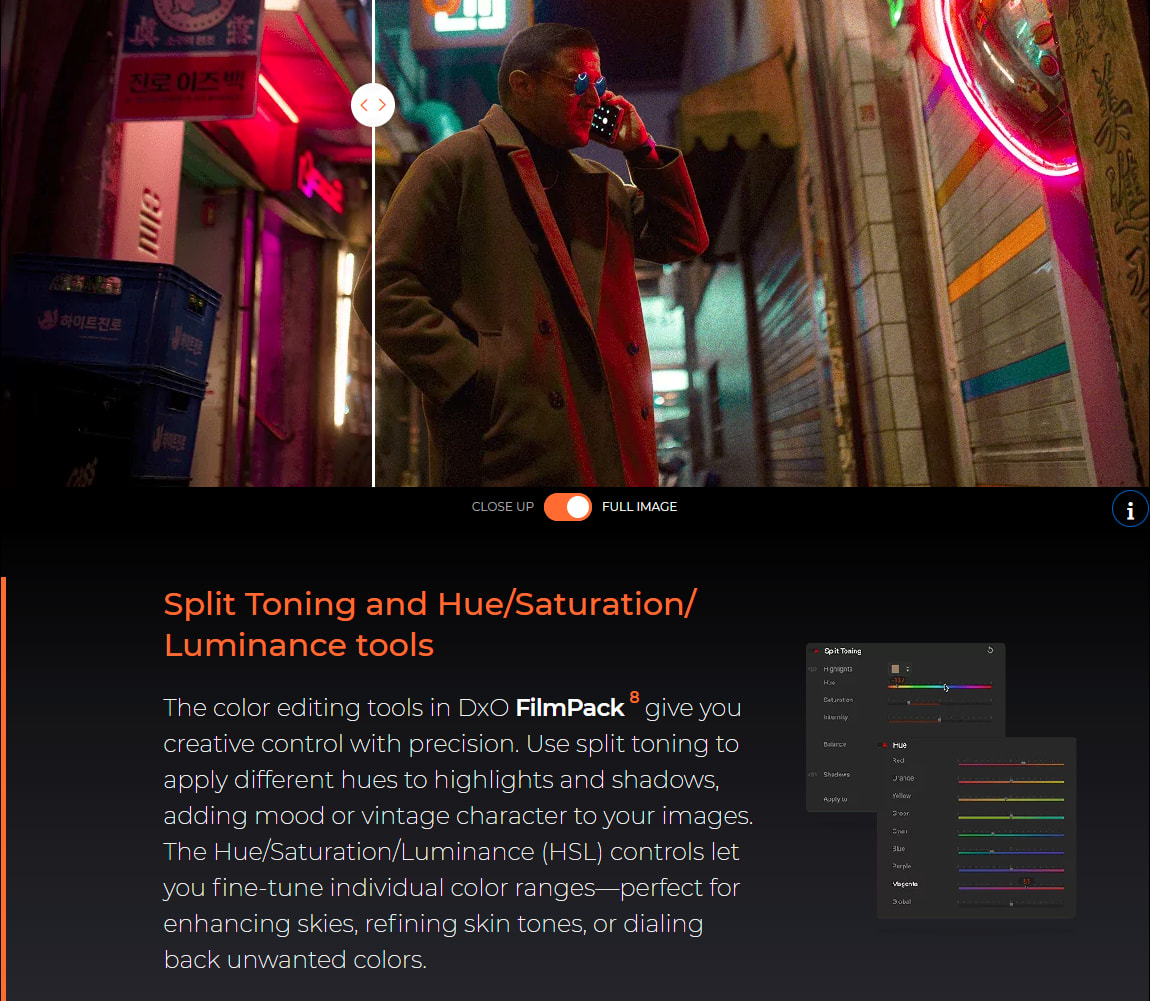
From their website:

I’ve had FilmPack for a while (because of this kind of enforced necessity) but without it IIRC you can only apply simple toning, not split toning, in PhotoLab.

(And even that doesn’t allow mid-tone modification!)

1 Like

… which is why I mentioned.

Ahh okay, that wasn’t clear - but you’re right - no mid-tone modification in any of the PhotoLab or PL adjacent products right now.

Separate toning for highlights and shadows has been available since at least FP 5, but not for the midtones.
grafik

Slightly off-topic:
I wonder what use cases you have in mind?

All 3-way toning examples that I’ve seen so far were too “noisy” for my brain to get a clear message, but maybe I had bad luck looking at wrong samples and I don’t have enough “artistic background”. Standard split-toning has much stronger and “cleaner” effect, but maybe it’s a personal thing. Can you point to some examples?

That’s actually a very fair question, and I think the confusion comes from how 3-way toning is often demonstrated online. Many examples are pushed far too aggressively, so instead of guiding the eye emotionally, the image starts looking “processed.”

Good 3-way toning is usually something you feel before you consciously notice it.

Traditional split toning only separates shadows and highlights. That can work beautifully, but real-world images usually have important information living in the midtones — especially skin, foliage, fabric, wood, architecture, atmosphere, etc. The midtones are often where the emotional “body” of the image exists.

That’s why colorists use low/mid/high wheels separately. I don’t want to link to some side by side examples without first explaining some theory, if you don’t mind. Firstly, my background in color grading comes from recent years of using DaVinci Resolve and studying color science independently. I am in no way a master colorist. Although I completed the color grade training from Black Magic Design, passed the test, and color grade for the studio I work for…it doesn’t certify as an authority as someone who has been a colorist for decades. I will try to provide some technical theory, but I’m sure many of you are far more qualified to explain what I’m saying significantly better. So, take what I say below with a grain of salt.

Now, with that out of the way, let’s take a look at a simple split tone scenario and compare it to a 3-way tone grade:

  • Warm highlights + cool shadows alone can create a cinematic contrast.

  • But if the midtones are left untouched, skin can become disconnected or muddy.

  • With 3-way toning, you can:

    • keep shadows slightly teal,

    • keep highlights warm/golden,

    • while subtly nudging midtones toward peach, amber, magenta, olive, etc.

That tiny midtone control is often the difference between:

  • “Instagram filter”
    and

  • “expensive commercial / cinematic / painterly.”

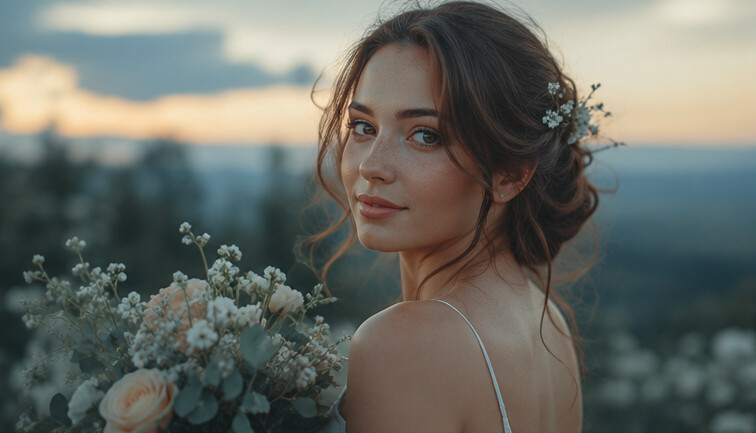
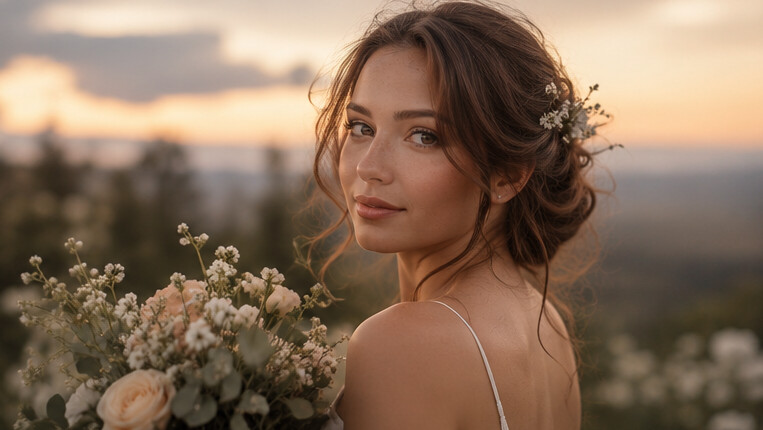
Take a look at the two following photos. Once the photos were normalized (balancing exposure and tones), I applied a simple split-tone grade: orange/gold to the highlights and teal/bluish to the shadows. It doesn’t look bad…but…

…if I have access to the midtones, now I can add peach to the midtones which makes the photo look much more impactful. It also motivates targeted exposure changes to the subject. See image the below:

Ironically, many of the most eye-catching photos people love are already using this approach — they just don’t realize it because the grading is subtle.

Some classic examples where 3-way toning is heavily relied upon:

  • high-end wedding photography,

  • luxury fashion editorials,

  • Hollywood teal/orange looks,

  • pastel commercial grading,

  • moody automotive photography,

  • modern film emulation workflows,

  • Kodak/Portra-inspired color rendering,

  • blockbuster cinematography where skin separation is critical.

The “pastel” look people love is also often impossible to achieve elegantly with simple split toning alone. This was my biggest struggle using DXO. I could not achieve the pastel look and had to go back to Capture One, because that softer luxury look usually involves:

  • lifting and slightly cooling shadows,

  • warming highlights,

  • delicately desaturating or hue-shifting midtones,

  • controlling luminance independently across tonal regions.

That’s where 3-way toning becomes incredibly powerful.

Furthermore, when done correctly, 3-way toning is often almost invisible. The viewer doesn’t think “Wow, cool color effect.” Instead, they think:

  • “This looks expensive.”

  • “This feels cinematic.”

  • “The skin looks amazing.”

  • “Why does this image feel so polished?”

That emotional response is usually the goal. So I’d actually argue that the best examples of 3-way toning are the ones where you don’t immediately notice the grading itself — only the mood, depth, and separation it creates.

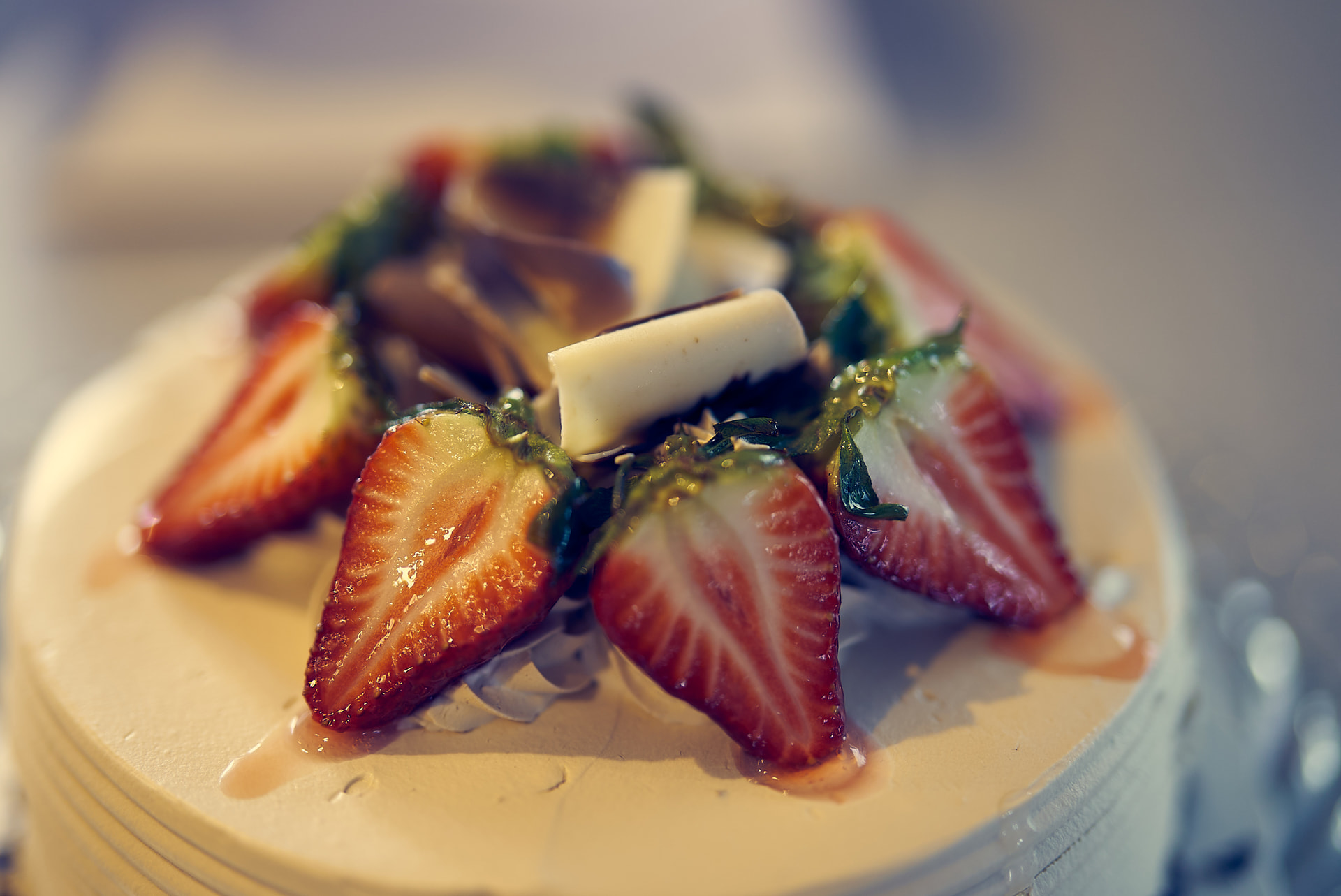
One last example, is with food. Teal in the shadows, gold in the highs:

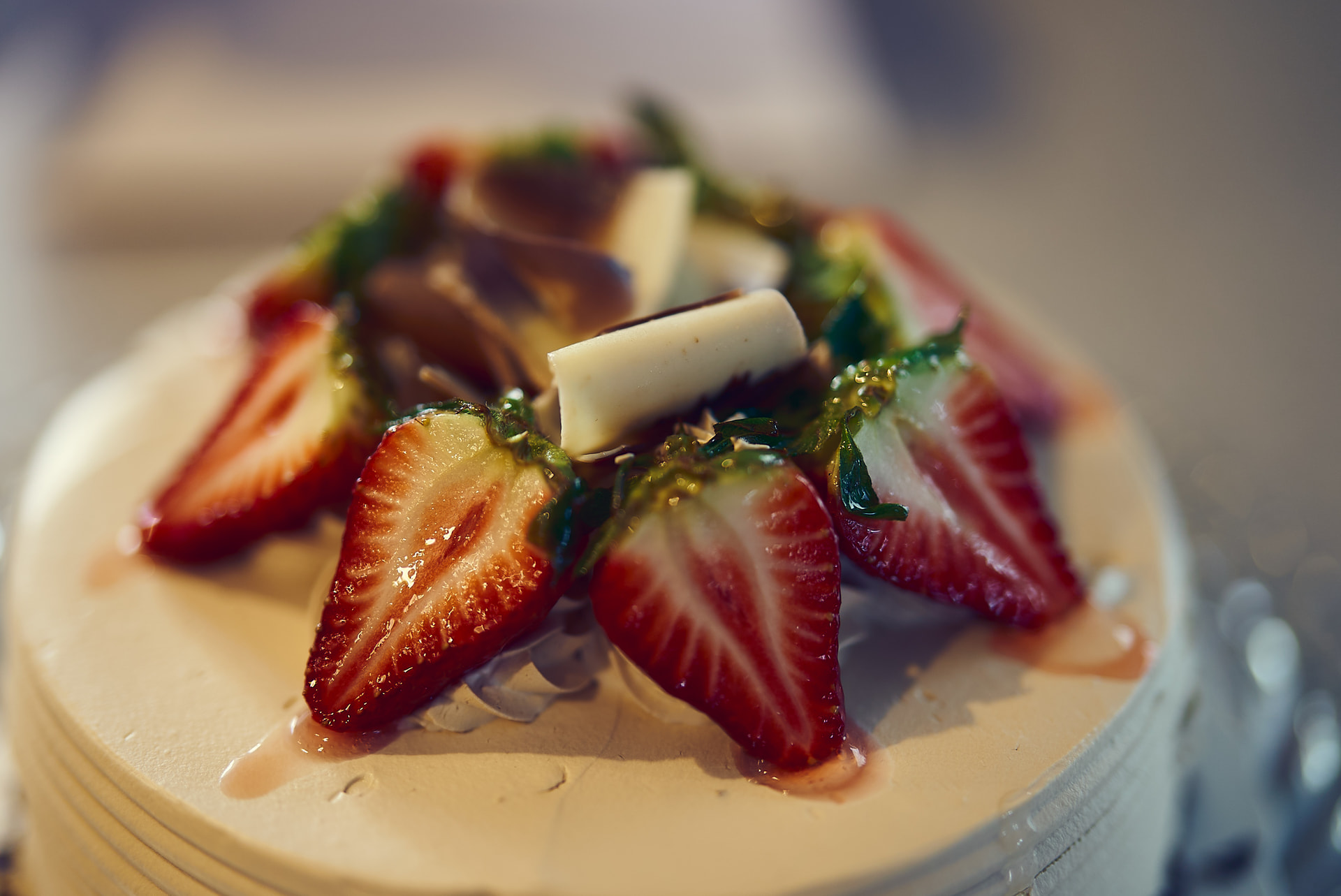
Now compare to a 3-way tone, Again, teal in the shadows, reddish-gold in the mids, and yellow/champagne in the highs:

I’d rather eat the one on the bottom. It looks more expensive. They both look great, subjectively, but the one on the top looks like the strawberries may taste a little bitter and bland compared to the ones below.

Sorry for the long novel, but I hope this helps to not just see the difference, but to understand the difference. Hence, why I am asking for 3-way color grading tools directly in PhotoLab. (Neither of my examples was done with DXO)
7 Likes

And that’s where split-toning works – you have just to move the balance slider, thus chosing where the shadows/highlight transition takes place.

IMHO, a bit too “overthought”.

I had a look at the strawberries and it didn’t convince me. The first image is simply too flat for food. Maybe using Selective Tones and split toning would do the job. I don’t see the importance of special highlights toning here, just treat midtones and highlights the same and lower “shadows/highlights boundary”, and tune the tone curve at highlights.

It might be a matter of adjusting your technique, something I had to go through when migrating from Lightroom. Perhaps try using ClearView, something missing in C1, combined with fine-contrast adjustments. If that doesn’t work for you, try escalating to DxO support.

That said, PL lacks toning choices, other than WB, especially for Local Adjustments. It would be nice if PL provided some variants of toning methods AND make them accessible in Local Adjustments (having mainly Luminosity Masks in mind, but not only). You could then do n-way color grading for any ‘n’, with many other options to use. Perhaps DxO could introduce “3-way Luminosity Mask Groups”, so to say, with ability to de-group them. Maybe that would go too far for a tool, which many like for its simplicity paired with quality.

Like I said before, when grading is done well, 3-way toning is often practically invisible. The goal usually isn’t to create obvious color separation, but rather to subtly shape the emotional feel and tonal transitions within the image.

I completely understand your point though, and it’s a valid one. In many situations, lowering the shadow/highlight boundary and carefully shaping the tone curve can absolutely achieve a similar overall result.

For me personally, the advantage of having dedicated midtone control is subtle refinement — especially for things like skin tones, cream tones, foliage, atmosphere, or other elements that tend to live primarily in the mids. It allows me to gently influence the “body” of the image without pushing the shadows or highlights further than I want.

That said, I’m intentionally keeping everything restrained. Our clients generally prefer natural-looking photos and videos, so I’m not aiming for aggressive hue separation or stylized blockbuster grading. None of my examples were intended to showcase extreme color shifts. The point was more about having finer tonal control and smoother color transitions when needed.

And honestly, there are definitely colorists far more experienced than I am who could probably provide stronger technical examples than I can. I hope one of them can chime in. Your feedback and opinion was valuable and greatly appreciated.

2 Likes

I hate to be that guy (though not that much :laughing: ) but if you’re not a fan of 3-split toning then you don’t have to use it. There are functions in PhotoLab I seldom ever touch, but that doesn’t mean I think it’s not worth having them.

Not to put too fine a point on it… the other big photo editing apps do think it’s worth having them and people are using them. That should be reason enough for PhotoLab not to lag behind.

2 Likes

DXO isn’t lagging behind because it doesn’t have colour wheels. They really are in the domain of video and vfx, and as good as new tools are, DXO doesn’t have a video focused workflow. Now that Davinci can edit photos, I’m sure lots of people are going to ask for wheels and a full node based editor. All of these things are awesome and in theory could open up some huge editing capabilities!

But, DXO is built to be usable by the average photo taking person. There’s a balance between an app’s capabilities and learning curve. That’s why we have some overlap between tools, but not one giga app that can do everything. I don’t think asking for wheels is an issue, but if they don’t appear the fault isn’t DXO’s.