Hi I am Trailing the DxO PhotoLab 9 I already have pure raw but on the trail it won’t open any Jpg files at all on my MacBook pro m4 ?
Hi,
Should you tell us more, which camera and jpeg format ?
hi Franky at the moment I am using the canon r5-mk 1 and 2 but it will not open any in jpg in my Library of any camera Iand I didn’t know their was different jpeg formats ?it comes up and says no images
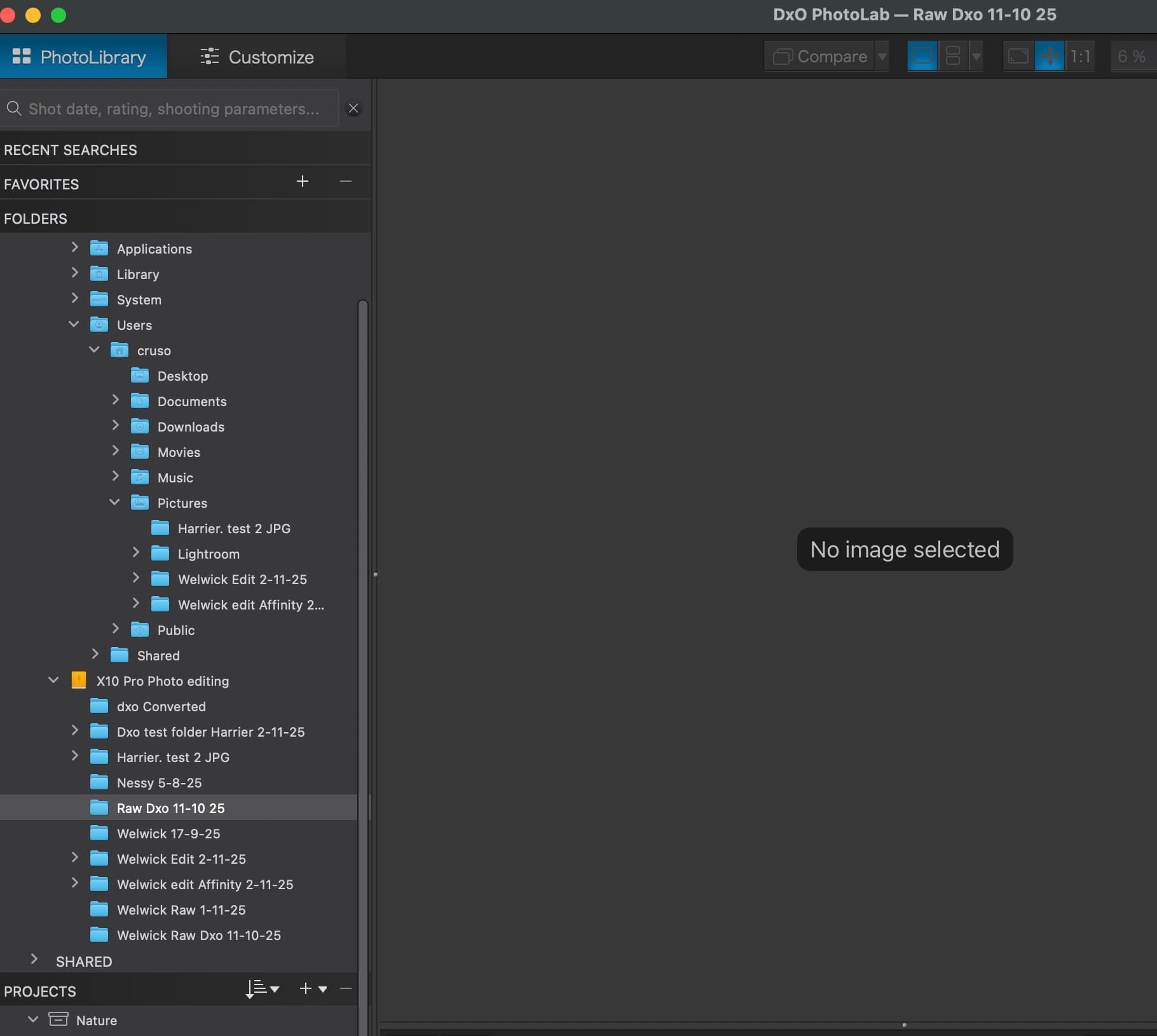
Are all filters disabled ?
Photolibrary screen…there is a filter icon (looks like a funnel)…make sure “RGB images” is ticked.
You beat me to it by less than a minute 
no ideas ? I am not a computer savy ?
Can we have a full view of the screen ?
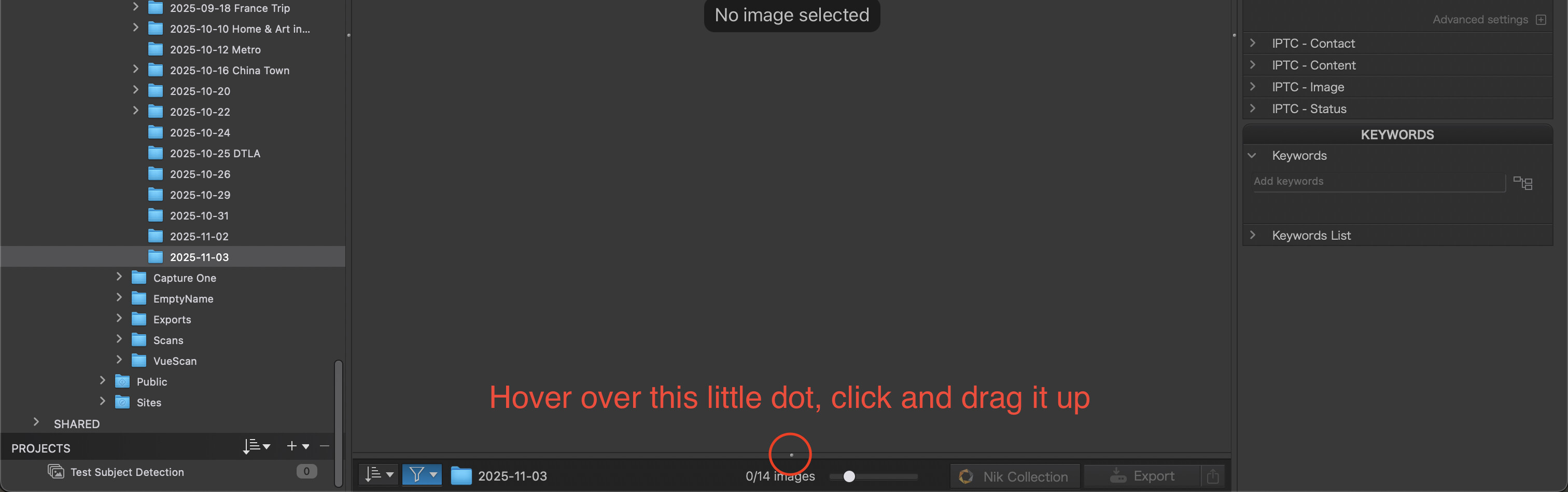
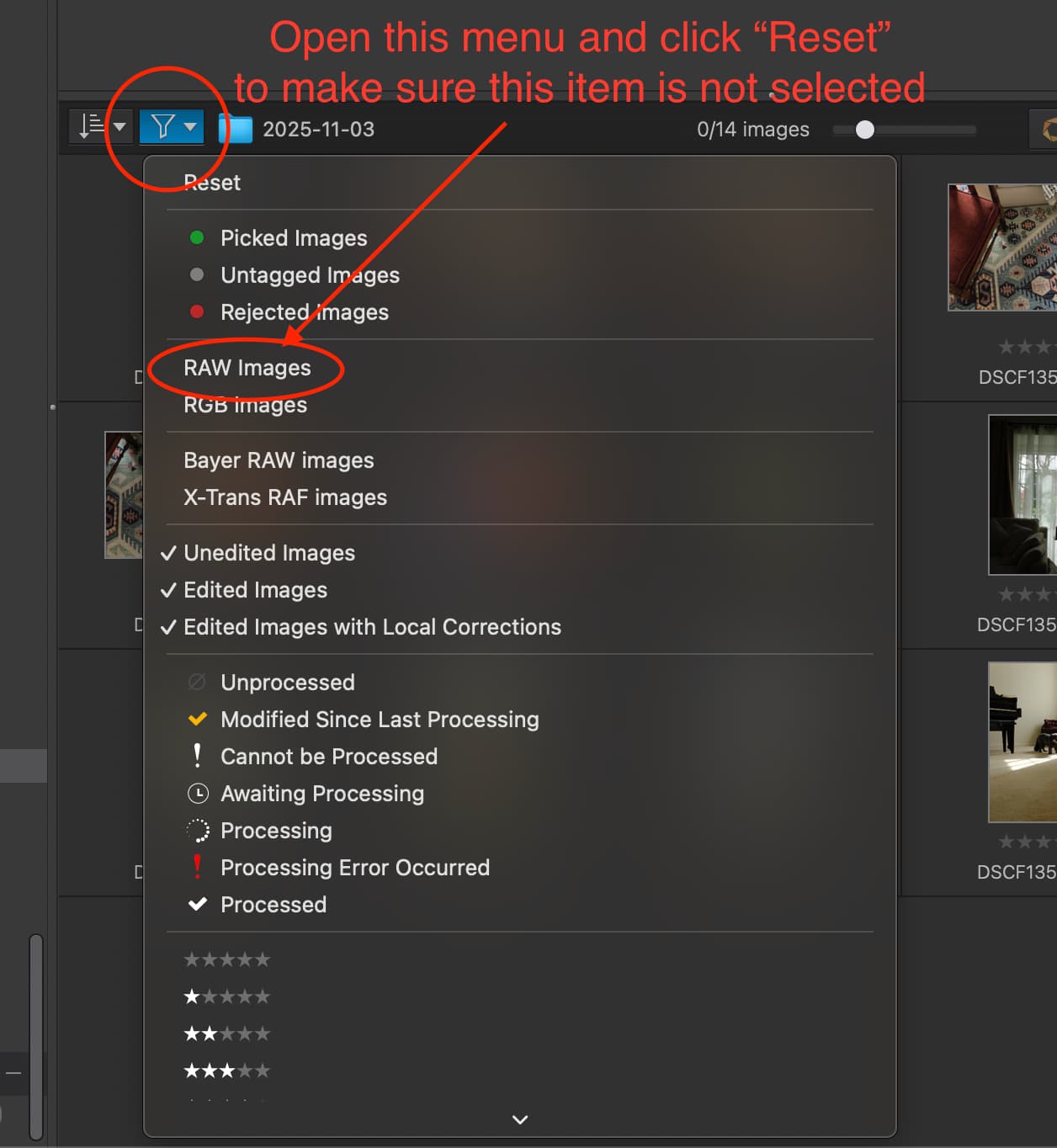
Without having all the details of what’s going on, since we can’t see your entire setup, I’m assuming the above should solve your issue.
Dragging that little dot up brings open the grid view of your images.
If you can’t drag it up, double click it and that should expand it.
Resetting the filters ensures you don’t have the “RAW” image filter selected, which – if it WAS selected – would prevent you from seeing any JPGs.
Thank you so much you have been very helpful to looks like that you have fixed it its opening the files now just got to sort the masking problem it won’t pic animals or anything in the masking tools ?
Glad you are able to view your JPEGs now.
Are you getting any error messages when you try to use the AI masking?

There is an issue with PL9 and the latest OS updates for Tahoe and Sequoia.
This issue affects AI subject detection, DXO is aware of the problem.
The Area masks do continue to work well, just drag a box over the area and it will pick up the subject inside that box.
1 Like
Thank you so much for your help again