I don’t think Box (Area) is the same AI prompt and training data than ‘Sky’. Also, Pre-defined (keyword) check te whole image for ‘animal’, for each different photo. ‘Box’ not ‘find’ Birds, just a ‘box’
Multiple causes. First: DxO save to the .dop file the mask descriptions, like: position, transparency, AI prompt, etc. Example for some manual AI mask:
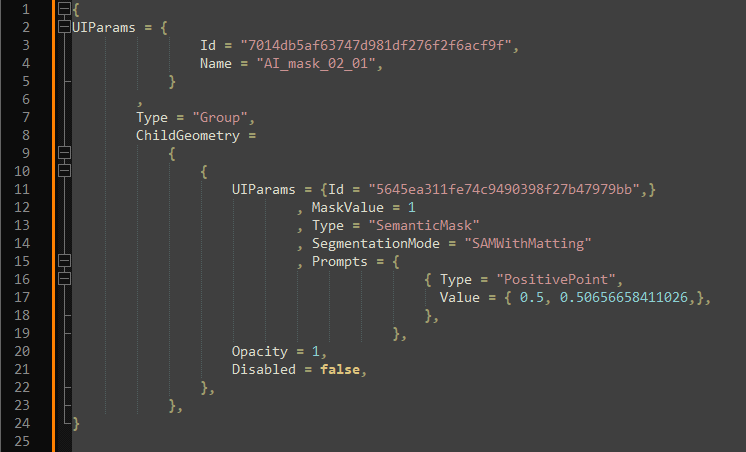
Once i write a bit about .dop and masks: PL 9 not really ready for release! - #96 by andras.csore
Second: because you can do editing during export. So, if your export has AI mask, than Export need to use some AI Model. But if you also edit in PL in the meantime (with AI mask), you need a ‘second’ (‘double/twice)’ ‘AI model loaded’ - the second for the editing.
So why have a different export process for different masks in the first place.
Export process is more-or less is ‘one process’. But for AI masks its need to use (and load) ‘AI Model’ (in GPU VRAM) to calculate pixel level masks / final export. Each type of AI mask (selection, area, abrush, keyword, etc) - use different AI prompts, etc. AI pre-defined (keyword) masks also use AI model, but with different prompts (optimized like for ‘Animals’), works for the whole image, etc.