An extra window for photo editing would be very useful when using dual monitors. The additional window could show the photo at maximum size on the second monitor.
Welcome @struempf
Could you clarify your request?
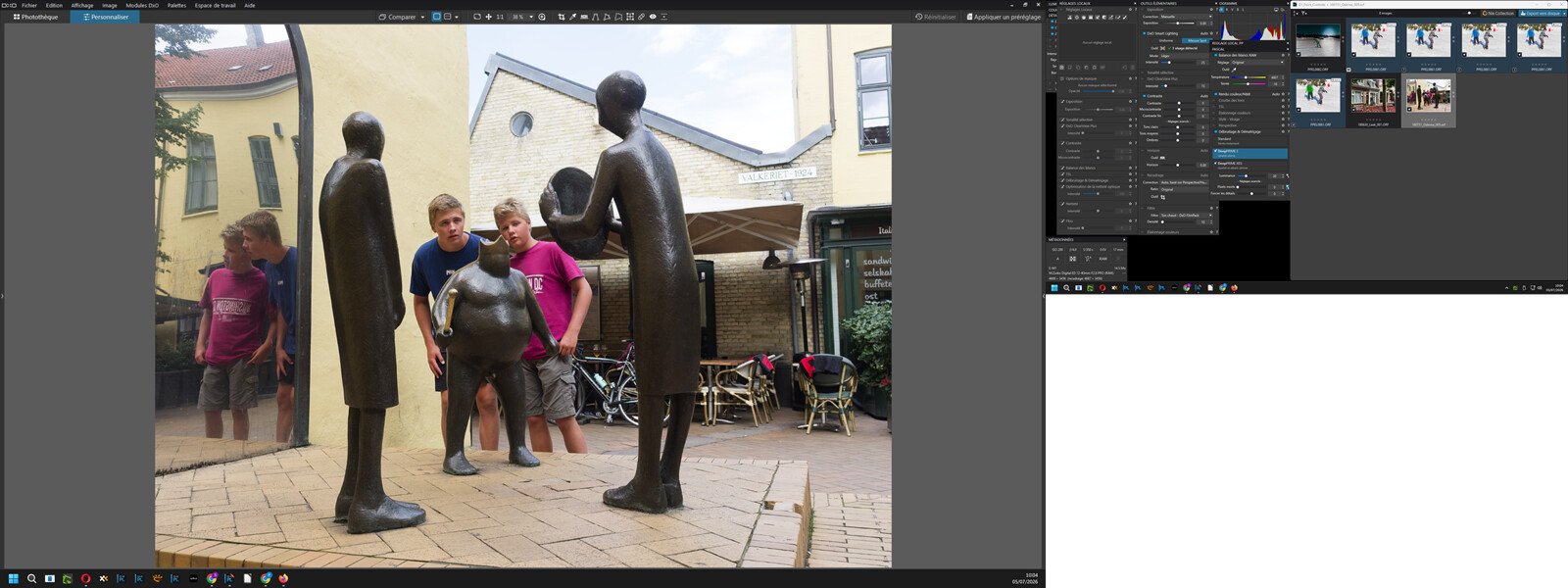
Did you know that you can launch PhotoLab on your HD screen and move all the windows to your secondary screen?
Pascal
2 Likes
2 Likes
Wouldn’t detaching the browser and moving to new screen do it
Detach Image Browser: Ctrl/Cmd + U
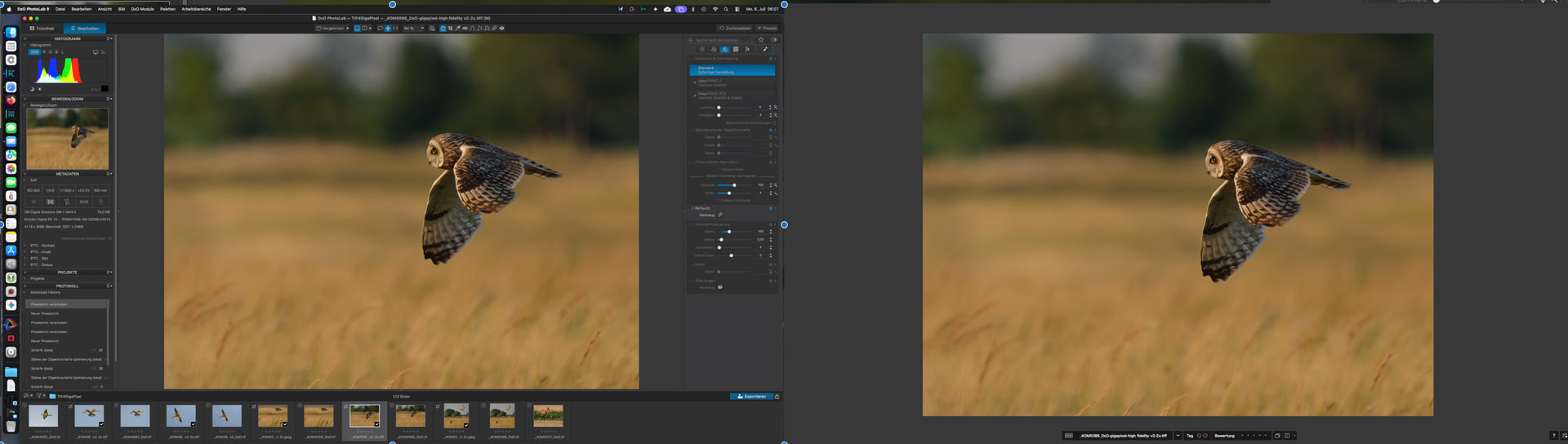
My understand of this proposal (which I voted for, as I find it interesting) is for one to be able to work on the image as usual on one monitor and see the full-screen preview on another monitor.
1 Like
Capture One Pro has always offered this feature. It’s incredibly useful if you have a dual-monitor setup. If your monitors are hardware-calibrated, you can calibrate one to Adobe RGB and the second to Display-P3. Or, if you have monitors with different resolutions, being able to view the preview at full size on one screen is a definitive advantage.
@struempf
As far as I understand it, your request would enable a dual screen mode in which
- the 1st screen shows a standard PL window
- the 2nd screen shows an image that looks like the exported image would look
- screens can be of different dimension, colour space etc.
- masks and such onlly show on screen 1 …
If that is not what you propose, please describe or enumerate the things that should be on screen 1 or 2 respectively.
For the time being, we can disregard implications like necessary power or export times as we need the respective features allocated to the respective screens to begin with.
Or, implement full multi-monitor support that allows for undocking various palette components to be moved around without restriction.
Isn’t that what @Pieloe shows in his post?
2 Likes
I frequently toggle between the “working screen” and the “full screen” view (shift-cmd-F on the Mac). Having both views available simultaneously would be welcomed, especially if could incorporate color space options. No idea of the system processing demand to do this.
@platypus
In principle, as swmurray writes, it would be sufficient if the full-screen view could be opened in a new window and both views could be used simultaneously. This feature would be very good!
The ideal solution would be a second view, a copy of the “working view” freely configurable. This would include its own workspace (with or without a toolbar, as desired).
Okay, mirror the window to a second screen, kind of. Just without the panels and with an individual calibration.
Apple’s screen mirroring to an iPad could be something I’d try…