Hi Christian,
If you press Ctrl+I (Cmd instead of Crtrl on a Mac, I believe?) then you will get an Image Properties window for the current image … Leave this open and select a different image on the Browser and the properties will be updated to relate to the “new current” image.
A similar set of information will show in a “pop-up” window if you hover your mouse over an image.
It’s not possible to filter on image properties, but you can sort your images (on the Browser) by various properties
… via the Sort option (far left): 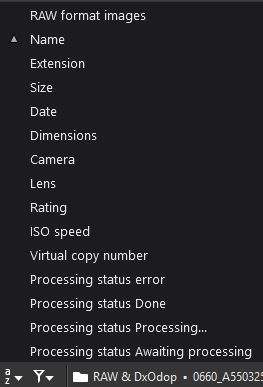
Regards, John M