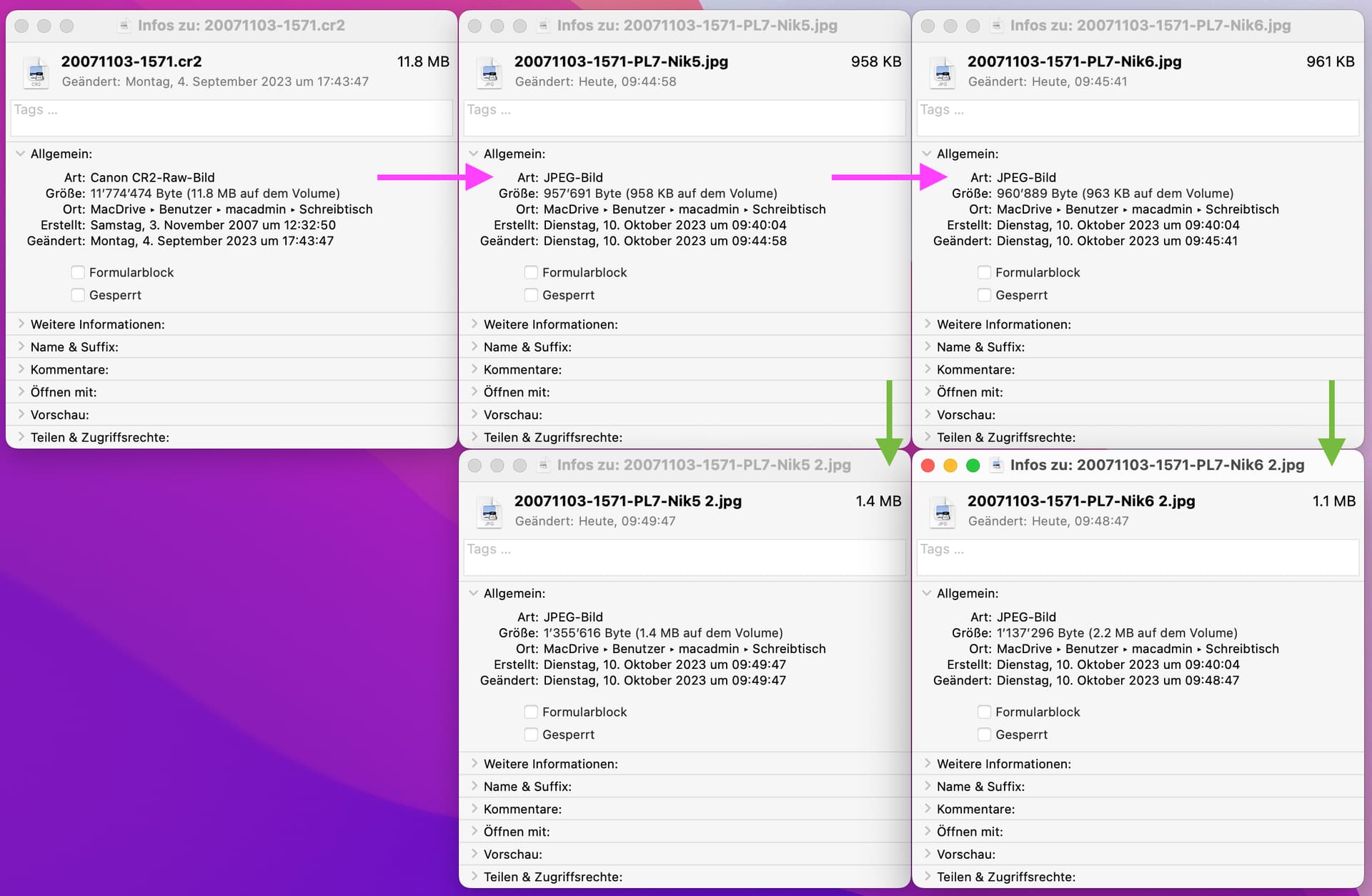
Could you be more exact? What did you do?
George
Could you be more exact? What did you do?
George
Briefly what I have done and tried:
Earlier, with PL6 and NIK5:
I have tried different approaches but always with the same low file size as result:
Exporting from PL to NIK with tif
o settings:
16 bit
no resizing
Try now to save in NIK6 with different qualities 80,90,100. Use the same image.
George
Here my results from testing NIK6 sharpening with different compressing percentages. All images sharpened with 40 €.Image 7771
% kB
60 569
70 608
80 672
90 772
100 751
That 751 for the 100 is far away from what I did get for an image of the same size. Can you try some of the other NIK programs. See what happens there.
George
Using Color Effex and “Sunlight” standard setting.
% kB
100 545
90 564
80 561
70 504
60 491
The same. And what if you use a complete different image?
George
Best ask support.dxo.com @klasal
As paying customer, you deserve support or at least an answer as to why such differences exist.
Nik export is set to “sRGB”, with “preserve color details” disable.
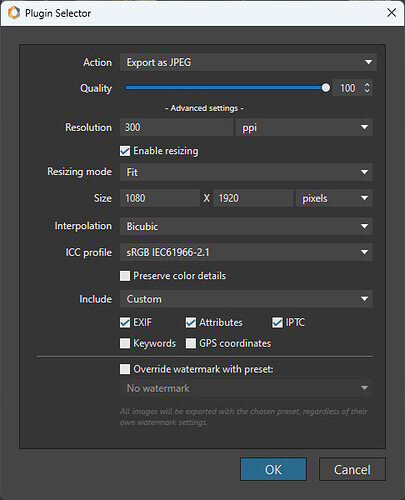
Photolab export is set to “as shot”, with “preserve color detail” enabled.
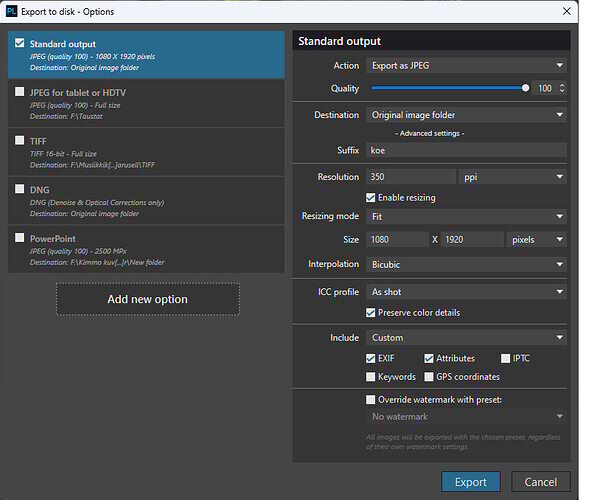
Are those 2 jpgs exported in the same color space ? Are those 2 jpgs exactly the same ?
I now know why. It’s that bloody 75% limit.  One picture on 70% and the other on 75%, zooming factor.
George
DxO is working hard on this. We have a good co-operation to find the answer.
There is a minor difference. New test images have been exported for analysis. The result is very much the same.
Also some difference in the sharpening setting. I cannot remember the setting used for the first image.
@klasal
I was looking for the quality settings in the exif using exiftools. Seems there is no. The settings are only used when compressing/writing, not for reading.
A link in the exiftools forum showed me this jpgQ Estimator. I downloaded that program and it worked ok. It’s a stand-alone program. You could check what this program tells about the used compression in your image.
George
Testing with a new image
image 7011
exported from PL6 to NIK6,
fit 1920 x 1080
sharpening 40%
% kB
100 518
90 433
80 382
70 352
60 334
Export to disc,
jpg, fit 1920 x 1080
outcome size: 2120 kB
then to NIK6, sharpening 40 %:
outcome size: 335 kB
Outcome size when using PL6 and NIK5 was more than 2 MB,
I mean this program. It’s calculating the used factor. Just curious what was used with your small file sizes.
George
Thanks for the link to a useful software. The site includes also other good information regarding jpg.
jpgQEstimator reveals the same thing that was originally discovered: The new NIK6 adds remarkably compression (to less than 90 %) to jpg’s even when we ask to export at 100 %. That is why the files become small. My experience is, that using as little compression as 97% or so may reduce the file size with some hundred kB:s - good to keep the file just under 2 MB.
NIK5 did not add this compression when exported at 100%. I can see that when analyzing old pictures. They have compression of abt 99 to 100 %, that is nearly no loss.
Now, the major question: Is this a flaw or feature present in all installed NIK6’s or do I have some difference in my version? How to return to the function of NIK5? If it is a feature, how can I turn it off?
it shows that nik6 is using another compression as it should do.
a short term solution might be to export in tiff and somewhere else to jpg.
george
Downloaded current Nik versions 5.7.0 and 6.4.0 and installed them on my Mac.
I simply wanted to see if the quirk you see also manifests itself here.
Nevertheless, size differences exist with output from Nik on Mac too.
Looks like a specific issue with Nik software, installation or config…as confirmed here.

Thank you all for your assistances and patience.
Let us wait for the up-date that hopefully is soon on the way.