Every editor is using an in-memory RGB image. Saving that image can be done in several ways. Jpg is one way. It’s nothing more than a diskfile containing that RGB image in a certain way. The way jpg is doing that is the jpg compression.
Did you try to export your image with the same size in PL to compare the result?
And quality and compression factor are the same.
In a normal browser/editor you should use Save As. Using Save when nothing has changed results in nothing. There is somewhere a flag set.
But you see it goes down and the reduction is getting less till zero.
Whatever the reason: Exported file size depends on what we do with the image before export.
This means that, whatever Nik Sharpener did, the exported file was smaller. The difference listed in the initial post is kind of unexpected and as long as we don’t have any more details, I can only say: So be it!
It can be smaller or bigger. Depends on what you’re doing.
An image with a lot of detail is less suitable to be compressed. An image with large white areas will be compressed more.
I checked with earlier images processed with PL6 and NIK5 and resized in NIK to fit within 1920 x 1080 pix.
The file sizes are generally close to 2 MB as well as the pixel count is also close to 2 Mpix.
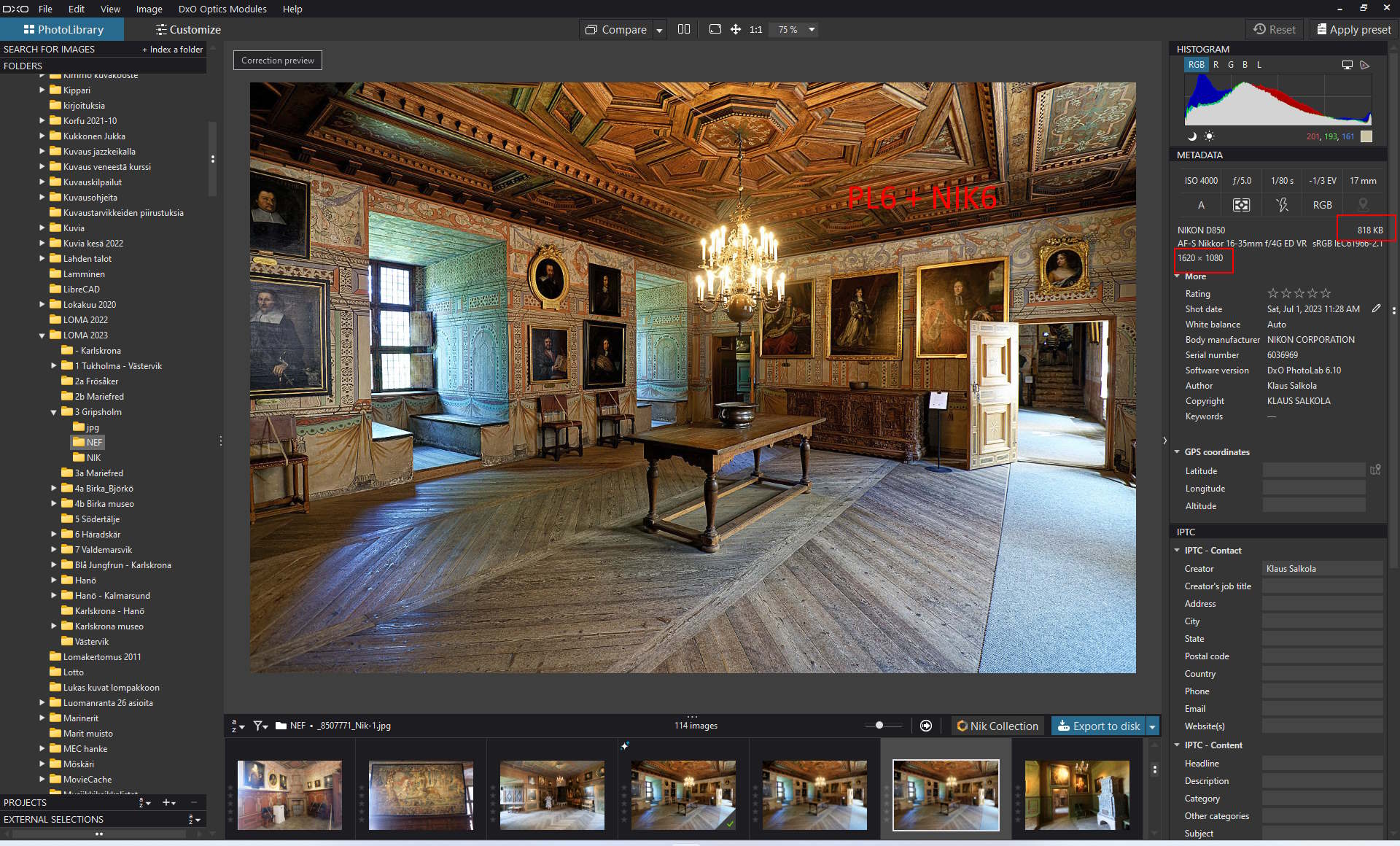
Now wit PL6 and NIK6, the pixel count is about the same but the file size drops to 1/3 … 1/5 of the earlier amount. I feel there is a compression to less than 100 % going on but I do not find where I could change it. I use 100 % compression setting in NIK as earlier.
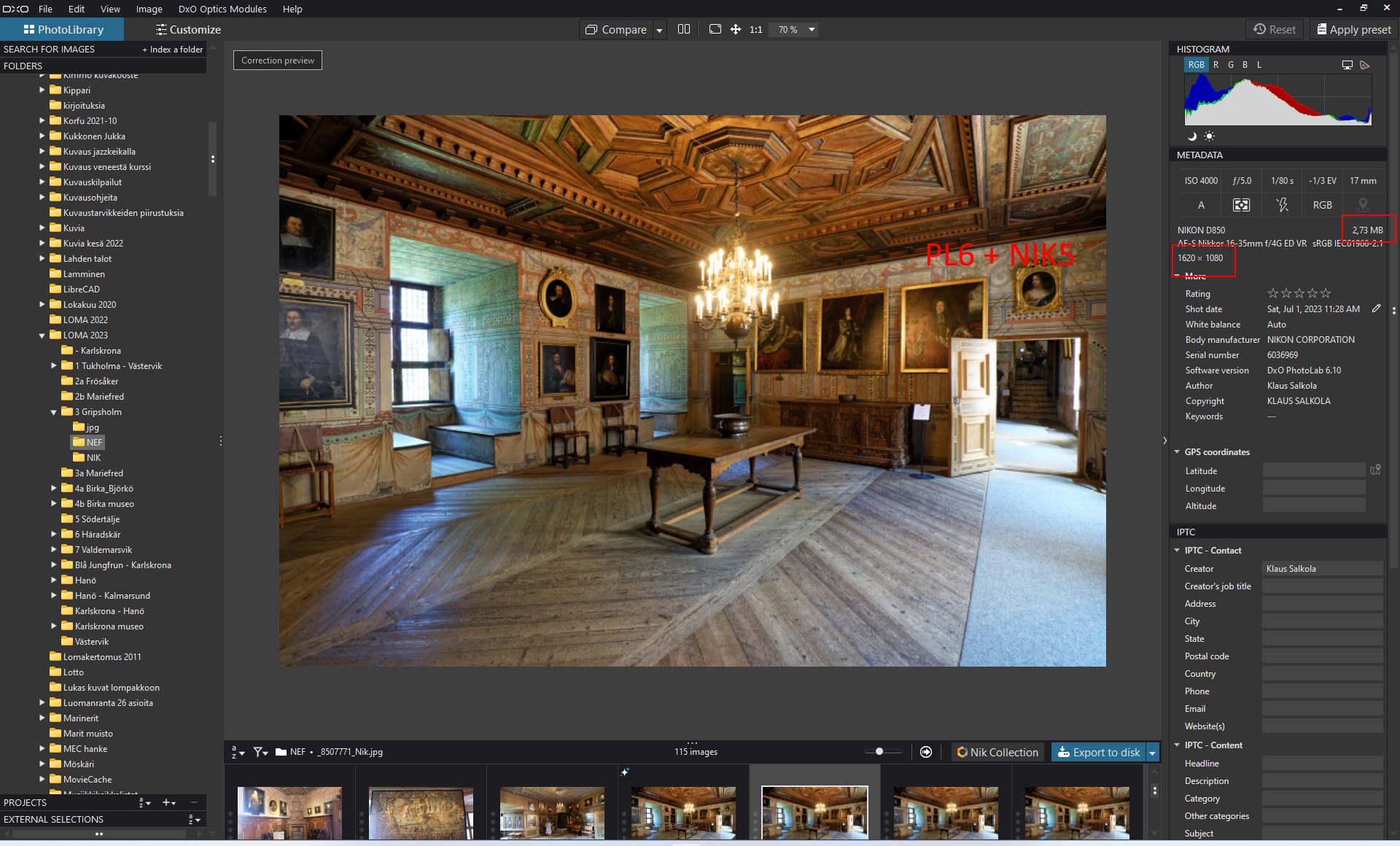
I found a picture processed earlier with PL6 + NIK5. The file size was 2.73 MB.
I processed the same NEF image with PL6 + NIK6 using same settings. The file size came out 818 KB only.
I don’t have the Nik collection of DxO. I’ve the free one from Google. Opening the list of the collection I also get a tab with export settings where I can set the different values. You must have something like that too. It belongs to the jpg-module.
Strange, but the smaller image looks sharper to me.
Looking at the histograms of those two images you can see that something more then just a version of NIK differentiates.
Your photos appears to be high ISO shots, right? Noise suppresion is one of the factors which really affects size.
Are there any different settings in the presharpener Normal/HighISOm adaptive, output, creative or selective sharpening?
Either therre are some subtle altering in your applications or DxO have changed the processing engine in some of the Sharpener processing or exporting.
Reading up on the change notices, DxO have corrected some size bugs in v5.5 and a UX rework in v6. but it do not match what yo are describing.
Image 7771 is taken with ISO 4000.
Noise suppression as well as other PL settings are the same on each version.
The PL version is 6 on both but updated to the present version for the resent exporting’s.
Sharpening may have varied a bit because I have no record about the % sharpening used in each case. Sharpening is done “by eye” on each variant and may not be “gallery quality” each time.
I continued testing with image 7771:
export tif to file with no resizing, then sharpening including final pixel count → 620 KB
export tif to file resized to final, then sharpening including final pixel count → 652 KB
export tif to file resized to final, then sharpening with no new resizing → 652 KB
These values should be compared with the values obtained when using NIK5 instead of NIK6 → 2.73 MB
I did a test with the export. In the export I reduced the image to 1620x1078, saved it as a jpg.
With a quality of 90 the size was 662kB. With a quality of 100 it was 3.15kB.
I can only conclude that NIK6 is using 90 and NIK5 is using 100. You must be able to set these values.
Same 80 as far as I remember (haven’t installed Nik at the moment).
I always check settings before using an app for the first time.
I then know what I can change - if necessary.
Defaulting JPEG export to 80 was unexpected.
I am always having the jpg compression setting at 100%. George got that way a file of 3.15 kB ( 3.15 MB I assume?). I only get some hundreds of KB with that setting nowadays.
I understand I have made all necessary settings available to have the system work as it did earlier. They are just according to George’s and platypus’s advice. That was has been done already initially.
Perhaps I should re-install NIK? Not a big thing to do. DxO might be interested in what is going on?
Yes, it’s 3.15MB. Setting the compression/quality at 100 is useless. You will not see a difference between 90 and 100, only a huge difference in file size. If you really need 100 you should go for tiff. But that’s a much bigger file size.
I exported my test file with quality 80, 365kB.
I’m pretty sure your NIK5 export was done with 100 and your NIK6 with 90, being the standard.