I would like to see the following features:
- batch import custom LUT files
- imported custom LUT files remain available in de LUT menu after closing the
application.
I would like to see the following features:
Welcome to the forum @Aart5955
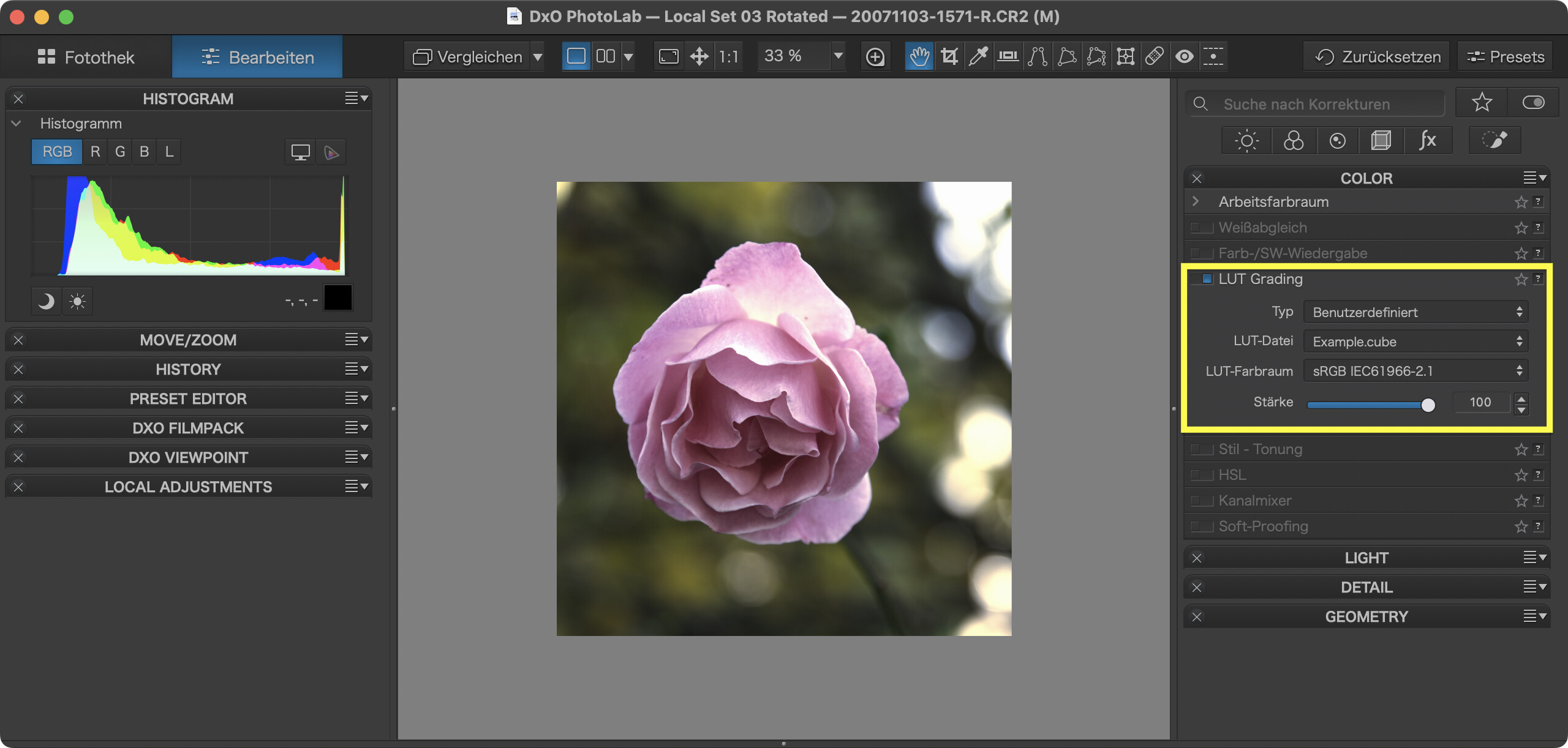
Currently, DxO has no feature that imports LUTs (and .dcp profiles) other than what we find in the UI:
In the LUT panel…
The first time you select a LUT, PhotoLab assumes that you have them stored in your “Documents” folder. Navigate to the place where you store your LUTs and select one of your .cube LUTs. From there on, PhotoLab will remember the location of your LUTs and keeps the last few LUTs readily available. If you keep all the LUTs that you might want to use in one place, it is relatively easy to apply them.
Note that all of the above works without a valid FilmPack license.
As you can see above, I use DPL for Mac.
Thanks @platypus . I use DPL for Windows. None of the above indeed didn’t work because I don’t have a Filmpack license. I thought i bought a complete software package. As it now turns out, you need Filmpack to unlock this and Luminosity mask.
It gives me the eerie feeling that the deeper I delve into DPL the more features I will encounter that require Filmpack. Disappointing.
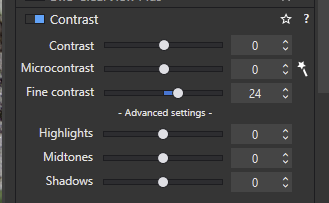
The other really useful feature that is part of FP is Fine Contrast and its associated ‘Advanced settings’ sliders:
@stuck Thanks, but I don’t think these features are worth the money.
Are you sure? AFAIK, LUTs and DCP profiles do NOT require FP license. In PL7 they required PL ELITE license, hence probably the confusion.
You can sort of batch import LUTs by editing the user.config file, but I would not touch it, since the method remains undocumented. PL currently does not have a tool to help you organize hundreds of LUTs into subdirectories.
If you want the complete DXO PhotoLab experience then you also need to get a license for FilmPack and ViewPoint. Yes, it is pricey, but anything less is a compromise.
I have owned and updated all three programs regularly since PhotoLab 1 in 2017 and have never for a moment regretted it. For those users, like yourself, who are content with a compromised version with fewer features, it is great that DxO provides a more economical way to get into their ecosystem.
Mark
Fair enough, but many PL users here will say they are worth the cost. I certainly make extensive use of these fine contrast sliders.
You’re right, @Wlodek
I started PL versions 7 and 8 without FP and VP and both accepted to apply custom profiles and LUTs. Sorry for the misinformation. I usually check before I write such things. Didn’t do it this time and fell into the trap. Here’s a virtual compensation…

Gonna try editing the user.config file after backing it up. Thanks for the heads up. 
The standard method of adding one by one didn’t suit me, so I found this way to add LUTs in whole packages and sort them into folders in this video https://youtu.be/FINUK4O_Dpg
Oh, how I wish I could understand it. Is there any chance you could either redo it in English or add subtitles in English?
As far as I understood (from looking what he did), LUTs were copied someplace and a JSON file was duplicated and renamed (then I got off the tube)
Whether such a trick works with PL for macOS remains to be seen. As far as I’m concerned, I’m not collecting LUTs and can do with (admittedly boring) one-at-a-time import.
More important imo would be bottomless storage for all the things that are imported (LUT, DCP …) in standard locations enabling other DxO apps to access the stuff within.
I usually keep 3 versions of PL, FP and VP plau an occasional NIK collection. This adds optical modules for each app and version…10 times the necessary volume. Talk about power economies!
Yes, I added subtitles.
I also made a tool for fast generation of the JSON file, I will be glad if useful. Генератор JSON для LUT DXO PhotoLab