You are talking about “printer profile” and “ICC paper profile” and I don´t really understand what you mean because when you have downloaded an ICC for example for your Canson Baryta paper you do it for your Canon Pro 1000, don´t you?
As I look on this is a result of a long process and a lot of testing and here is why:
Staring with the monitor and the calibration and profiling of that
I have a hardware calibrated Benq 270 SW monitor that in my case always is profiled for Display P3 (that is common in MAC-monitors, telephones and pads.
As you know Photolab in version 7 got a new Wider so called “working colorspace” called DXO Wide Gamut in order to be able to handle a wider gamut than the old “Classic” that was said to ruffly correspond to Adobe RGB. So, with DWG Photolab can also handle Display P3.
When I postprocess my pictures I do it in a strict P3 workflow which means that pictures will be postprocessed on my Display P3-monitor and get a “P3-bias” that is determined by the profile of my monitor and then I will export them all (regardless if I will print them or look at them on my PC or Samsung TV (that has an even wider gamut)) with The ICC-profile set to “Display P3” in the “Export to Disk”-function window. My standard is to export in 4K since it´s the best both for Tv and other use.
I then have files with embedded Display P3 ICC-profiles that will be used when these files are displayed at monitors but if I want to print, I don´t bother worrying about the embedded profiles at all. The important thing is that my files are processed using a “Display P3 monitor”-bias.
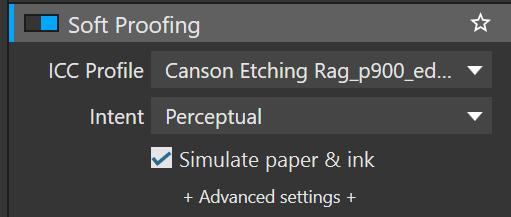
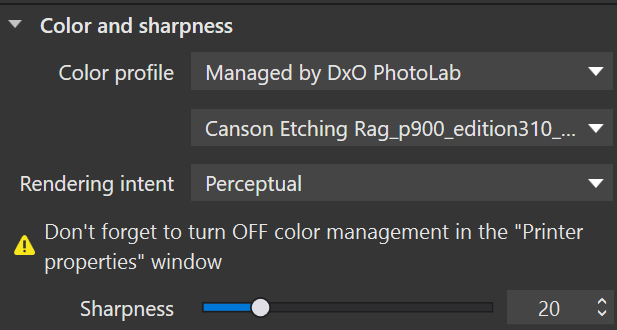
If I want to softproof in Photolab I change the default sRGB-profile to the profile for my paper - in my case normally Canson Etching Rag - and adjust it so I´m content before printing by checking with “gamut warning”. That paper profile was downloaded for from Canson for my printer Epson SC-P900. There is a possibility to save the picture with “The same as soofproof” (under ICC-profile in the “Export to Disk” if you want too before printing and then the I guess the idea is that the Export-will be using your paper profile plus your eventual tweaks when saving the embedded ICC. The problem is that I have never understood how that is working because when I look in the Print-window there is nothing else I can select than the standard Canson Etching Rag ICC. So, what I wonder is what really is happening here when I print after selecting the standard ICC. Maybe some one knows?
In my case I also have had another notworthy problem that have cased me some headache before I finally understood it. You see I have three profiles for my monitor (sRGB, Adobe RGB and Display P3) despite P3 is my standard.
I have found that when I toggle between these three hardware calibrated profiles the ICC used of Windows 11 of compatibility reasons doesn´t automatically sync with the hardware calibrated profiles yoy might have switched to on the Benq monitor (some applications are still using the default profile of Windows 11 (like for example XnView) and some defaults always to sRGB (even despite you only use P3 in your files) and even others dosen´t care a shit about ICC-profiles at all. This might cause problems in the applications especially if you use Display P3 ICC in your files.
Of that reason I always have to look to so Windows default ICC-profile is in sync with the selected profile of my monitor. I can tell you that I had to listen to quite a few people calling me an idiot when I wanted to discuss these problems I saw in my meny testprints. The problem with that was mainly that it is very hard et people to look into a problem like that with open eyes in order to test it empirically without a bias of what it ought to be when your tests diverge from how it ought to be.