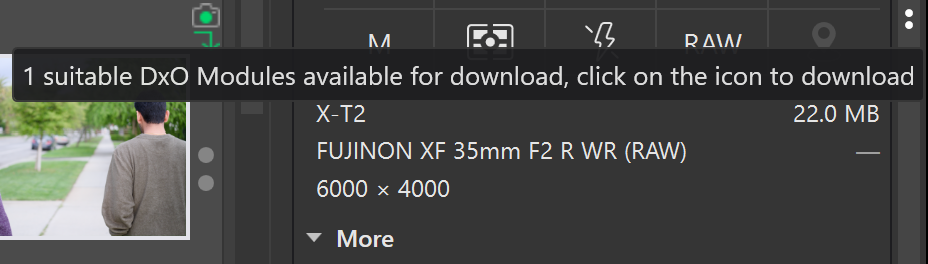
Yet, there’s the little icon on the photo saying there’s a module available for download.
If I click that icon, nothing happens. Nothing appears, nothing downloads, nothing changes.
I’ve tried the following to fix it, to no avail:
Restart computer
Delete all modules and try to start over downloading again (it didn’t recognize even that my modules were gone, didn’t try to trigger a new download of modules)
Repair my PL8 install,
Completely remove my PL8 install, and reinstall
It seems like the modules only applied to the folder of images that first triggered the module download. But then navigating to other folders, it doesn’t want to apply to new photos.
I guess (I’m using Macs, so I can only “extrapolate”) is that some leftovers prevent PL from applying the module again.
Uninstall usually leaves files on the drive like cache, statistics and license files. I’d try to find the cache files and delete these while PL is not running.
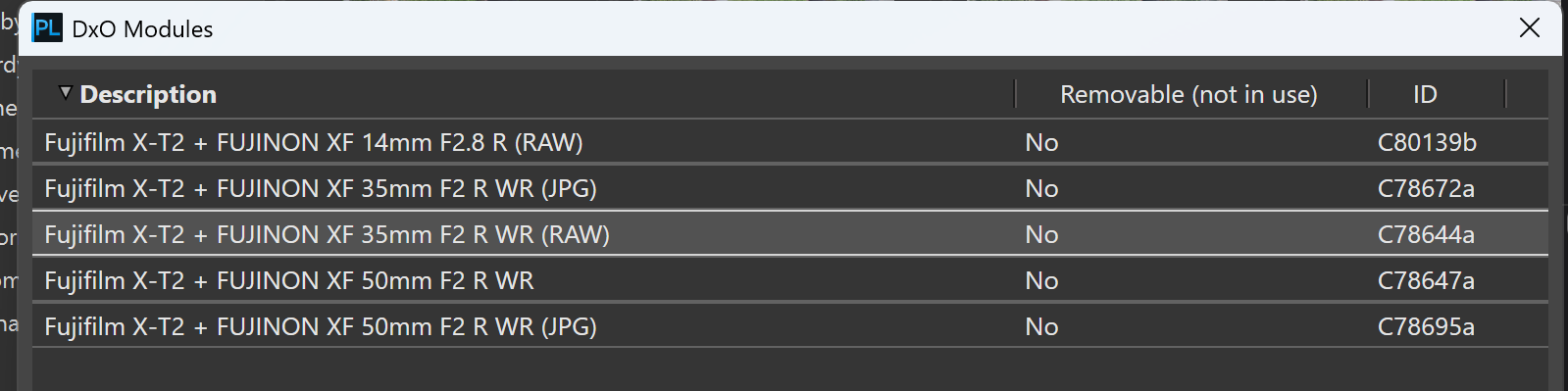
The statement “Removable - No” in your first screenshot indicates that there is currently an image with this camera-lens combination, that uses this exact module.
I found a corresponding image on DPreview and was able to download the module.
In Windows 10 (and most likely in Windows 11 as well), it’s saved in …
@Wolfgang
Yes, the profiles were being applied to some images for that lens, but not all of them. As an example, the one I had in the photo. Same exact camera/lens combination, but it was not applying the profile nor would it let me download a profile even though it said one needed to be downloaded.
Seems like the DB must have had a bug, because when I deleted the database and went back to all my photos, the profiles started to apply correctly.
Glad that you solved it already. For reference, I have used these commands to reset the PhotoLab database when it got corrupted before. It keeps your presets and other things but starts over with the database and caches.