Compressed DNG seems to remove some details

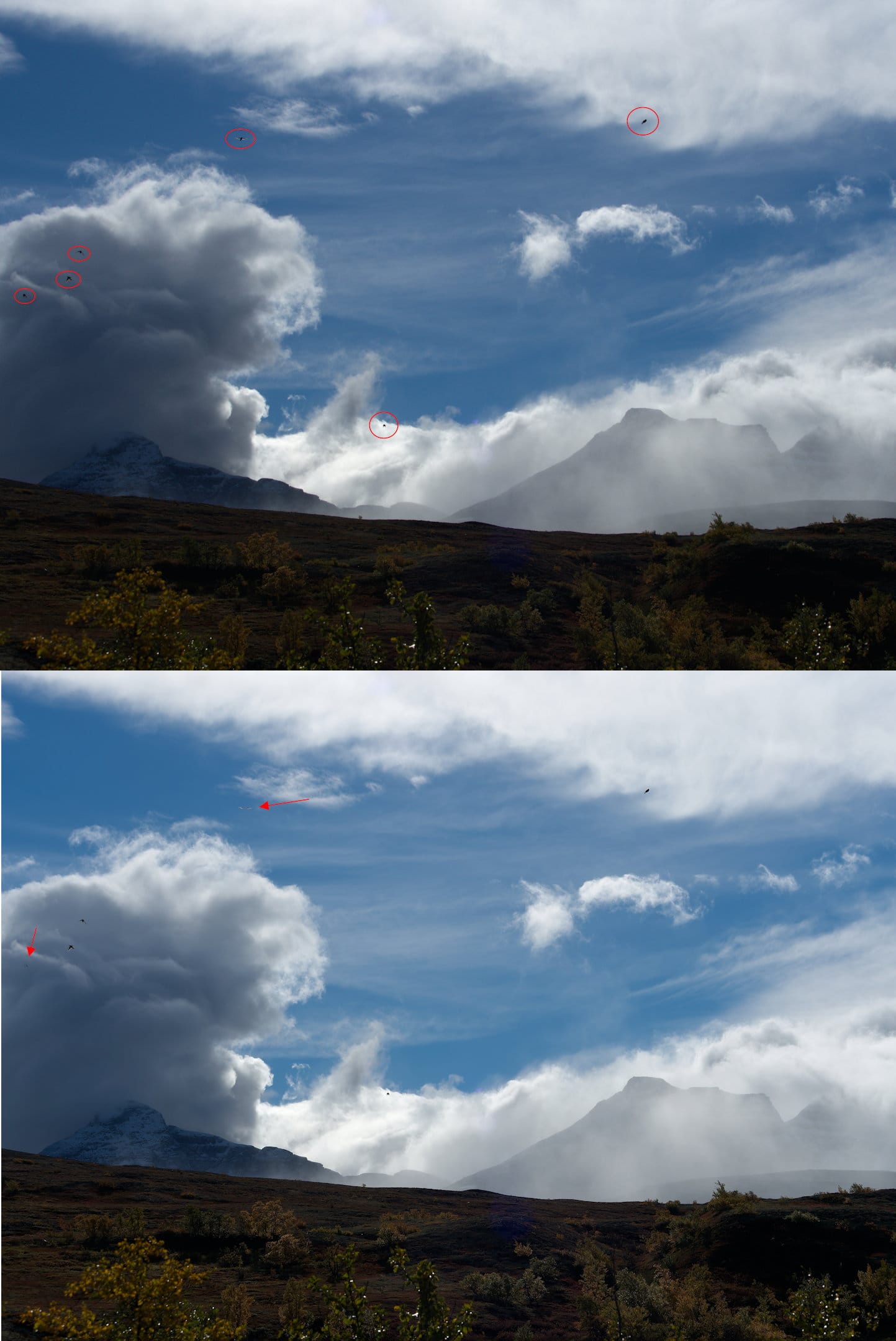
The top image is a converted RAW-file in Affinity with all the small birds circled in red. The bottom image is a compressed DNG (PR6 latest version) where the red arrows point to very distorted birds. Checked with Affinity as well as PL8. The same result.

At least for critical work I should be careful and not use compressed DNG until there’s an explanation and possibly a fix for this behavior.
Has any one else experienced similar results?

Could you please provide us with the raw file so we can review it?

_9250104.ORF (13.4 MB)

Just checking, you dont have the sensor dust removal option turned on by any chance?

1 Like

Thank you!

Problem solved!

I made a new compressed DNG with the dust removal option turned off and now it works as expected.

The devil is in the details :slight_smile:

Check the settings is a good rule when things doesn’t seem to work as expected.

Thanks again!

3 Likes