Greetings,
I use Photolab 8 along with NIK filters for most of my photos. When I am finished with my overall edits in Photolab, and chose to open the photo in NIK to do some further editing, it can take up to 20 seconds to open (sometimes more, sometimes less). After I click on “apply” on the image I am editing, the NIK plugin closes completely. When I go into Photolab to work on the next photo, and then open in NIK, the program starts all over again.
Am I missing something obvious? Can NIK stay open in the background so it does not need to open from scratch for every photo?
The 20 seconds delay is surprising. On my configuration (which is not especially powerful), the called Nik plugin is active after 2 or 3 seconds. Maybe your CPU is too weak or you don’t have enough memory. Can you give us more details about your configuration (Windows/mac, memory size, etc. ?
Anyway, the process triggered when you send an image to Nik is rather simplistic :
DPL export your image according to your Nik export settings.
The Nik plugin executable is called by DPL and the exported file’s name is passed on the command line. End of the DPL part of the job.
You edit the image in the Nik plugin.
When you click on Apply, the Nik plugin knows that it has been called from an external program and therefore terminates.
This will not happen if you chose to export the image manually, launch the plugin executable manually and load the TIFF or JPEG file into the plugin. In that case you don’t have an apply button.
You should try this just to determine whether the delay is due to the export from DPL or due to the image loading into the plugin. I bet for the export.
Here are my laptop specs:
Lenovo Yoga 9i (brand new)
Processor: Intel(R) Core™ Ultra 7 155H (1.40 GHz)
32GB RAM, 1TB hard drive
I am using PhotoLab 8 Elite
NiK v7
Windows 11
I shoot Olympus RAW. Only after I use NIK does the file become a TIFF
My process has been to work in PL8 and do some overall corrections/enhancements, then go to File–> Export to NIK Collection. The NIK window with the NIK PlugIn choices comes up within a few seconds. I chose Color Effex and at this point it takes 20-30 seconds for the image to load. I work in NIK and then choose Apply. NIK closes. This would seem to be the way that PL8 has designed the workflow.
I am not real sure how to load into NIK manually. There is not a “File–>Open” menu option. Plus, I would need to go to my finder window and search through hundreds of photos to find the one I want to work on. That cannot be what PL8 intended.
You mentioned “1. DPL export your image according to your NIK export settings.” Are there settings somewhere in preferences in PL8 or NIK that control this?
The Nik plugins cannot process RAW files. So, DPL exports a TIFF or a JPEG, according to your Nik export settings. The RAW file is not affected.
As I mentioned above, the NIK plugins are actually programs that can be run standalone. For example, the Color Efex executable is here : C:\Program Files\DxO\Nik Collection 8\bin\Nik 8 Color Efex.exe. Just double-click it or create a shortcut to that file to launch it from the desktop. When launched this way, a File | Open menu will be available
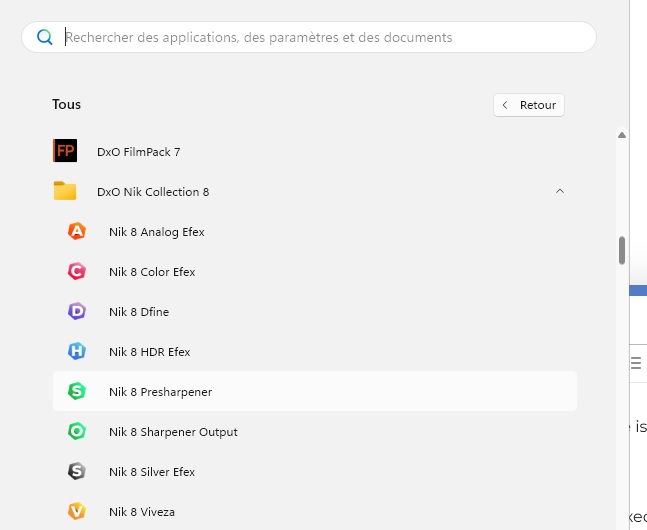
When you export to NiK or when you click on the Nik Collection button in the image browser, a small window opens allowing you to select which plugin should be used. Please look at it more closely : the last item is named “Export settings”.
When you export to disk, you can specify in which folder the TIFF or JPEG will be created (usually in the same folder as the RAW file). So, it will not be that hard to find it in Windows Explorer. Anyway, this is just to determine whether the delay is due to the export process or to the loading into the Nik plugin. Once we know which program is the culprit, we’ll able decide how to fix the problem.
Nik will not work with RAW files. So the 20-30 seconds is to create a TIFF file that Nik can then process. When you select “Open file in Nik” & the menu opens, look at the bottom of menu for “Preferences”. If you click on that you’ll see options for how you want Nik to handle the file to be opened. One option is to open the file with NO processing. This should only be used to open a previously created TIFF. Then that TIFF will open in Nik with all the previous corrections intact. There is no way to keep Nik open that I’m aware of. If you have Nik open & then go back to DxO to open a different file in Nik, it will open up a second Nik window. If you want to have 2 or more files open in Nik at the same time you can highlight those files in DxO & choose “Open in Nik” & one window of Nik will open with all the chosen files. Hope this helps.
By the way, if you could give us access to a RAW file having the same problem, I could at least check how it takes to load it in a Nik plugin on my own laptop.
Yes, it appears that the conversion from Olympus RAW to a tiff that NIK can work with is what is taking time. I exported a tiff from PL8 and it opened in NIK quickly. I guess that is the culprit.
Before using PhotoLab (as of this past March), I used Adobe DNG convertor and used a DNG file in Adobe Bridge and Photoshop Elements to process my files (in addition to NIK). Been using NIK for a dozen or more years.
Now that I am using PhotoLab I am still learning what workflow will suit me best.
PL8 would not work with the DNG files I would create with DNG convertor, so I just opened the RAW files with PL8 and exported to NIK for those I wanted additional processing for.
All that said, might it be good for me to import photos from my camera and immediately convert them to TIFF? And if so, what settings for the tiff should I use. I chose the standard 16 bit tiff in the PL8 export and the file is huge. Past images are closer to 16-20Mb in size after processed in NIK.
I am interested in people’s workflows. I know it is a personal choice, but I have learned a lot from how other people work.
PL8 would not work with the DNG files I would create with DNG convertor, so I just opened the RAW files with PL8 and exported to NIK for those I wanted additional processing for.
When I was no longer able to open RAW files from a new camera with PS/ACR, I used Adobe’s DNG converter and then continued with PS + Nik.
While searching for such a DNG file, I was able to open it in PL. Provided your camera-lens combination is supported, simply open the RAW file directly in PL for development.
If you need to apply a Nik filter, I would always export as a 16-bit TIFF for maximum quality. But try it out for yourself. Maybe after some time with PhotoLab + FilmPack, you’ll find yourself resorting to Nik for special cases.