Take a look at the preset and open it with a text editor. If there are any references to crop in the preset then try removing them. You may need to cycle PL9 in order for the changes to be picked up to an existing preset.
I just tried it and I am able to crop before applying a preset with an AI mask.
I’ve got the solution for you without digging through your preset files and using a text editor:
Go to Customize
Find the Preset Editor module
Single-click your preset
Click “Edit” in the Preset Editor module
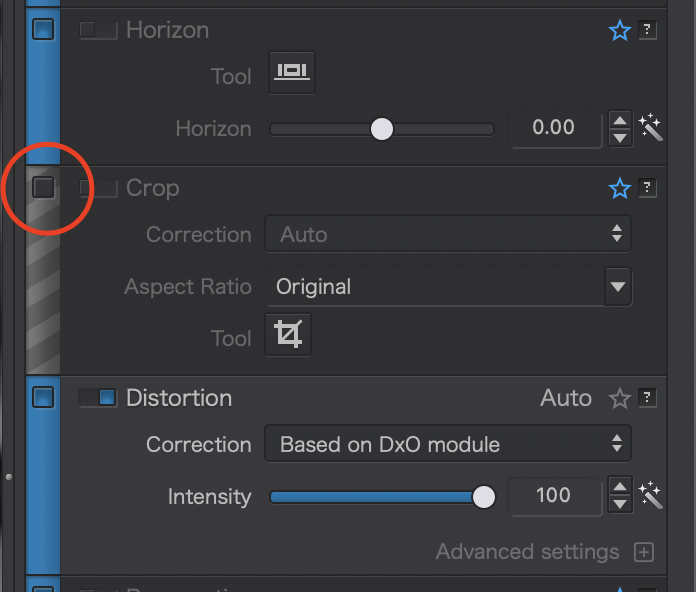
In the corrections settings, you’ll see that all the modules now have a blue bar to their left
You want to find the Crop module, and deselect the below checkbox. (Notice this is different than the usual toggle switch we see on the corrections modules):