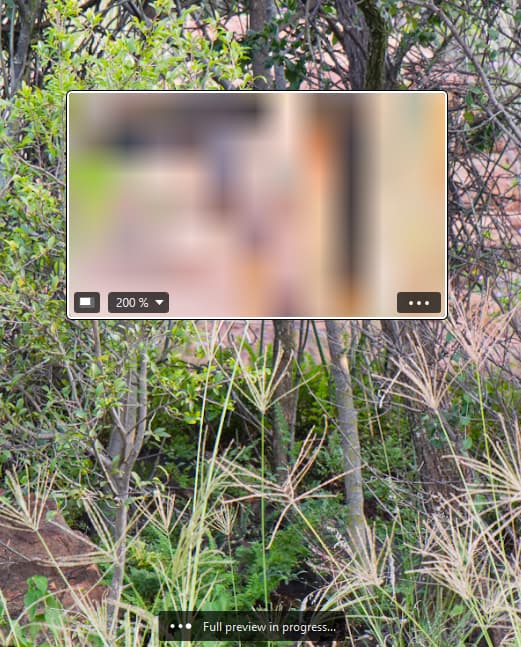
I have been using DXO Photolab for many years. Just got a new Panasonic camera and the RW2 files are not supported by the version I have. So I downloaded a trial of the latest version 9.4. The presets applied OK using the Standard Denoising profile. But when you select DeepPRIME3 or any other profile, things go wrong. Firstly, the loupe stays grey or blurred. There is a message displayed “full preview in process“. This message remains and never goes away.
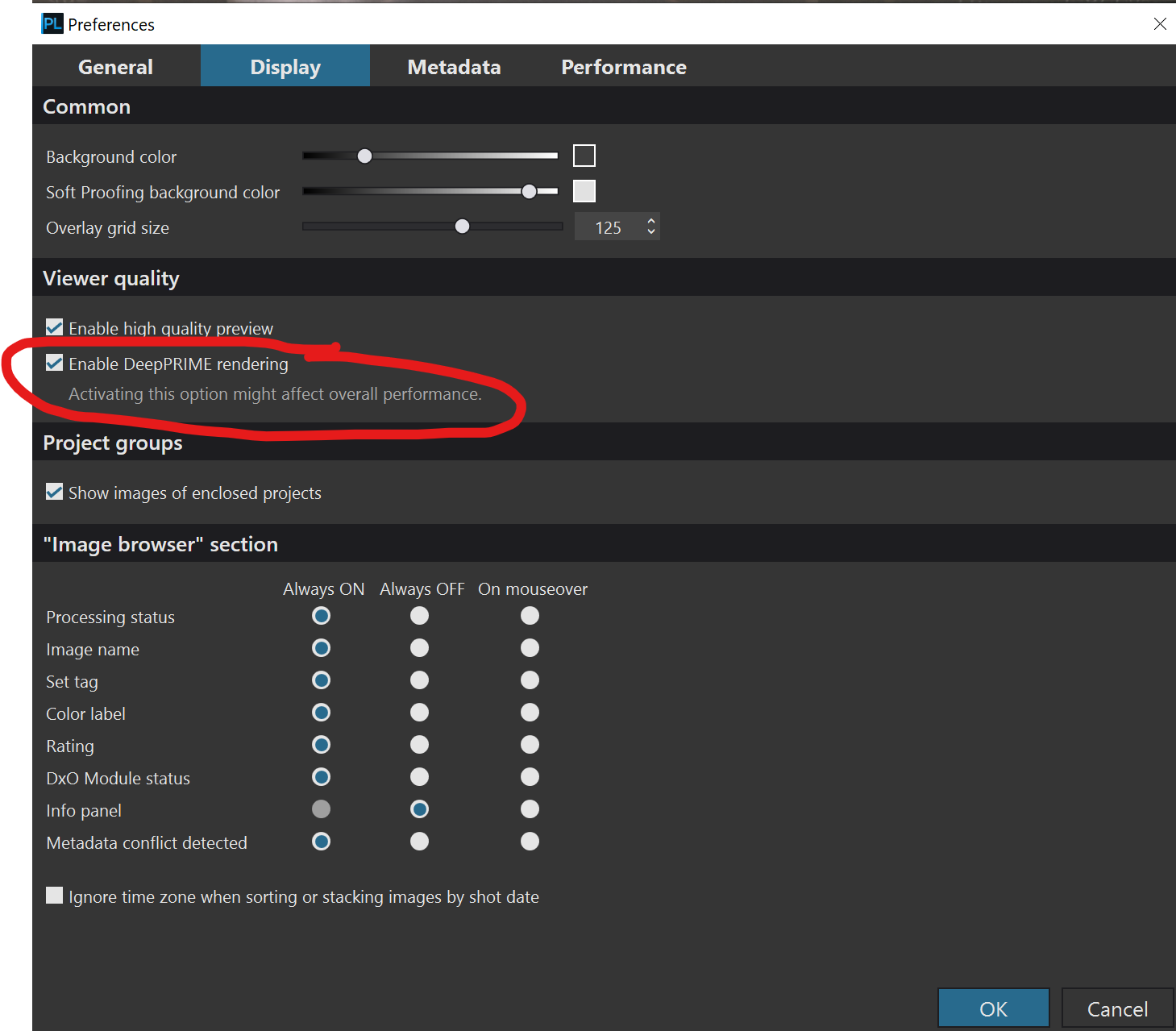
I also discovered in Preferences that the DeepPrime engines are not enabled by default? After enabling that, it worked once or twice before giving a processing error.
In preferences I then selected to do the processing on the CPU (and not GPU). This was slower but it worked without generating errors. Do there is a problem with using the GPU although it runs fine with my other apps.
The support form did not work as it tells me that the trial installation key is not valid? So I cannot log this under support. And, because I reported another bug in PureRaw, I now have to wait 24 hours to log this ? Really?
Nope. He is trying PhotoLab 9.4 because he’s been using an older version of the software that doesn’t support the new camera. You’re misreading the OP.
If the camera wasn’t supported in PL9.4, very different problems would arise.
mwsilvers
(Mark - New Jersey, USA, Win10, RTX 4060, PL9, FP8, VP5, Nikon Zf )
5
That may be a result of the GPU you are using. What graphics card is in your computer? Additionally it may have to do with the DeepPRIME option you selected in Preferences which I discuss below.
As with previous versions of PhotoLab, DeepPRIME availability does not require enabling in Preferences. That DeepPRIME option in Preferences, which I have attached an image of below, has a different purpose. That option, for the first time, allows users to display the results of the DeepPRIME variants in the full editing window, in real time and at any zoom level, while editing. When selected, use of the loupe is unnecessary.
The reason it is an option is because it can have a major impact on rendering performance for older computers with older or less powerful graphics cards. If your computer is one of them that might be the source of the problems you are having. If so, disable that feature.
If I recall correctly, the trial version does not include support. But, others may have more current knowledge than I do about this.
By the way, I noticed in another thread that you also are using PureRaw. Since they overlap in functionality I am just curious why you would want to use both PureRaw and PhotoLab..
Hi Peter - I too had problems with the Loupe not focussing, both in a trial of PL9 and with PL8 from V8.10 onwards.
For the last couple of months I have been working with the DxO development team testing out Beta versions of PL9 after submitting a ticket with DxO.
I have an Asus laptop with an Intel Ultra i9 CPU, Intel Arc 140T 16Gb iGPU and and Intel AI Boost NPU.
I am currently testing a beta vesion of PL9.5 after testing the beta version of PL9.4 before it’s release. The 9.5 version now runs perfectly on my machine - no errors or crashes whatsoever and Ai Masking, including the pre determined masks work perfectly.
So the message is, that despite “claiming” that there is nothing at all at fault with their software, DxO are still working with GPU’s other than nvidea/AMD and other iGPUs to ensure compatabilty with their min systems requirements for PL9.
What are the specs of your machine? If you post them here the menbership may be able to help?
With regards logging a support ticket, if you log onto your DxO at shop.dxo.com you should be able to a support claim there.
DxO have been really helpful in trying to resolve my issues - they have given me extended free trials of PL9 to enable testing, so if you raise the support ticket and request another trial version of PL9 they should be able to help you out in that respect
My PC uses the Intel Arc graphics card (8GB). I tried Pureraw but it crashed. I then tried PL9 and it was more stable, but the loupe did not work. PL loads standard denoising without the Deep engines. I could only get the Deep engines to work by enabling that in Preferences. Then I also got errors. Eventually I selected to process on the CPU which worked although slow. The loupe still did not work but I could zoom into the picture and see the noise reducing. I have the latest Dell 14 Premium with i7 and 16GB RAM.
I was not able to generate a support ticket. On the ticket form there is a tick box to select TRIAL. I gave my trial license but then got the message that it is not valid. So there is no option to get support or report these issues for trials. The form did not accept my PL trial license nor the PureRaw one.
mwsilvers
(Mark - New Jersey, USA, Win10, RTX 4060, PL9, FP8, VP5, Nikon Zf )
10
Did you not read my post above from 8 days ago regarding this?
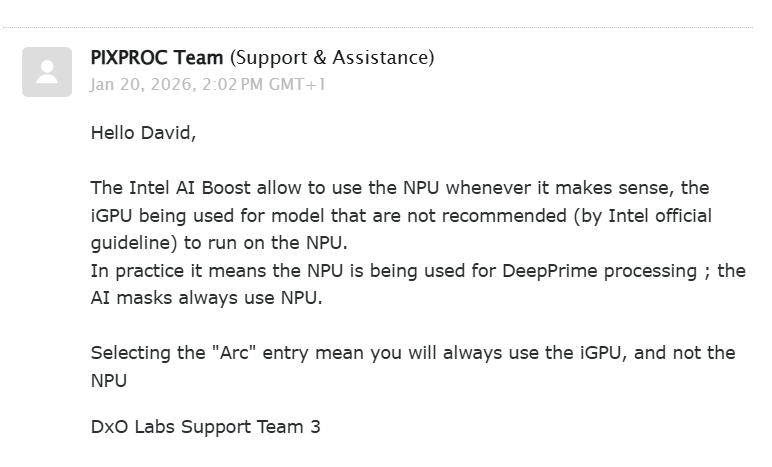
That being said, the test software that I am currently using has the option to select either the Intel AI Boost or the ARC GPU under the “Preferences/Performance tab that MWSilvers posted earlier - and it works flawlessly if either “AI Boost” or “Intel 140T GPU” is selected - it actually works slightly quicker with AI Boost selected.
This is what I have been told by DxO with regards these selections - selecting ARC GPU basically ignores the NPU? So Is the NPU really a min spec for Intel Graphics?? I’m not sure.
The planned release of PL 9.5 in the the future may improve things for you if you can try it out with another 30 day trial ?
The behaviour that you comment on with regards to full screen DeepPrime display rendering working, but taking an age to finish focussing and the Loupe failing to focus at all was exactly the same as I experienced when testing out a beta version of PL9.4 for the DxO team and this has now been resolved on the beta version of PL9.5 that I am currently testing.
Have you tried turning off “High Quality Preview” and “DeepPrime rendering” in the display settings as highlighted previously by MWSilvers ?
You say that you have used PhotoLab for many years - which version have you used and purchased?
You should have an account with DxO regardless of which version you have purchased.
If you log on to your account, you should find your purchased software along with your License key. Under “My Account” at the left hand side you should see a “Support” button” - if you access from there you should be able to log a support request based upon your account with DxO rather than the 9.4 trial ? I have checked this out on my account and haven’t come across any requirement to specify the trial version of the trial installation key?
You should also be able to log a support ticket via your trial of PL 9.4 - have a look at “Help” on the top bar of PL 9 Select “on line support and resources” - select photoLab and you will be taken to the “DxOHelp Centre” page. Scroll down to the end of the page - select “send a request” then “software issues” - “software usage issues” Continue to select PhotoLab 9 and then complete the requests relating to your set uo and you should be able to submit the support request.
How did you access the support form that requested the trial License key?
If you descripe the problems that you are encountering when using the trial I am sure that the support team will respond favourably to a request to be able to obtain a request to trial PL 9.5 once it is released - I’m sure they will realise that you won’t be willing to fork out upwards of £100 for software that you aren’t sure will run on your machine!
Thanks again DaveH. I checked and I Indeed have the Ultra7 255H processor with the Intel Arc GPU. So it matches the recommendation. Yes, the loupe works when you disable the previews. But when you make any changes, it takes nearly as long to render than the whole picture in High Quality Preview!.
 I also read that the OP didn’t get along with a