This pops up when moving the mouse along the photos in the filmstrip.
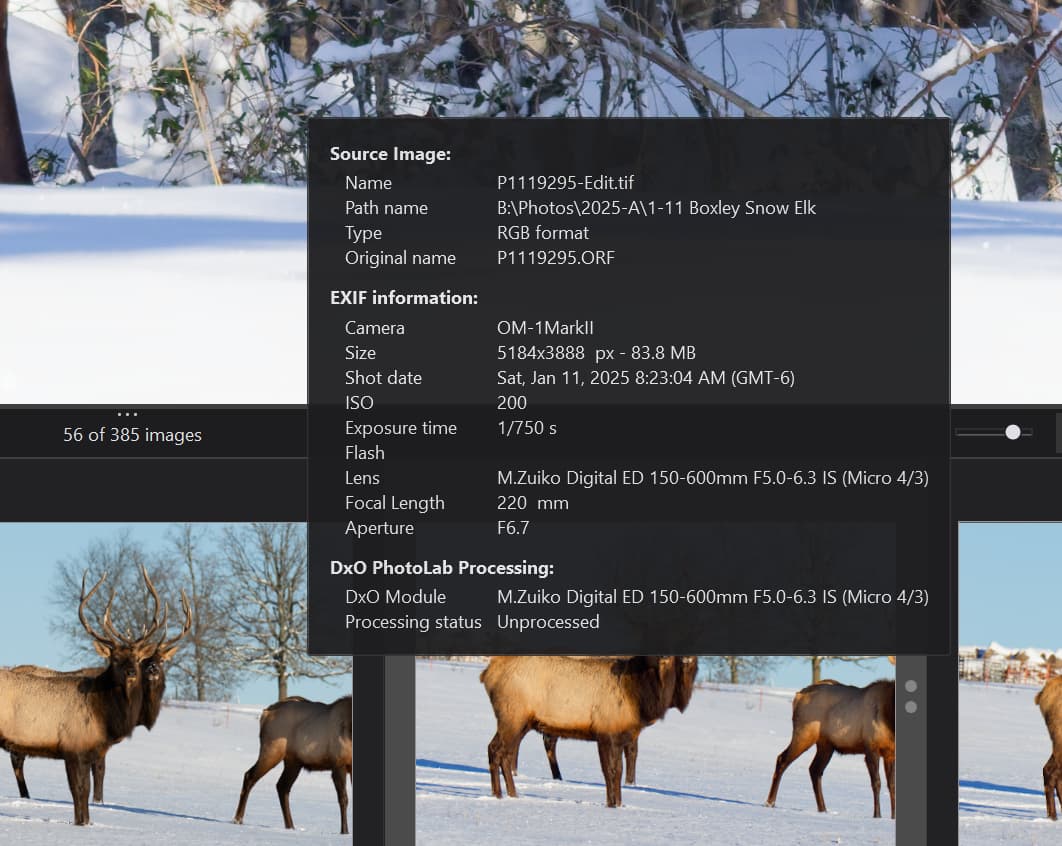
There is but I can’t remember where it is. Should be in preferences somewhere - search and you shall find!
It’s one of those annoying ones that is not in the preferences.
On the Mac, it’s View > Show Image Information Overlay and it has a keyboard shortcut of I.
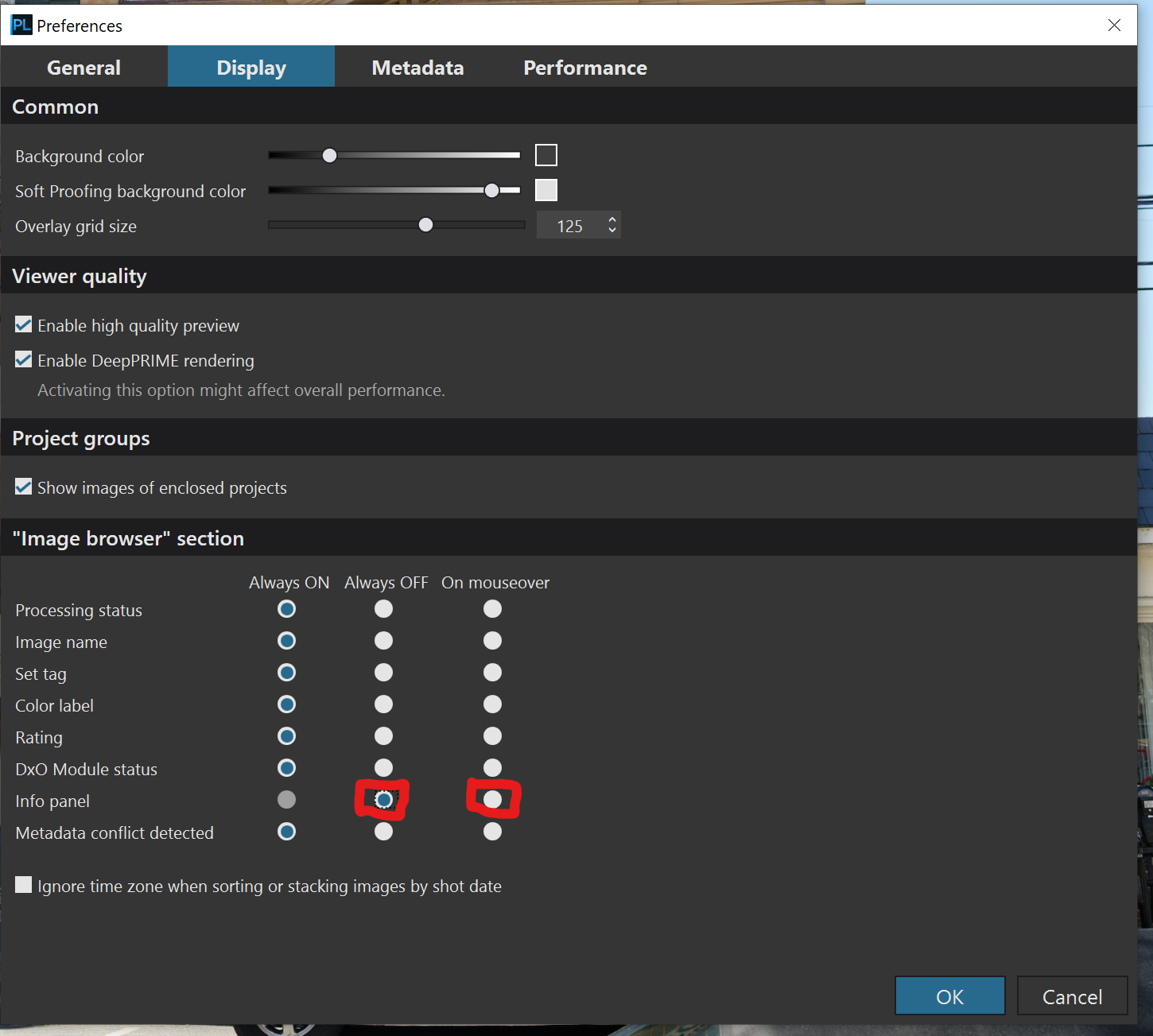
Open the display tab in Preferences and for the Info Panel ensure that Always Off is selected. If you are seeing the info panel then On Mouseover has been selected. See below.
Mark
1 Like
@mwsilvers Thank you for reminding those of us on the PC of how to turn off the automatic display of the data.
Comparing the two we have

Slightly less information in the floating pop-up window (to make it slightly more compact, I guess) and the ‘Path name’ is not “active”, i.e. it doesn’t provide a means to select the image file in ‘File Explorer’.
‘Esc’ dismisses the ‘Image Properties’ window, albeit it also dismissed PL9.4.0 at the same time, the first time I used it, but does not dismiss the pop-up. Moving the mouse pointer does that and allows the properties of each thumbnail to be inspected simply by moving from one to the next, potentially a useful facility from time to time and available in both ‘PhotoLibrary’ and ‘Customize’ modes.
Moving the Ctrl-I ‘Image Properties’ window is not “sticky”, i.e. it will place the window in the centre of the screen next time it is invoked regardless of where the user moved it to, lazy coding!?
Because they offer different facilities, and, like @leewalsh1979, it typically annoys me to have it constantly popping up when I am moving along the thumbnails, it shouldn’t be necessary to access the ‘Preferences’ to change the behaviour, i.e. a simply toggle on the thumbnails header could have allowed a much simpler method of invoking or cancelling the pop-up when reviewing the thumbnails.

But I am concerned about one line for the image I used for the snapshots, namely
the "DxO Module No DxO Module available for this image’? It is probably obvious but PhotoLab is happily rendering the image so what is this referring to?
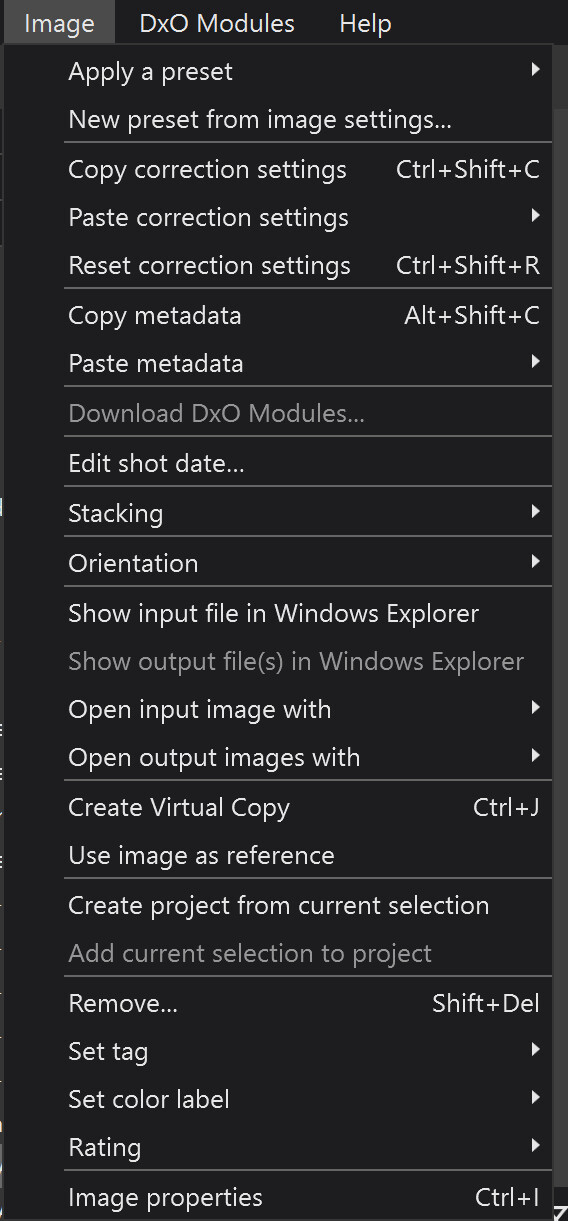
Finally, the ‘Image Properties’ window can be accessed from the ‘Image’ menu, which also identifies the shortcut.
THANK YOU SO MUCH!!! I should have found it, but I didn’t …. That is so much better!!