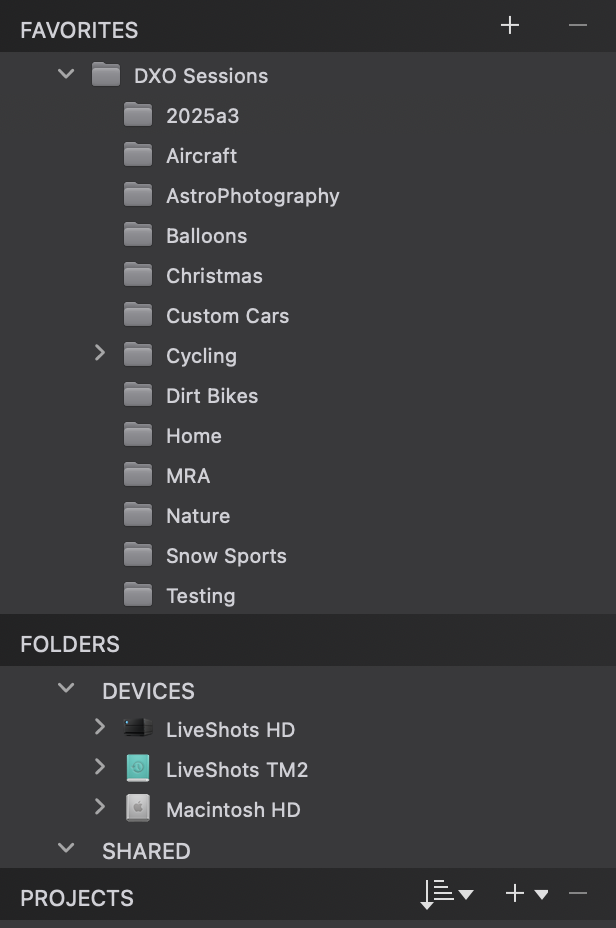
Perhaps it is me, but I do not think that all the Directories or Drives in the known universe need to be shown or listed in the PhotoLibrary, and I can not find a way to only have the ones applicable to photo processing listed.
For example, the internal hard drive on my Mac Studio has nothing applicable to PhotoLab, so why should it be taking up space in the listing? In fact my photos are only on an external SSD.
A settings option to have that one only paper in the PhotoLibrary seems to me would make management much nicer. If I or we need to add more drives, then we could use the option to include them.
I created a High Level folder called DXO Sessions, I put my event folders inside and just add DXO Sessions to my Favorites. This way I can just ignore the Devices section.
Populating the Favorites section helps indeed. Just be aware that fav’s don’t have the same options as the entries in the Folders section. Differences can be seen when clicking on an item with the righthand mouse button or the equivalent button/gesture with your pointing device.