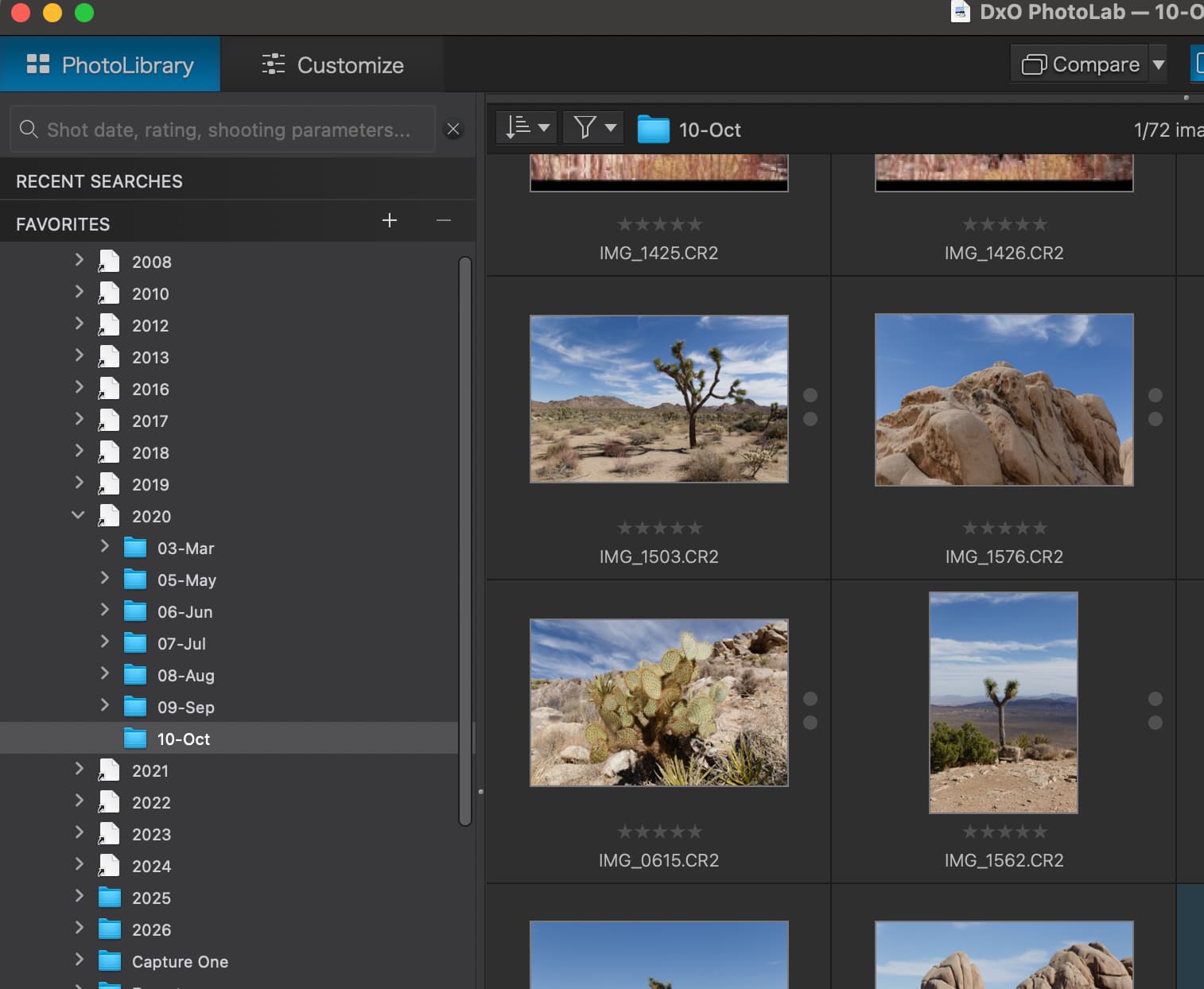
Since there’s so much talk about issues and bugs, I thought I’d throw something up here that I actually found helpful when using PhotoLab yesterday.
I recently moved my older years of photos off my internal drive and onto my NAS. I decided to add shortcuts to those folders in my main “Pictures” folder on my Mac.
To my (pleasant) surprise, these aliases also appeared in the PL PhotoLibrary browser, with full ability to see the photos inside if I drill down to the folders that contain images:
At first I thought maybe it was a fluke, and wouldn’t remain stable. But after quitting PL and even restarting my computer/re-opening PL, it remained this way.
This is on Mac. Not sure how it fares on Windows… hopefully it would be the same.
You’ve discovered Symbolic Links. As you have discovered, they are treated just as if they were the target files or folders. This is all about DxO taking advantage of Apple’s superior technology
Haha, yes! I’ve been aware of symlinks for a very long time, I just didn’t know that DPL would recognize them (in fact I thought I tried this months ago to no avail).
Thanks for this post. This good information to know. Not sure how often this topic is discussed in this Forum but unfortunately not discussed enough elsewhere for sure.
Off-topic.
I think @Joanna is just having some fun with this
Now, if you went technical with a marketing touch, symbolic links along with hard links are common in Unix systems for 40+ years, but started with some IBM systems in early '60s. The concept is almost as old as file systems. How the links are recognized depends on app code, e.g. check if it should detect and “follow” the link, which requires few lines of additional code (all in standard libc). For hard links case, the original Unix sendmail and mail programs (and one more, iirc) shared the same hard link and C code, but behaved differently as a mail server or client depending on argv[0]. Symbolic links are also supported by Windows, although they are rarely used by common users, being mostly exploited by Microsoft with not too much command-line support. As a side-remark, in theory symbolic links could use environmental variables but I’m not sure if it was actually implemented by any OS (maybe Windows only but “implicitly” after login, so not for common use; not sure about Macs?).
To ramble on, DEC Tru64 Cluster Single System Image since about 2000 used CDSL (context dependent symbolic link) concept, which allowed some files of the cluster to be specific to the cluster member, useful for non-homogeneous configurations and other instance specific data. VMS/VAX specialists may also add something. MacOS is still very far from that…
@Wlodek has given all the gory detail, so … ditto.
Symbolic links are not a “given” when it comes to software honouring them. Many command line tools either will or won’t follow them or have options to control this behaviour.
Now, hard links… well there’s no way for the software to tell. (But they’re no use in the internal → NAS scenario.)