I was waiting for the BF sale to get FilmPack 8 for the luminosity mask. This is the only reason I would need it (I have FP6). However, the sale price is disappointing at $129.
I didn’t want to upgrade my PL8 to 9 because of the very mixed performance and bug feedback I am reading. However, I thought the new AI masking might make luminosity mask somewhat redundant. Is this a true statement or totally off?
Is PL9 actually stable now? I am on a baseline Mac Mini M4 Pro.
This is my first release of PL so I don’t have anything to compare it to.
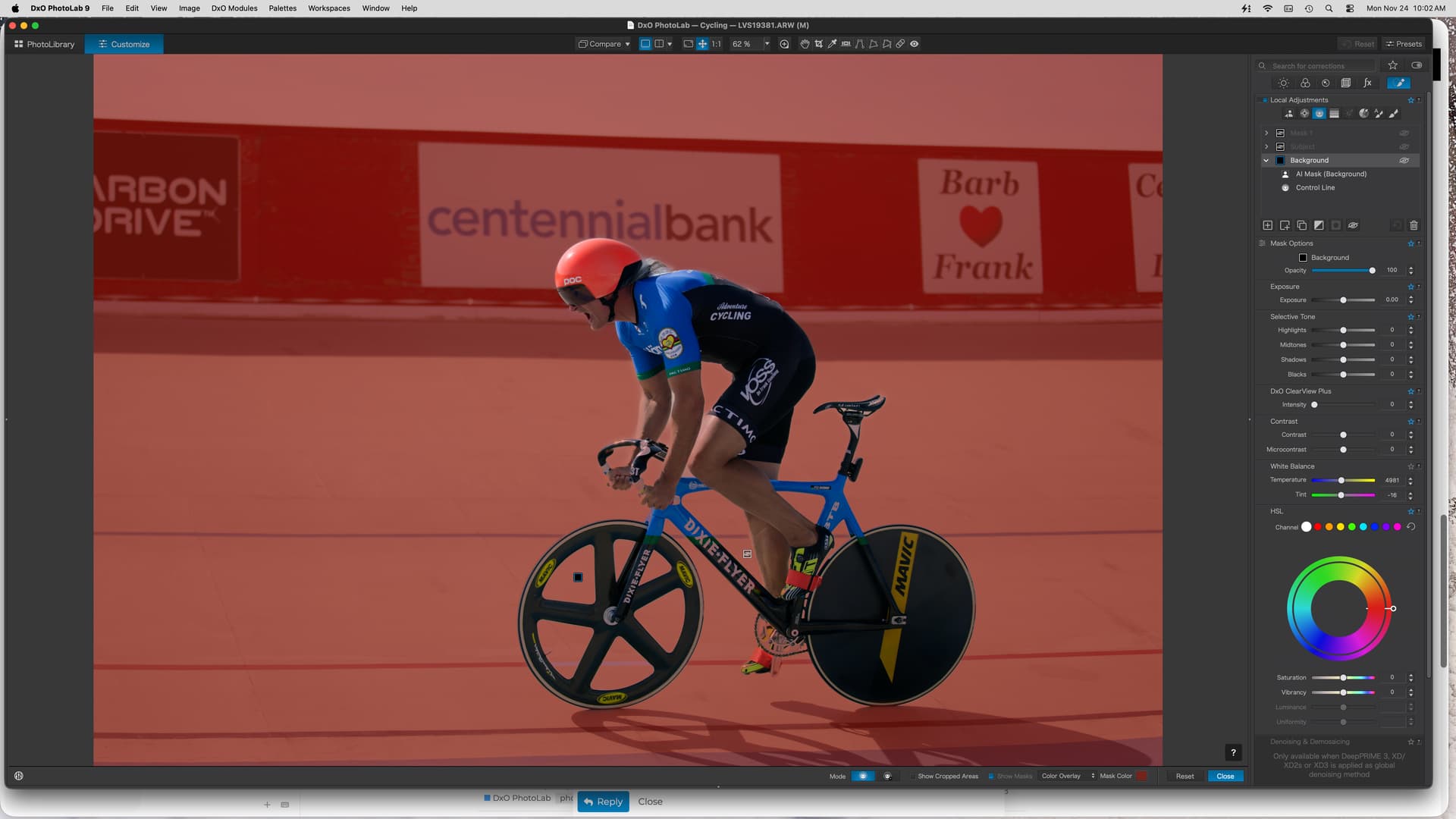
I found the AI masks to be generally very good, especially the Area Select option for when the subject is not readily identifiable.
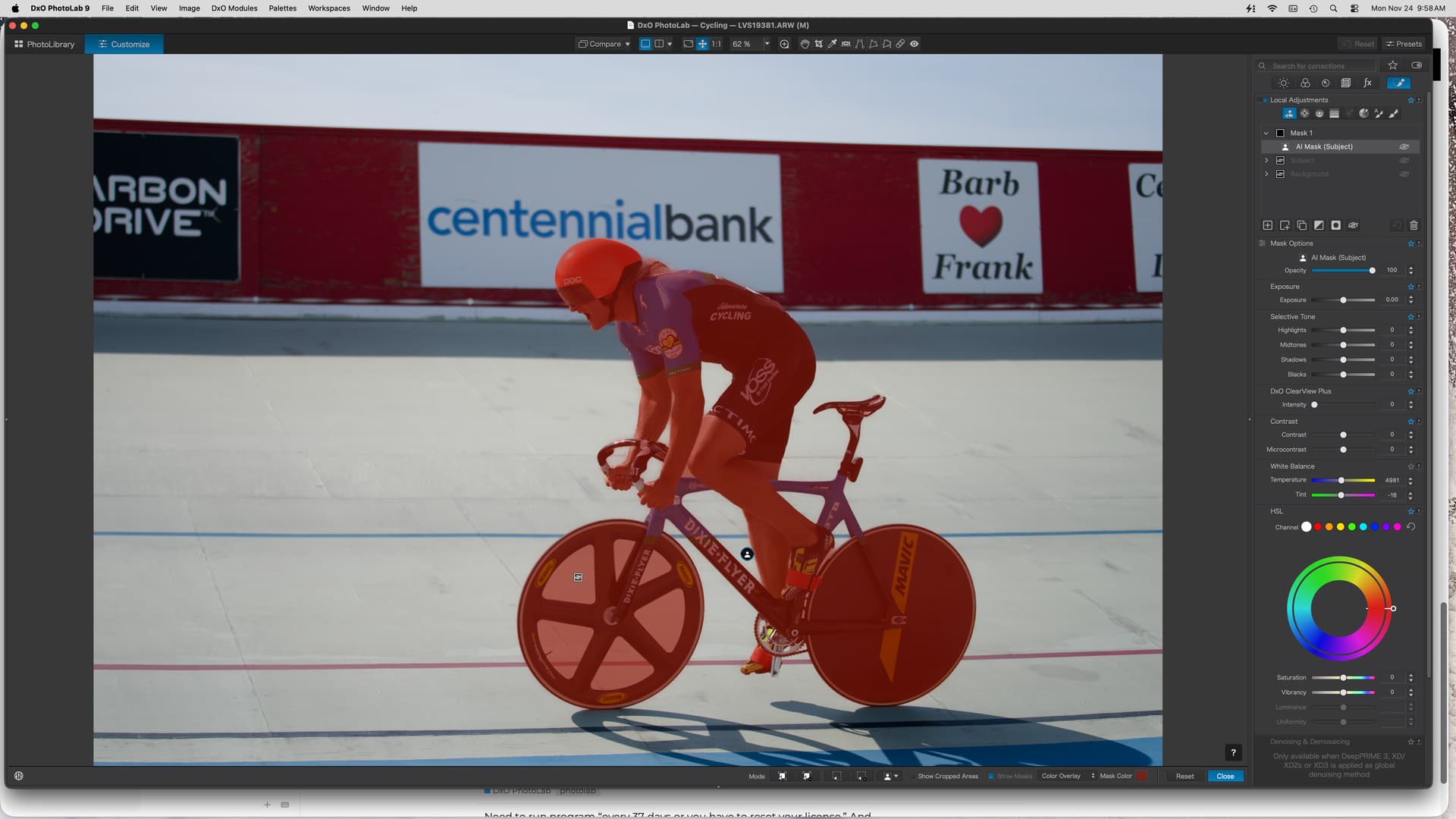
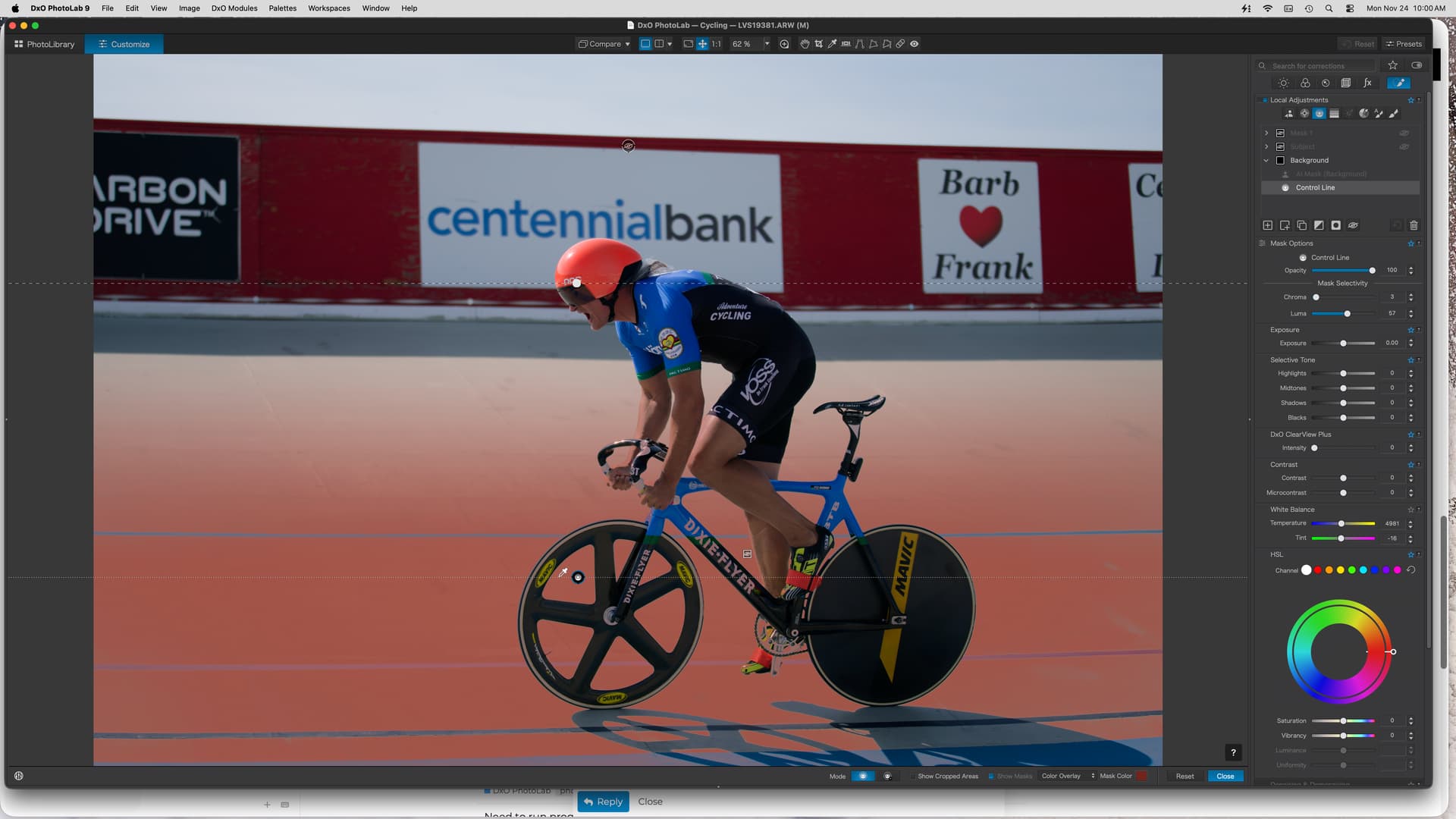
It has issues with small areas of background, for example spokes of a wheel, but using the control point to remove those areas seems responsive.
I’m using a Mac Mini M4 with 48GB RAM. Are you able to download the trial of PL9.2? It might be worth a try to see if the AI masks meet your requirements.
The software appears stable now that they have a bypass for the Tahoe 26.1 regression problem.
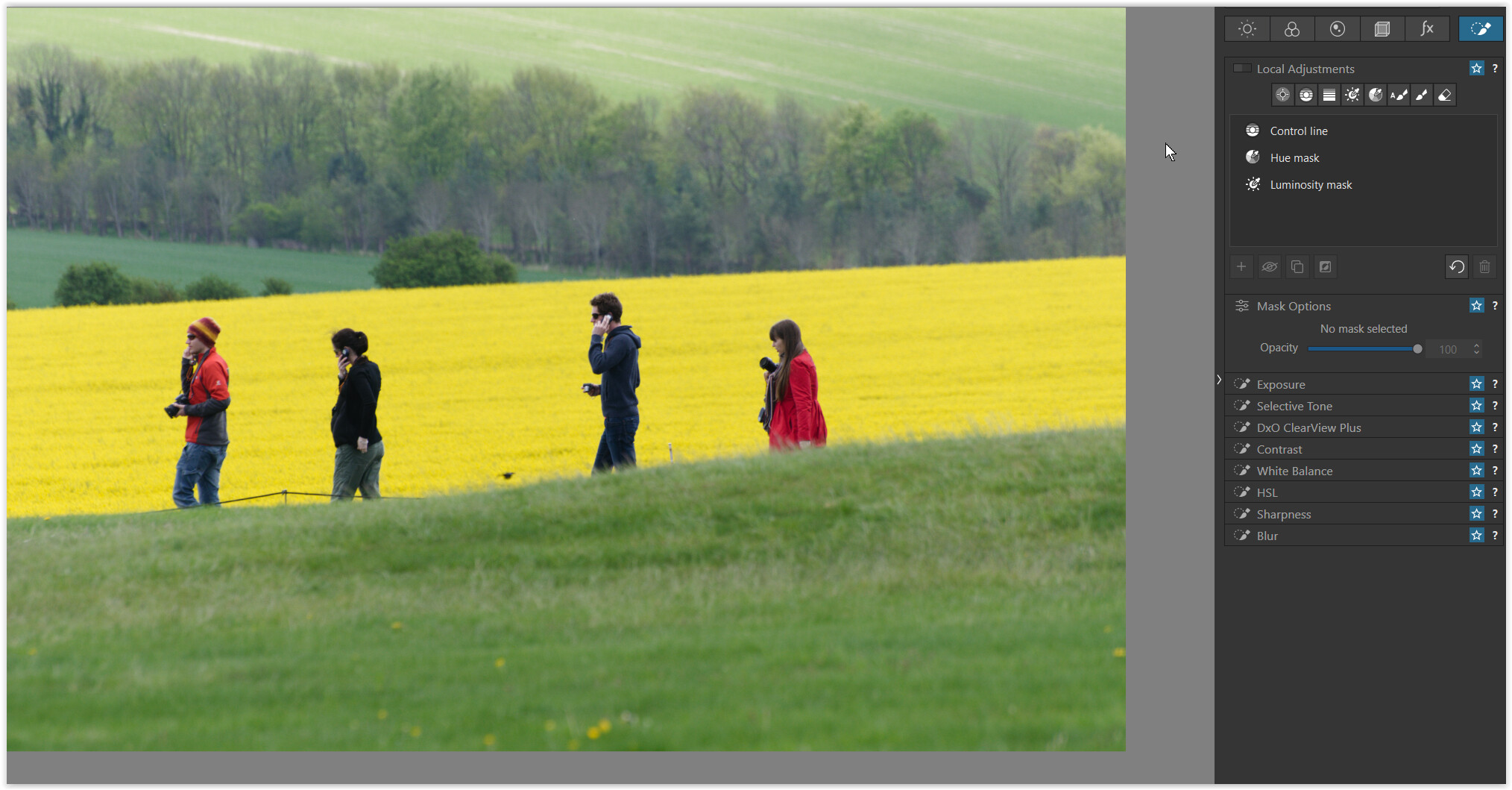
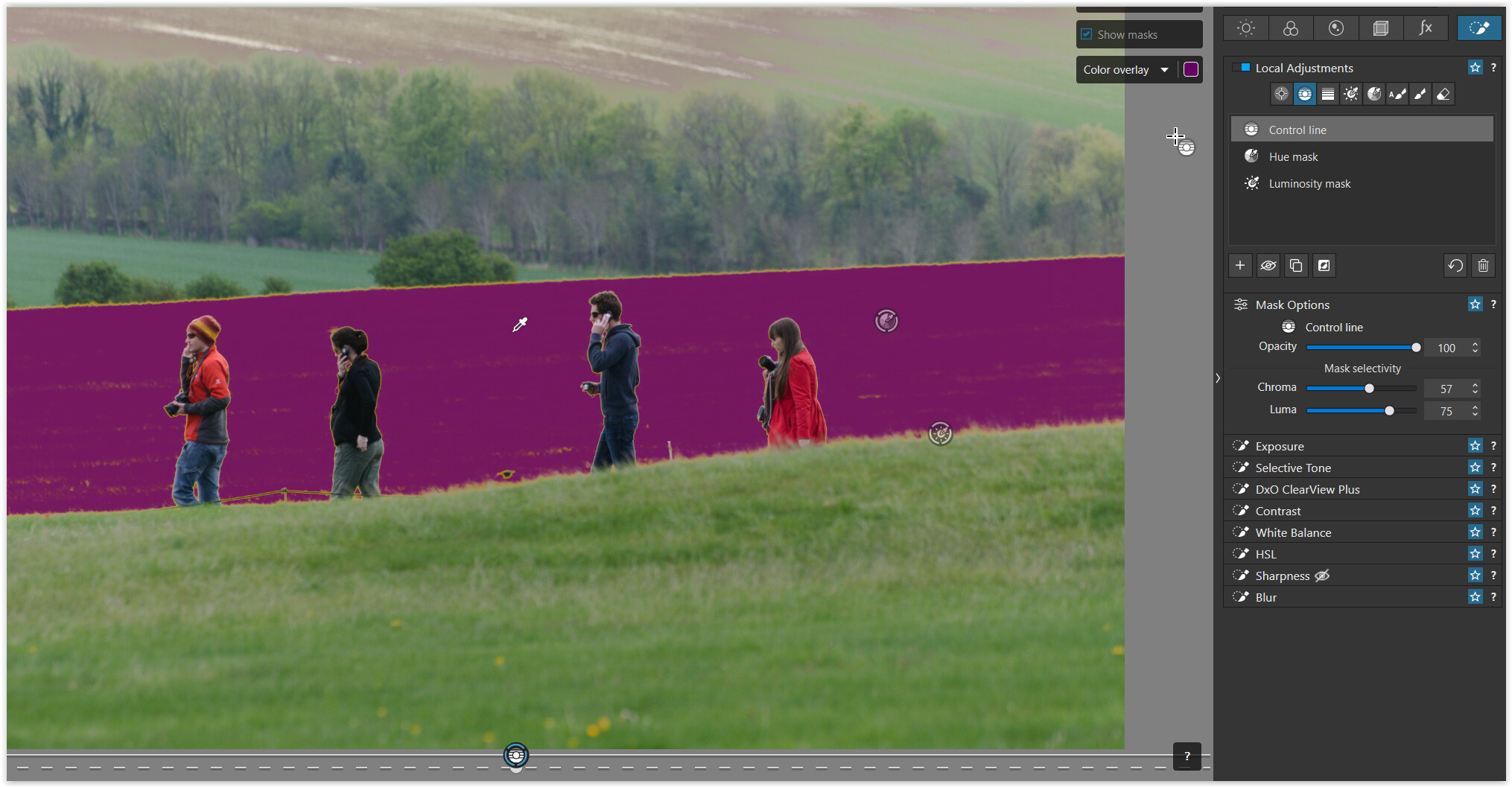
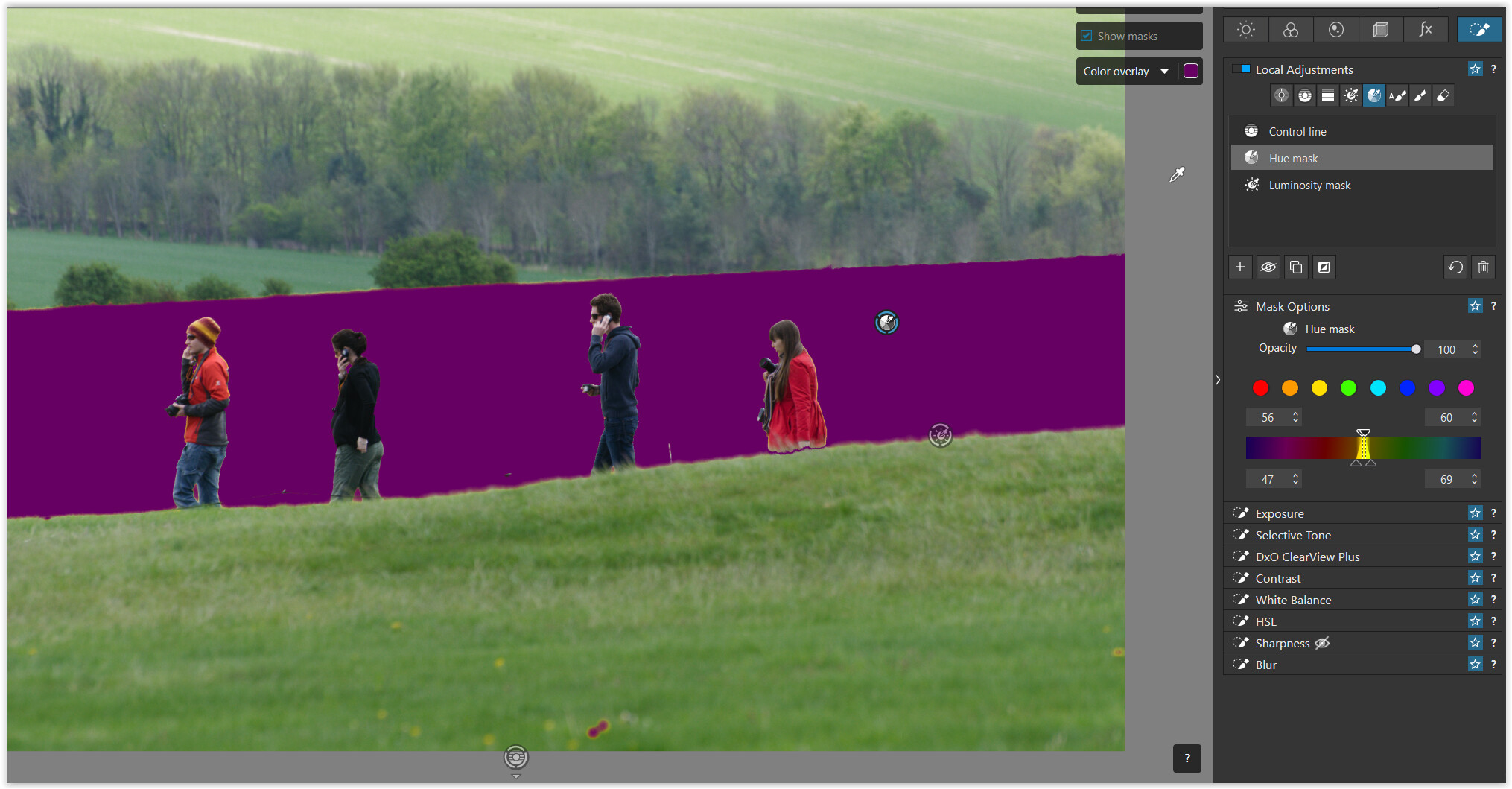
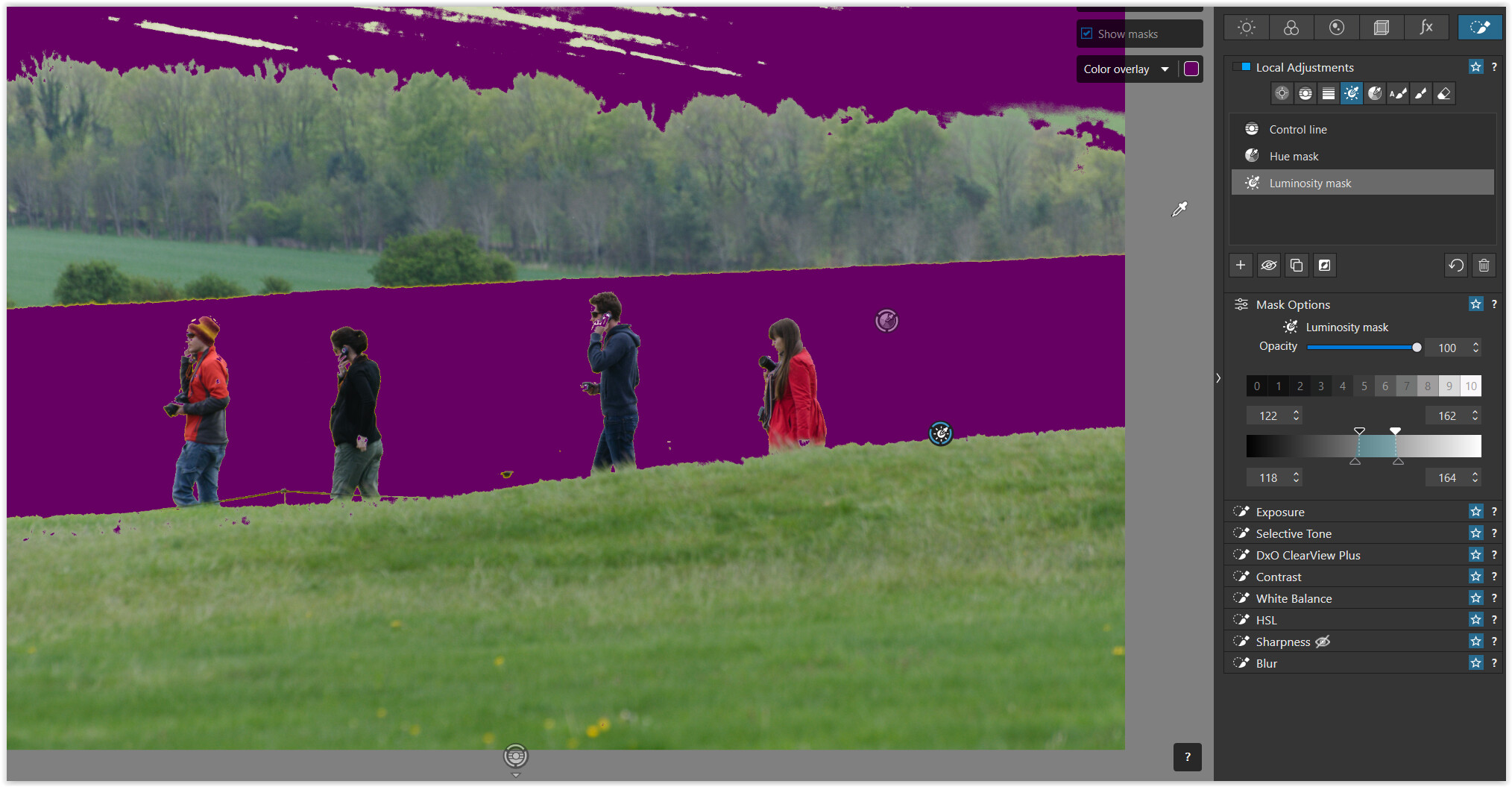
Thank you very much for the examples! I find control lines to work very well when you set chroma to 0 and luminosity to around 75. I found out this is the poor man’s luminosity mask. However, it lacks refinement options.
I’ll try PL 9 with the AI masks, but I am concerned about the performance issues.
The upgrade to masking in PL9 is about much more than AI masks. Imagine just the example of subtracting one linear gradient from another. Absolutely no “smarts” but hugely more powerful than PL8.
I tried PL 9 and the AI masks worked perfectly. So easy to select the main subject or background. I upgraded and also got FP 8. It’s too expensive for what it is but whatever… Wanted the luminosity mask options and it is the only editing software I use.
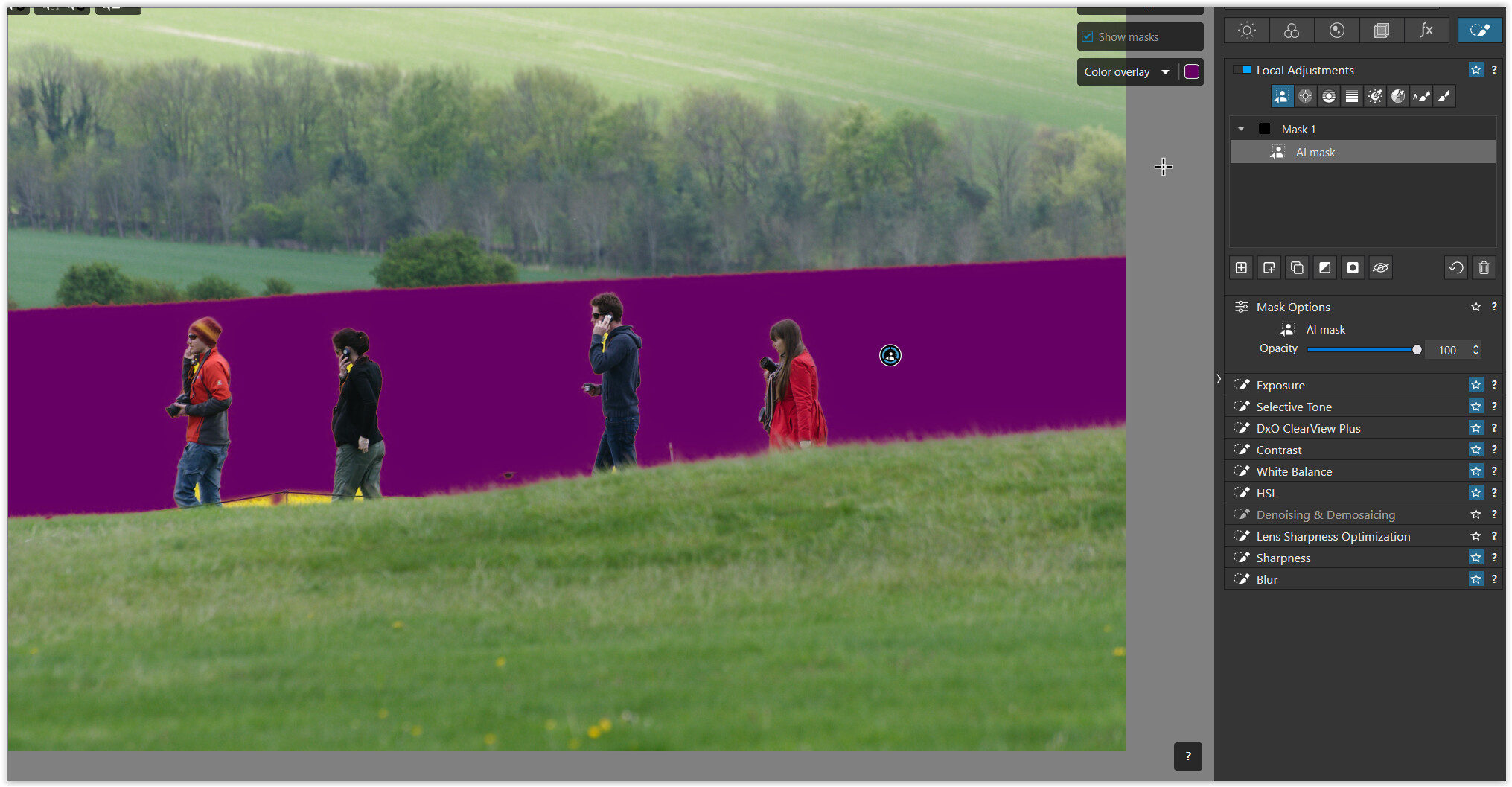
The AI mask example manifests a common problem I’ve seen: it fails to include non-contiguous elements (e.g., the bit between the left-most figure’s legs and just behind him, below what appears to be a rope railing). A similar thing occurs with AI mask of a sky with leafless trees: the sky seen through the tree branches is generally not selected by an AI sky mask.
When I first tried Lightroom Classic’s AI masks, I tested on a shot of a helicopter against a clear blue sky. The subject mask included areas of sky within the skids. The sky mask excluded areas of sky within the skids. Lest you think these selections were mutually exclusive… they were not! Some sections of sky never got selected. Some always got selected.
I thought a prime benefit of AI masks were supposed to offer was simplicity. If it doesn’t provide simplicity, requiring cleaning up a selection, what’s the point? PL’s extant masking tools do a better job and more simply, at least in the situations I was discussing.
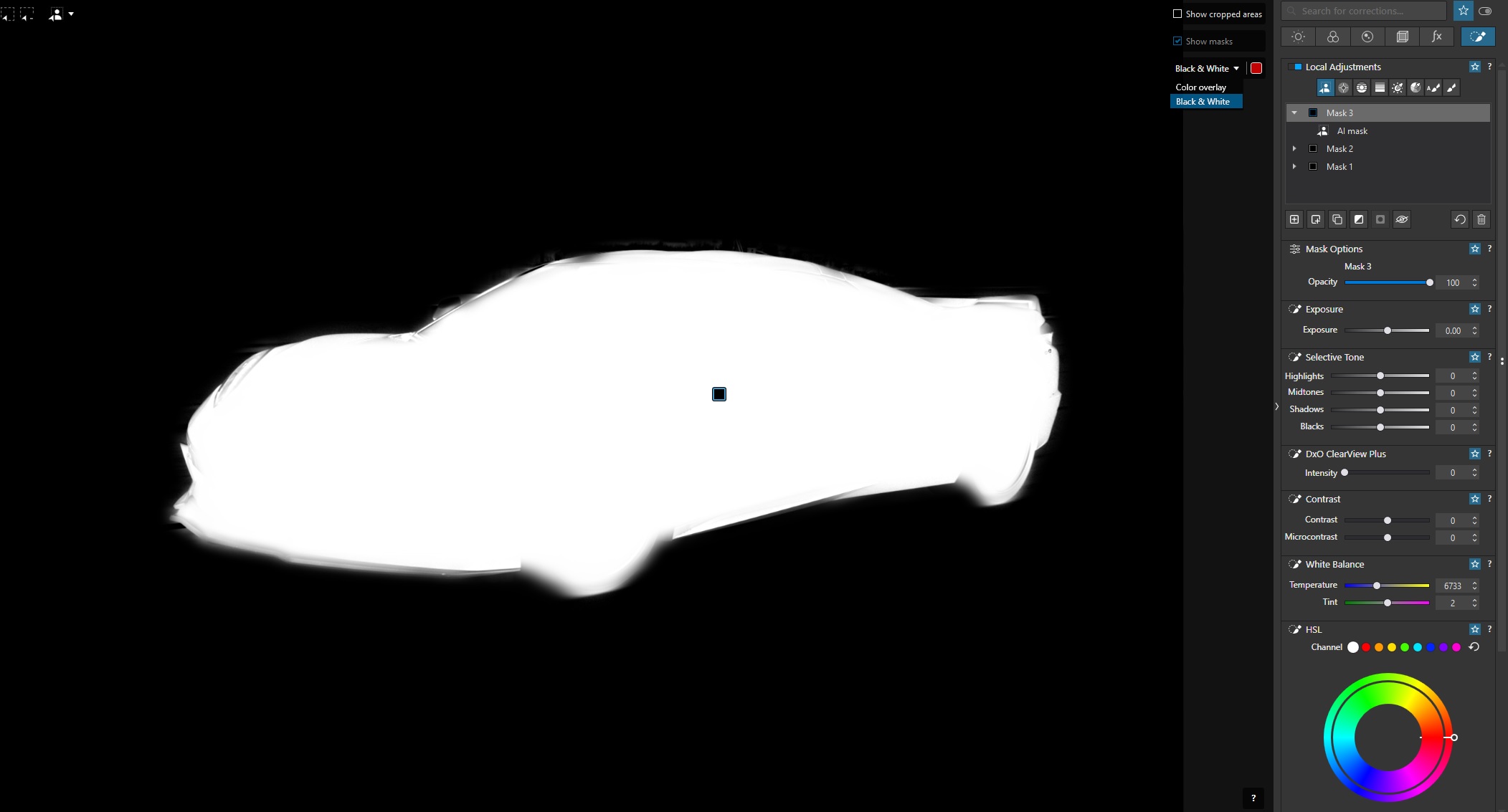
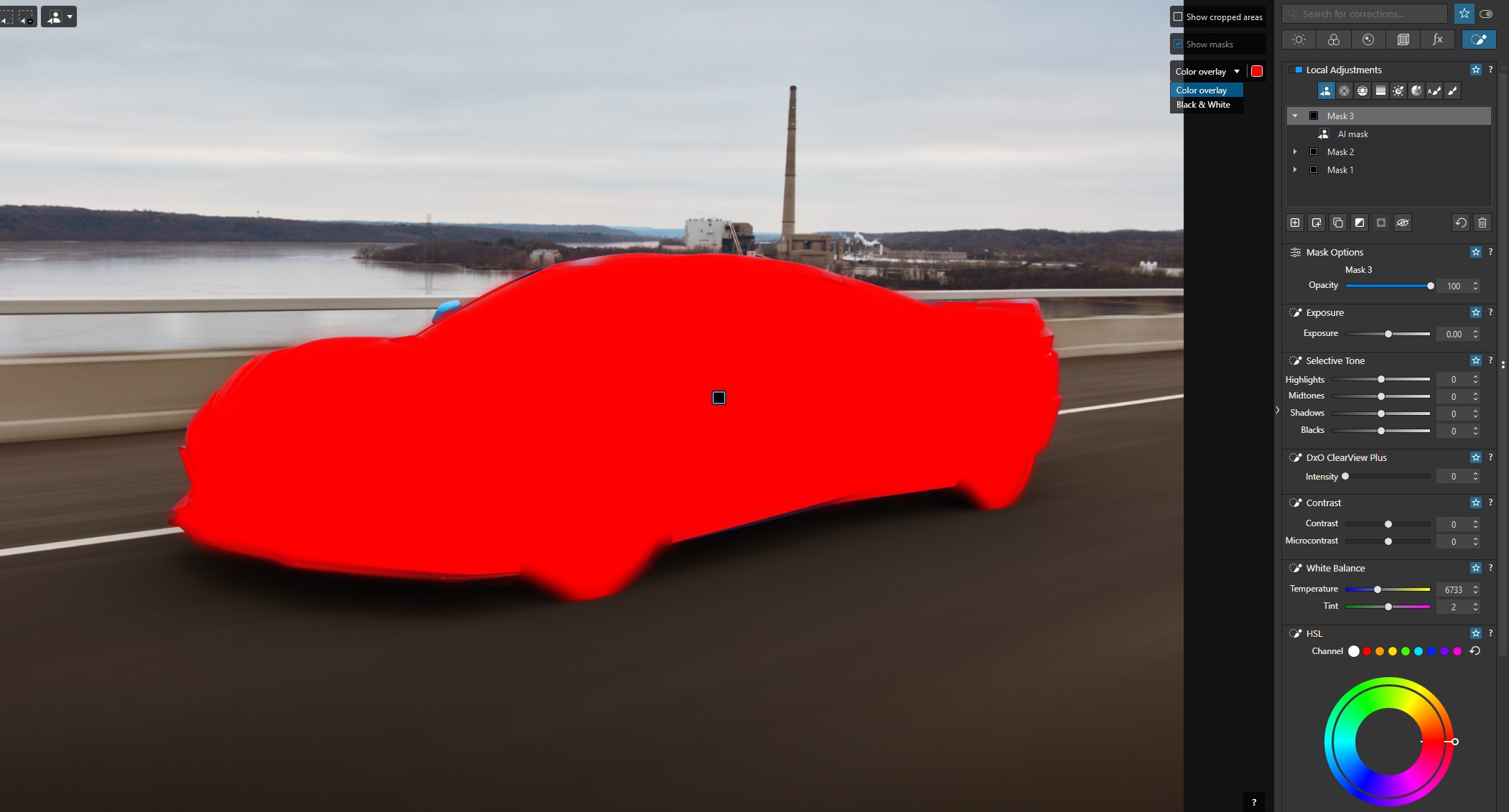
Does PL9 allow you to show just the masked portion of an image ? in all these examples i’ve seen its always this reddish mask, and at a cursory glance i cant tell if the red wall with the advertising slogans is part of the mask or not. Can you just show the cyclist/masked area with the other parts invisible/not shown at all ?
But this is exactly the trap that ordinary users fall into: They think (or hope) that AI will take everything off their hands – which, of course, isn’t the case. Nevertheless, an AI-supported approach can accelerate workflows.
There are a couple of options that might be handy. You can set the masking to “black and white” (see the options on the right of the image, just to the left of the right toolbar), and you’ll only see your selected (masked) area in white:
Alternatively you can go into the same toolbar as above and play with the opacity of the color overlay. In this case, I’ve opted for a solid red overlay:
Actually i don’t think in Lr the ‘Sky’ mask is AI (or at least not fully AI). I think its a very-very fine tuned algorithm with chroma/luma/hue whatever and edge detection. I think that’s the reason why Lr work quite great with trees, but sometimes start to ‘fall’ in sky with cliff or less hard edged things.
Click on the subject, then manually paint some small areas to correct.
OK, you might say, “but I can use Control Points and more besides.” Yes, you can. But sometimes you will need a LOT of Control Points to pick out a subject.
Sometimes Control Points work like magic. Also sometimes, AI masks work like magic. When either doesn’t, you have manual work to do.
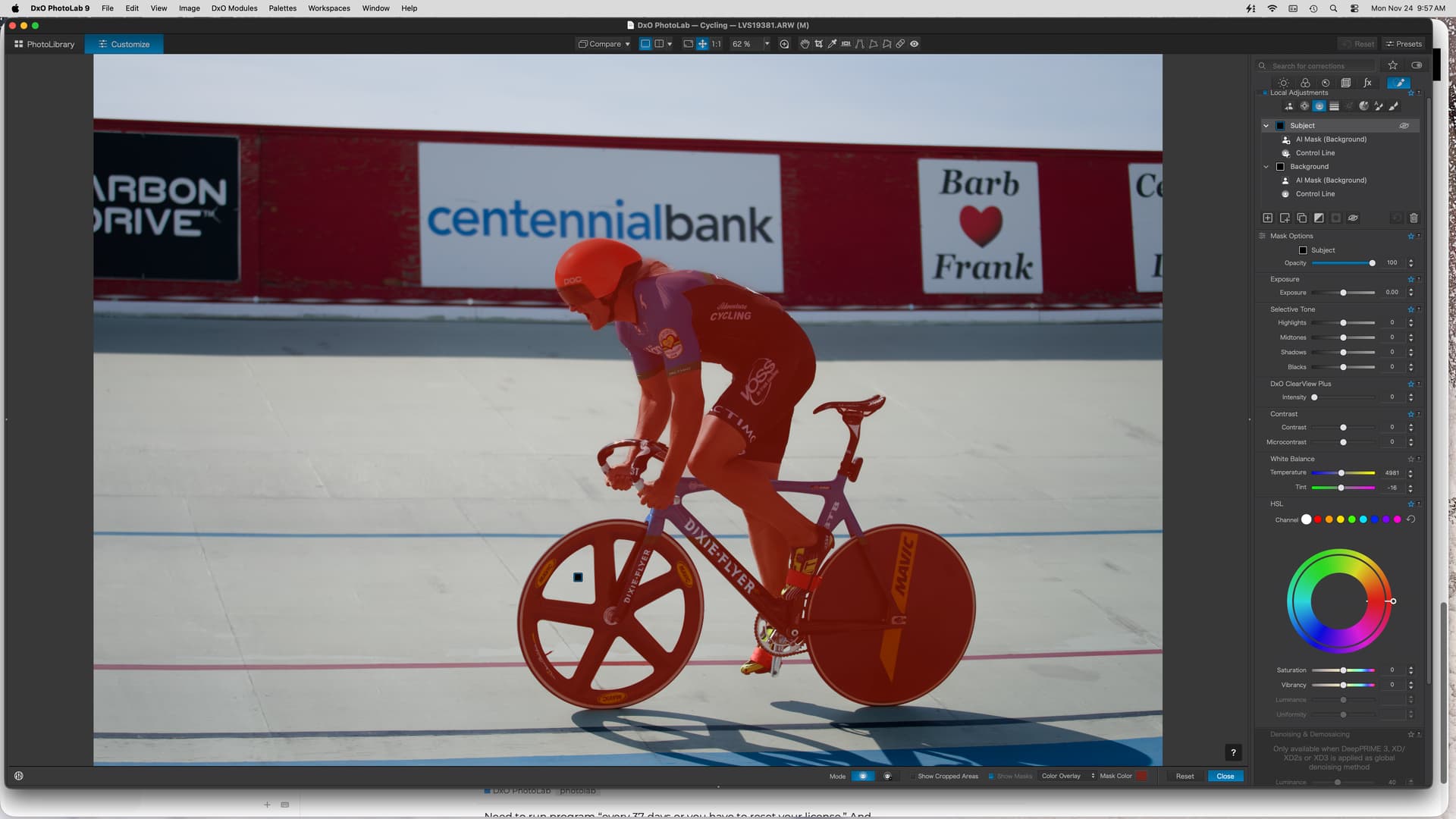
 ), you’ll then know how to include and exclude parts, clean up the selection, etc.