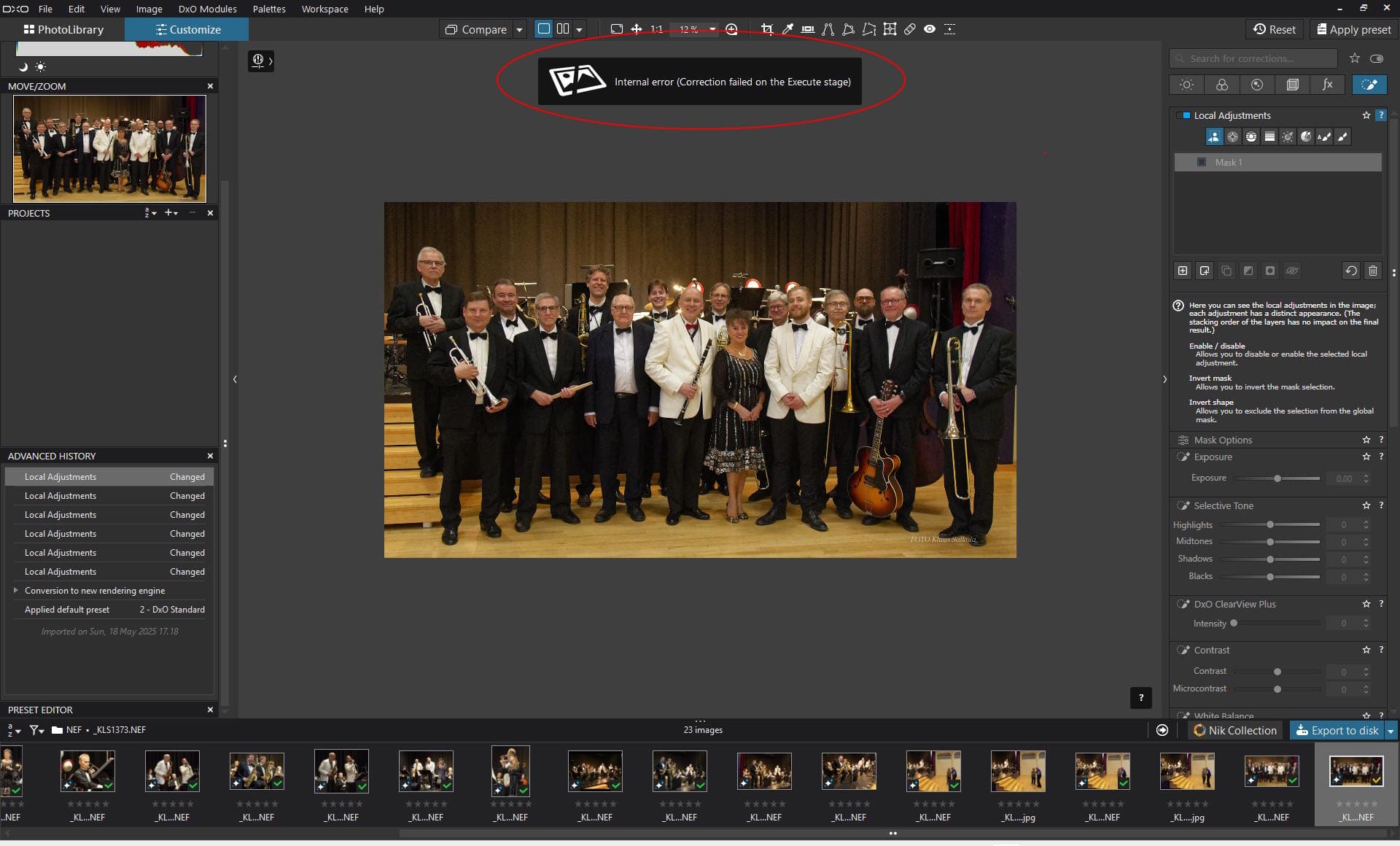
What do I do wrong?
Some times, when using the Local Adjustments AI mask with preset “People” or alike, and the system does not find anything matching, the program will give “Internal error” and freeze. Needs to be re-started to proceed.
Any ideas how to manage?
I believe DxO noticed the problem.
This has been the case since v9.0 and it improves with each version but initially there is still a little work left.
@klasal I believe that is a classic sign of one of the problems with PL9 and normally it is the first thing that you see closely followed by the ‘Internal Error’ report. When I encountered it I was trying to apply a Sky preset and there was masses of “sky” so why couldn’t it find it!?
I guess that the AI went down a blind “alley” and failed.
You do not state what GPU you have nor what memory it has nor what drivers you are using, all of which are useful if we or DxO are to help.
Currently I am using an Nvidia 3060(12GB) on the latest 581.80 Game Ready drivers and both this and the previous set of drivers seems to have avoid the problem you are encountering and I previously encountered. But I am getting failures during export.
My other machine have a 2060(6GB) and I have managed to apply AI Sky Presets successfully but never managed to export a single image successfully! The Trial licence for that machine has now expired.
My other machine has a 5060Ti(16GB) and that appeared to be immune to most problems but on PL9.2 that is also failing to export successfully.
There is a possibility that PL9.2 might be more successful for you but only time will tell.
I have major problems and for now I have stopped using PL9.2.0. I consistently crashes, shows internal errors and I cannot export. Not only when using AI-masking.
I’ve also still got the AI error syndrome !!! Raises an error when doing AI ‘subject detection’ - and puts a curse on the ‘effected’ image until I close and restart DXO PL9.
System details as follows:
Razer Blade 16 (2023):
CPU: 13th Gen Intel(R) Core™ i9-13950HX (2.20 GHz)
Probably typical nvlddmkm event id 153 problem, resulting also in minidump in %LOCALAPPDATA%\CrashDumps (?). It’s either purely NVIDIA bug, or some issue with NVIDIA driver interaction with Microsoft WDDM/D3D12/etc code, perhaps with some DxO “help”. We have to wait for a fix. It might be a fundamental issue with NVIDIA and Microsoft interoperability, so don’t expect good solution soon (but miracles sometimes do happen).
Meanwhile keep an eye on VRAM usage, restart PL if it’s near the top, especially after exports. You may change number of default number of export threads from 2 to 1 and see if it helps. For some unknown reason I have less problems now, without any changes in PL (9.3). Maybe it’s due to some undocumented NVIDIA statistics gathering and autotuning, or some MS “quiet” update (??).
Note also that many high-end NVIDIA card problems come from cooling or power supply problems, so check those first. You may use Task Manager, GPU-Z, or nvidia-smi for some very basic monitoring.
BTW, although it doesn’t seem to be related in this case, please check your BIOS for a known problem with 13-th and 14-th generation Intel CPUs stability, i.e. check that CPU microcode version shows as Revision 128(hex) or later (like 12F) in Intel identification utility (prepare very well for possible problems, though).
Now I have received the newest update 9.6.1 and run it several times during some weeks. It seems to work perfectly well regarding the issues that started this discussion. I have had no crashes or other problems any more.
Rendering speed has also improved significantly. Rendering a Nikon D 850 NEF image edited with AI and Deep Prime XD3 took initially much more than a minute. Now it typically takes 11 to 14 seconds.
It seems that DxO has addressed the issue. PL keeps going!