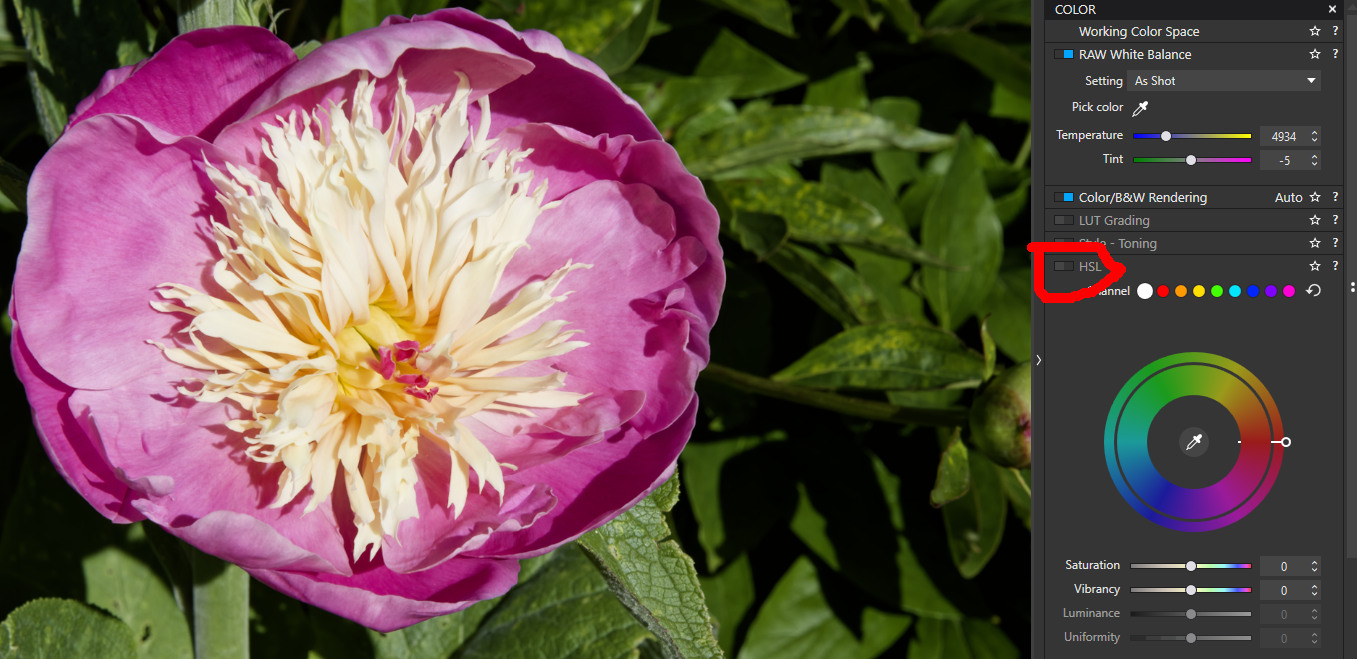
New to photo editing and just getting back into photography. I have the trial version of this software and was wondering how I can add the original colour to an item in a black and white image that I have converted to black and white with the software? I find navigating through these editing software programs difficult as all the tutorials i see talk like you have a basic knowledge where I have totally none?
Can you share the file in question? As a new forum user, you initially have limited access. Therefore, please use a service provider to upload the image plus sidecar file.
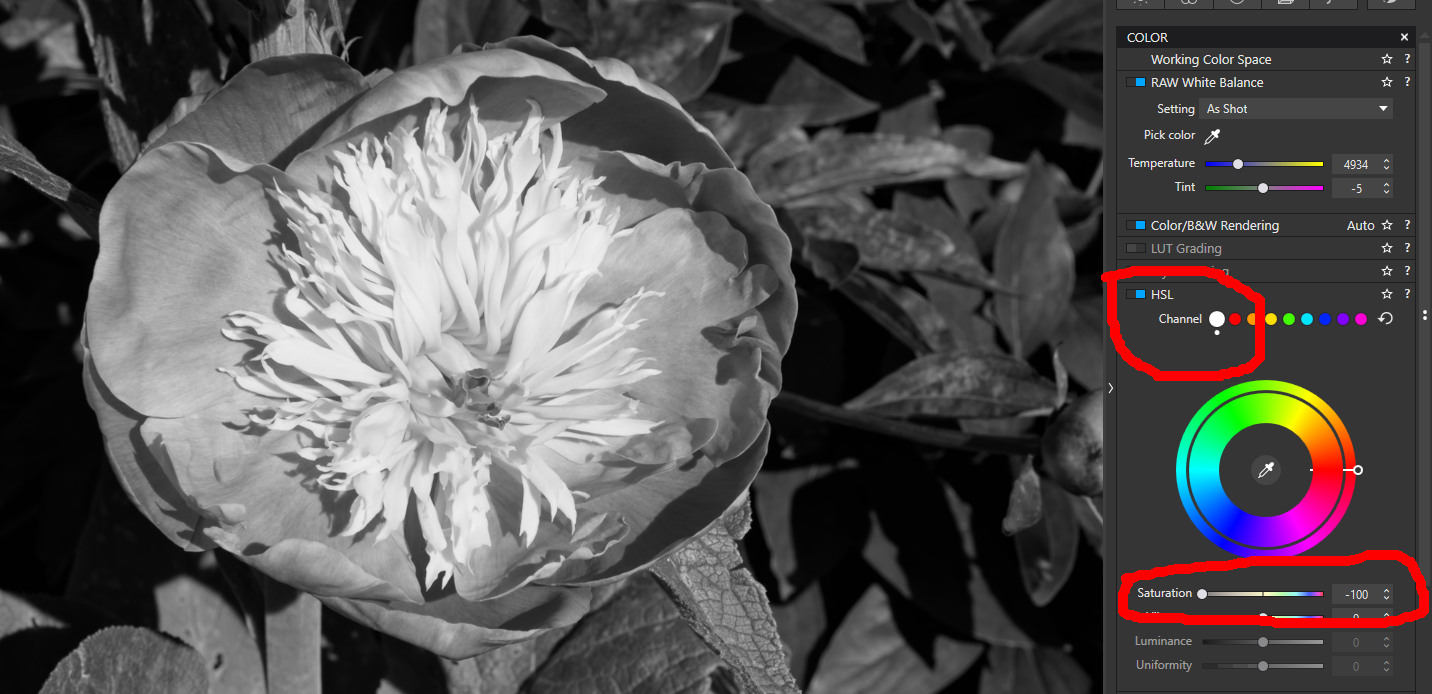
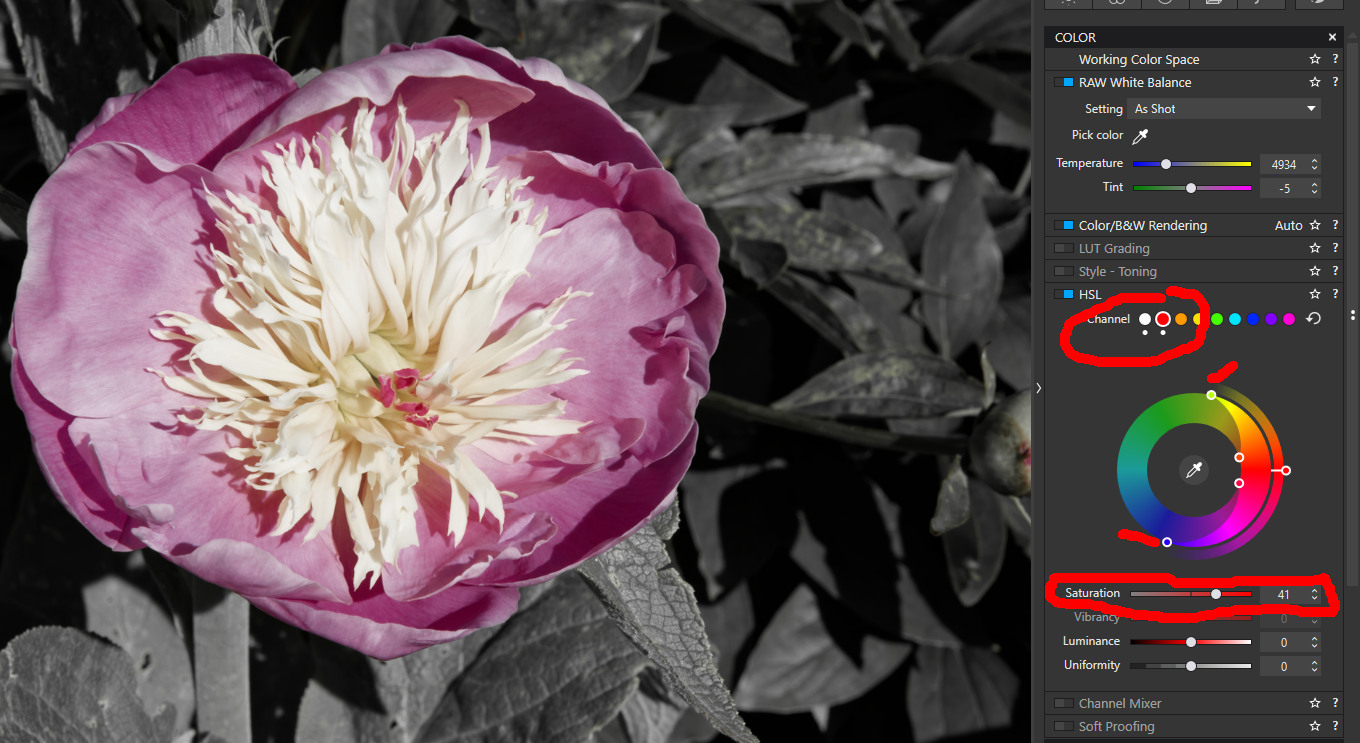
select the colour range you wish to restore and increase the saturation of that colour. NB you can tweak the colour range using the four handles, in this case I’ve adjusted two of them, marked in the screenshot
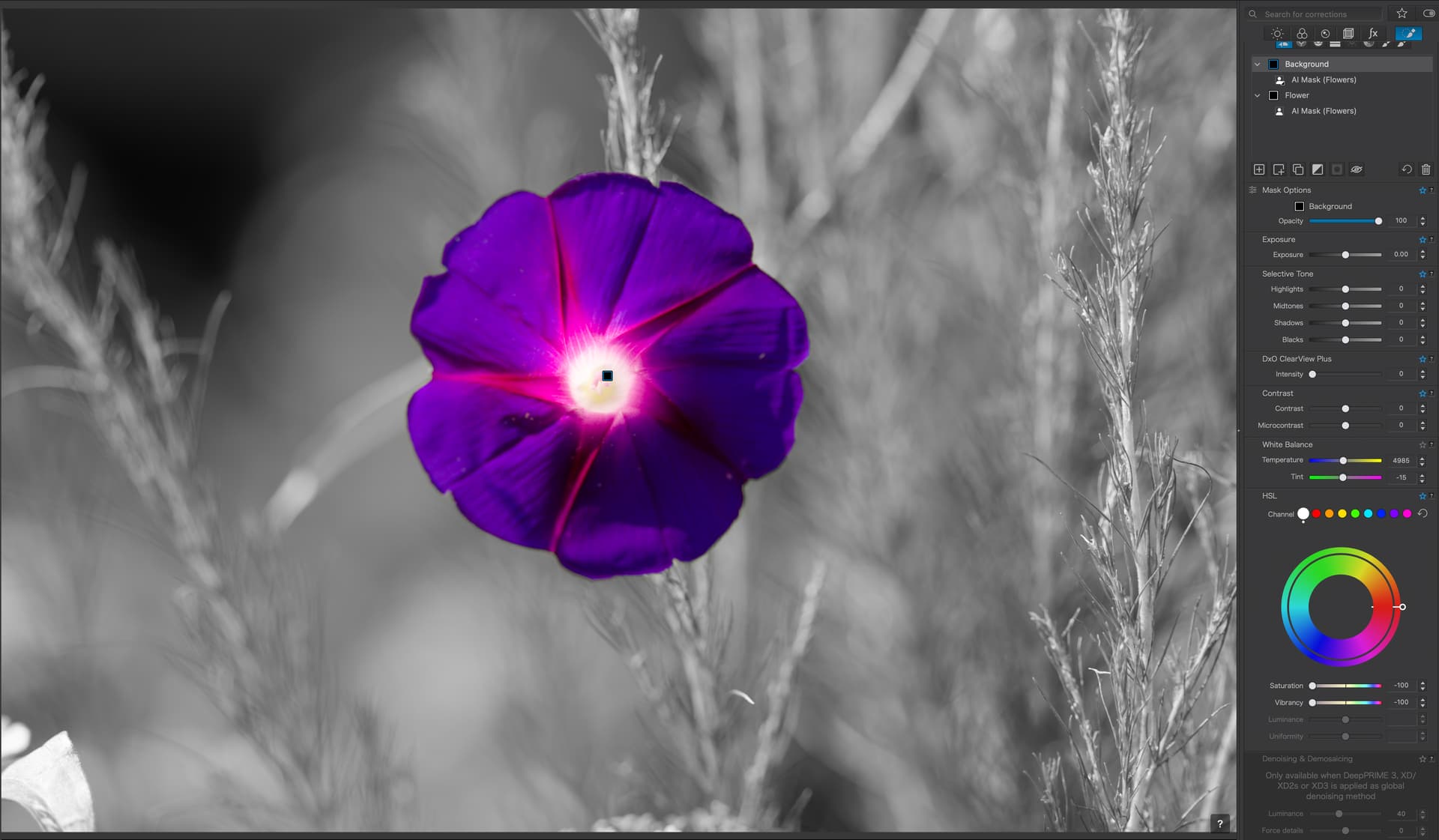
Masks can also be used, in the example below I used AI Mask to create a Mask for the Flower, I then Duplicated that Mask and Inverted it to create a Background Mask.
With the Background Mask selected I dragged the Saturation sliders to the left.