Hello. once again my exports of my AI treated pictures were failing with the 9.4 update.
I did contact the support and they gave me the right trick : open the Nvidia control Panel and then under3D parameters/ programs parameters, choose DXO PhotoLab (of course) and then select nvidia GPU to use only. My precedent config did let PL to choose and that was the cause of the crashes . Let me know if my post is useful for you.
1 Like
That’s not very clear, Yves - -
Can you please be more specific … perhaps with screenshot(s).
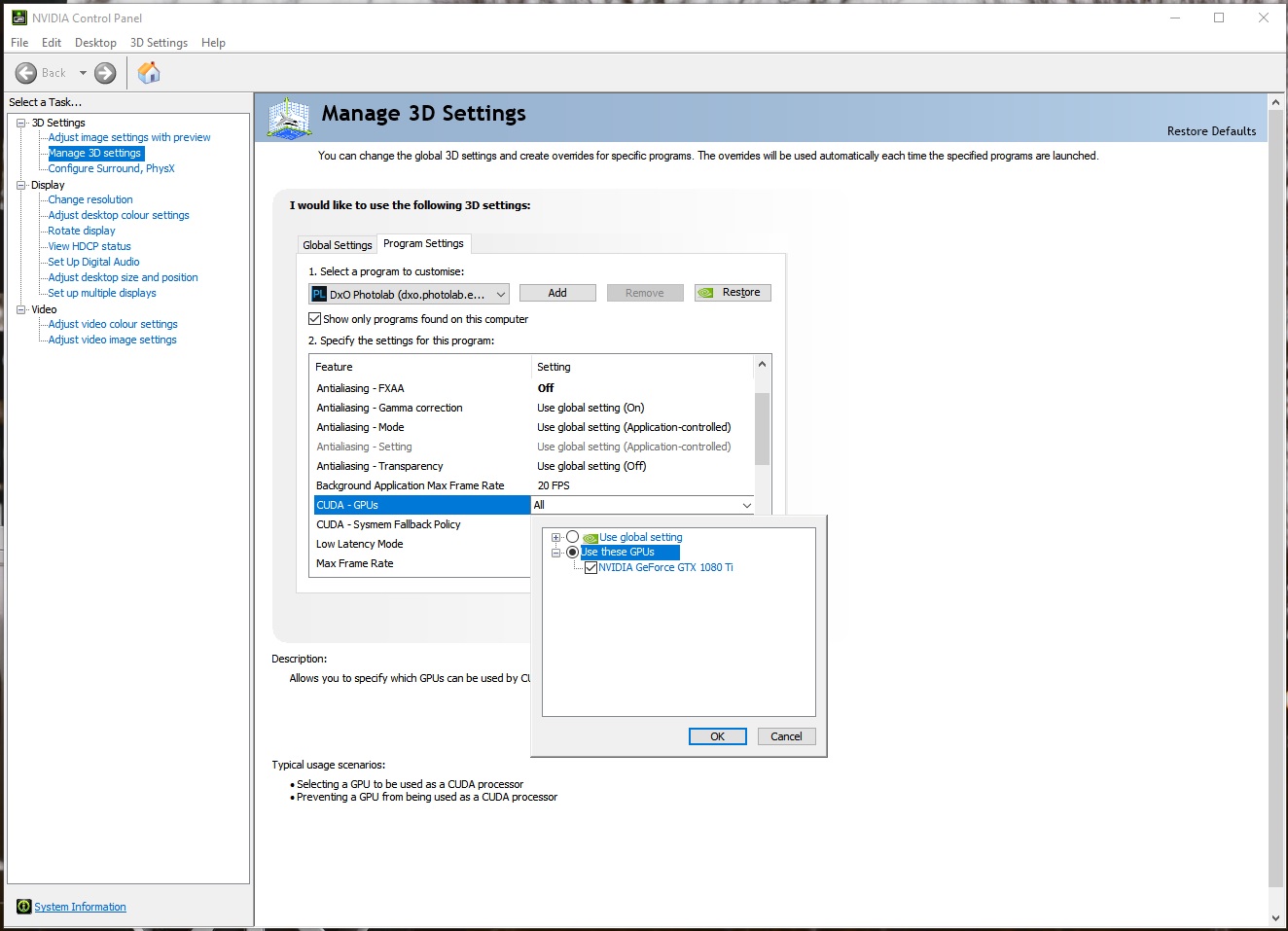
Does this ‘trick’ imply that the similar setting without PL, in Edit|Preferences, is overridden by the Nvidia control panel?
Is it suggesting that even if PL is set to use the GPU but the Nvidia control panel is set to auto, the GPU is not being invoked?
Its odd as the app shows programs that are optimised and includes PL so why do it a second time?
Or else …. under Edit—>preferences—>performance_Ai acceleration
select Nvidia, instead of letting the program decide.
Yes the last posts are right : you need to use the control panel and not the nvidia app.
I think that by default Nvidia optimises PL by letting the program choose between CPU or Nvidia that can be efficient with the new graphic cards but not with mine for example.
This said i am keeping to cross my fingers because i did resolve problems last time by downgrading the nvidia pilot and it did not work with the new PL version …
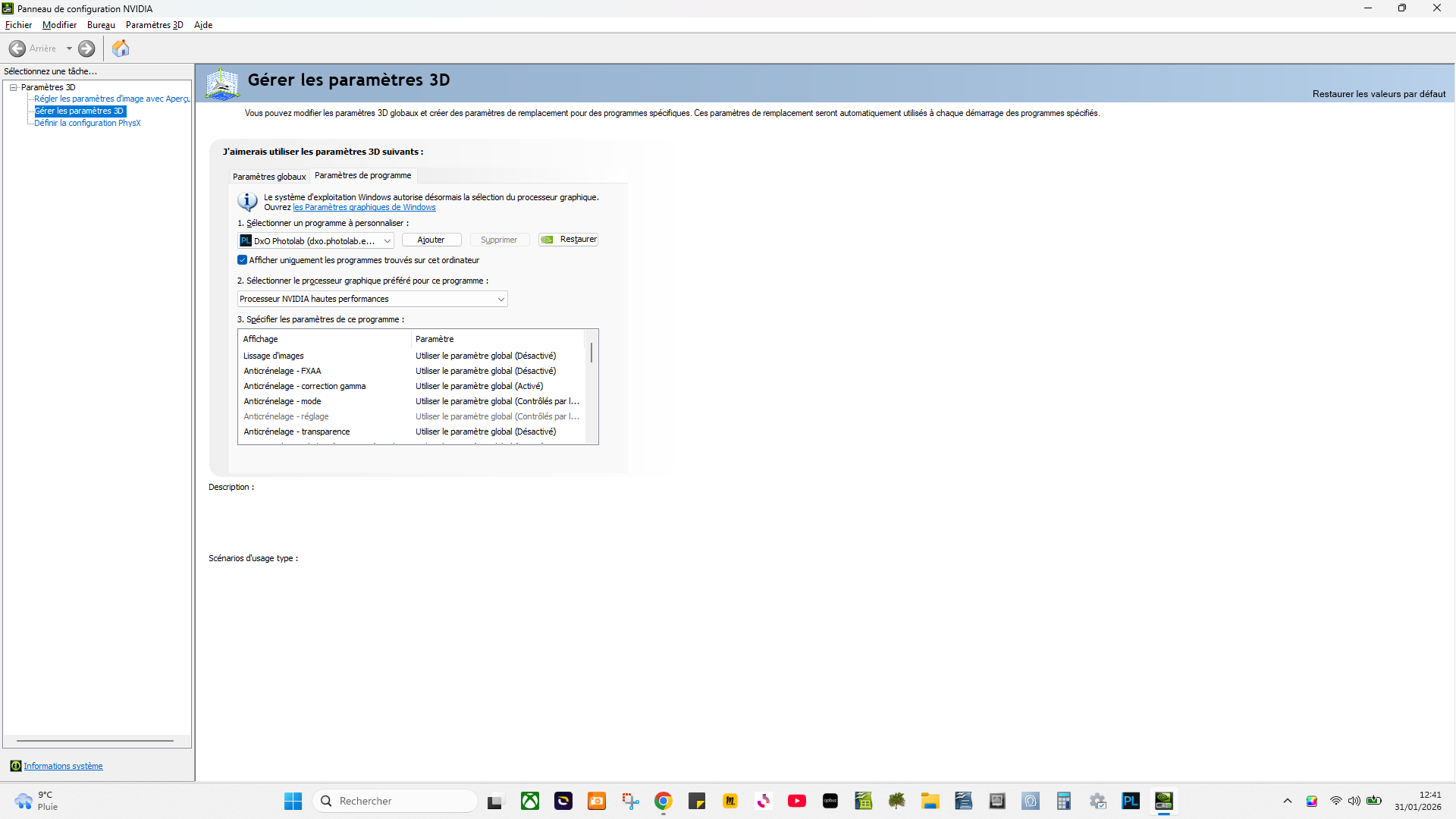
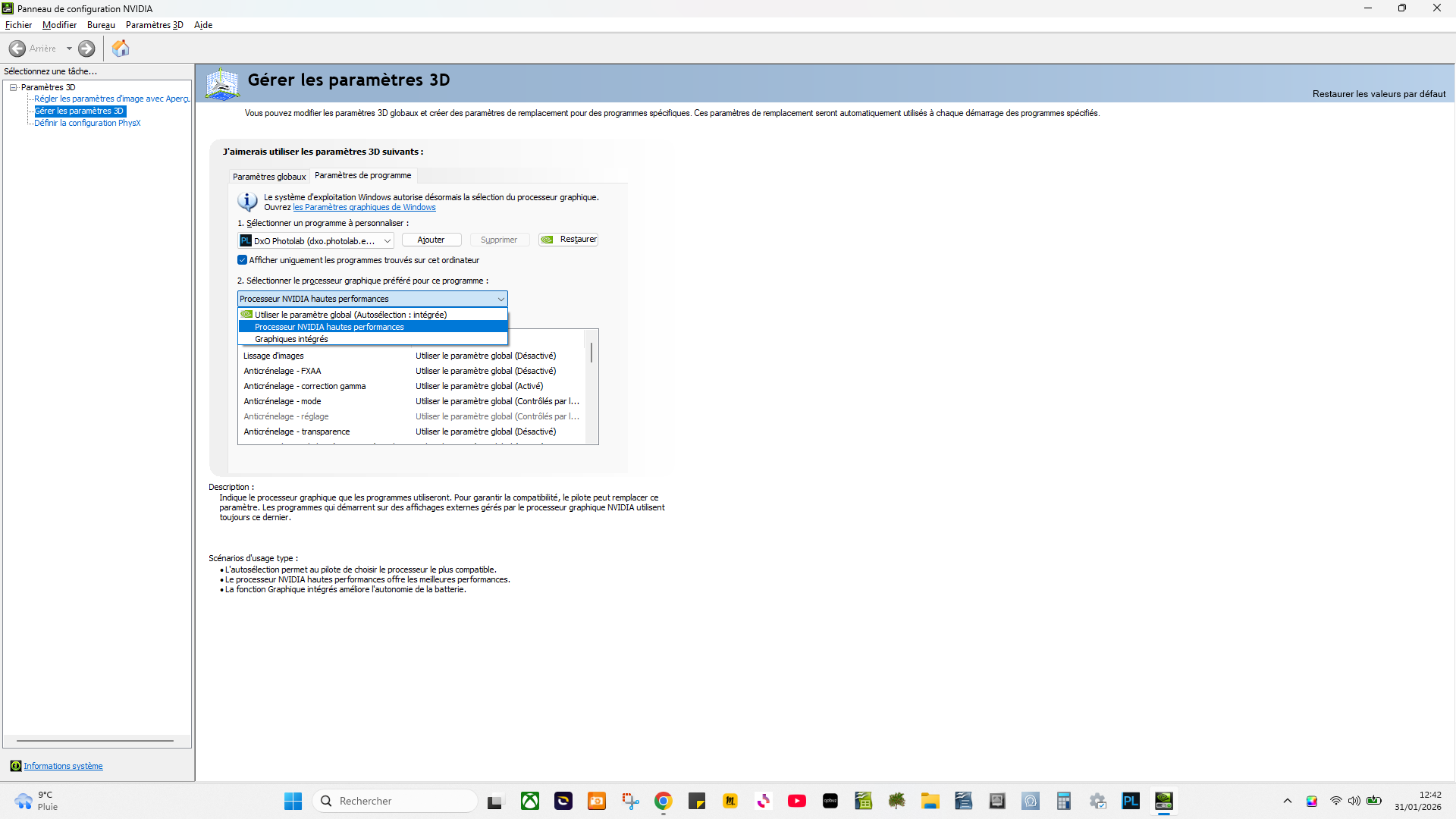
Thanks for this tip - It appears to have fixed my problem where I can now use pre-defined AI masks.
So far so good - all is working - FINALLY!
2 Likes
Glad this fixes the issues for you.
I just upgraded to a Nvidia 5060Ti and was hoping to see if the issues were finally resolved but apparently you can’t get a second trial as it came up “trial expired” when I tried to activate. Still, it’s not too long before V10 will be out and the RTX5060Ti is making the AI in Capture One and ON1 PhotoRaw fly, so it’s all good 
It will be interesting to see what extra functionality V10 brings?
I was able to get a second trial by using a different email address to get a new code and installing the software on a different computer.
Unfortunately, I need to trial it on the computer I upgraded to be able to use V9.
I have had every version since V1 so it won’t hurt to miss a version and I won’t pay any more to upgrade to V10 from V8, so no real issue.
There’s also a way (though I haven’t tinkered with it to confirm) that you can delete the trial activation key on Windows machines. That might trick the program into thinking it’s a fresh trial install and give you another 30 days from scratch.
This is of course ethically questionable and I’d only suggest looking for it if you’re having serious issues with the software during a first trial and want to ensure it’s working for you before you pay for it.
I don’t think that will change the license activation status on that particular computer, since that’s done through an Internet connection to DxO servers. Best to open a support ticket and ask DxO to extend the trial period on that computer. They grant such requests sometimes.
I tested V9 when it first came out and it was unusable with my RTX2070 GPU. I thought i would see if it was OK now I have the RTX5060Ti. I have decided to wait for V10 and try again then, rather than waste more time.
Thank you for the Great tip!
1 Like
Thank you. It’s definitely much better.
I can now use DeepPrime 3 and the predefined AI masks again without the export crashing every time.
1 Like