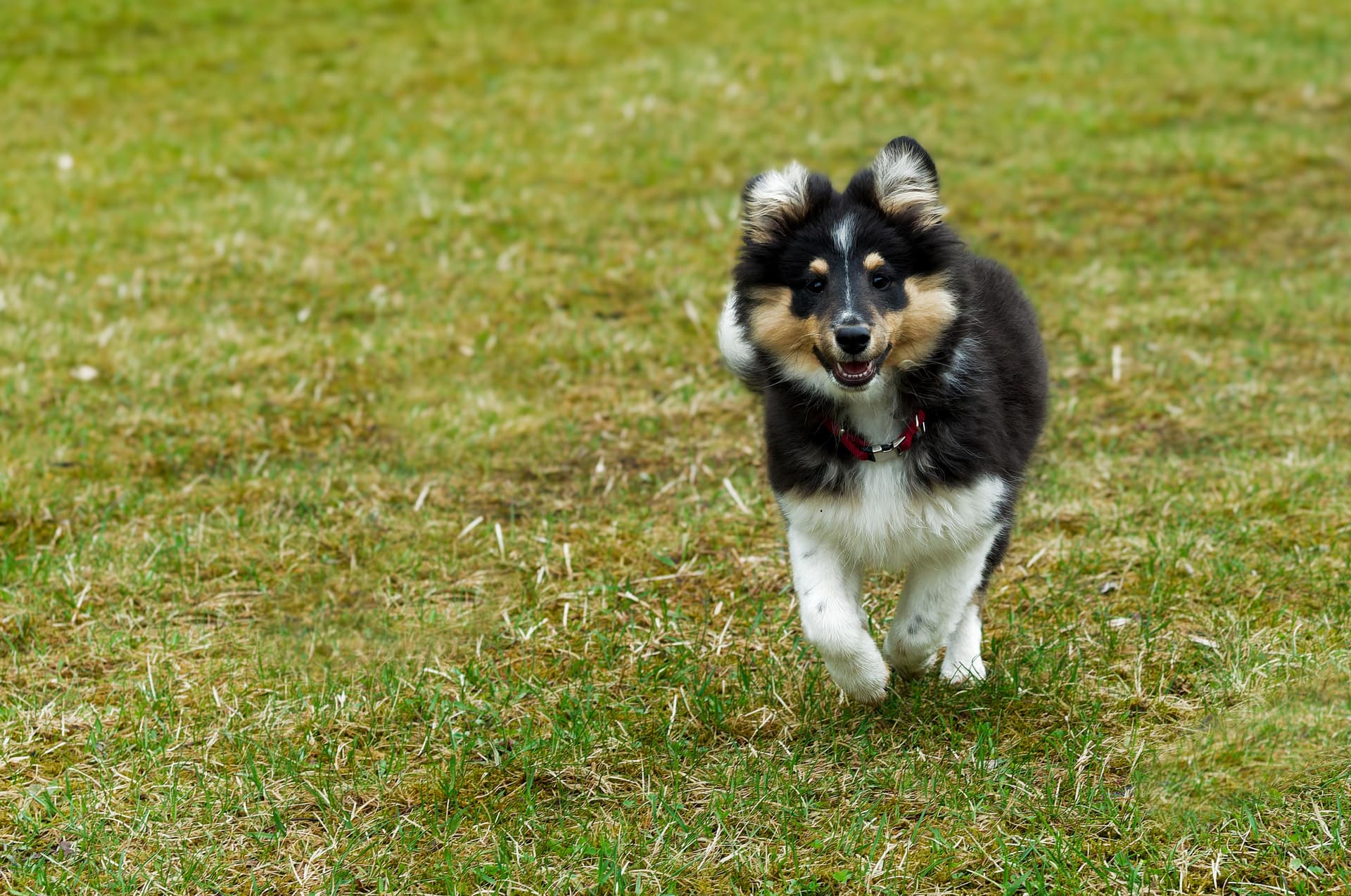
My camera, an OM-1.1, has a rather small sensor. That often gives me more depth of field than I want. Before PL 9, my standard way to add graduated blurring was to use layers with masking in Affinity Photo. First export, then mask the motive in one layer, add the graduated blur in the next layer, and so on. Now in PhotoLab, I can simply add a graduated mask and deselect the motive, the dog with an AI mask, as in the photo here:
Of course, for difficult masks, like hair and fur, Affinity is still superior. It also gives a lot more possibilities to the nature of the blur. But for many photos, the masking in PL 9 is more than sufficient. It would also help if I did not have to restart after an export or two…
Remember AI masking is a brand new tool in PhotoLab. As time passes I expect the driver issues to be resolved and the mask selectivity to be refined. Most software programs I am acquainted with had issues and limitations with AI masking when it was first implemented in them.
I feel sure the AI and other functions in PL 9 will improve with updates. I guess the speed of export also will increase, specially when I have upgraded my old GPU, a RTX 2060 with 6GB.
My go-to edit for m43 is a mask with - 100 microcontrast for everything in out of focus areas that has that nasty, jagged look. Works really well and is quick.