This is why users are intented for.
Having several users …
I agree this way of working.
This is why users are intented for.
Having several users …
I agree this way of working.
Are lens profile so heavy ?
I checked my user folders : most modules are about 250ko only one is 4Mo.
I only have one camera and six lens, but 10 lens profile installed in photolab; and this is only 5,77 Mo.
Twenty time would be about 100, 120 Mo.
Is it to much for your drive ?
Not really, it’s a waste of resources anyway.
Zoom lenses can get quite heavy, I think the 10Mo is a module for Fuji hardware.
Good idea 
And still no feedback from the DxO staff 
Pascal
That makes sense. Didn’t thought about it. I don’t use zooms.
Yes, I’ve often seen zoom lens profiles at 10MB or more. I’m not positive but I think I have one that was 19MB.
I think I have figured out why we have to download the lens data on folder changes. I’ve used several different Olympus 4/3 cameras over the years and each RAW file is different. The lenses remain the same, but apparently how the data is read in the RAW file needs a lens profile for that RAW version.
Hi Lynn - Welcome to the DxO User forum …
Optics Modules are created for the combination of {Body + Lens} … So, if either of those components are different then a new/unique O-M is required for the new combo.
It seems that the information provided above is not valid anymore. I could not locate any modules anywhere but all modules downloaded in PhotoLab are listed in “Installed camera modules” and they work, and it seems they work even in other DxO software. Does anybody know how camera modules are handled in Windows today?
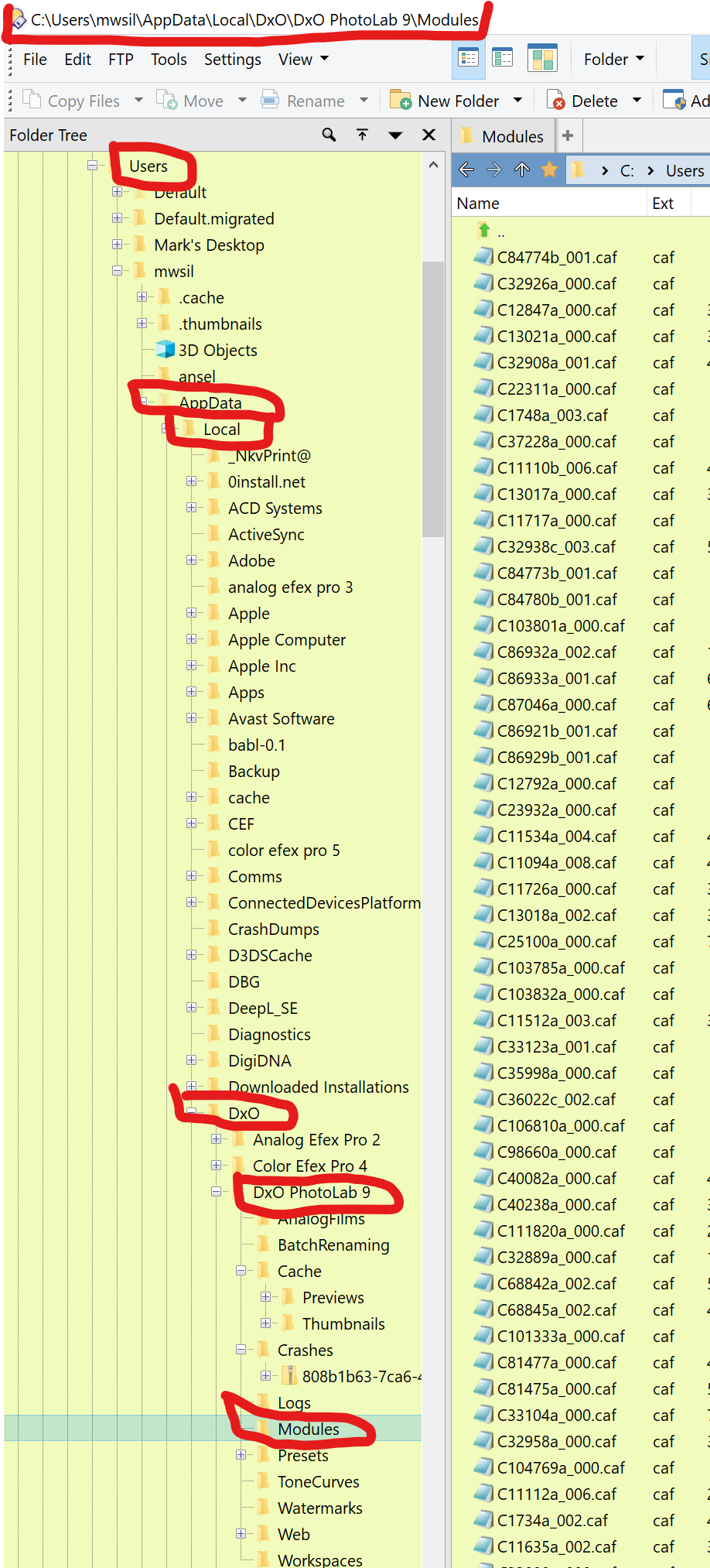
They are ,CAF files stored in AppData\Local under Users in Windows 10. I suspect that has not changed in Windows 11. That is the same location indicated earlier in this thread. Nothing has changed. Perhaps you don’t have the rights to view those folders. Why do you need to access the lens profile folder directly?
Here is my post from February 2022 in response to someone who believed users should have easier access to the lens profile folder.
Here is the location of the lens profiles on my Windows 10 machine.
Mark