When are we FINALLY going to get decent chromatic aberration correction?

I’m on PL10 and to this day the chromatic aberration removal tool is more terrible than in any other post-processing software I’ve used. It works sometimes on some lenses.

I’m using the Nikon Z 35mm f/1.8 S, which has a little bit of CA in high contrast situations and it seems impossible to remove in DxO. Can we please focus on this problem that seems to have been present since the day DxO PL was released?

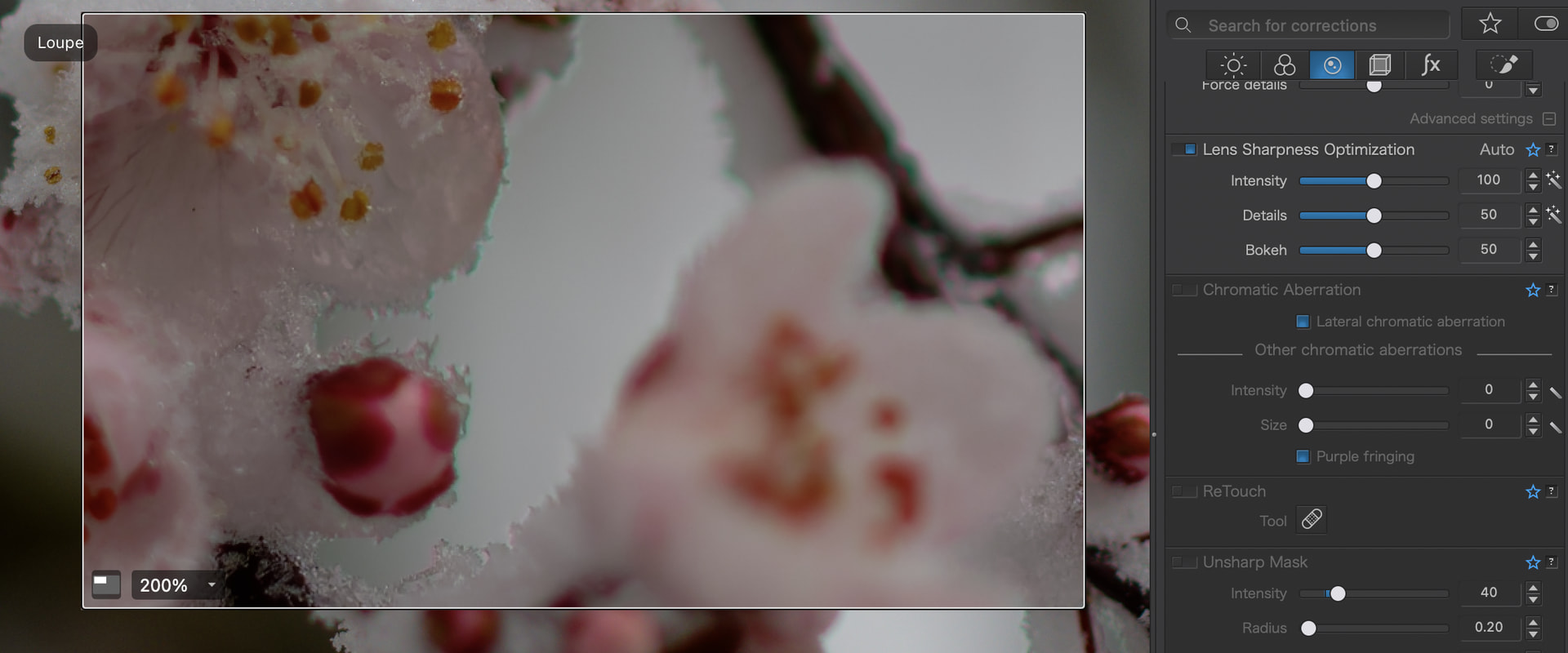
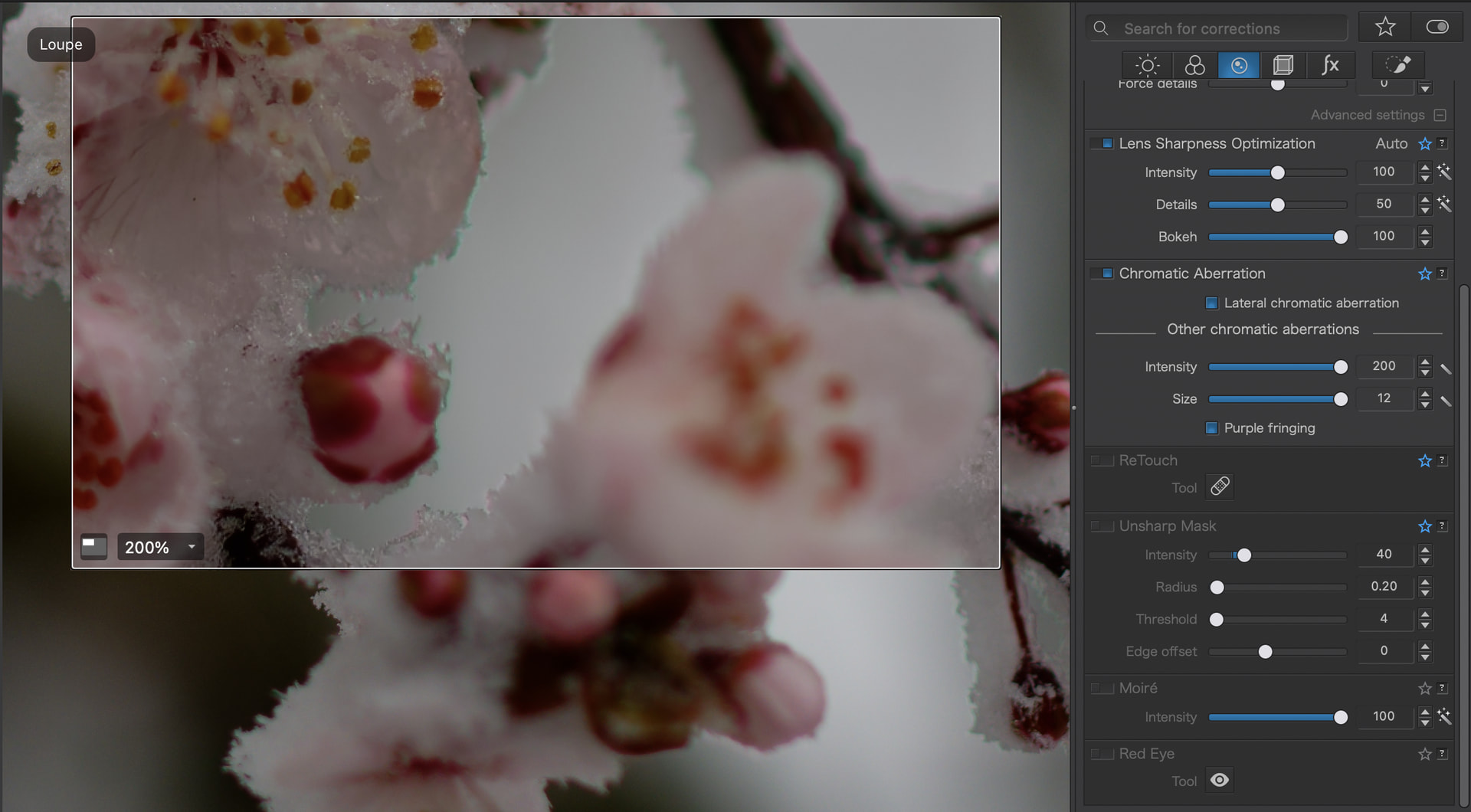
I’ve maxed out the sliders with zero effect:

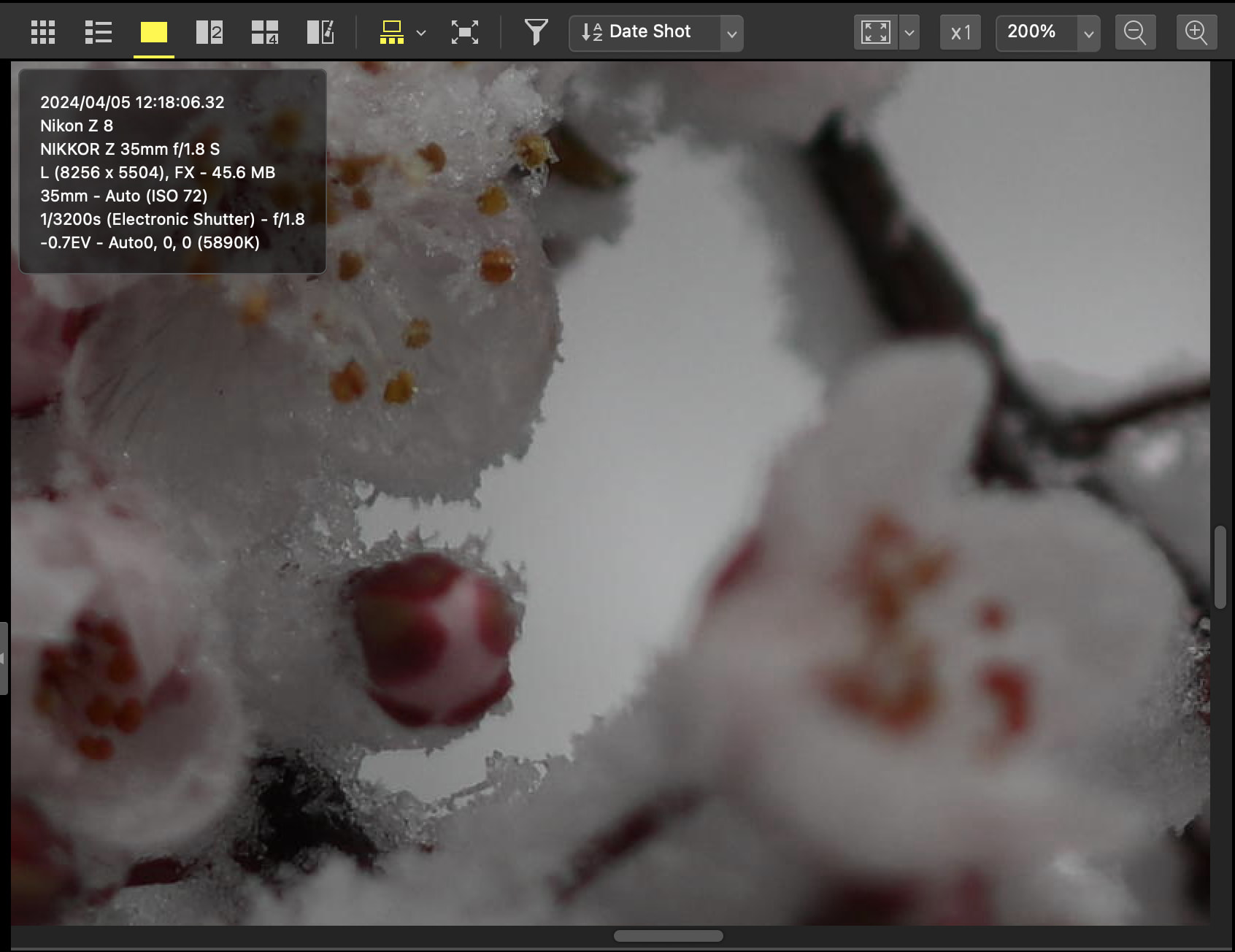
Here’s when the tool is turned off completely. Do you see any difference between these two? Am I doing something wrong? Yes, I dowloaded the lens profile.

Here’s what it looks like in Nikon’s NX Studio software for comparison.

While this does look like chromatic aberration that PhotoLab isn’t correcting, PhotoLab’s rendering pipeline has several stages where things might be going wrong. First, depending on which noise reduction method you’re using (if you’re using one at all), PhotoLab will try to handle chromatic aberration at the demosaic stage if possible. So I suggest trying different noise reduction settings to see if that helps.

Second, try the Moire compensation adjustment in PhotoLab to see if that makes a difference.

Too much CA or moire removal in PhotoLab can harm color fidelity elsewhere in your photo. The trick is to find the right balance using these various adjustments.

Once you’ve tried these tools, report your test image and findings to DxO via support.dxo.com. I can attest that they are very interested in test cases that demonstrate failures or room for improvement in their rendering pipeline.

I hope this helps.

Turning on and maxing out the Moire slider does help, though that is certainly not the fix I would think of when trying to correct CA. Thanks for the suggestion.

Do you see any difference in NXStudio? I guess not, because this lens has CA quite well corrected for things in focus.

But your case is about high contrast edges with out-of-focus blur spreading several pixels. I think it’s more like a demosaicking artifact, as remarked above. Only an engineer with good optics and demosaicking knowledge/experience can explain your case fully, so maybe send that raw to DxO. They are usually very interested in such examples.

DxO optical corrections are based on data the DxO takes from measuring one or more than one lens sample(s) and puts in the DxO modules. Depending on the lens sample(s), data might help to correct CA in this case. Lens samples can be quite different according to what we can see in lensrental’s blogs and if DxO gets samples that aren’t quite well made, these errors can lead to less than perfect corrections.

A few years ago, I had a lens with CA that PL was unable to correct then. Meanwhile, the correction is perfect due to a new module (if I remember correctly) and possibly due to revised algorithms.

@TheSoaringSprite, I recommend to open a support request and ask DxO to have a look at what your situation is. I suppose that they’d be interested, after all, it touches their main technical interest and replacing one issue by another is certainly unwanted.

https://support.dxo.com/hc/en-us/requests/new

But in this case NXStudio does not show the artifacts too much, so it’s not about sample variation, I guess.

Maybe that NX Studio has a) different lens data and/or b) different ways to correct than PL.

In order to find out where the issue comes from, we’d also have to test a different lens in the same app. If we have two suspects (lens and software) we need to test all combinations. Being able to drive a Fiat Panda at full steep does not imply that you can do the same with a Bugatti. :wink:

I have very few photos with CA, Moire, or other false colors issues, but found something which looks even more strange. It’s of different type, though. It demostrates CA correction reaching very far into rather smooth area, when large CA Size is used, in fact the one suggested by the CA Size magic wand.

Photo details: Nikon Z8 (45mpx, FF) with Z24-120mm/f4S lens (quite decent “vacation zoom”) at 49mm, f/8, 1/250s, ISO 64. Focus distance was 17.4m, exiftool shows DOF=6.36m - infinity, but that’s assuming CoC=0.030mm. With CoC=0.005mm DOF=13.5-24.5. Part of the image shown was at about 60-100m, so the out-of-focus blur is over the pixel size, vaguely speaking.

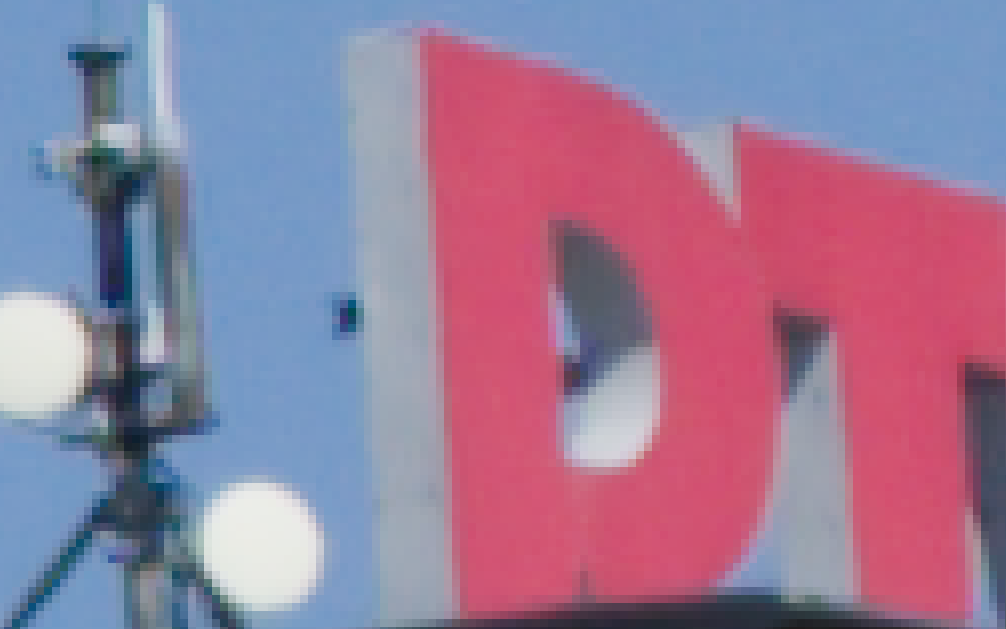
The 800% screenshot crop is near the image edge, at about 2/3 of its longer side (both quality options enabled in Preferences). Only ‘6 - No Corrections’ preset and Chromatic Aberration corrections were applied with Size=4 in the first case and Size=9, as suggested by ‘magic wand’. LaCA was disabled but it didn’t matter in this case. Also Distortion, Denoising, LSO didn’t help in the Size=9 case. Applying Moire to CA Size=4 resulted in something in between.

CA Size=4 (default in ‘6 - Corrections’, if CA enabled). Similar to NX Studio, except that NXS produces sharpening halos with PC Standard setting, which may hide CA btw (if it was present):

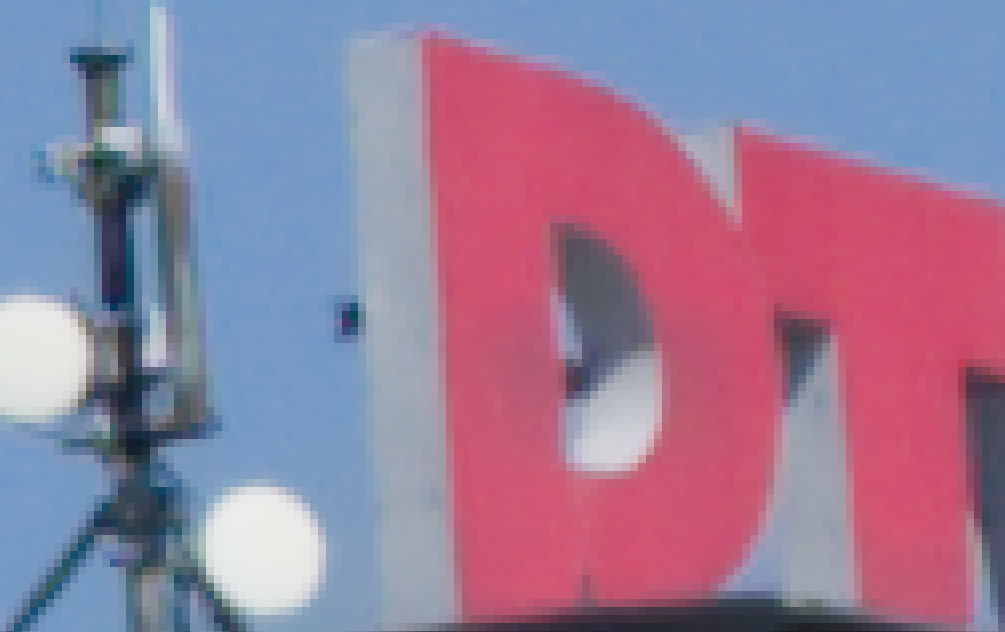
CA Size=9 (chosen by magic wand) follows. Note some unexpected “dirty” areas appearing on the red letters. Compared to Size=4 picture, it seems that in those dirty areas only Red RGB channel is changed, from about 172 to about 150, with Blue and Green channels not touched, at least not that much.

The difference becomes even more pronounced with ClearvisionPlus enabled (expected).
GREAT response… Especially about reporting to support. Do you have the module installed? CA removal is helped out a lot with the module.

Don’t expect Jana to ask silly questions, please. Read the OP to find this:

I’ve also checked some Dpreview Z35/1.8S sample with PL and NXS before posting…

Thanks everyone for the replies and suggestions. I will submit a ticket with DxO, but it’s also nice to discuss it in the forum, because someone might think of a quicker fix (moire tool!), or is maybe experiencing the same issues with different lenses.

DxO seems to rely heavily on lens profiles to fix these issues and most of their lens profiles are great, but sometimes we need to have manual controls that go beyond the lens profile. Sometimes a lens profile is not available (Voigtlander 28mm f/2 APO).

My chromatic aberration issue with the Nikon Z 35mm f/1.8 S is one example, and another is the vignetting of the Nikon Z 14-30mm f/4 S. I no longer own this lens, but I’ve always had trouble fully correcting the vignetting in the corners in PhotoLab. The slider is maxed out and I still see dark corners at the tips of the image. Sometimes placing the slider at 70% is better than 100% and I live with the vignette, because it looks better than the visibly darker tippy corners.

Lightroom offers fixes that go beyond lens profiles when it comes to CA and vignetting, but I don’t enjoy using Lightroom, so I’m feeling stuck.

Yes, I too have seen this. The CA magic wand sometimes goes beyond the limits on some lenses, so I can’t trust it to be applied automatically. I noticed this specifically with the Nikon Z 24-120mm, as you did. It would create gray outlines around objects in the photo, because the CA tool selected too strong of a fix.

The 14-30 has ENORMOUS vignetting in the corners. So much that it’s probably beyond the limit of what PL can recover.

I know you from the DPReview forums (where I am “Beer”, remember whan I was asking you about filters and hoods a few months ago on the 12-24?) and the 12-24 is indeed much better with vignetting.

I had lenses for which photolab can do very bad job in chromatic aberation correction too : afs micro nikkor 105mm 1:2.8G ED is one of them.

And in vigneting correction : afs nikkor 300mm 1:4 pf ED is not fully corrected at full aperture.

Was NX Studio able to fix it? I guess not, otherwise please report to DxO.
Some vignetting correction problems come from specific light, hood reflections, badly fitted lens camouflage, internal reflections (tubus, sensor, lens surfaces), stray light, etc. Some very small, unexpectedly dark corners happened to me few times with AFS 70-200/2.8 II and blue sky, don’t know how to explain that (no filters were used, which can also cause this, even slim ones). With AFS 24-70/2.8G (pre-VR) I got a light circle visible (reversed vignette), partially cropped on longer sides, maybe due to huge hood which got glossy over the time. Had to buy new hood, maybe using sandpaper would be cheaper/better. Anyway, in such cases no software was good enough to fix the non-typical vignette.

In my case it’s strange, because @50mm this lens has no CA problems – they happen @24mm or so. In my presets I use CA Size = 4, which caused least problems, but for some universal zooms more is required – it’s all gear dependend, unfortunately no universal rule. In most cases I can safely turn off CA corrections, like for Z135/1.8.

Indeed, Nikon makes excellent work for CA correction in its prime telephoto lenses.

I wouldn’t say that the 14-30mm f/4 S has “enormous” vignetting, but PL certainly won’t let me get the extreme corners. I don’t think that’s the case in NX Studio.

I’m sure you mean the 14-24mm f/2.8 S, and yes, that lens is a bit better, though the 14-30mm holds its’ own for half the price!

Yes, NX Studio produces a clean image, no CA to be seen. I realize that Nikon is going to have the best lens corrections for their own lenses, but Lightroom has always done a good job getting rid of CA, and allowing me to manually override corrections until there is no CA visible. DxO has always been behind in CA correction. I’ve been complaining about it for years.

That being said, I obviously enjoy using PL otherwise. It does a great job in many other areas, it only has this one issue that drives me nuts sometimes.

PL real strenght image quality wise is its denoising and lens sharpness compensation tools. Especially in high iso shots. (Maybe distortion correction - I don’t really do architectural, so I don’t know the quality of this tool).

If Nx studio had the 2 first two ones and was fast enough, it would for me be the raw demosaicer to use (no one beats it for colors with nikon cameras).

I think there’s misunderstanding here. I had two questions in two different posts:

Q1. Concerning photo in the original post:
Did you see any difference in NX Studio with CA corrections enabled and disabled?

Q2. Concerning (unshown) photo taken with Z10-30/4S with uncorrectable in PhotoLab vignetting in the corners:
Was NX Studio able to fix the vignetting issue?