I have a lot of photos, videos, documents, and other files saved in different folders on my Windows computer. Some files appear to be duplicates, and I want to find them before they take up more storage space.
What is the safest and easiest way to find duplicate files and check them before deleting the unnecessary copies? Is there a reliable duplicate file finder that can scan multiple folders or drives?
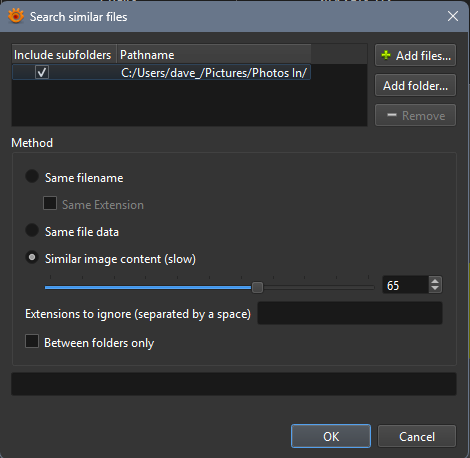
For photos, Is use XNViewMP. In Tools > Find Similar Files you can use the slider to determine how similar and then you can compare, zoom in and cull the found duplicates.
For exact copies, use a dedicated duplicate finder that compares file contents/hashes (e.g. Czkawka or Duplicate Cleaner Free) and lets you scan several folders/drives, preview matches, and keep at least one copy. XnViewMP’s Find Similar Files is good for near-duplicate photos, where the similarity slider and visual compare matter more than exact hashes. Whatever tool you use, move candidates to a temporary folder or back them up before deleting, and don’t rely only on matching filenames or sizes.