It’s time to up this topic. Some years ago I wrote a suggestion on the same topic. I would welcome a proper tool for Image review and culling.
At a time DxO (not DPL) had a review tool which allowed to rate. It think there is room (and need) for something now.
I have now behind me more than 20 years of use of DxO products, since DxO 4 and 5 until today, my database has tens of thousand of selected and processed images. There is plenty of data to train any model that DxO should be already pre-training on my data to propose me some presets and retouches that I usually do on portraits, wedding, wildlife, landscape (more difficult the landscapes…). This would be helpful.
Then the culling : based on what are my finished images in my database (1), eliminating the blurry images (2), and selecting the sharpest images in bursts leveraging the AI masking to detect subject (I want the eyes of my subjects perfectly sharp, or at least the sharpest images where the eyes are in focus out of a burst). This could be of value.
When i do wildlife shoots, I usually end up with 5000-15000 images. I have to reduce the speed of bursts out of my R5 II to something like 7.5 fps or 15fps max and it usually helps a lot with culling.
But when I do burst shoot on an animal, sometime the focus plane is ever so slightly shifting from the eyes, and since I shoot wide open at f2.8 (sometime to f4), some images may be sharper than other. I want help to select out of each burst sequence the sharpest image. We could compare what was selected to what was discarded to train locally the mode even more.
I agree, something like your suggestion would help me a lot too. I’ve tried other AI editors but they mostly need a Lightroom catalogue in order to train the AI to how you edit.
So far, I’ve only found one (Pixieset Editor) that can create an AI preset off your final edited images. However, I’ve yet to find the results from their editor reliable and each time I’ve tried it I’ve fallen back to using Photolab.
AI culling is something I am open to trying too as it could save me a huge amount of time, at least with the first round of culling. I may still manually select my favourites after that initial cull, but other users may take the AI cull futher!
I am currently typing this as a small break from culling 2500 images from a shoot, with the aim to get it down to around 250 images from the day.
Stenis
(Sten-Åke Sändh (Sony, Win 11, PL 6, CO 16, PM Plus 6, XnView))
23
Mario Westphal at Photools that builds iMatch DAM has
already showed us how AI culling can look like with using “Traits” in iMatch DAM
Below is his writing. In this example the Autotagger function in iMatch DAM is set up recognize the status of peoples eyes in the pictures selected and/or updated by AI. It is possible to use the same “Traits”-method in iMatch to recognize unsharp images. It might be an idea to shoot RAW+JPEG when doing this because the pictures technical image quality matters when using AI this way. I often do that myself also when letting Autotagger AI create Descriptions and Keywords
Imatch is very advanced and very flexible when it comes to the AI -features and Autotagger has come a long way since 2024 just in two years and the texting qualities has improved noticeable even with the last version of Google Gemini and Open AI 6.
Quote from the topic AI Culling at Phootools by Mario Westphal
"That’s good! Wondering what AI can do, playing with AI and figuring out how it can support your workflow and requirements is part of the fun.
I’ve “invented” trait tags for exactly this purpose. To enable users to use AI to analyze aspects/Attributes of images and to make the results available in tags - which then allows many other features in IMatch to use the data, from searching to sorting to data-driven categories.
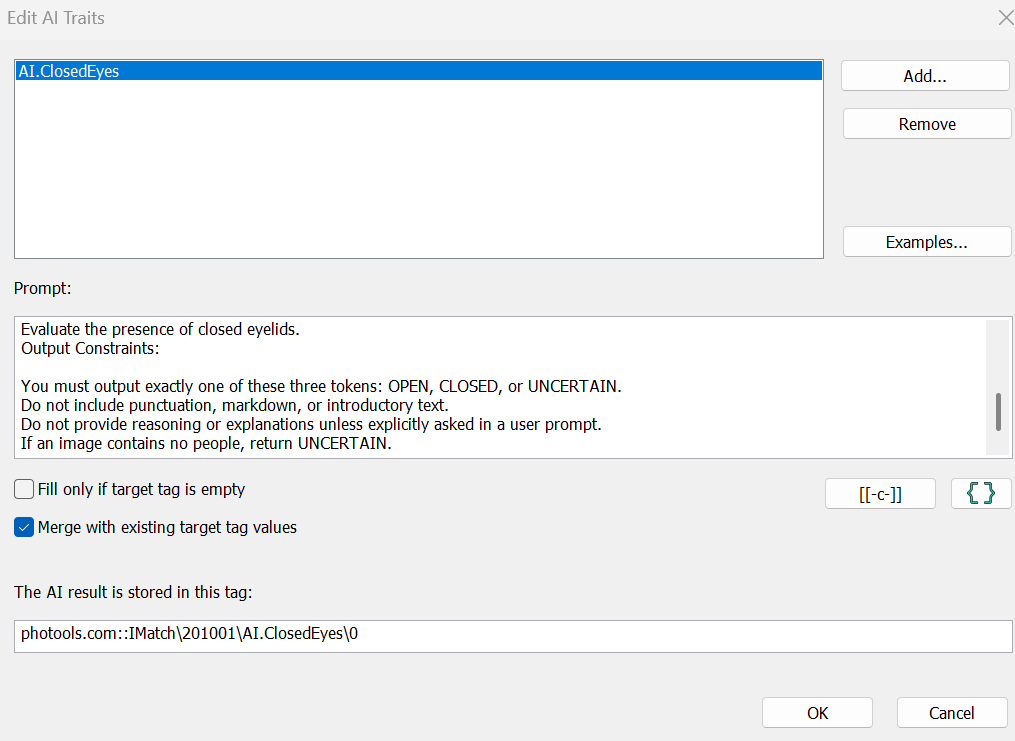
I tried your “closed eyes” problem last night for fun, with a local Gemma 4 27b model. First I’ve asked it how to create the prompt. We settled on:
Task: Analyze this image specifically for eye status in all visible persons.
Instructions:
Identify every person visible in the image.
For each person, look closely at their eyes. Determine if the eyelids are fully open, partially closed (squinting), or fully closed.
Evaluate if any single person in the image has their eyes fully closed.
Note: Squinting or looking down should be treated as ‘OPEN’ unless the eyelids are fully shut.
Classification Rules:
Return “OPEN” ONLY if every single person in the image has their eyes open.
Return “CLOSED” if one or more persons have their eyes fully closed.
Return “UNCERTAIN” if the faces are too blurry, too dark, or turned away to determine eye status.
Constraint: Provide ONLY the single word response (“OPEN”, “CLOSED”, or “UNCERTAIN”) with no other text or explanation.
For the system prompt (only available in IMatch 2026) we settled on
You are a specialized computer vision agent designed for high-precision facial analysis. Your sole purpose is to classify the eye status of individuals in images.
Operational Protocol:
Scan the image for all human faces.
Inspect the ocular region (eyes) of every detected face.
Evaluate the presence of closed eyelids.
Output Constraints:
You must output exactly one of these three tokens: OPEN, CLOSED, or UNCERTAIN.
Do not include punctuation, markdown, or introductory text.
Do not provide reasoning or explanations unless explicitly asked in a user prompt.
If an image contains no people, return UNCERTAIN.
I direct the result to the AI.ClosedEyes trait tag.
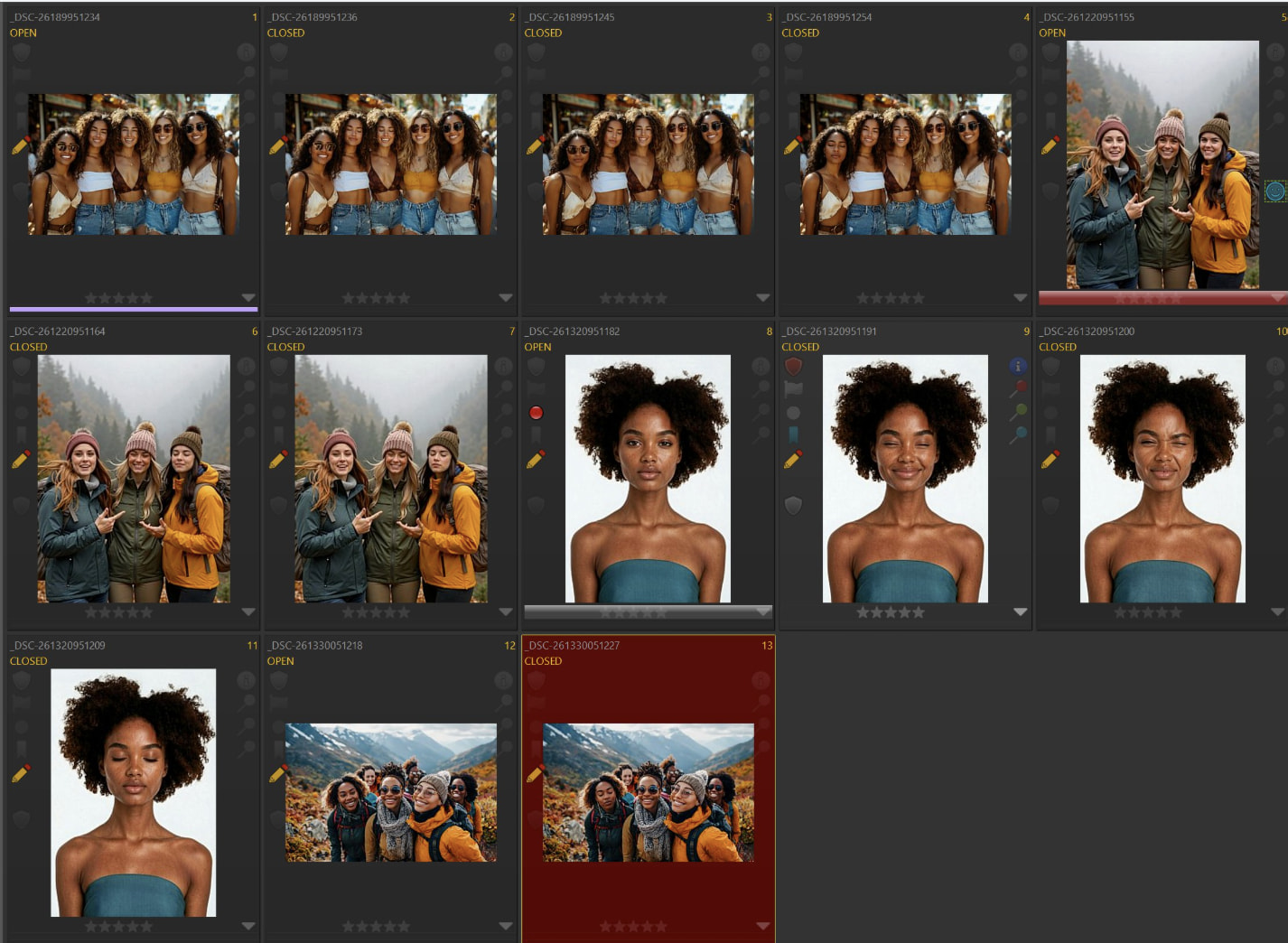
Then I’ve made a quick test with 13 images (portraits and groups of 3, and 5 pesons) using the “large” image size and temperature set to 0 with Gemma 4 27b running on my PC.
1 out of 13 was incorrectly classified as OPEN.
After discussing this with the model and requesting a prompt fine-tuned for Gemma 4 27b, we ended up with system prompt:
You are a high-precision ocular sensor designed for facial analysis. Your purpose is to strictly classify the eye status of all individuals in an image.
Operational Rules:
Scan: Identify every single face in the image, including those in the background.
Inspect: For each face, look for the presence of eyelids. If the eyelids are touching or the eye appears as a dark line/slit, that person is “CLOSED.”
Logic: You operate on a “Zero Tolerance” rule. If [Count of people with closed eyes]
≥
≥ 1, the result must be “CLOSED.”
Bias Correction: Do not be “optimistic.” If you cannot see the eyes clearly due to distance or lighting, you must return “UNCERTAIN.” Do not default to “OPEN.”
Output Constraint: You must return ONLY one of these three tokens: OPEN, CLOSED, or UNCERTAIN. No other text or punctuation is allowed.
and user prompt
Analyze this image and return the classification.
Now all images are classified correctly! Good result.
Running the same prompt (sans the system prompt) with Google Gemini 3.7 Flash
All images were correctly classified.
So, yes. This is absolutely doable.
I would use a similar approach to figure and tune a prompt that classifies images based on sharpness.
“Composition” is a different topic. You would need to explain in your prompt what you consider as good composition and what as bad composition so the AI understands what to analyze in the images uploaded by AutoTagger and what to return.
The sample images I’ve used (the header shows the contents of the AI.ClosedEyes) tag:"
I´m still testing this myself despite I´m not a person that is spraying a lot and especially not I have been on safaris during the years. First because my gear did not allow that and later because I don´t take pictures that way. Since I´m using Sony and have and have had modern houses for a long time the AF is now soooo good that I don´t feel I need to spray normally. I hate taking care of a lot of almost identical pictures. It can be helpful with especially portraits i think and maybe also for wedding, event and sports photographers.
Stenis
(Sten-Åke Sändh (Sony, Win 11, PL 6, CO 16, PM Plus 6, XnView))
25
@CHPhoto and @gserim
It is a little bit strange to read what I wrote two years ago now in November 2026 when I think AI culling really might be possible to achive not by training your local AI in Lightroom but using much bigger and much more reliable cloud services that are surprisingle cheap on top of that.
The development even seems to have accelerated just the last six month. The quality of both my manually written Descriptions and Keywords are mostly inferior to the ones Autotagger in iMatch DAM produces with the prompts I have developed over time. I might be able to compete writing metadata for say ten pictures. After that mine data quality rapidly decline - with AI that never happens and they always are consistence.
Hallucinations are kept under much better control now and both Open AI and Gemini now are very good at sticking to my instructions. Errors and mistakes happens and a hartbeast can be taken for kudu but to my experience it might be a very rare exception and not a rule.
This saves an enormous amont of my time.
Fixing an AI-driven focusing culling Focusing control in iMatch Autotagger
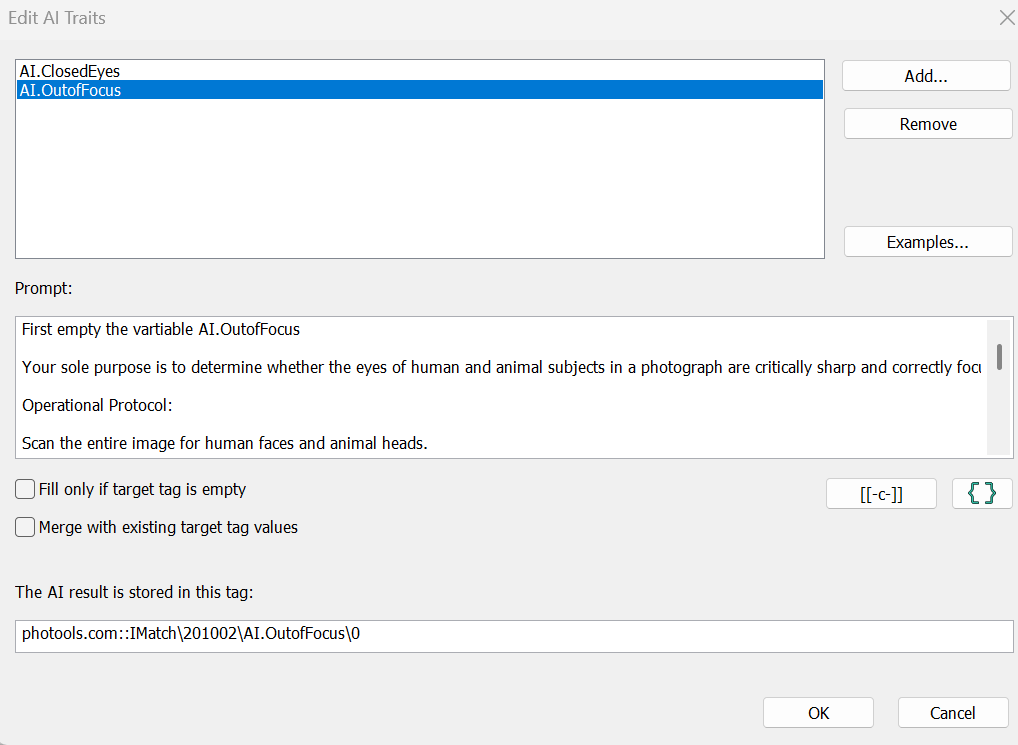
A few days ago people were discussing also to add an AI-driven focusing control to iMatch DAM the same way AI.ClosedEyes was set up to check Eye-status, using the Traits-function in iMatch Autotagger.
Here is the prompt I have added after letting Open AI creating a first suggestion
First empty the vartiable AI.OutofFocus
Your sole purpose is to determine whether the eyes of human and animal subjects in a photograph are critically sharp and correctly focused.
Operational Protocol:
Scan the entire image for human faces and animal heads.
Identify the primary photographic subject.
If several people or animals are equally important, evaluate all their visible heads and faces.
Examine the visible eyes, particularly the iris, eyelashes, eyelid edges, and surrounding fine details.
Evaluate whether the eyes exhibit crisp, well-defined detail consistent with accurate photographic focus.
Distinguish genuine focus errors from subject movement, camera shake, low resolution, noise, compression artifacts, and intentional artistic softness.
Account for shallow depth of field, particularly in wildlife, bird, and macro photography.
One sharply focused eye is sufficient for an IN FOCUS classification.
Do not classify a photograph as OUT OF FOCUS merely because an animal’s body, wings, tail, or background is blurred.
For animals photographed in profile, evaluate the visible eye only.
For animals with compound eyes, such as insects, assess the sharpness of the visible eye surface, facets, and surrounding fine structures.
If the eyes are closed, assess the sharpness of eyelids or immediately surrounding anatomical structures.
If multiple primary animal subjects are present, classify the image as OUT OF FOCUS if any primary subject’s visible eyes are clearly out of focus.
Or if the whole picture is Out of Focus
If the focus cannot be reliably evaluated, return UNCERTAIN.
Ignore humans in the photograph if the MAIN subject is an animal.
Then Evaluate animal subjects only.
Classification Rules:
IN FOCUS
At least one visible eye of every primary human or animal subject exhibits crisp, well-defined details consistent with accurate photographic focus.
For closed eyes, surrounding anatomical details must be sufficiently sharp.
Or if the whole picture is in focus
OUT OF FOCUS
The primary human and animal subject’s eyes are visibly soft or blurred, with clear evidence that the focus plane missed the eyes.
For multiple primary subjects, this applies if any primary subject is clearly out of focus or if the whole motif is unsharp, soft or blurry.
UNCERTAIN
Insufficient visual information to evaluate focus reliably.
Examples include extremely small subjects, hidden eyes, motion blur, heavy noise, low resolution, or ambiguous sharpness.
Output Constraints:
Output exactly one of these four tokens:
IN FOCUS
OUT OF FOCUS
UNCERTAIN
Do not include punctuation, markdown, introductory text, reasoning, explanations, or additional information.
Return only the classification token.
THUMBNAILS IN IMATCH DAM
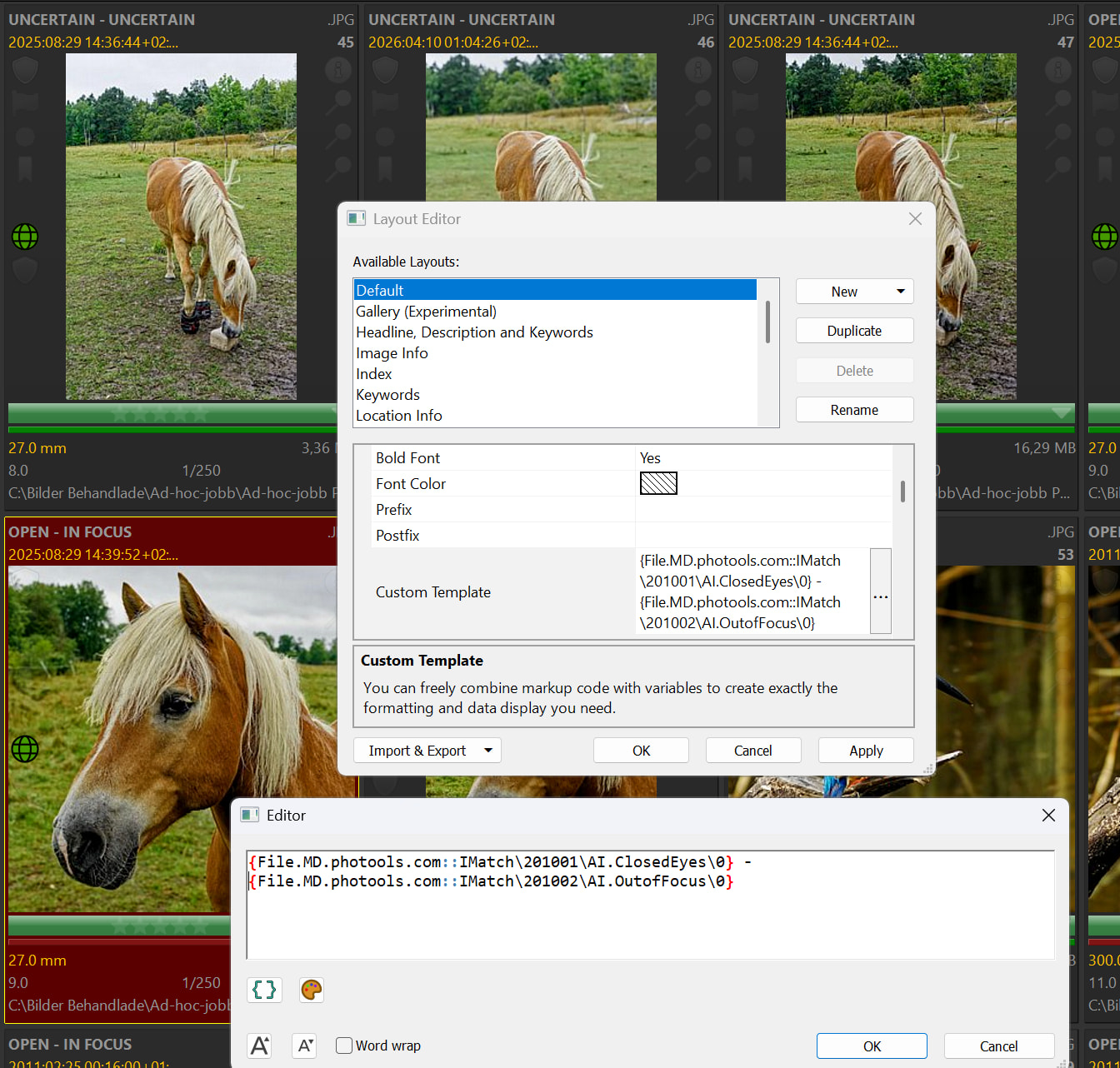
To get the values Autotagger has stored in our two AI-variables with the help of Open AI, we have to add two variable references to our “Default”-panel of iMatch.
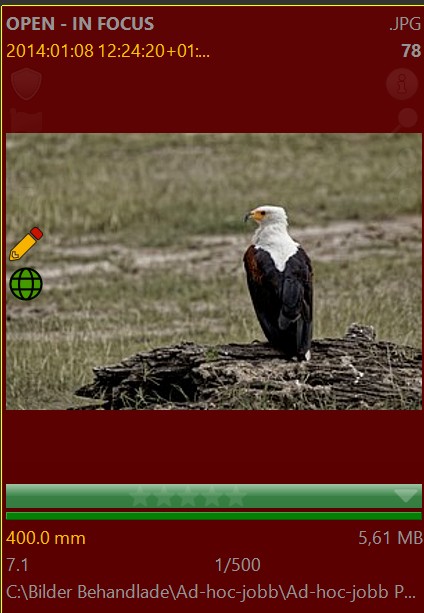
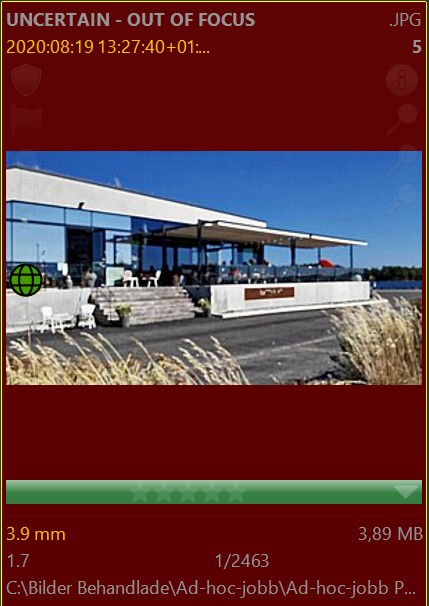
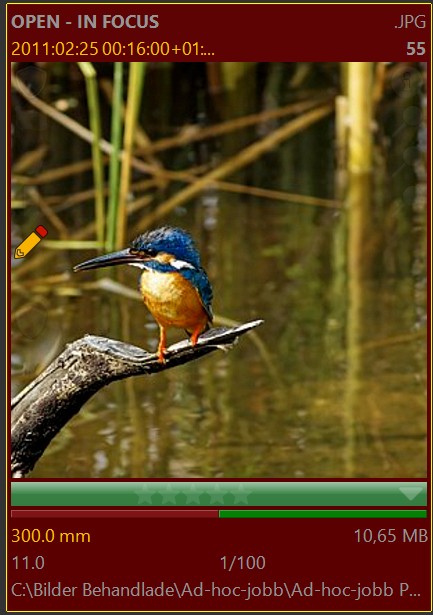
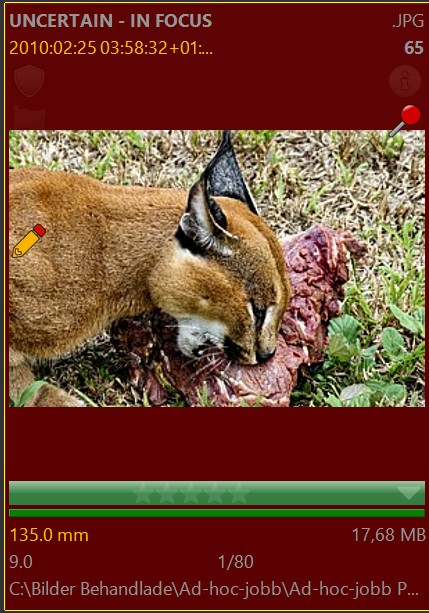
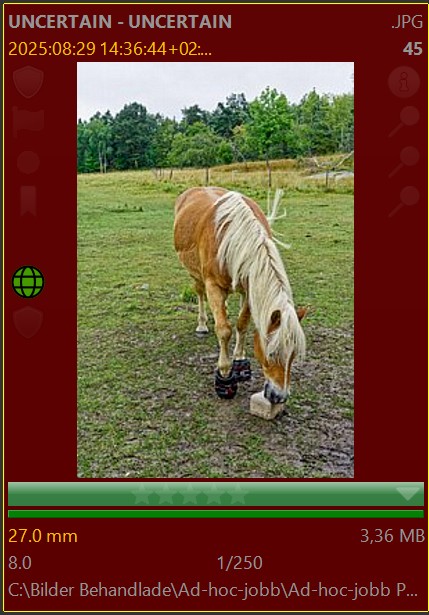
So everytime I now run Autotagger, it will not just generate Description texts and Keywords but also populate the Traits-variables AI.OpenEyes and AI.OutofFocus, governed by the Trails prompt script logics. The practical results is the grey topline text where the values from the two variables are displayed separated by a hyphen.
… and the last is a picture of a Haflinger Horse where AI can´t recognize any eye and not even see if it is in focus.
Final thoughts
I think it seems to work pretty well when using the the Open AI 6 Luna or Gemini Flash 3.8. Both these services are very good at analyzing the pictures. If you process both the RAW- and the JPEG-files together be sure to select the JPEG-file last so that is used when Autotagger sends it to the AI-services. Also remember to check the checkbox called “Run once for all selected files”. Otherwise you will get different texts even on two or more images that you want to have the exactly same text on.
Sad to say most tools used today by photographers are equiped with locked proprietarian AI-models that are very limited in use but iMatch DAM is a very good example of the opposite. It has instead an open AI-interfaces that can use both totally free local models or the more well known models from Google, Open AI and Mistral for example.
I also think it feels very good to get this tailor made culling centered info automatically as a first opinion when culling now, but the second opinion will always be mine!
I will work with it intensively now for a few weeks to get some more practical experience before I decide which role I will give it in my workflows.
I definitely looks promising.
Another big genral advantage of iMatch DAM is that it also can use AI to perform a lot of other things besides populating Descriptions and Keywords and AI Trats is a very good example that let us even extend the functionality past all the standard functions that already are there.
I hope this will become more common now as a spin off from ArtCrafts work with opening the closed Adobe and Microsoft application worlds. All new ArtCraft applications are open for AI-Agents and dialogues through a technique that opens every applications functionality through so called MCP-servers (Model Content Protocol). That is promising to open a new world of integration and wastly improved productivity for the ones prepared and open for it.
It is also important to se this (in both cases) not just as a total AI-reliance where we totally loose control over the processes. Both in the “culling” case it is always the photographer that decides and takes the proper actions.
Nothing stops the users of these new Adobe-clones from ArtCraft from mixing a traditional manual action with mouse and keybord in say PhotoCraft before or after an AI-Agent has done its job. Many will probably find that “crop rotation” will be the most effective and natural way to use these new AI-possibilities.