Until color profile management improves significantly, exporting to Affinity from PL 10.1.0 is unusable. Fortunately, transferring from PhotoLab to Photoshop in DxO Wide Gamut is superb…
Can you give more details? Is your problem that Affinity thinks your exported image has no colour profile, specifically no sRGB profile?
If so that’s a long standing ‘problem’. PL only tags files as sRGB, it doesn’t (and as far as I know has never) embed a sRGB profile. However, if you set the profile to be Adobe RGB when you export from PL then that profile is embedded.
I don’t have PL10 so I can’t comment on the new ‘Export to Affinity’ feature but I have no colour management problems exporting from PL9 as an Adobe RGB 16bit TIFF and opening that file in Affinity.
No matter which color profile I select when exporting from DxO, the colors don’t match once they’re in Affinity. With Photoshop, the colors are perfectly accurate, just as they were in PhotoLab.
Have you checked that all RGB colour profile and Rendering Intent settings in:
Affinity | Edit | Settings | Colour
are the same as the equivalent settings in Photoshop?
Exactly the same color profil.
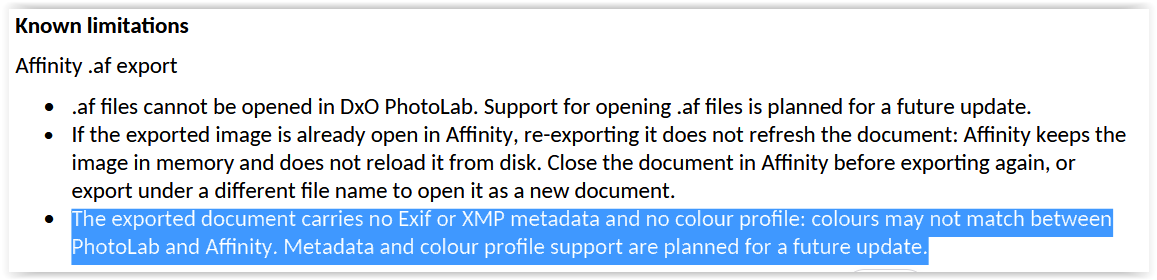
Yes I know, that’s why I use Photoshop after PhotoLab.
Ah, that explains it, it’s another half-baked feature release.
This was explained in the update from v10.0.0 to v10.1.0 features, too. This was the same text.
They say update, not upgrade. Should be soon in PL10 ?
The problem is because the color space is not correct and set to sRGB and you need to change it in Affinity.
Video explaining (in French): https://www.youtube.com/watch?v=F_1sc8e5HO4&t=125s
Sounds good. I will try next time. Thank you. Merci !