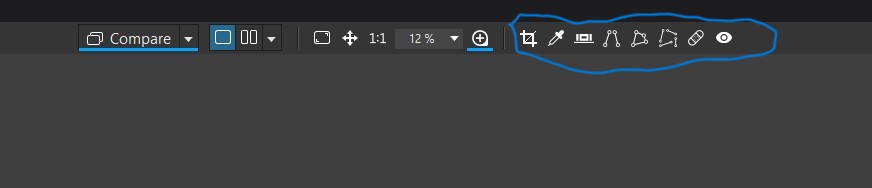
Hello everyone. I’d like to ask the developers if it is possible to add the “Grid” command to the top toolbar or the “Perspective” palette. I’ve been using PhotoLab for a year now starting with version 9 and now using 10.1 with great satisfaction; I think my reliance on Adobe is coming to an end. I shoot with Fuji APS-C cameras. Thanks for your time.
Hi Fabio
you are writing in the USER forum.
ask here → https://support.dxo.com/hc/en-us/
Having a way to change the grid spacing in the UI (and not just in the settings) would be something I’d like to see in PhotoLab too.
If you think of the grid that helps to warp images like with ViewPoint…then I can confirm that the icon for the ReShape feature is there, once VP is activated in a version that suits PL.
Here’s the feature request for that wish:
There’s a good reason NOT to use the Perspective tools on the toolbar - - It’s better (IMHO) to activate perspective corrections via the Perspective palette;
-
If you select any of the Perspective tools on the toolbar then the process is purely manual. Say with the parallel-lines tool; you’re presented with parallel lines positioned “centrally” on the image, and it’s your task to move them to appropriate positions.
-
If, instead, you activate Perspective (generally) via the Geometry tab - then PL will firstly auto-correct the image - - Then, when you specifically select any of the perspective corrections (again, say the parallel-lines tool), the lines will be auto-positioned as per PL’s auto-detection algorithm … which, at very least, offers a much more helpful starting point than activation via the toolbar.
