I must have done something unwise. I always have had the thumbnail window on a different screen from the working screen. This arrangement used to return after closing and reopening PL8; but it doesnt anymore. I have to press CLT-U and then move the window to the other screen.
Does anyone know what triggers this behaviour, please?
Is this new behavior since updating to PL9 or are you still on PL8?
I’m curious, if you “undock” a palette in the Customize module, quit and reopen PL, does that palette remain undocked or does it return to the dock?
I believe these preferences are retained in the database, so I’m wondering if you’d need to delete that so that PL can “start over” with a new one – maybe it got corrupted somehow and cannot store these preferences any longer. (Though I’m not sure of this at all, so wait for someone else to respond who has better knowledge of this before you delete that and potentially lose projects or history states, etc. unnecessarily.)
As specified above, I am using PL8, but this change has happened recently. I tried renaming the .config file, but then PL8 would not open.
I undock the thumbnail palette and put it on the other window. Then close PL8. When I reopen the program, the palette is nowhere to be seen. I have to press ctl-u to get it at the bottom of the first screen, and then move it to the second screen. All doable, but a PITA!
Until recently, it was always on the second screen when I reopened PL8.
Ah, got it. The way you had specified PL8 made it sound possible that you meant “used to” as in, “it was working in PL8, but now it’s not in PL9” so I just wanted to double check
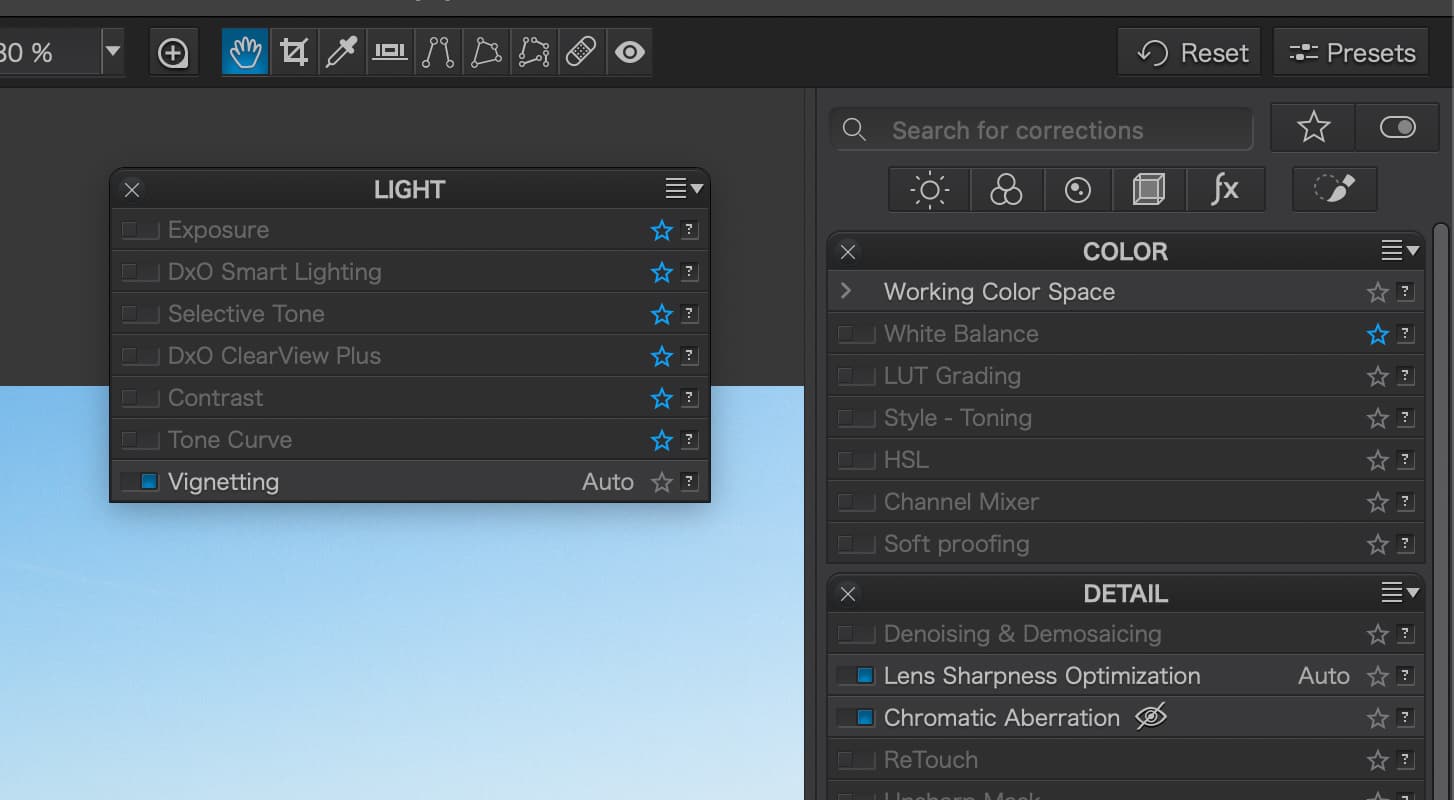
My question about undocking other palettes was to do with the “Customize” module palettes, as in “Light” or “Color,” like this:
Asking more as a datapoint to collect, not that it will help with much directly.
I tried renaming the .config file, but then PL8 would not open.
I’m guessing this was to test my possible suggestion of deleting the database? I’m not sure that the config file is the only one that has to go, there might be others as well (*.db files).
Anyway, I don’t want to get too far into the weeds with something I have no certainty about. You may try contacting DxO support for this one.
Thanks for spending time trying to find a solution. Another thing that happens is that, when the thumbnail browser is detatched from the main window, it shows as a second tab on the taskbar. When I delete it, this tab disappears and the thumbnail browser goes back to the bottom of the main window. It is as if it there, but too off the window space!
I got it! I fooled around with the menus, and on the View menu there is a command that is called Show/Hide Image Browser (CTL-F9). I really cannot imagine what the point of this command is in normal use, but it was responsible for hiding the thumbnails.
I must have hit this control by mistake at some time!