click → “my hand”
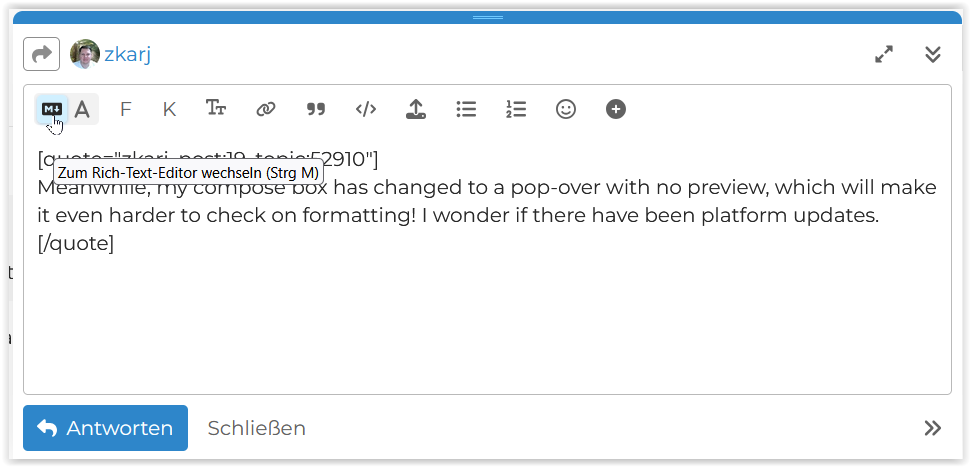
or at the bottom right corner
Thanks for that! Back to familiar territory.
A little update on this one.
Work/life commitments have seriously limited my time to play around with PL9 but the brief play I have had leaves me currently with no concerns on the capability of the M4Pro in the configuration I have purchased.
Everything flies along. Noticing no lag/stutter and masks (ai) are quick and responsive.
The only question really is whether the M4 Air with the same ram would have been the same but regardless ultimately the Pro suited me better for the other non ram/chip differences.
Will continue with the trial and experimenting but can see myself returning to the DxO fold again.
The Mac Mini M4Pro doesn’t come with a more powerful processor with more cores, you also get higher internal memory bandwith (120 vs 270GB/sec), faster SSD and TB4 ports instead of TB3.
With the TB4 ports you can connect a dock with additional M2 SSD slots and ports (USB, LAN … This allows you to overcome Mac restrictions in terms of connectivity and storage at a very affordable price with excellent performance. Your Mac mini still remains compact, powerful and energy efficient
Really?? Maybe not always, but I have frequently cursed the huge slowdown when I get into masking a complicated subject, along with other masks.
Often with a bird photo I will have a mask for the bird (AI to start with but often supplemented with brushing), one for everything else, one for the eye, and one or two more for directional lighting effects.
I just opened one I had done earlier in the month. Even the act of doing additional brushing on an AI+brush mask resulted in the brush strokes being rendered only around 3-5 seconds after I make them. After closing the mask edit, I make slider adjustments and they are also delayed by around the same amount of time.
Well with the caveat of me not having had the time to experiment massively yes I have seen zero issues so far but also I haven’t done huge edits on the couple of files I have worked on.
I intend to continue trialling this week and next even though I will miss the Black Friday saving as a result but so far for what I need it seems fine.
Also. I will add that maybe I am experiencing some lag but due to the abysmal performance of my old machine running PL5 then maybe at the moment I am not noticing it but will at some point.
I guess I need to find a file where I can go to town on the masking and see how things re with that then.
Plus the machine is fresh with only the bar minimum I need installed on it which may be helping.
Anyway More testing to be done and I’ll continue to update as I go.
Well maybe I was too hasty!
Found some time to see and play with a couple of shots.
Pre mask/denoise everything is ‘instant’ and no complaints (caveat with these two files).
One file was wildlife the other landscape.
DeepPrime XD2 for both.
Made several adjustments to the landscape photo. Usual levels etc. removed a couple of distractions. Masked the subject (AI) plus linear grad on sky with negative control point where grad touches subject. Finished with a B&W conversion.
Experienced no lag or no noticeable lag at any point and exported in under 4secs.
The wildfire one was more basic but noticed slight lag with the AI mask adjustments. Talking maybe a 1-2sec and then perfectly responsive after that initial lack of.
This shot was edited completely with local masking and noticed the export took longer at 14secs.
So yes. Some lag evident but not in all cases. No lag would be preferable though wouldn’t it?!
As it stands though I am happy enough and hopefully things will only improve.
<Exports taking less than 4mins each (compared to my old machine running PL5) is nice though!>
I don’t care how long the exports take and I can cope with slow rendering of slider changes, but not being able to see brush strokes for 3 seconds, and some of those simply not being recognised is incredibly frustrating.
I’m not sure I can!
I often turn off masking all together if I need to adjust sliders outside of the masking itself, because it slows down that much.
It shouldn’t be this way. Other programs don’t operate so poorly. DxO needs to work on this.
I am a bit late to this thread but wanted to contribute. I’ve been using PL for years on Windows. I stuck with v8 because I knew my Surface Laptop with 16GB RAM which was fine for PL8 would not run v9.
Well my Surface Laptop got trashed a few weeks ago by a Microsoft update so I decided to replace it with a MacBook Pro to be able to run PL9. I bought the M5 24GB version.
PL9 runs well on this machine. I’ve not had any crashes and the speed is good including use of multiple AI masks.
I also like that PL updates (so far) are exactly that - software updates that download and install quickly rather than what happened with the Windows version where you have to download the entire program every single time.
None of this is to say that DxO should not optimise this software. It’s ridiculous that a large hardware upgrade is required to run it.
Moore’s Law used to apply heavily to hardware. Now it seems to apply to software. Since computers got “powerful enough” that it no longer makes financial sense to make software efficient, it seems to have been becoming even less efficient. As such, the software demands ever more power while the transistor gains are slowing. AI is a big leap on this curve.
It behooves us all to recognise that if we don’t periodicially upgrade our hardware, we should expect, eventually, to suffer if we do upgrade our software. Standard model Macs hold their value very well compared to PCs. I’m not even sure I’ve ever heard of someone selling a PC into the second hand market. I just sold a 5 year old M1 laptop with a worn out battery for about 35% of what your new M5 one would have cost.
Just don’t expect to recoup your money on highly specced models. As I learned to my (literal) cost.
I’ve had a number of second hand PCs that I eventually re-gifted to my father as they’re technically functioning but not something I’d call a “performance machine” that I imagine anyone looking for a new PC would be after. The whole reason I’d sell them is that they became sluggish on “today’s” software.
My gripe with PhotoLab - like some PC games - is that it’s an anomaly of poor performance on my PC. It’s not that everything else now runs at a crawl because my system is old and unfit. It’s that these applications are less optimised than their kin and place unnatural expectations on my system.
Topically, buying RAM is very expensive currently because (I believe) OpenAI bought a huge chunk of the global supply, creating a rapid unexpected shortage. GPUs with large amounts of on-board memory are also less common, especially in the nVidia stable.
I say topically, because DxO can’t expect its users to casually upgrade entire systems just to suit a new software version. It’s not realistic. I’d anticipate needing ~£2,000+ for that purpose to create a viable future system.
This is so true. As a programmer for 40+ years I’ve seen coders get incredibly lazy, brute force and ignorance have replaced design and intelligence.
I think EVERY software product should have a complete rewrite every few years.