I use PhotoLab 1.2.3 and came across this issue again today.
Question: Is this resolved in PhotoLab 2 ?
As a work-around, if someone is ok with using a text editor to change preset files, this can be resolved by removing the complete section “LocalParameters” from the preset file.
On MacOs the preset files can be found in “~/Library/DxO PhotoLab v1/Presets”.
PL should not be running while the .preset file is changed, otherwise the change may not become effective. I suggest to make a copy of the .preset file before changing it.
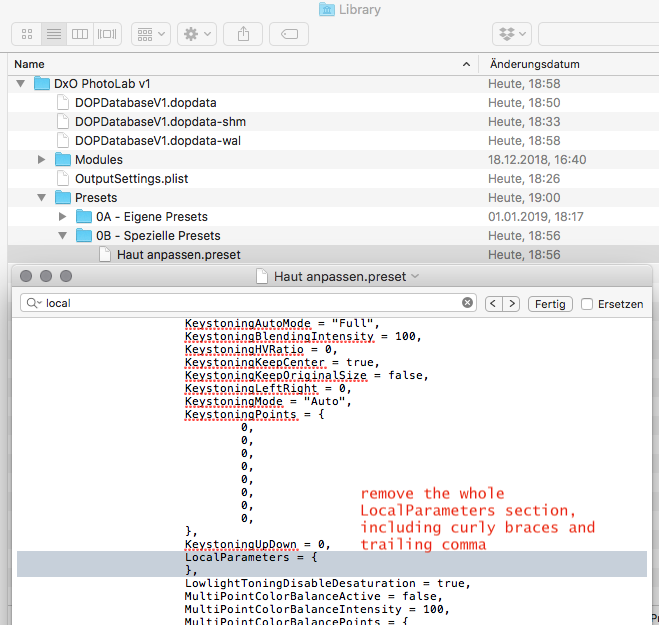
This way, the preset will not just have no local adjustments (hence clearing the local adjustments on a picture) but not touch the local adjustments when it is applied.
I hope this helps anybody.