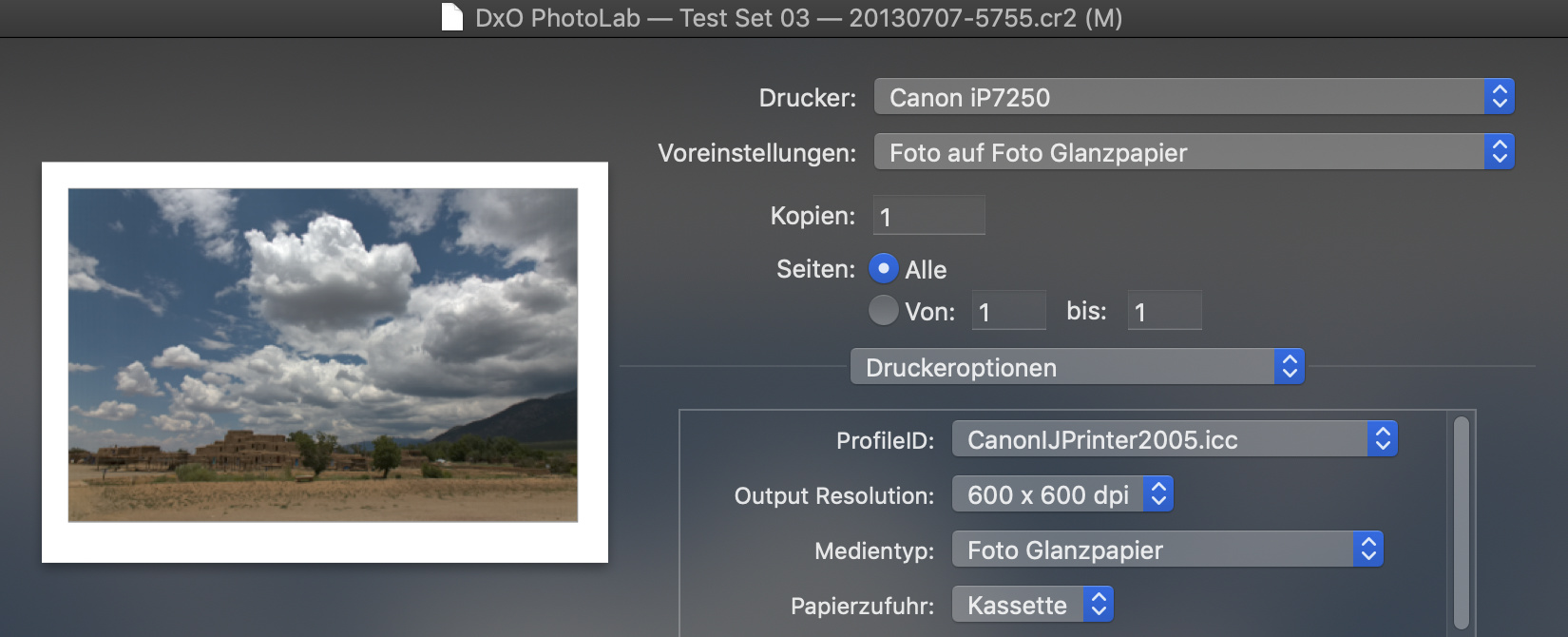
This is simply not possible on DPL for Mac. There is no way to enter the ppi, it has to be calculated or, should I say, inferred by setting the cell size
I would also like to know why 300 ppi? Yes, my Nikon D810 records 300 ppi in the EXIF data but I have a Canon G12, which records the resolution as 180 ppi.
Yes, odd it is.
So if you print and set “cells” to a lower dimention, skrinking, it changes ppi in a way that it has móre pixels per inch thus a smaller endproduct?
Or does it change resolution of the image (the actual pixelcount) and keeps the ppi ratio the same?
Geesh, i am starting to be glad i choose max image res for storage and let my smarttv do the resampling…
Well, you can’t change the pixel count of a RAW image, so it has to be reducing the resolution that the file is marked with. There is just no way of telling what the final resolution is, apart from calculating it.
Once again, this all seems to boil down to only catering for those who want to print to fit a certain paper size.
It’s not made it easier here.
Just forget image resolution. It is only useful if you want to print a specific size. As soon, and that is mostly, you choose an output size be it some paper or cell it will be a calculated number by the printer(driver), or the editing software.
George
m-photo
( Marc (macOS Sonoma on MBP16" Intel))
116
@gregor
I did read that article and many more. There’s no difference between what I say and what the article describes.
I’l write in bold and capital for everybody here: A DIGITAL IMAGE DOESN’T HAVE SOMETHING AS A RESOLUTION. Not even mentioned in the size but let’s forget that.
The resolution referred to is part of the print dialog.
The standard added resolution to an image file is of no value and even confusing. The value 300dpi is the standard resolution of a printer now a days.
@Joanna
Your camera doesn’t record an image on x dpi, read above. The only resolution one can mention is the sensor resolution sensel/inch. In your case D810 7360x4912 sensel and metric size of 35.9x24mm will result in a resolution of 771.9sensel/mm or 30.4 sensel/inch.
Pixel = picture element, sensel = sensor element.
Well, this post will earn a medal as the longest one and I see 2 reasons of it: first - it’s implemented differently on MAC and Windows and second - this is the only explanation done in the Manual and, as it’s evident from this long argument, it’s definitely not enough:
Resolution : Shows the default resolution (300 dpi) per the printer driver, and allows you to select another resolution if desired.
Let me invite @CaptainPO to give you a definitive respond here and based on your feedback we should think over improvements of the Manual and the Print module itself.
Even that doesn’t happen. I’ve a Brother laserprinter with possible printer resolutions of 300 and 600. When I choose a dpi of 5000 it’s accepted but as soon I start to print the value is set to the max of 1200. My printer doesn’t support that. When I restart pl it just stays on 1200, it remember the last setting, even if this one is fault.
I’m sorry @RobEW, but I must admit that this isn’t that simple and doesn’t apply for everything.
Teaching also photography, I can specificaly tell you that this “Resolution” problem (and as you can exstensively and accurately see in this thread) isn’t a trivial topic and cannot be “simply” explained for some people… that I can assure you.
Some will get it right away, and for others, it will be very VERY abstract and hard to understand.
Anyways, in our software, I can confirm that we’re talking about the number of dots a printer can do on a straight line that is 1 inch long, which is exactly the definition of the dot per inch (dpi), and we can go up to 1200.
1 a well of a sensor is size related : resolution is a fact. amount of detailed unique “pixels” and it has actual less pixels in convertion to jpeg at the end. (bayer or xtrans or i don’t know how many types there are.)
2 the rawfile has a nonsize related bitmap of this sensor (the pixelsize on your screen are the one who size the image. (So the resolution of YOUR screen is in this case the resolution of your image!)
3 If we convert this in a materialized way. INK, Engraving, shizzle and a rock/wood/ painting with a brush. or more convient print it you define the resolution (amount of colorchanges per inch you want.
4 a printer has a native resolution. it’s finest dot he can produce.
5 we can resample the digital image, less pixel data means less pixels to scram in a inch => lowering output resolution if you go to far in saving harddisk space/webspace. (screen/pixels or printing)
6 we also can define the desired image size on the surface, [paper], THEN we need to adres the maximum resolution the printer can handle. (Or we lose pixel data (resampling in the driver ppi =>dpi. or if the image to too small in pixeldata the resampling goes the other way, the printer ADDS extra pixeldata to fill the space.)
7 expensive printers can do a extra thing: CHANGING it’s print resolution.
So when you have a small image(pixelcount) and don’t want to add pixels to fill the space you can set the printer to stretch the image over a large area by lowering it’s DPI.
Can I then ask, what use is setting 300 dpi for the default printer resolution when, at least for Epson printers, their “quality” settings are multiples of 360 (720, 1440, 5760). And, why bother allowing the changing of this value on Windows but not on Mac? Is this really necessary at all, since we can go into the printer properties and set the printing resolution there by choosing from the available qualities for the selected printer. As evidenced by @RobEW’s initial post, this seems to make more for confusion than function.
One problem that definitely needs looking at, at least on the Mac side of things, is the logic behind entering cell size dimensions and the interaction between the two text fields, where it seems like the only logic is that the value in whichever field makes for a smaller image “wins” and the other value is ignored. Would it not be possible to update the other value in line with the image’s proportions?
I started using PhotoLab nearly 3 years ago and it is only thanks to this thread that I finally realised that I can print directly from the app, rather than exporting to a resized TIFF and using ColorSync to print. The main reason for not doing it was (and is) the way we are “encouraged” down the “size to fit” route and the weird interactions between cell sizes, margins, etc, which might have seemed reasonable to the developer who designed them, but not to everybody
What I can tell you Joanna, is that the print module is far from being optimized.
It’s an old part of the app that really deserves attention and rework to allow users a better overall printing experience, with the addition (to say the least) of a softproofing preview for exemple, and correct every little glitches and imperfections that bring lots of confusion.
That was the main reason to draw attention to this long thread. I am used to think from the endresult back to the origin file, knowing how laserprinters work, so i can step back and fill the gabs between preview and printfile. But stil i find that a preview in a printer untility should preview the ppi/dpi of the “bitmap” the resolution of the endresult.
And an other feature who would be helpfull is a visualisation of the balancing act between pixelresolution, ppi, aka image pixel count (400x360) and printer resolution DPI.
This shows: The threshold of losing pixels , oversized, and the need for adding pixels in order to get desired DPI.
One other thing is the “cells” these are actual resampling image data to fit insite a certain space of a papersize. It’s effective resampling a image in size in reverence to a papersize.
Margins of this multi image feature should be adressed. Now people think that the “margins” chapter is a factor in this wile it only is used for the borders of a paper.
No margin wil be overruled by the laserprinter by the way in normal mode.
Ok,
it’s a floating and really misty, dodgy odd subject which is in a foreign language even more difficult to discus.
I hope DxO is using this thread to cleanup and modify the user interface for printing and the manual/ user guide.
So we are in the future better in understanding what we are printing béfore we see the result. Because that’s the key in a good printing tool. I should be able to print on your printer from overhere and know/be sure what you get out of your printer when i know the papersize you added in the printer.


 !
! and I see 2 reasons of it: first - it’s implemented differently on MAC and Windows and second - this is the only explanation done in the Manual and, as it’s evident from this long argument, it’s definitely not enough: