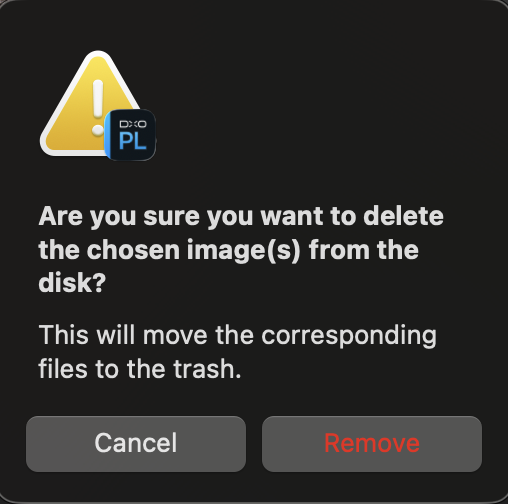
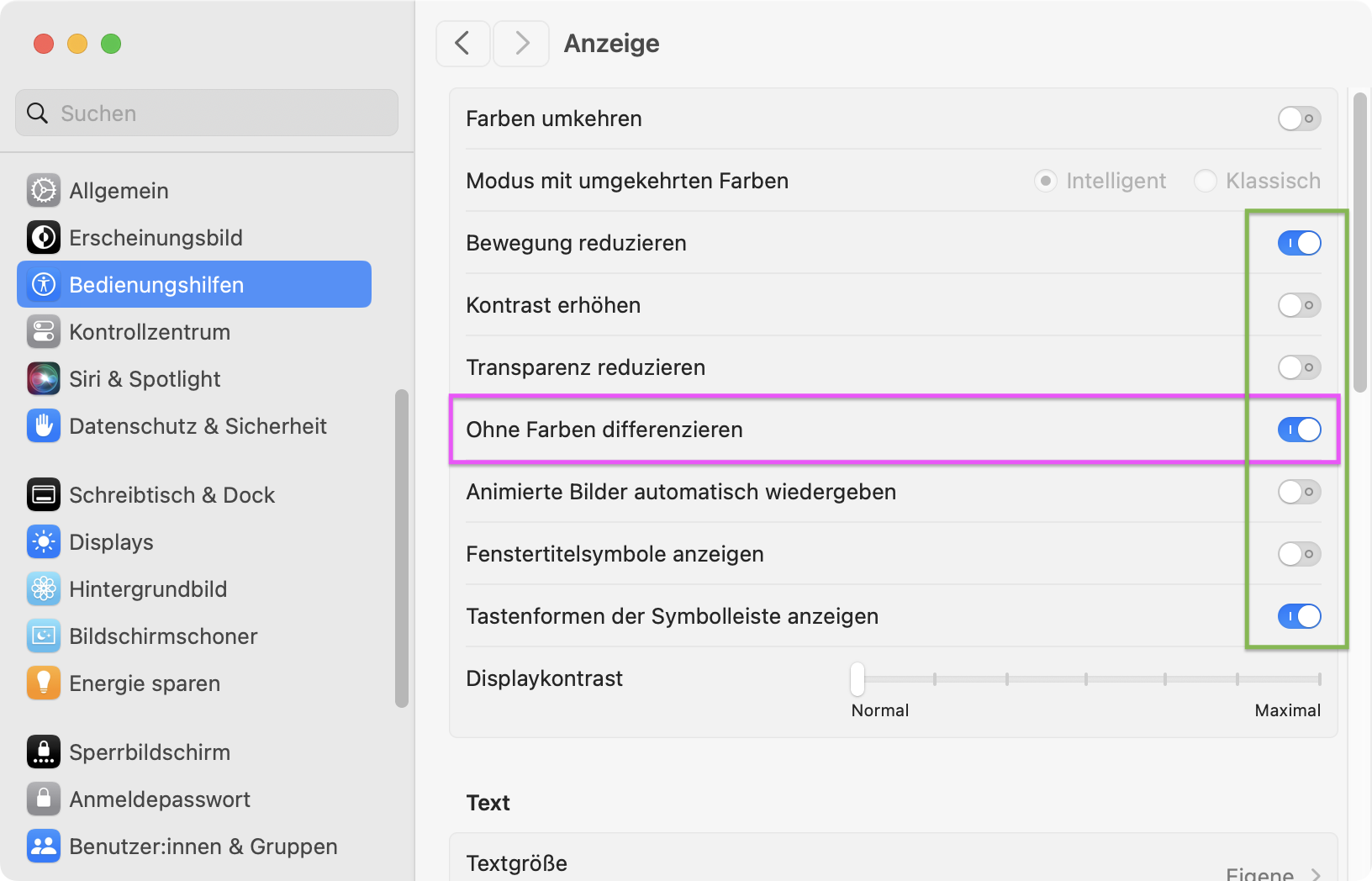
Your find seems correct. I turned off the “Keyboard navigation” and the “tab” key lost its function and the blue outline that shows the active button disappeared. Restoring this function restored the functionality.
I’ll also add that in Photos on Tahoe if you select a photo and tap the delete key, the dialogue box that comes up has cancel as the active focus and if you tap the return key the file is deleted,
I’m with you on all of this (except, perhaps, that I personally wouldn’t expect a company to alert users of this type of change).
But even with my short experience using DxO products (less than a year) I would never expect them to be completely consistent between apps, or even within the same app. While they have some great tools in their products, they have always felt a bit “hack job” to me, and I don’t see them coming together 100% cohesively anytime soon, if ever at all.
I can only speculate that this is because deleting a photo in Photos is easily undo-able (you can just press Cmd + Z) to return it where it was.
You can’t do the same in PL9 when deleting.
Based on this thread comments I experimented with some of the other Mac accessibility settings to learn what they did and if useful. Didn’t find any to suit my needs, but after returning to what I thought was “normal” the key used to confirm “remove” switched too the “spacebar” line you report. The “return” key is not active.
I fiddled some more and also tried rebooting to no avail.
The popup to delete files (move to trash) works exactly the same way. The default button is “Cancel” in white. The “destructive” button is “Delete” in red. The “tab” key toggles between button options which are outlined in blue. And, now, the “spacebar” key confirms the “destructive” action.
Seems like some setting changed in my Mac accessibility section that DxO is using to set the active confirm key for this tool. This is Mac Tahoe (OS26) on a M4 MacBook Pro.
No big deal, but if anyone knows where or what to check. Thank you.
@swmurray , DPL9 on macOS Sonoma does exactly as you mention above (tab and space)…but there were slight changes (in how macOS’s UI looks and works) that came with recent updates of macOS.
While Accessibility settings can change looks, fundamental procedures are unchanged and we just need to adapt again.
For completeness here is what support wrote to me and said on the subject:
PHOTOLAB MAC Team (Support & Assistance)
Nov 4, 2025, 7:50 AM GMT+1
Hi Eric,
On the matter of the Return key not working anymore in that dialog, this is because with newer versions of the OS, dialogs that have a destructive effect (such as deleting a file) require click on the action instead of pressing the Return key. This would happen the same in the Finder, as an example, when trying to delete a file from a network share.
Which to give credit is what Joanna pointed out above.
FilmPack 8 continues to defy the guidelines for whatever reason.
I prefer to work from the keyboard, so I am now training my fingers to do command+delete then tab to move the focus to Remove and then tapping the spacebar. Thanks to unchdxoly for teaching me a new dance for my old fingers.