@Joanna and @platypus I have no time today to digest your posts and respond but a few of things have occurred/bugged me
- While entering an hierarchical keyword my brain faded and I entered the keyword as animal|mammal:bear|black bear how on this or any planet am I supposed to fix this with the PL5 keyword interface @sgospodarenko
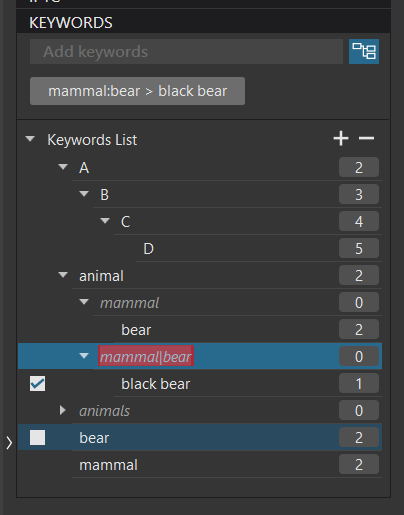
2: How do you edit the last character in any edit of anything? Just managed it but the margin to select the critical point versus deselect the item is very small! @sgospodarenko
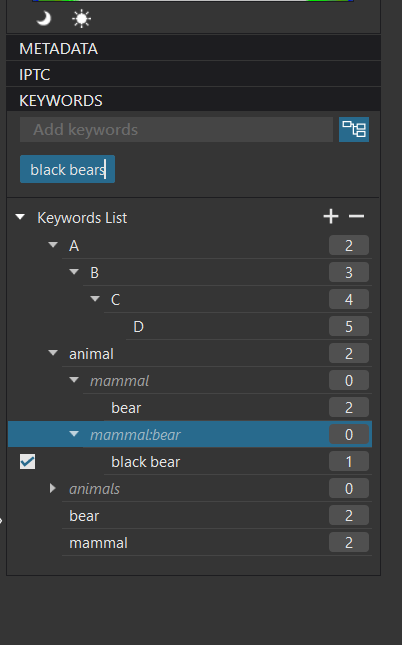
- I originally assumed that the keyword display was used to assign keywords to an image and arguably that is true so when this is done
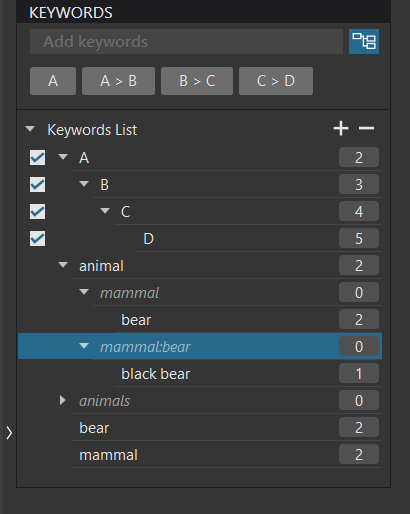
it can be viewed in two ways (I believe)
- I am selecting keywords from an hierarchy to be included in the assigned elements from that chosen hierarchy and PL5 aids that principle by virtue of the automatic selection of all items in the hierarchy above the selected item
OR
- You are actually “just” selecting a keyword for inclusion in the image that happens to be from the same or a different hierarchy or a simple keyword. The applied logic from PL5 is a knee-jerk reaction to the assignment at a given point in the hierarchy (unless it was put there on Win 10 PL5 where it will remain alone").
Hence, PL5 is keeping elements together by an auto-select mechanism but is enforcing nothing!