I would never buy a Mac Mini, not even under torture. I want my PC to be configurable, upgradable, and “open”, not a cute “planned obsolescence” toy.
1 Like
But, as others have said, I’d rather spend my time editing images rather than faffing around, configuring a box
2 Likes
Well, my PC has 10 years, and I have really wasted very little time in configuring it. And it still is more economical and efficient than most other solutions. And flexible.
But not flexible enough to run macOS software 
Name me ONE piece of Mac-only software that I would ever need 
That depends on your domain. What I love about macOS is all the high quality, free, apps that come with it. OS updates are free. Developer tools are free. Office tools are free. I can compose music, I can plug virtually any camera in and transfer files. I can also scan film without a third party app. Etc, etc…
I can do 99% of those things for free on a Windows machine, too. (and OS upgrades are free just like on Mac, I don’t know why you are even listing this as a “point” for Apple side…)
Plus, I don’t even need a PS5Pro for me and my daughter, saving me 700 more!
Seriously, now: on that MacMini, what is the average export time for a Nikon NEF to JPEG with DeepPrimeXD2 (not using AI masks)? I am very curious to compare the current state of the art!
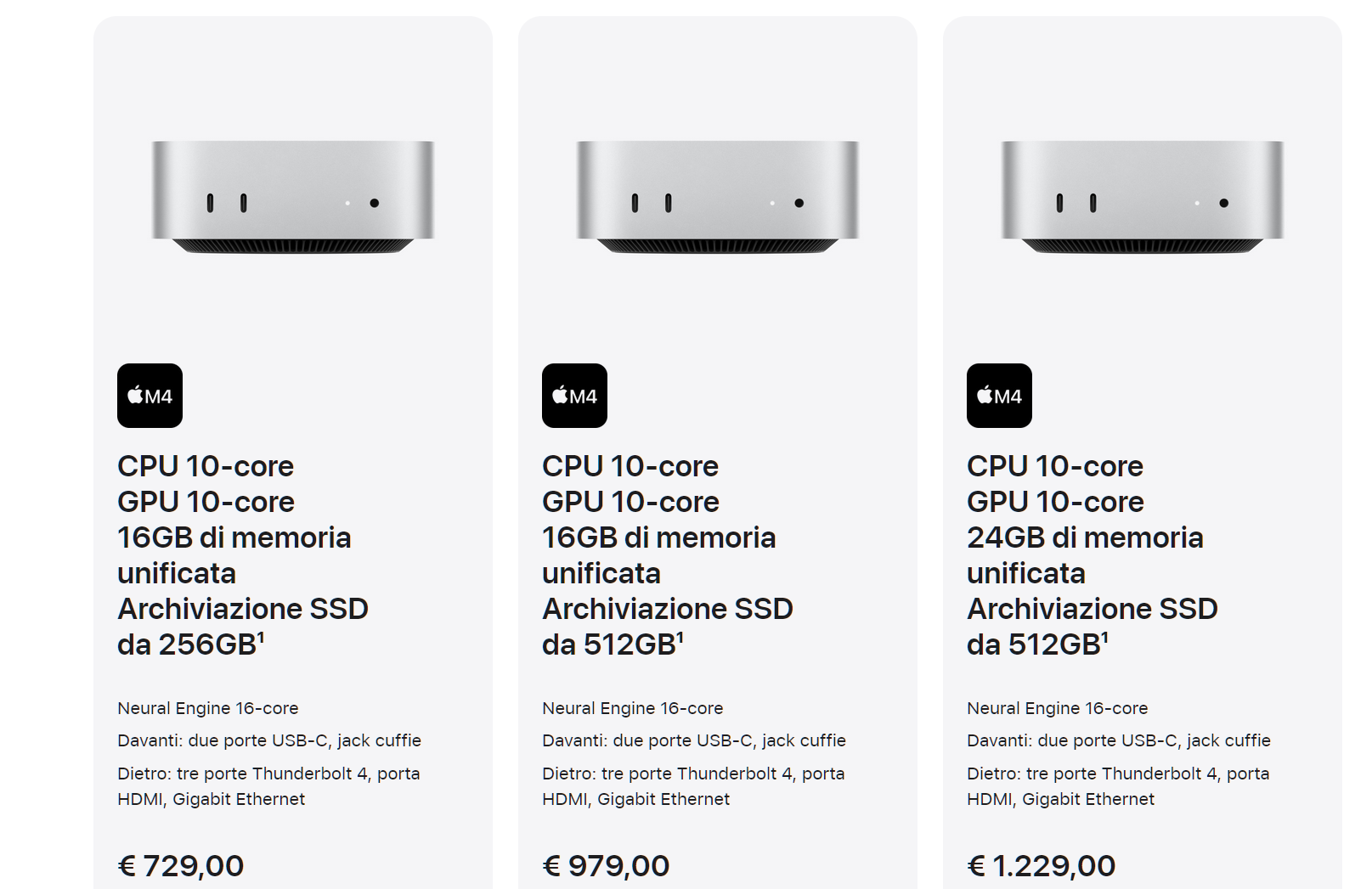
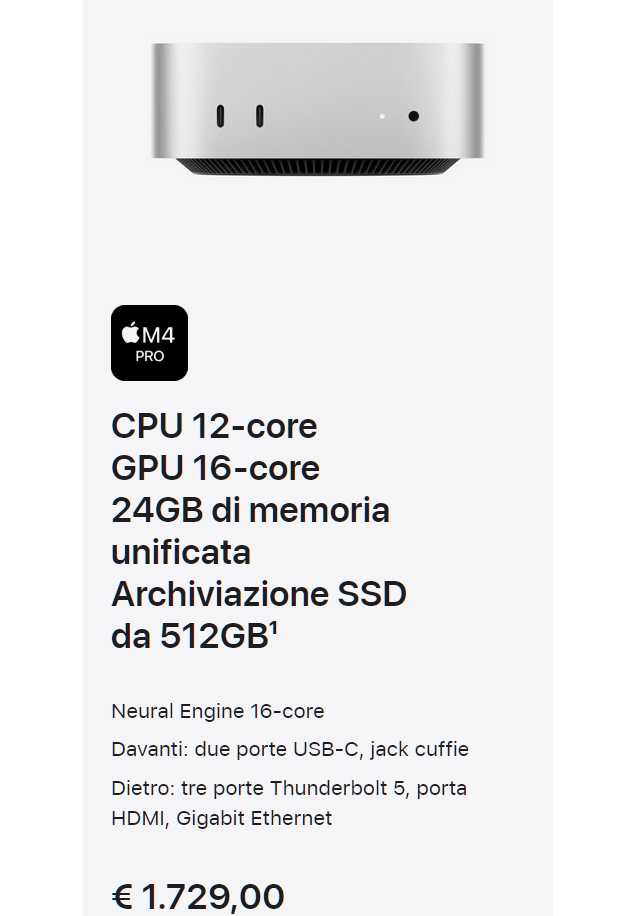
And which of these MacMinis is it? Because Apple is very “shy” in giving details about how the different cost impacts on performance.
As previously mentioned: a fast external SSD (say the Adata SE920) reads at 3,200MB/s and writes of 3,000MB/s but a fast internal (say the Crucial T705) read at 14,100MB/s and writes at 12,600MB/s.
So your Mac Mini system is compromised from day one. Then there is the inability to upgrade most Mini type computers, so you are buying what is basically a throw away item. Which is still a popular theme in the US but less so elsewhere.
2 Likes
And let’s not even tackle the matter of the extortionate prices that I have listed above.
Wanna increase the SSD from 256 GB to 512? That’s 250 EUR more. On a PC… that would be less than 10 EUR more.
Wanna increase the RAM from 16 GB to 24 GB? Again, another 250 EUR. On a PC, that would be 30 EUR more.
Apple does its pricing completely like a gangster would do: they can ask those prices because only they can configure/upgrade their machines, not the user. And the average Mac user doesn’t know, and trusts the ghost of Steve Jobs. Those prices for the addons to the base configuration are completely deliberate, and not justified in any means by the technical contents. But they can do it, because they don’t give users alternative options. Blackmail at its finest. The blackmail of “pay me now these extortionate prices, because if you have to change your mind in future, the cheaper one you bought will be obsolete and you have to throw it away”.
Me, I prefer to have options, and to choose an SSD according to brand, price, size and technical features. And, eventually, to replace it or add another five years from now.
BTW, has anyone got any data on what kind of SSD Apple mounts inside their Macs? Will they be comparable to the fastest Samsung 990 PRO top of the line, or cheap run of the mill stuff? Of course we don’t have a chance to know, IT JUST WORKS!
1 Like
So every time DxO send out a new Photolab you think we should all go out and spend £1500 and buy a new PC.
As an example (from a previous thread): Wlodek is using a water cooled GeForce RTX 4070 by Gigabyte (desktop), i7-14700KF CPU, 850W 80 PLUS Gold PSU, 2TB+4TB Nvme disks, 32GB RAM, working with Z8 raws (45MP)……… And he says it works fine.
The graphics card alone costs £450 on Amazon. CPU £285, PSU £90, £365 for his storage, £200 for the RAM - that’s £1390 without the liquid cooled case and not everyone wants or is capable to build their own PC. So to buy it already built will cost even more.
The funniest thing is: A few years back, Apple admitted to updating software that deliberately slowed down their phones so users would have to buy new ones. And almost 100% of Apple users stayed with Apple and said “that’s ok”. Unfortunately that’s what you are dealing with. Even when the company is admitting to shafting them, they are happy to stay and take it.
1 Like
IT’S NOT A BUG!!! IT’S A FEATUREEEEEE!!!
On a funny note: I know several iPhone users. All of them call the Apple phone service monthly: “emails don’t arrive to my phone!!!” (when it’s a server problem, not the phone’s), “app xxxxx doesn’t work!!!” (when the app was NOT designed by Apple). That says a lot…
I had a girlfriend with a Mac laptop years ago. Apple fanatic and all. She once asked me to show her how to download some old Hitchcock movies. I clicked on the downloading app… and waited, and waited. After 2 minutes with the HDD running, I said “hey, is this normal?”. Her answer “yes, give it time! What do you expect? This Mac is 2 years old!”.
That’s why I am curious to understand which of the M4 MacMinis Johanna has got, and the export time of a Nikon NEF with DeepPrimeXD2: to quantify how they have improved.
1 Like
If you ever mention it on a forum. All the Mac users go silent.
Let me share my experience with moving from PC to Mac.
Yes, the HW isn’t really cheap, especially the upgrades for RAM and SSD.
My conclusion was to buy a
- Mac Mini M4Pro with 24 GB RAM and a 512 GB SSD and 3 TB5 Interfaces (approx €1500,-)
and add a BeeLink TB5 dock (€120,-) with two NVME slots where I run 24 GB SSD’s (2*€230,-). Max. capacity of the dock is 2*8 TB
This configuration is really performant, super compact and 99,9% of the time noiseless (it could whisper when exporting a batch of images) and very low power consumption - no comparison with a PC at all
1 Like
36 Mpx NEF, no scaling, in 13 seconds
24 Mpix NEF, no scaling, in 14 seconds
5 years old Mac mini M1.
Thanks!
Quite disappointing, I would say, then.
A 2025 MacMini performing worse than a Windows PC with a CPU from 2015 and a GPU from 2020. That’s progress!
Less than 5 seconds per image, with Windows on a 10 year old CPU and 5 year old GPU, with 24 Mpix NEFs:
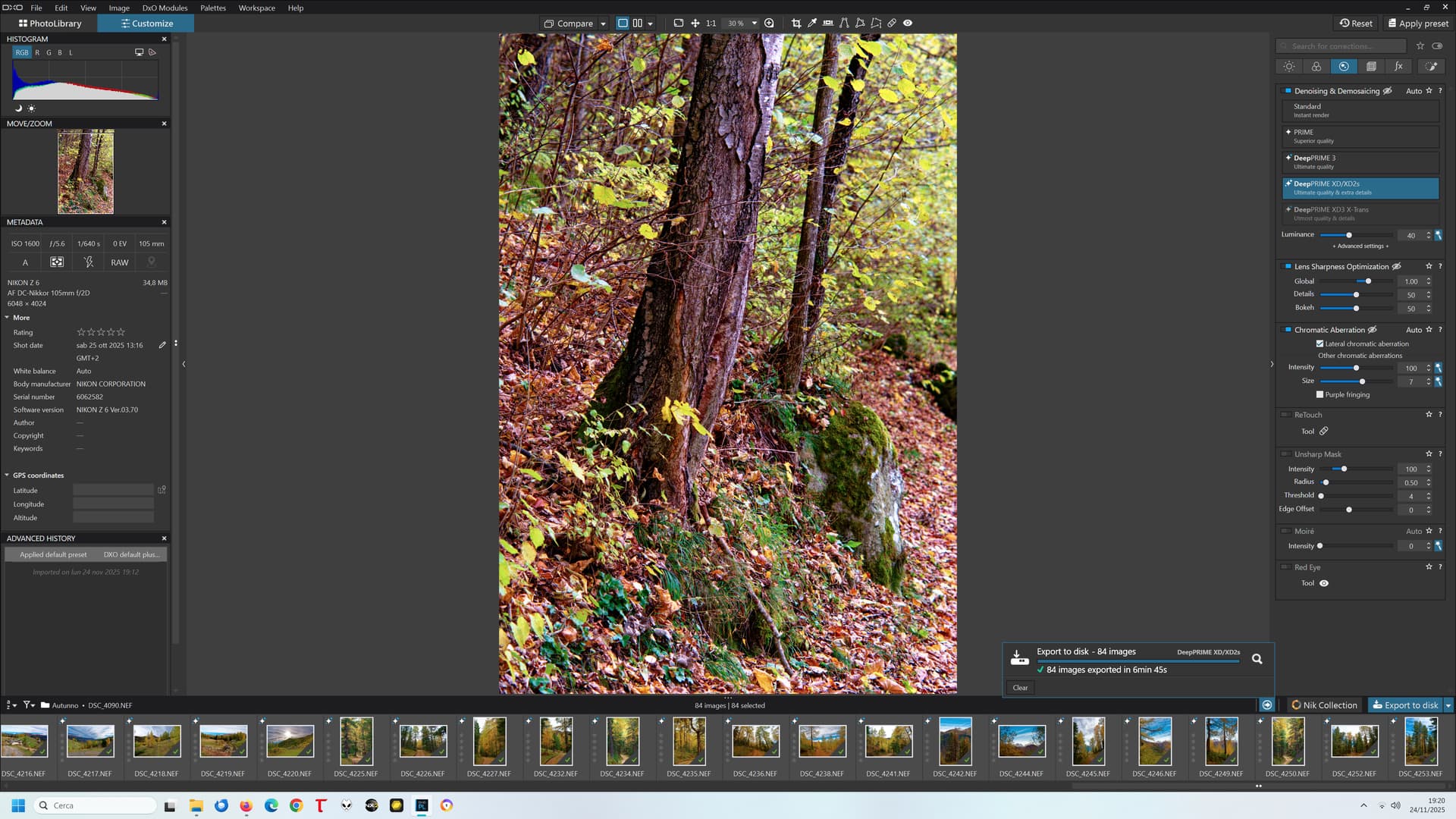
The numbers I see are not exactly encouraging, and confirm the correctness on staying on a self made Windows PC.
It’s only an M2 24GB
And I really couldn’t care less about export times like that. It takes a lot longer to scale and sharpen for printing using Topaz.
I’m not in the business of processing more than a couple of images in a day
Thanks.
My draw 19 watt and is dead silent while doing it or 100 of them and did cost 700€ back then.