I‘d edit one of the xmp files and see what DxO will make of it.
Most software only works with one XMP file extension. Some add it to the entire name, others to the file name without extension.
PL caches the last file in its database. Unless you delete that, it and rewrite the metadata out again.
DPL default settings don‘t sync xmp sidecars automatically. Also, the thumbnail icon should have the metadata updated badge when the xmp sidecar has been edited. If DPL is set to sync, it will do so. Normally, new overwrites old.
So I have an image file _2110679.ORF and a metadata file _2110679.xmp written by Lightroom. In the XMP file I see:
   <dc:subject>
    <rdf:Bag>
     <rdf:li>Bird</rdf:li>
     <rdf:li>Brown Pelican</rdf:li>
     <rdf:li>Pelican</rdf:li>
     <rdf:li>What</rdf:li>
    </rdf:Bag>
   </dc:subject>
   <lr:weightedFlatSubject>
    <rdf:Bag>
     <rdf:li>Brown Pelican</rdf:li>
     <rdf:li>Pelican</rdf:li>
     <rdf:li>Bird</rdf:li>
     <rdf:li>What</rdf:li>
    </rdf:Bag>
   </lr:weightedFlatSubject>
   <lr:hierarchicalSubject>
    <rdf:Bag>
     <rdf:li>What|Bird|Pelican|Brown Pelican</rdf:li>
    </rdf:Bag>
   </lr:hierarchicalSubject>
So the full heirarchy is What|Bird|Pelican|Brown Pelican, as I’d expect.
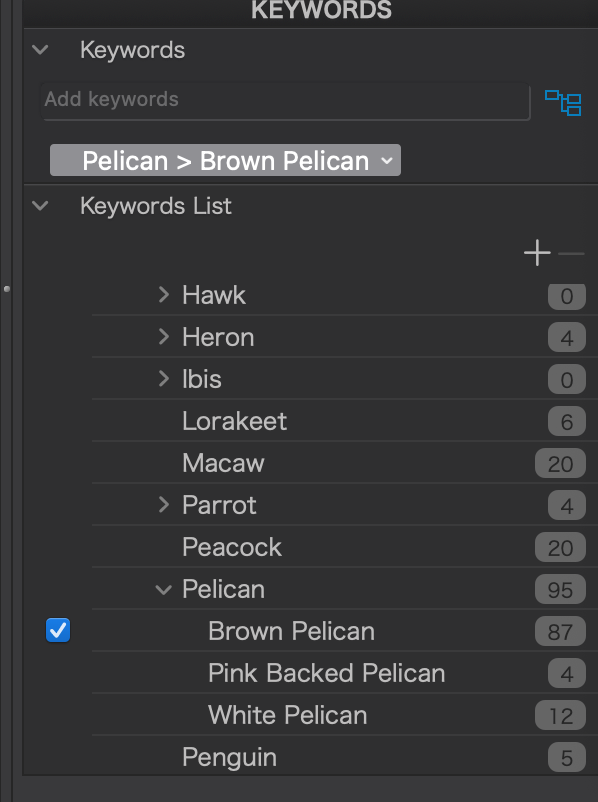
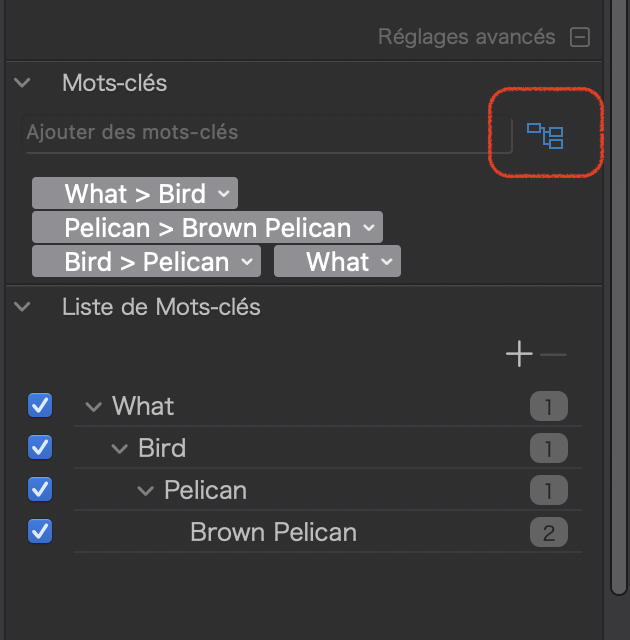
But in PhotoLab, only the keyword Brown Pelican is checked in the keyword list pane. However, PhotoLab shows Pelican>Brown Pelican in the keywords pane — a partial hierarchy.
I still don’t understand what PhotoLab is doing with keywords!
Why would PhotoLab not show What, Bird, and Pelican as checked in the keyword list pane and What>Bird>Pelican>Brown Pelican in the keyword pane (with the blue hierarchy button active)?
According to a simple test, PhotoLab does the following:
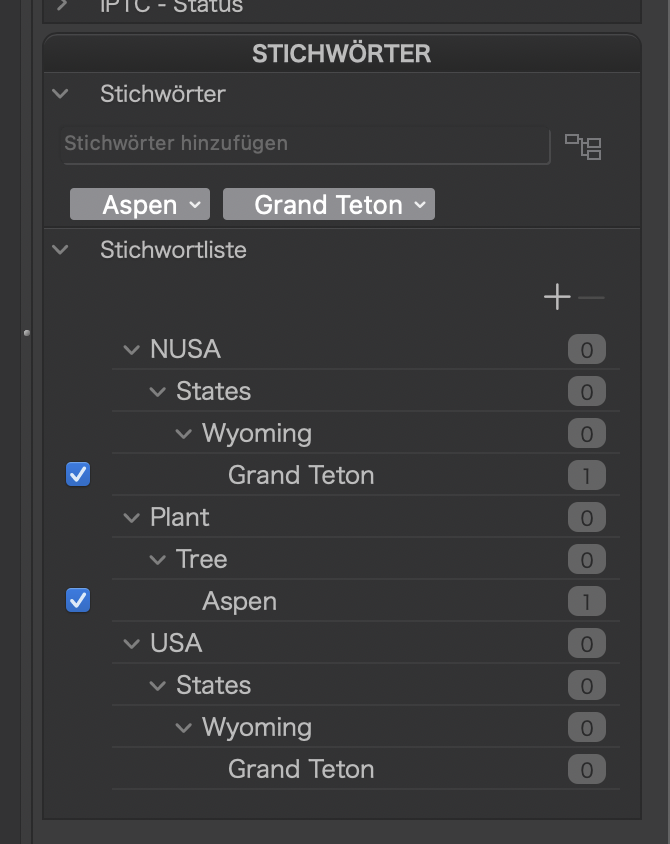
- With both sidecars, DPL ignores the sidecar “name.ext.xmp”
- When only name.ext.xmp is present, DPL reads from it.
Note that in this test, I duplicated the xmp file of Lightroom and changed its name and “USA” to “NUSA”. I also had DPL read metadata manually.
Hi Bob. This is all down to how the software implements the metadata guidance policy.
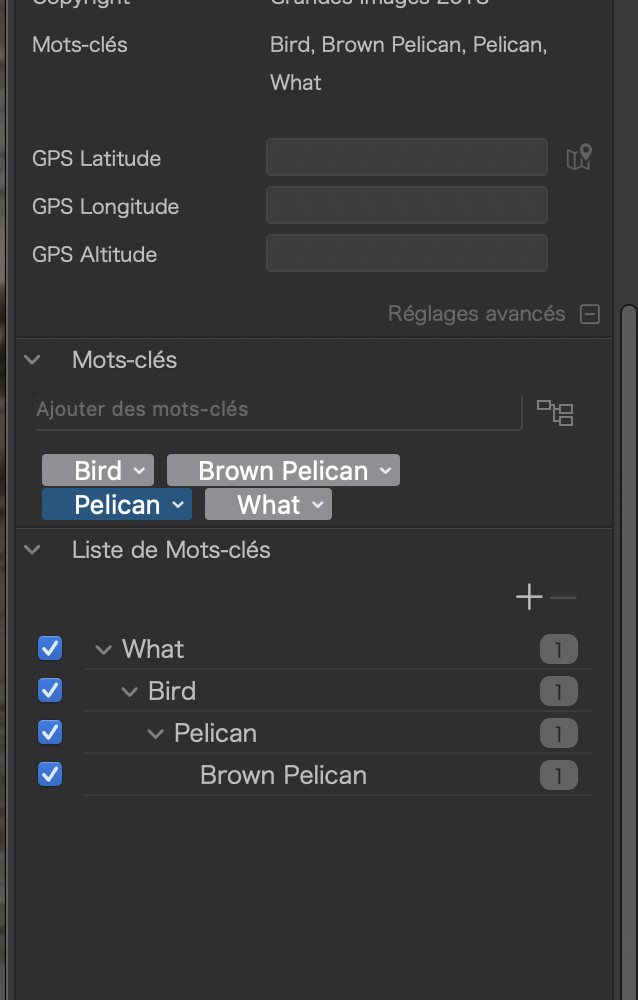
The full specification, as contributed to by Adobe, says that all levels of the hierarchy should be added to lr:hierarchicalSubjectlike this…
  <lr:hierarchicalSubject>
   <rdf:Bag>
    <rdf:li>What</rdf:li>
    <rdf:li>What|Bird</rdf:li>
    <rdf:li>What|Bird|Pelican</rdf:li>
    <rdf:li>What|Bird|Pelican|Brown Pelican</rdf:li>
   </rdf:Bag>
  </lr:hierarchicalSubject>
… and this is what I write in my app to ensure compatibility with the maximum possible number of DAMs.
This is how PL shows a hierarchy written that way…
However, Adobe, being Adobe, decided to ignore that in some versions of Lightroom and only write…
  <lr:hierarchicalSubject>
   <rdf:Bag>
    <rdf:li>What|Bird|Pelican|Brown Pelican</rdf:li>
   </rdf:Bag>
  </lr:hierarchicalSubject>
… which is what Lightroom has done to your version and shows in PL as…
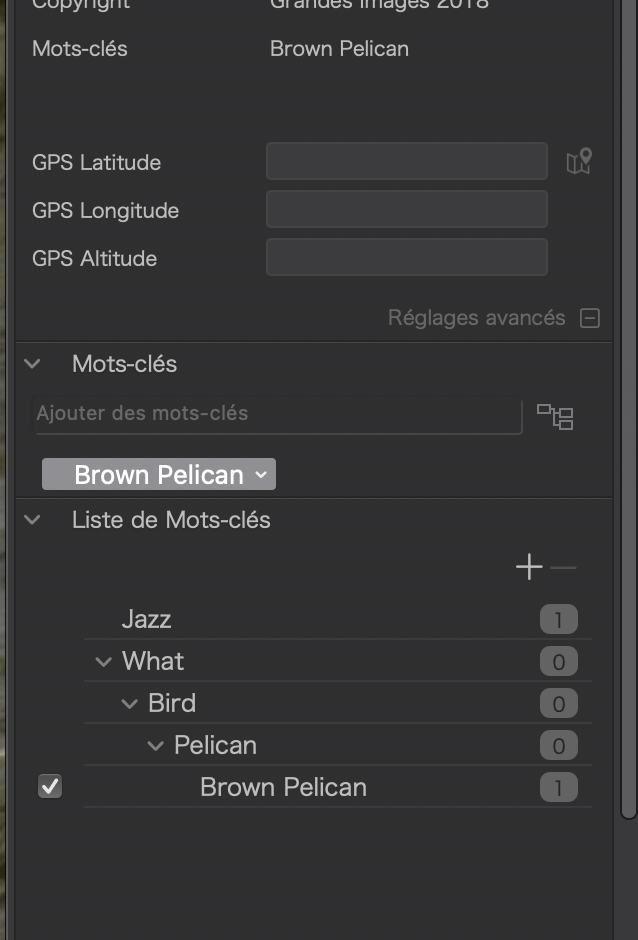
This is what DxO tried out in early betas. But we soon found out that ignoring the rest of the keywords in the hierarchy like this severely limited search by keyword to only the ticked keyword and prevented finding images by one of the parent terms - unless you added every word in the hierarchy, which was both a visual and practical pain.
I don’t know if there are any preferences for this in Lightroom, but it might be worth checking.
Personally, I prefer the fuller definition because of its better compatibility and because it is easier to search in PL.
That explains it — Lightroom doesn’t follow Adobe’s own spec for keyword metadata. Lovely.
I don’t see any Lightroom preferences that would help.
At least I understand what’s happening a bit better. Thanks!
But why does PhotoLab display the partial hierarchy?
What does your metadata preferences dialog look like?
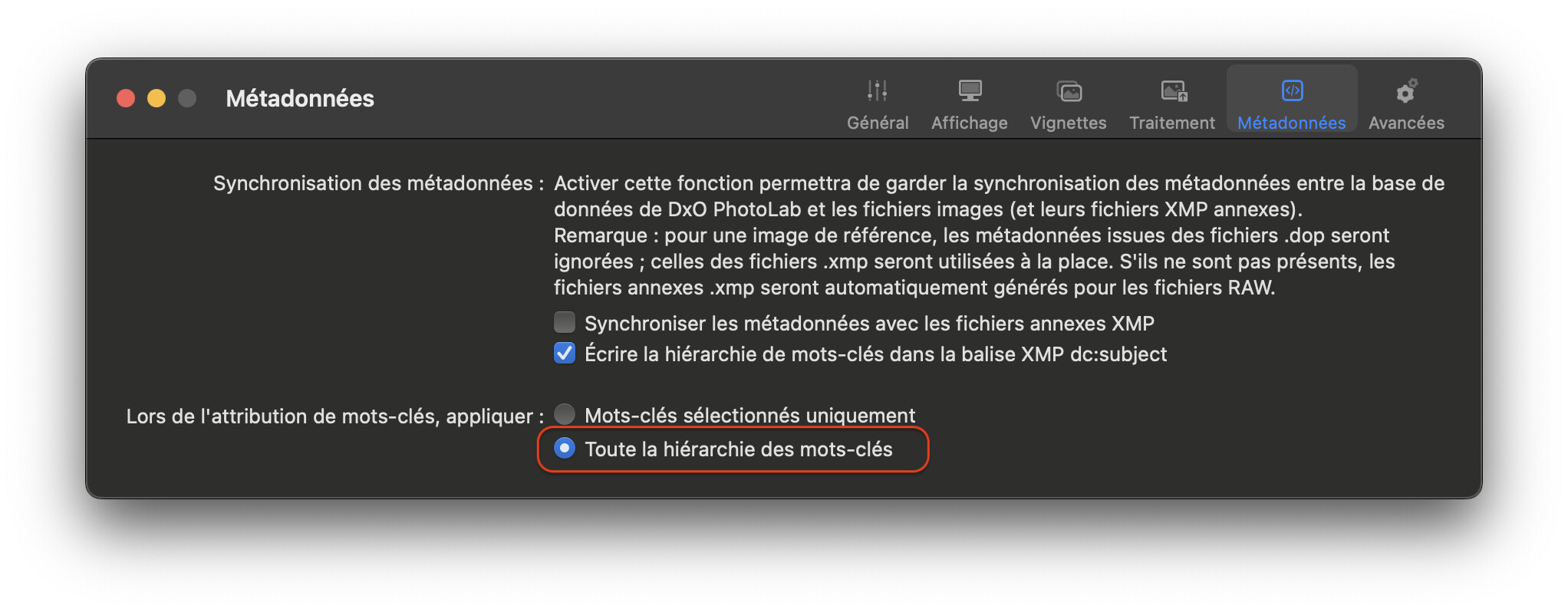
These settings on my setup produces…
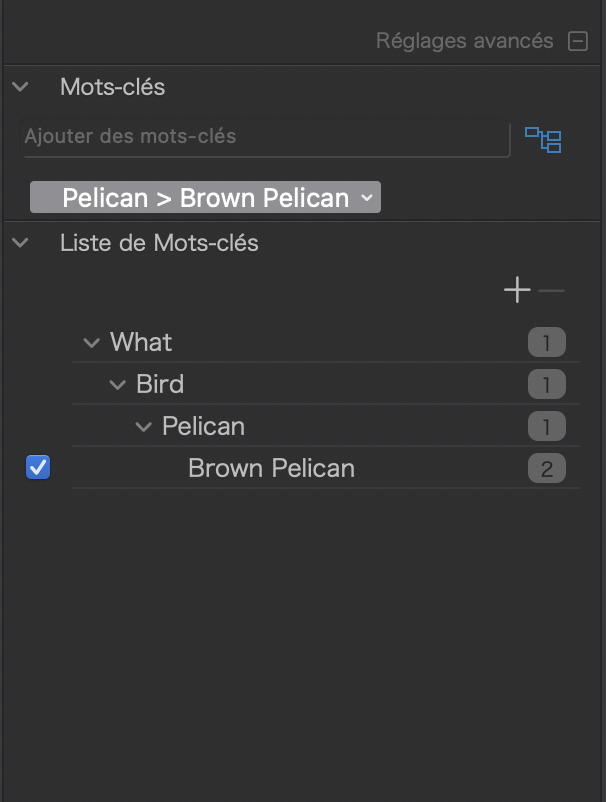
… which seems to be what you’re seeing.
I think this is because you have not selected the “mask the parent” option.
But you only get to see the leaf node in the hierarchy highlighted because Lightroom isn’t adding the parent levels to the lr:hierarchicalSubject section of the XMP. It seems that PL only displays those levels that are recorded there.
Don’t forget that, if all levels are not included in the lr:hierarchicalSubject section, they will not be searchable from PL.
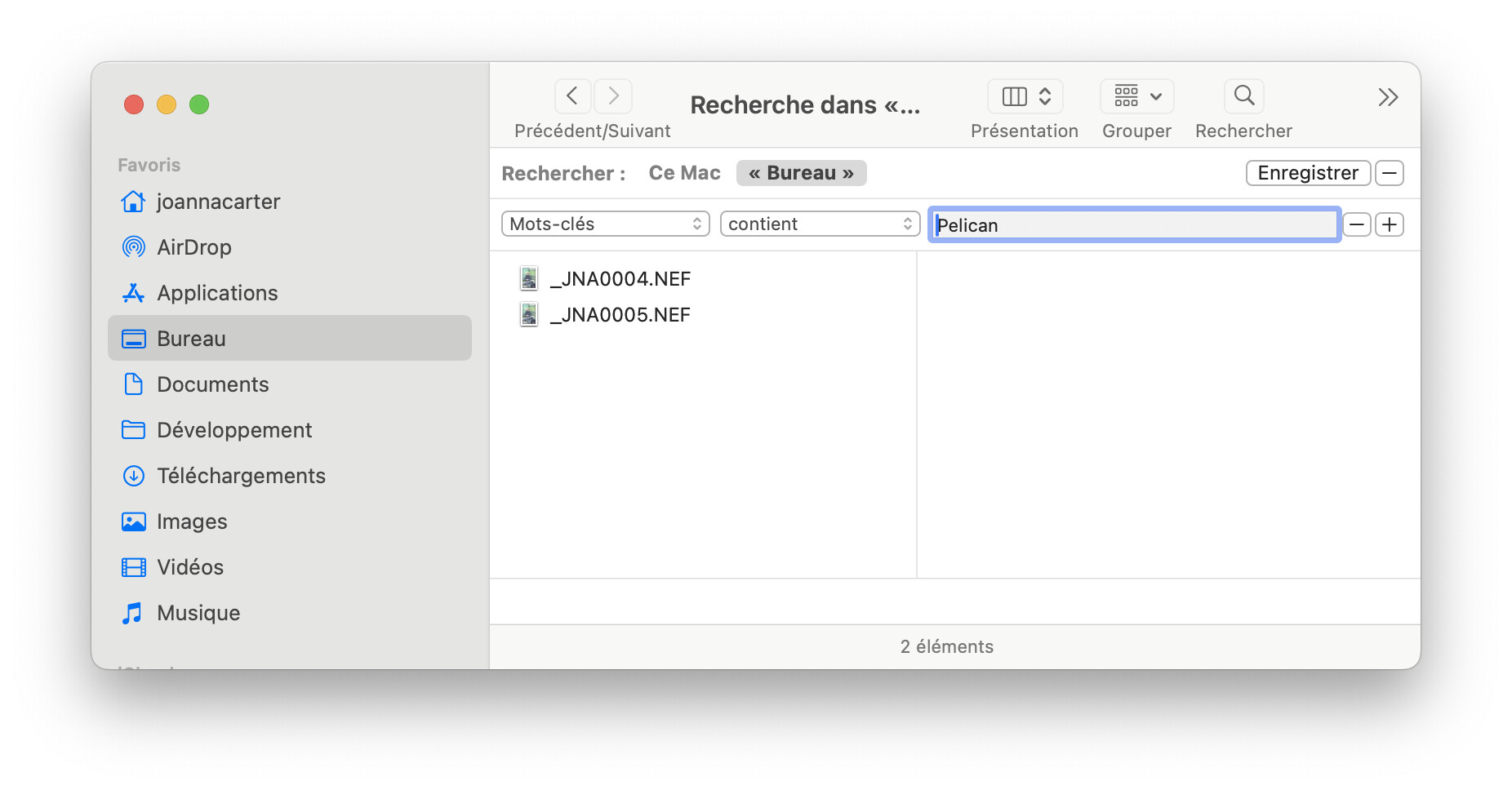
If I search for “Brown Pelican”, I get two results…
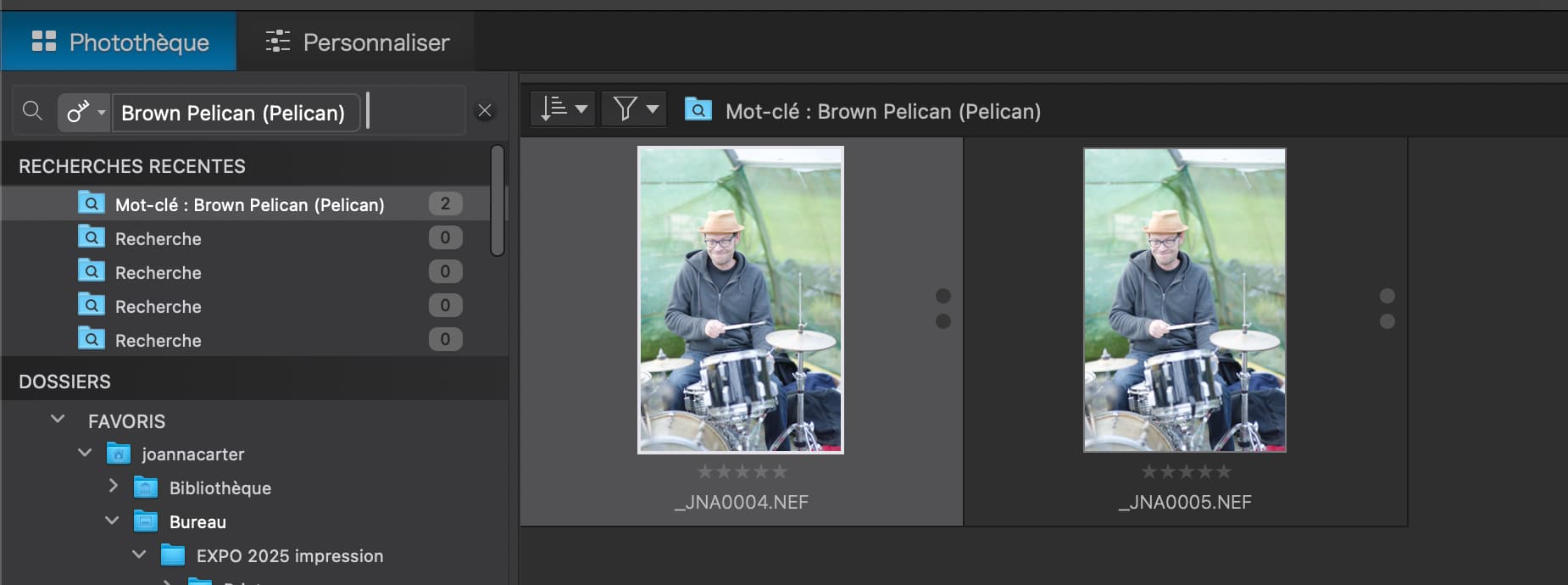
… because, for _JNA0004.NEF, lr:hierarchicalSubject contains a line for all levels in the hierarchy including all the antecedents.
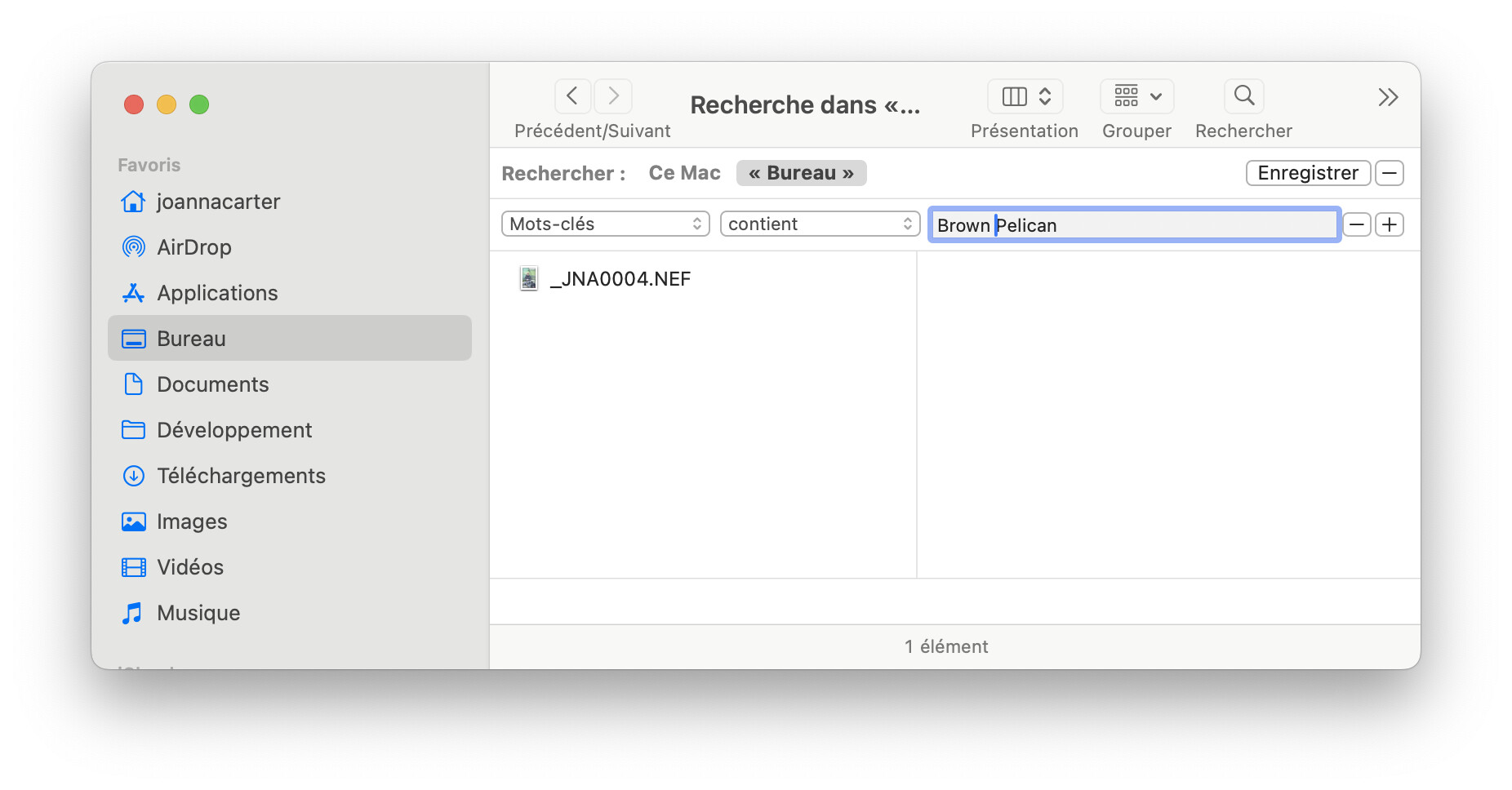
But, if I search for “Pelican”, I only get one…
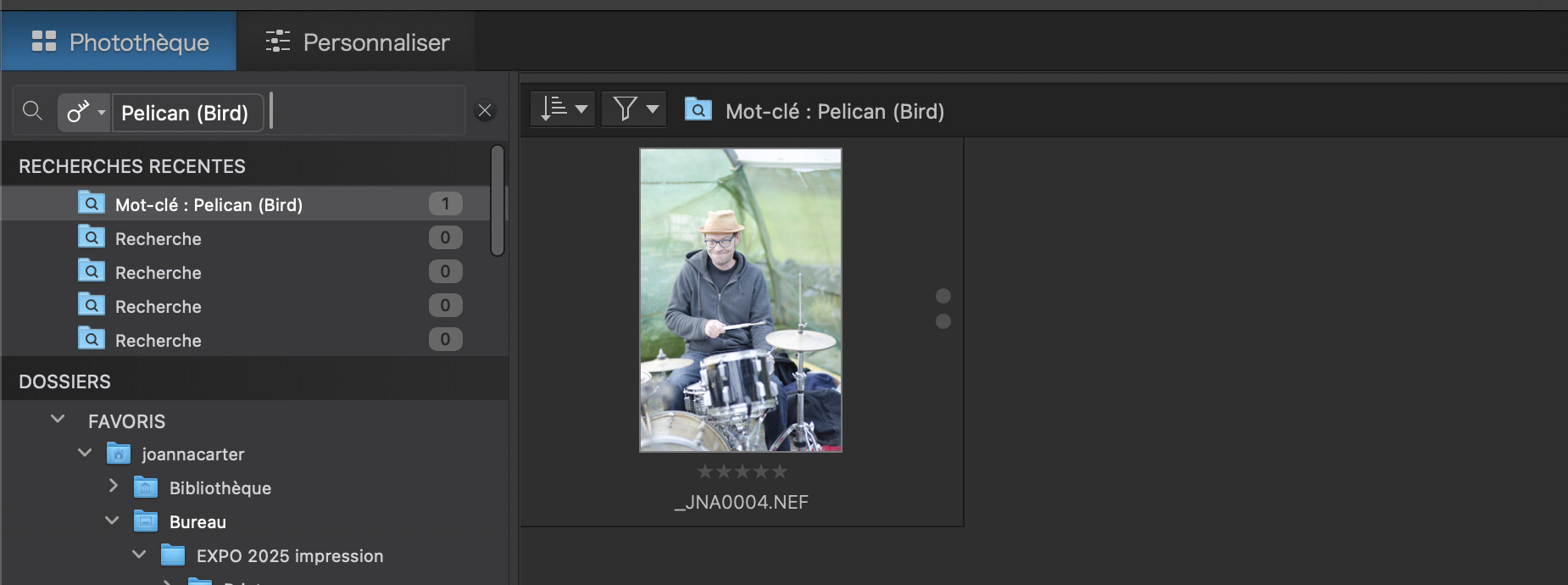
… because, for _JNA0005.NEF, lr:hierarchicalSubject only contains one line for the leaf
My metadata preferences are almost the same as yours:
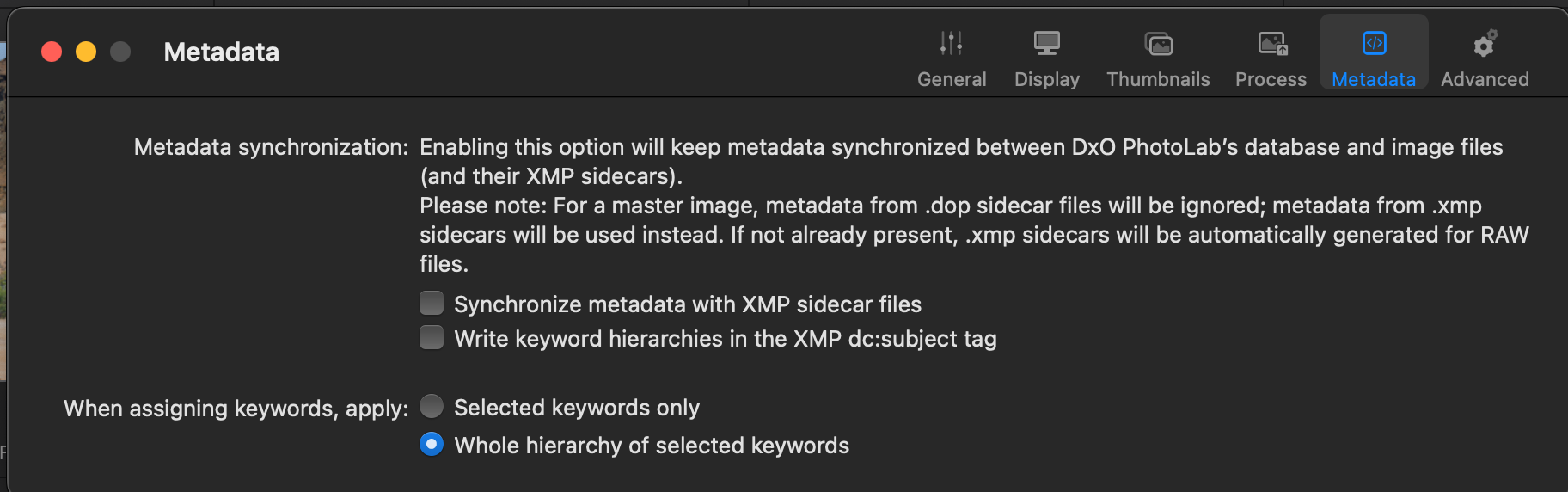
I can’t find a “mask the parent” option.
So PhotoLab will display one level of hierarchy above an applied keyword in a hierarchy, but no more? Odd.
You really need to check dc:subject option…
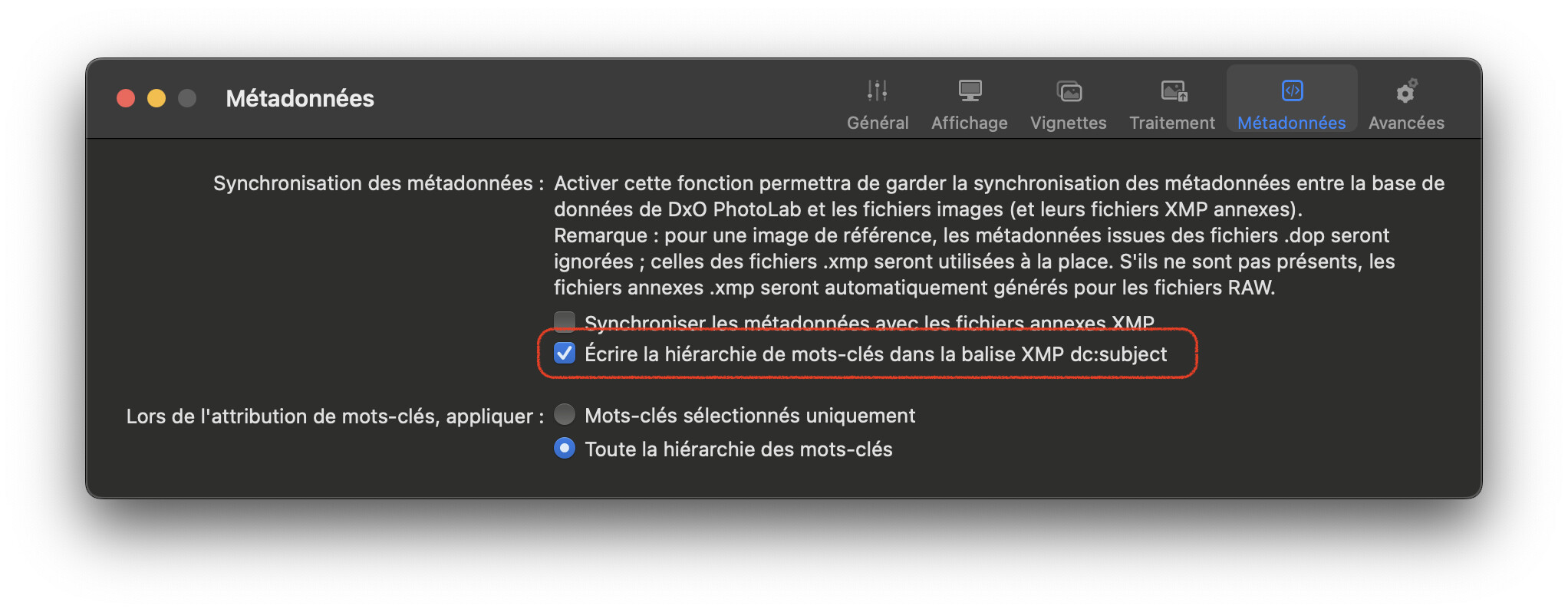
… to maintain compatibility and search capabilities. Most other software uses this tag and not their own database for searching. Most importantly, Spotlight in Finder does for files that contain keywords. My app optionally allows keywords in RAW files, so searching in Spotlight can look like this…
Here…
That’s the polite way of putting it 
Thanks! I’m starting to get PhotoLab’s approach to keywords.
And I checked the dc:subject option.
Lightroom
- How keywords are set in XMP sidecars depends on how keywords are added to images.
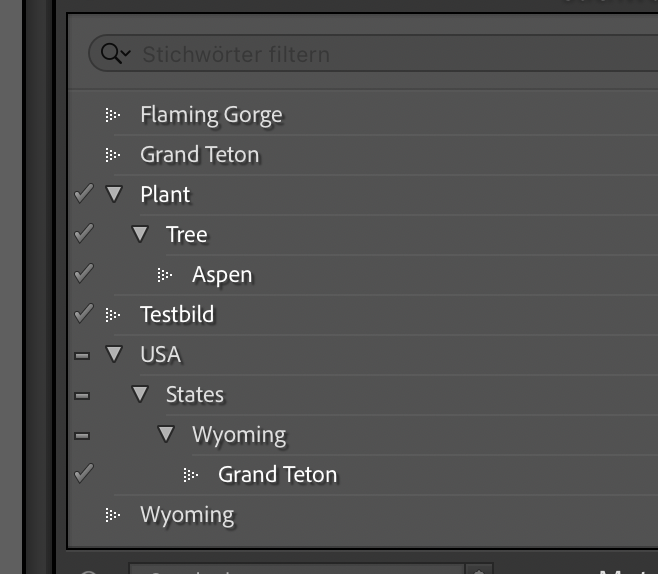
- Look at the two hierarchies and how I added them to the file:
Note - The “Plant” branch was added from top to bottom
- Only the leaf has been added from the “USA” branch
- The xmp sidecar contains this:
- lr:hierarchicalSubject
rdf:Bag
rdf:liPlant</rdf:li>
rdf:liPlant|Tree</rdf:li>
rdf:liPlant|Tree|Aspen</rdf:li>
rdf:liTestbild</rdf:li>
rdf:liUSA|States|Wyoming|Grand Teton</rdf:li>
</rdf:Bag>
</lr:hierarchicalSubject>
Note
- The “Plant” branch is set like it were written by @Joanna’s app
- The “USA” branch was compacted.
PhotoLab
- keywords as seen after import

Note
- Garbage in, garbage out. PhotoLab recognises Lightroom’s metadata to the letter. If you don’t get what you expect, it was caused by how you set keywords in Lightroom. If PhotoLab were to “correct” things, it would violate the user’s original intention.
Other than that, the display of partial hierarchies in PhotoLab is something that DxO might be interested to know. Create a ticket and see what they’ll write.
Over many years of use and many versions of Lightroom, I’m sure keywords are in XMP metadata files in all sorts of combinations. Lightroom doesn’t seem to mind (after all, that’s its own data), but PhotoLab is left to deal with the variations.
It looks like some cleanup of ‘loose’ keywords will have to be done in PhotoLab to complete a migration.
Yes, and if you can still access Lightroom, I’d check if the tools you get there are better suited for the cleanup than DxO’s.
1 Like
Following this with interest. I have been working the same issue in different software. The amount of time I have invested is only possible because I am retired. For sure, my issue started with LrC and hierarchical keywords. I quit Adobe and have no regrets, but untangling the incompatibility in metadata has been difficult. To complicate matters, I have used Photo Mechanic, Photo Supreme, xnViewMP, ON1 and PL (pick a version up through 8).
Photo Mechanic has a very useful process to remove all LR hierarchy, which results in a purely “flat” list which works with most other software in my “stable”. PL, ON1 and xnViewMP are all “happy” with “flat” keywords. I have found NO solution to compatibility between applications for hierarchical keywords, which seem to be read differently by all of (my list) above. The flat keyword list is long and LOOKS unwieldy, but works fine. Photo Supreme (idimager.com) is VERY user friendly but essentially forces hierarchies under “Categories”. If using it as the only source of DAM, then all is well, but it will generate the same issue being discussed in this thread.
Interesting but not surprising that DXO ignored Joanna’s offer as they (at least in my experience since the Optics Pro days) are the least responsive to customer input of any software I have ever used…gary…macOS M2 Max Studio M4 MacBook Pro