Three factors.
The desired amount of light hitting the sensor/film. And that is based on the iso.
George
Three factors.
The desired amount of light hitting the sensor/film. And that is based on the iso.
George

And round we go again 
As long we read these silly statements. S and a are used to reduce the incoming light to a desired amount of light based on the iso setting.
George
It really is that simple and I am having trouble understanding why we have had to endure around 140 posts of techno-babble.
Can we now drop this particular subject (the nature or not of ISO) and move on?
If you don’t ‘remember’ anymore, I was quoting YOU – exactly this post here …
… and then you come up a bit later with
That may well be better, but it’s not “me”. I guess I prefer …
and such, contradicting yourself to stay afloat …
Mike – it is really silly, NOT entertaining. People like this, I just cannot take them serious.
Please read correctly:
I said main i didn’t say iso isn’t a factor. It’s only less a factor in my eye’s.
When I get home, I will try to figure out what you are suggesting/telling me. I’ve lost track. In this forum I say what I think at the moment I write it, which might contradict what I said days or weeks before. If that contradicts something I said earlier, so be it. Meanwhile, I have lost track of what you are trying to say or show me. I will go back a week or two, and read our discussions, and try to figure out what you mean.
I’m doing the best I can. I don’t have most things all figured out, as you and some others do. Sorry for whatever I said that bothers you - maybe I’ll understand when I get home and have my real computer to work with.
I think what you are saying is that you don’t use ISO as one of the three factors in determining exposure. As was written up above, ISO is set for the “base ISO” and once that is done, all you work with are aperture and shutter.
My way of seeing it is that a camera or exposure meter will provide proper values for aperture and shutter, specifically for the ISO that has been selected.
To me, the camera or light meter is always using that ISO as one of the three settings for exposure. The proof, is that is we change the ISO from the base ISO to 20,000 or so, the image will be completely over-exposed. The camera, knowing how things work, will accept the ISO 20,000 and provide appropriate settings for aperture and shutter to work with that ISO.
It’s likely from what has been written, that you’re ignoring ISO because you only use Base ISO to get the highest quality image.
As for me, I set the aperture and shutter as you do, and then I let the camera or meter figure out the appropriate ISO to go with those settings.
Specifically what is it that bothers you?
To me, it is very clear, no contradiction.
I don’t see what you find confusing.
I agree with what I wrote there, and I don’t see any contradiction.
It’s trying to say that the “art” is more important than “the science”.
A boring photo at perfect settings is not as important as a “beautiful” photo at imperfect settings.
Anyone can capture a “perfect” photo, just let the camera take over.
You and Joanna and others “see” things that most people are oblivious to - art.
Regardless, I’m not trying to stay afloat, I’m just trying to say what I think, and apparently it didn’t work very well as you didn’t understand what I meant.
The photos I like the most are due to the content, to the technical perfection.
That’s me. For better, or worse.
Eh no.
I ignoring , not really ignoring but let it float within my set boundery’s, ISO value most of the time because it’s the least visible change in my image.
Aperture influences DoF. Sharpness.
Shuttertime influences motion blur. (camera or object.)
Most of the time
When do i use manual ISO?
-sunsets, nightshots.
That’s mostly what i tried to tell you from the beginning.
You can let ISO run on it’s zipline like a pet dog. And only restrain it if the situation asks for it. This way you have more time for other things to see and controll.

Makes sense to me, especially the last part.
I know I am going to get dumped on for saying this, but after an hour of trying to photograph two ducks and an over friendly Sand Hill Crane, and a constant battle with a constantly changing exposure, I gave up and turned on auto-ISO. No more problems. I was using my brother’s 80-200 heavy Nikon lens on my D780. Maybe I’m too old for this. Between aiming and zooming and focusing, monitoring the exposure was one thing too many. I’m not as bad as @Wolfgang thinks I am, I’m worse.
@OXiDant - maybe when I don’t have enough time to think, I do things differently. I set the shutter very high to capture the birds and minimize camera shake, set the aperture for a blurry background, and turn on auto-ISO, trusting it to get me a good exposure. Not too scientific, but very practical.
I will post something when I get home.
Going home today, will once again have good internet connections.
Is there a special way to copy my image folder for this visit from my laptop to my desktop? Will PhotoLab see it, and work with all my new images, or do I need to do anything else?
As long as you can share one compter with the other over your home network, simply copy the new folders onto your main hierarchy.
PhotoLab will automatically integrate them.
Thanks; will do that after I unpack. Great that PhotoLab will figure everything out.
My brother’s wife, Sally, gave me her Epson Perfection V600 Photo Scanner, to replace my V500.
Epson updated the software for 64-bit Mac for the V600, but not for my V500. I’m already quite happy with VueScan.
Something else to think about in a week or two.
Wow, it is so wonderful to have my good internet connection back.
For anyone who cares…My first “professional” Nikon was a D2x. Long story. Then I bought a D3, but after that went with my D750, now D780. The D2x I will donate to the hospital in India I volunteer at. I’ll probably donate the D3 also, but I’ve got an itch to take it out for a spin first. A lifetime ago, that was as good as it got. I suppose @Joanna will take one look at the Dynamic Range, and shrink back in horror!!!
https://www.dxomark.com/Cameras/Nikon/D3—Measurements
I guess I should super-glue the ISO setting to 200. 
I wonder if PhotoLab has the data for the D3…
For @Joanna - can you please translate this into understandable English?
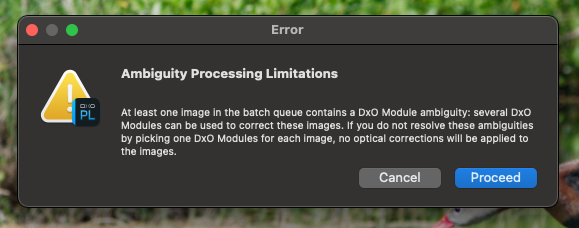
I copied over all my folders from my MacBook Plus from my visit to my brother’s home.
I ingested the photos from the last day from the memory card, onto my Mac mini.
I didn’t have a “batch queue”, at least not on purpose - I was only exporting a single image.
Makes no sense to me, but I’m getting used to feeling that way.
Could this be caused by PhotoLab wanting to do an update, but I hadn’t yet done the update? Doing it now. I guess I can try again, and see if I get the same error…
…nope, same error after doing the update. Why does it think I am doing a “batch queue”?
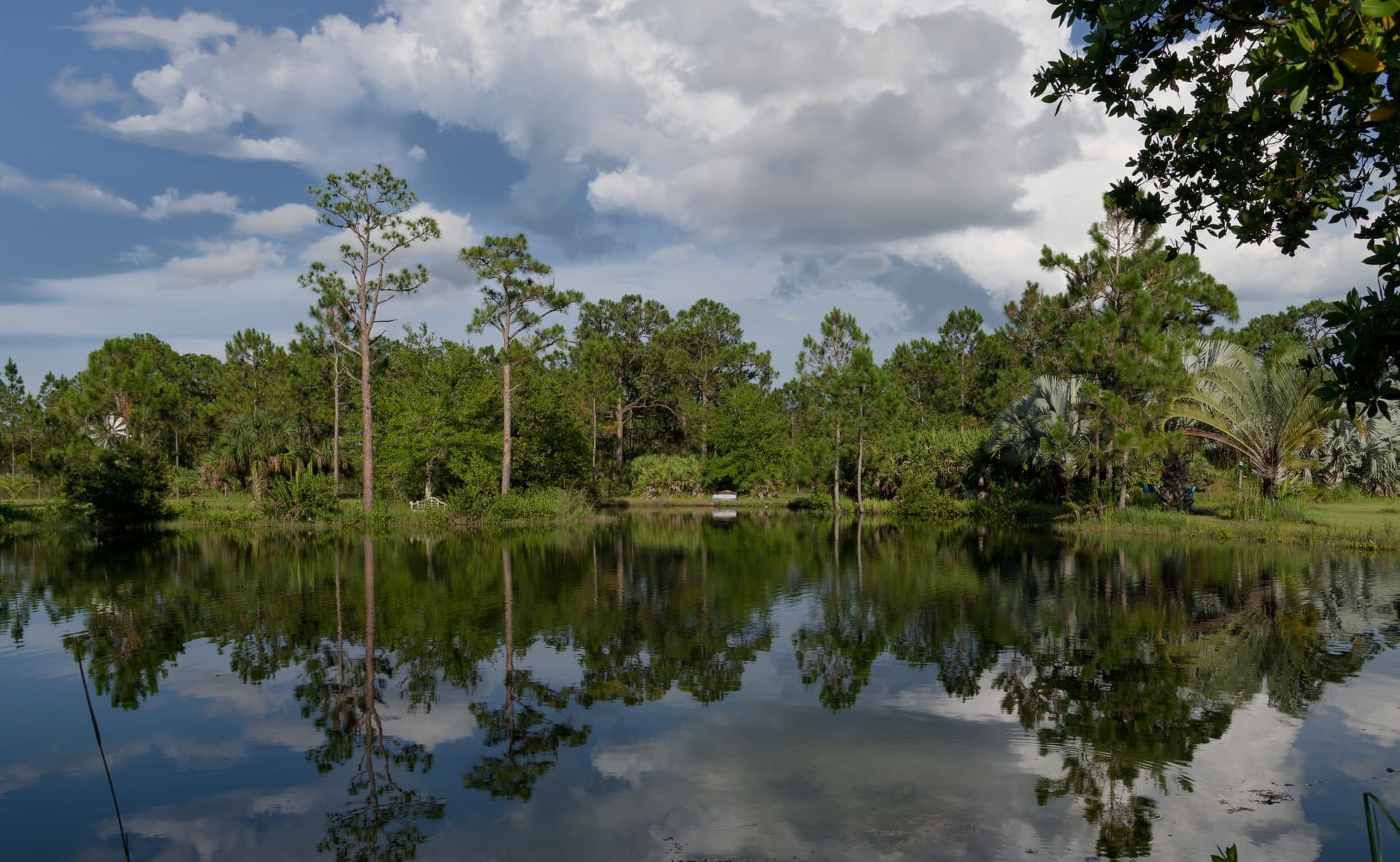
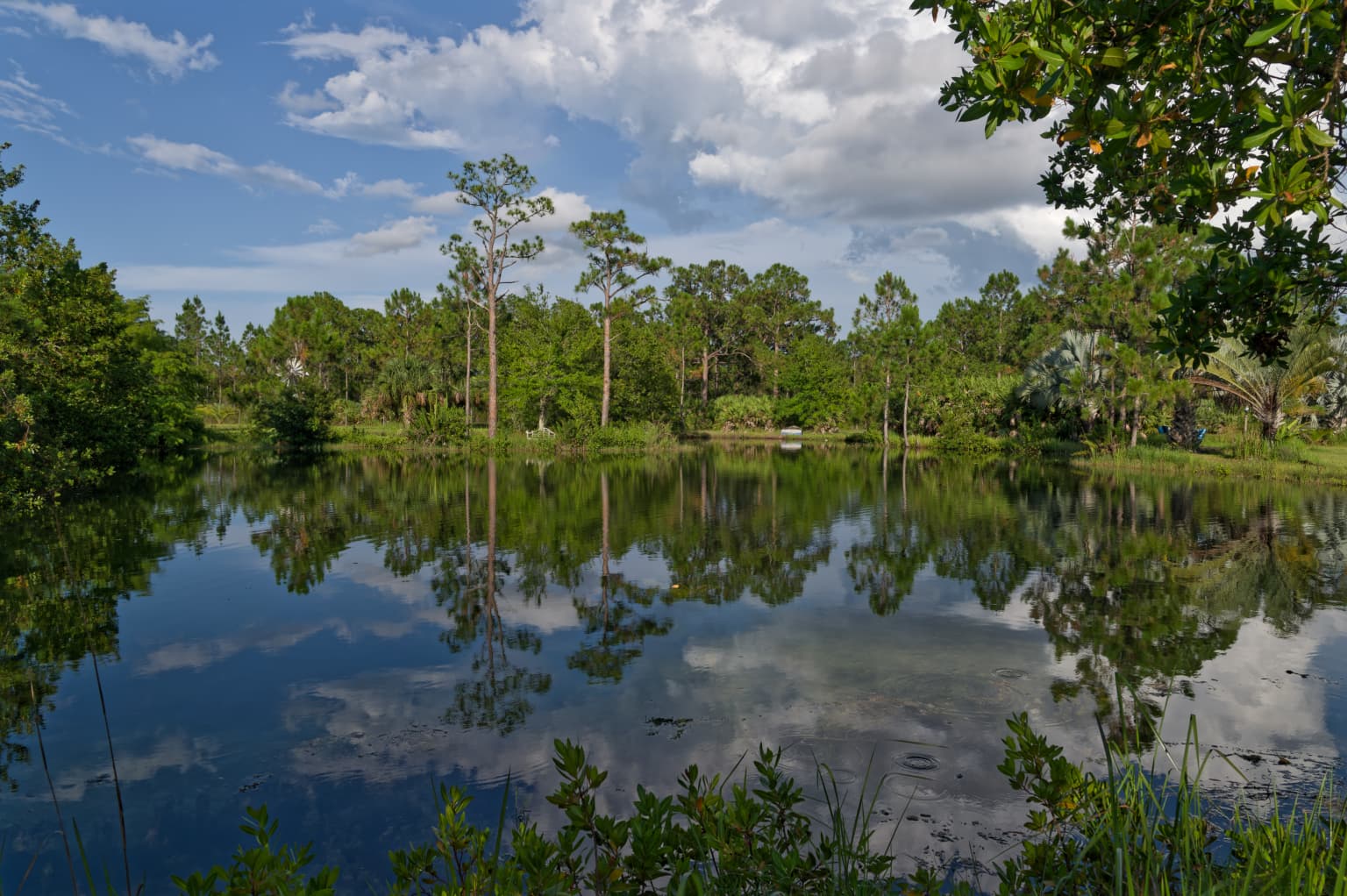
Well, hopefully I did the editing reasonably well, and to keep @Wolfgang happy I even left off my watermark. I didn’t want to crop it, but I like it more without the lower part of the image. The object in the center is an upside down rowboat but when I made it larger, I lost the lovely reflections.
780_1312 | 2023-06-09.nef (27.5 MB)
780_1313 | 2023-06-09.nef.dop (14.3 KB)
Nice shot.
One remark
The horizon should be in the middle so you can fllip the image without change.(can’t be done now, original frame cut’s off the reflection of the trees.)
Makes your brain more work looking at it.
This kind of scenes with 90% green are fast “seen” by the brain.
(this is lizardbrain behaviour., the green isn’t interesting, the tiger which could be jumping out does… )
)
The uploaded raw-file is way underexposed.
Decide what you want to present and then work on the pic accordingly.
It’s not the first time you’ve been to the place, so you should know what to expect.
But to ask others if they are happy with it is just as silly.
Basically, assuming PhotoLab wasn’t open when you moved your images from one computer to the other, this means that multiple Optical Modules are available for some of the images - a situation that can only be resolved by you going through each image that has more than one possible optical module and choosing the right one.
The “batch queue” would be PL churning through all the new files it found.
Actually, it took me a while to realise that the uploaded DOP file is not for the uploaded image file. Double check the file names.
Renaming the image file fixes this but, of course, we don’t know if that really is a valid combination.
DOP file for renamed image file…
780_1313 | 2023-06-09.nef.dop (28,5 Ko)
I’m not doing others’ homework.
I do almost all my work on my Mac mini, which is kept up to date, and update my MacBook Pro before traveling with it. I thought I was all set, but I had never edited images from my D780 and the 24-120 lens on the MacBook Pro. The MacBook Pro of course wanted to download new Optic Modules for the Nikon D780 and 24-120 lens, which I didn’t do because of the miserable internet speed once I arrived at my brother’s home.
What you wrote explained my technical issue better than what I read in the error message. When I opened some of my files on the laptop, it used the optics modules installed on the laptop. When I copied all those files to my Mac mini, that is where the issue with Optic Modules came from. I guess I should have deleted any .dop files on my Mac min after copying the files, before doing any editing. I will remember this for next time. (PhotoLab ought to warn me about this problem!)
Or - if I open a file now on my Mac mini, how would I check which Optics Modules are already selected, and how can I remove any Optics Modules that came from the laptop?
I think what I have learned is before I travel with the laptop, connect any new camera gear to the laptop so PhotoLab will update the files just as it has on the Mac mini.
(It would be nice if PhotoLab had at least told me “file xxxxx.nef” has Optics Modules attached that conflict with the Optics Modules on this computer. Which Optics Module do you wish to use?)
On June 9, I went to the pond specifically to try out the concept of spot metering on the whitest part of the clouds, then using an exposure comp of +2, then capturing an image.
Then, since this was a test, I did this over and over again, in the proper order, until doing so seemed natural.
The only .dop file on my Mac mini is from image 780-1313; the others were never opened in PhotoLab for editing. I’m not sure how or why I uploaded the original file, 780-1312 last night - I thought I uploaded the correct file, but I screwed up. Moral of this story - when I get tired, go to bed and stop working.
Anyway, Wolfgang is right, for these four images the sky looks good, but the lower part of the image looks underexposed. I wanted to ask about this the day I captured the images, but had no ability to upload anything to the forum, so I could ask.
Joanna, at this point, before I do any editing, is the rest of the image supposed to look underexposed? It seemed logical to me, since I was metering on the clouds, then using +2 exposure to make the whitest part of the cloud as bright as possible, without becoming burnt-out.
(I noticed after taking the images what Wolfgang pointed out, and guessed that’s because of the way I captured the image using the. +2 technique.)
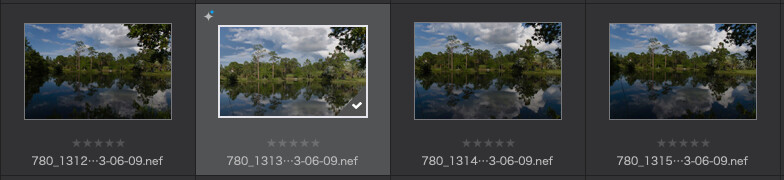
All four images shown above were captured at 1/640th, at f/11, and ISO 200. Should the EXIF data record my exposure compensation amount, in this case +2, and if so, where can I find it?
Bottom line, if I use your exposure method to get the best possible image for the sky, is it normal for the lower part of the image to look dark, like it was underexposed?
Not sure where you expect me to learn these things from, if not here. I obviously don’t learn that well on my own. Nobody I know uses PhotoLab, excluding people I told about it who are now just learning the basics. No-place have I ever read about Joanna’s method of dealing with the clouds. I’m less lost day after day, week after week, and so on, but the word “lost” applies to lots of aspects of PhotoLab. …anything is easy, for a person who already knows how to do it. …which means I ought to to take time off, and re-watch PhotoJoseph explain things, then replicate everything he does, as he does them.
Joanna, just added your .dop file, and yes, things now look for 780-1313, but how did you do that when I uploaded the incorrect 780-1312 .nef file? I like your results, but how did you do that?
Finally:
Yes, I knew the composition I wanted (before I ruined it by cropping).
First time I forced myself to use Joanna’s +2 technique, and I wondered if I was doing it right?
It seems like every day I can do more than the day before, but I am miles behind what you do and think, and while I may get closer, I’ll have to be satisfied with that for a while. …and I also realize I should stop changing my mind in the middle of editing… my cropping, in retrospect, was stupid idea.