Include the ability to save function presets as with the Color Grading Tool, on the HSL Color Wheel, etc.
Improved performance (aka speed!)
Not necessarily … It’s possible to create a “Partial” preset (containing settings ONLY for the specific correction[s] that you intend to be changed) that will be target-specific.
Same as for PL10  :
- Add a switch to constrain Crop tool to the image (in manual crop mode for Horizon and Perspective tools). Some may still want the current mode, e.g. for collages, so let it stay.
- Face retouching like in C1.
- Implement certain Nik sliders directly in PhotoLab, mostly related to contrast control.
- Keep last choice of pasted corrections (didn’t check yet in PL10).
- Fine-contrast in LA
For Nik10:
- Sidecars.

Capture One has the skin tone tool, which I think works quite well.
Yes, it still has the full range of the color wheel, and really it’s just a glorified version of the “Advanced” color editor. But I’d say it is way more precise than what PhotoLab offers, and I think this is what inspired Lightroom’s point-retouch tool that @Fineus is talking about (and it is not to be confused with the HSL tool, that is different).
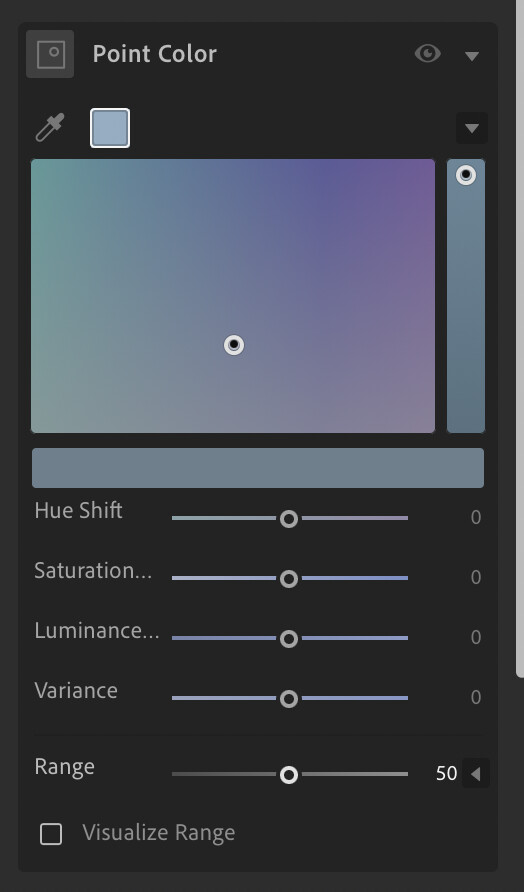
Can you elaborate? I don’t use C1, so the vernacular doesn’t ring a bell.
Capture One 16.8.5 has the following ‘Retouch Face Skin’ tools:
- Blemish Removal - works well e.g. for young sportsmen, where PL Retouch tool takes much longer to do the job.
- Dark Circles - deal with shades around the eyes.
- Even Skin - e.g. to deal with imperfect makeup or specific skin imprefections, but easy to overdo.
- Contouring - rarely works well for me, maybe it’s tuned for certain types of studio shots.
- Retouch Teeth - didn’t use it yet.
- Retouch Eyes - didn’t use it yet.
The first two are important to me (time savers), others may have different priorities.
I would also like a tool to quickly heal all types of wrinkles, as using LA negative Microcontrast is often not good enough – C1 also doesn’t have that (yet).
This is all well and good, but the obsession with catalogs and sessions drove me away a long time ago.
I don´t understand. There is already a solution for that at least in the Windows version.
For Retouch:
Press Ctrl and use the scrolling weel on the mouse to change the size of the brusch
Press Shift and use the scrolling weel to change the size of the feathering area of the brush.
It works exactly the same for the Locsal Adjustment brushes.
Isn´t that goos enough for you. I think it is perfect as it is already
Hi Wlodek!
I have really liked the masking tools in Capture One but I got pretty confused when looking att this comparision between ON1, Capture One, Photolab and Lightroom.
In this “test” ON1 was clearly the worst and then came Capture One. It was pretty much a draw between Photolab 10 and Lightroom.
It looks now if we shall believe this test that Photolab is on par with Lightroom and better than Capture One when it comes to nailing the masking areas. A little surprising because C1 has had several years to refine these tools but it seems that nothing rteally has happened when it comes to masking accuracy.
I have left Capture One totally after 10 years after having tried to go perpetual and cash in a price reduction of 40 % on that type of license after having sybscribed for more than 2 years. They didn´t even bother to answer my four mails - just gosting me.
I just used it anyway for tethering but found that the pretty new free Sony Imaging Edge Tethering (Remote) version 4 has developed a lot since last I used it. I almost love it! C1 tethering had a focusing mask that I thougt I would miss but I realized I don´t need that at all since my A6700 together with Sonys G 90mm/2.8 Makro never misses to set focus on the grain on my old Agfa colorslide films anyway.
So now I have decided to ghost these Danish and Swedish venture capitalists for good! Bye bye overpriced Capture One.
I must say I love the new Photolab 10 too. I have hard to see I´m missing anything vital in version 10. There is really only one feature I stil miss and that is the still lacking displaying of files in subfolders. It´s not there in version 10 despite we have pointed out the absence for DXO a long time now. I might even jump version 11 because I feel really at homde now after all the problems we had with version 9.
All the masking is really impressively fast now and the accuracy is really good too!
Include the Color Grading Wheel and Unsharp Tool in the Local Adjustments.
and curve tool, and any consistent tool, and make global tools part of the same interface (several ui way to imagine this).
And make a blue mark on used tools in each mask, like in global tools, to see easily wich tool is used for each mask.
Or give a list of tools, and let user add only tools needed for each mask.