I’m getting confused. What program causes PL to open a full directory except windows explorer?
George
I’m getting confused. What program causes PL to open a full directory except windows explorer?
George
I address this problem in a very simple way; I never point PL at a folder containing more than about 25 images;
I have a Work-in-Progress (WIP) folder, which is where I work on images with PL
I move images from their storage space in batches of about 25 images to the WIP folder … I process them in the WIP folder - and then I move the completed images, now with their associated sidecar/.dop file, back into the storage folder - etc, etc
As a result, I enjoy instantaneous performance from PL.
Exactly the same logic as mine. The only difference is that my WIP folder is called Vestibule and it might have a few hundred images at the time, but that amount even PL can handle. Real assets management is done by IMatch.
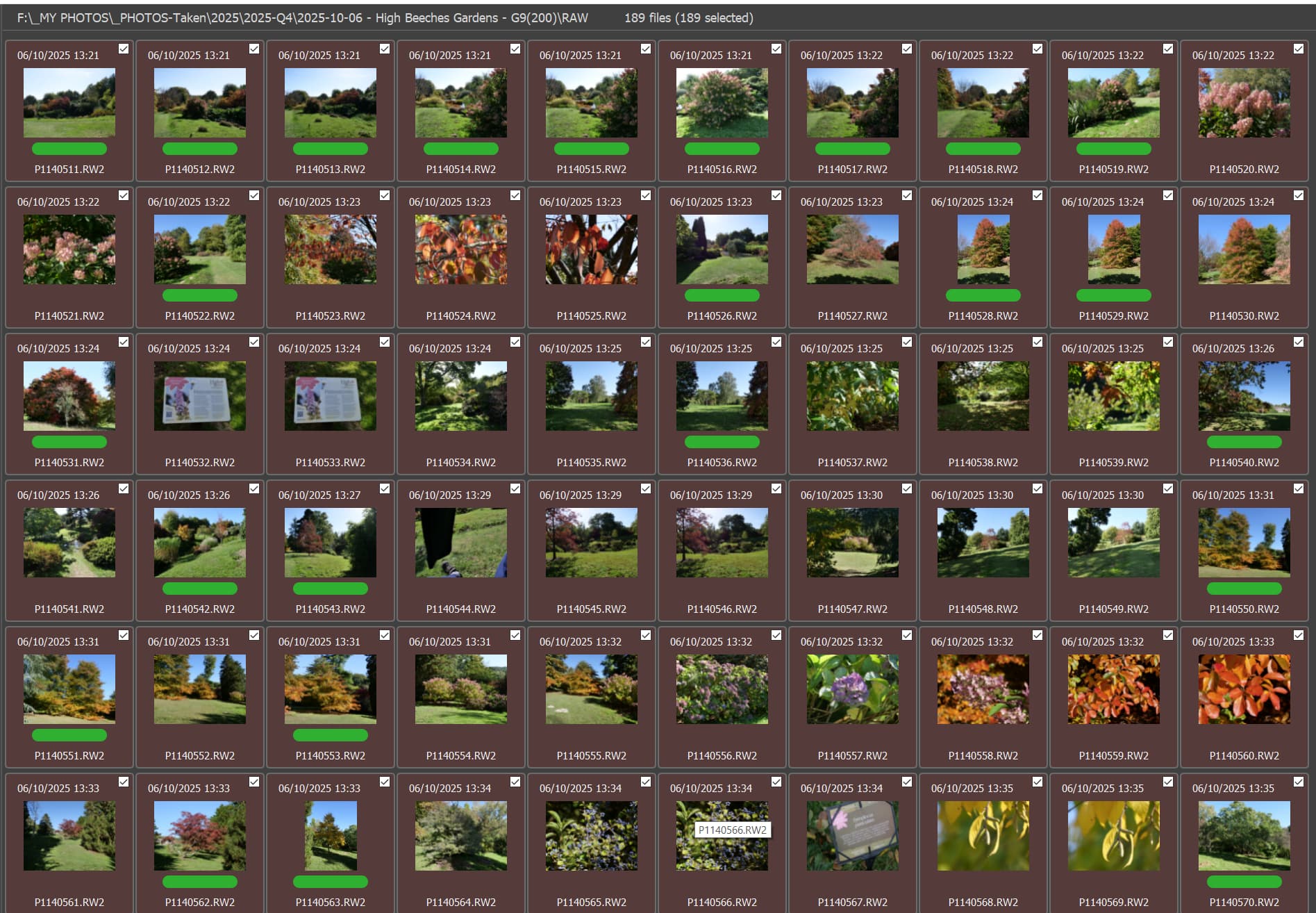
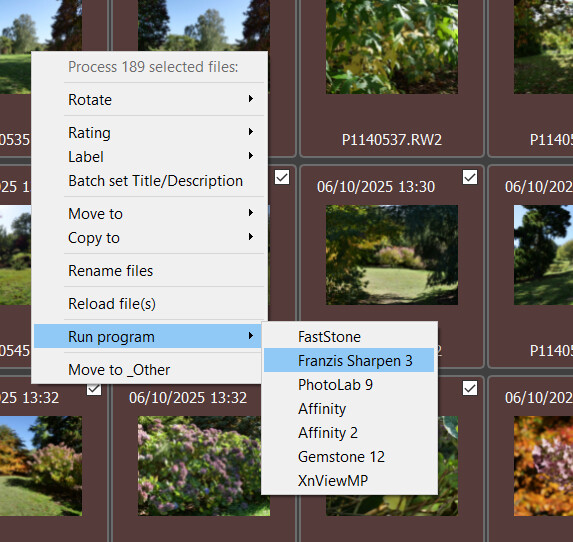
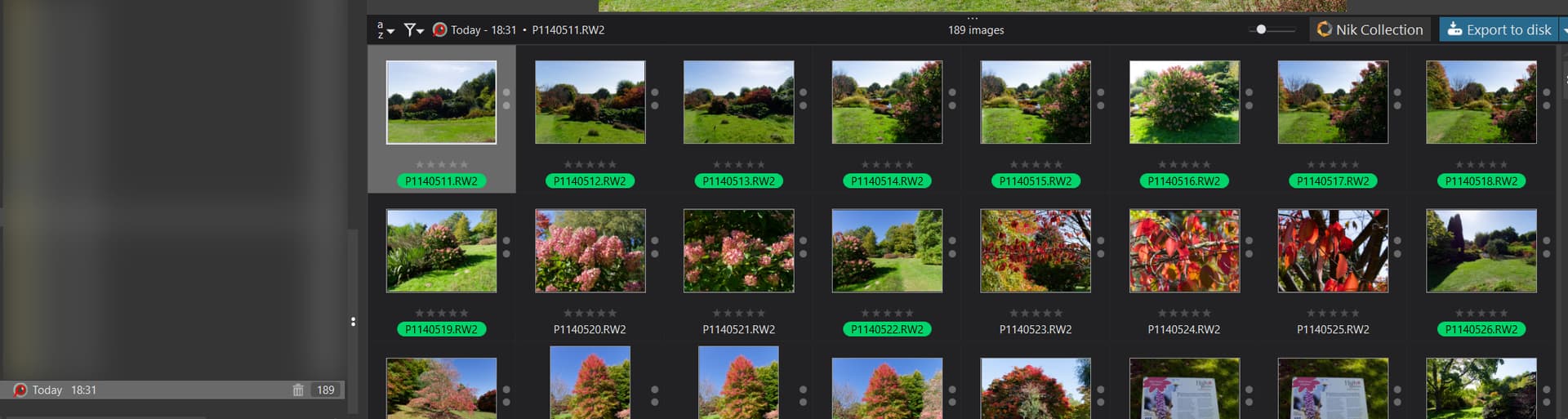
@SchorschGaggo Here is the string you need from my PureBasic program. The current version is batching at 100 images per transfer and there are 189 image in the directory I chose.
It is incredibly complicated (not)
2025/10/17_16:46:24.774 Sring to be passed = "F:\_MY PHOTOS\_PHOTOS-Taken\2025\2025-Q4\2025-10-06 - High Beeches Gardens - G9(200)\RAW\P1140611.RW2" "F:\_MY PHOTOS\_PHOTOS-Taken\2025\2025-Q4\2025-10-06 - High Beeches Gardens - G9(200)\RAW\P1140612.RW2" "F:\_MY PHOTOS\_PHOTOS-Taken\2025\2025-Q4\2025-10-06 - High Beeches Gardens - G9(200)\RAW\P1140613.RW2" "F:\_MY PHOTOS\_PHOTOS-Taken\2025\2025-Q4\2025-10-06 - High Beeches Gardens - G9(200)\RAW\P1140614.RW2" "F:\_MY PHOTOS\_PHOTOS-Taken\2025\2025-Q4\2025-10-06 - High Beeches Gardens - G9(200)\RAW\P1140615.RW2" "F:\_MY PHOTOS\_PHOTOS-Taken\2025\2025-Q4\2025-10-06 - High Beeches Gardens - G9(200)\RAW\P1140616.RW2" "F:\_MY PHOTOS\_PHOTOS-Taken\2025\2025-Q4\2025-10-06 - High Beeches Gardens - G9(200)\RAW\P1140617.RW2" "F:\_MY PHOTOS\_PHOTOS-Taken\2025\2025-Q4\2025-10-06 - High Beeches Gardens - G9(200)\RAW\P1140618.RW2" "F:\_MY PHOTOS\_PHOTOS-Taken\2025\2025-Q4\2025-10-06 - High Beeches Gardens - G9(200)\RAW\P1140619.RW2" "F:\_MY PHOTOS\_PHOTOS-Taken\2025\2025-Q4\2025-10-06 - High Beeches Gardens - G9(200)\RAW\P1140620.RW2" "F:\_MY PHOTOS\_PHOTOS-Taken\2025\2025-Q4\2025-10-06 - High Beeches Gardens - G9(200)\RAW\P1140621.RW2" "F:\_MY PHOTOS\_PHOTOS-Taken\2025\2025-Q4\2025-10-06 - High Beeches Gardens - G9(200)\RAW\P1140622.RW2" "F:\_MY PHOTOS\_PHOTOS-Taken\2025\2025-Q4\2025-10-06 - High Beeches Gardens - G9(200)\RAW\P1140623.RW2" "F:\_MY PHOTOS\_PHOTOS-Taken\2025\2025-Q4\2025-10-06 - High Beeches Gardens - G9(200)\RAW\P1140624.RW2" "F:\_MY PHOTOS\_PHOTOS-Taken\2025\2025-Q4\2025-10-06 - High Beeches Gardens - G9(200)\RAW\P1140625.RW2" "F:\_MY PHOTOS\_PHOTOS-Taken\2025\2025-Q4\2025-10-06 - High Beeches Gardens - G9(200)\RAW\P1140626.RW2" "F:\_MY PHOTOS\_PHOTOS-Taken\2025\2025-Q4\2025-10-06 - High Beeches Gardens - G9(200)\RAW\P1140627.RW2" "F:\_MY PHOTOS\_PHOTOS-Taken\2025\2025-Q4\2025-10-06 - High Beeches Gardens - G9(200)\RAW\P1140628.RW2" "F:\_MY PHOTOS\_PHOTOS-Taken\2025\2025-Q4\2025-10-06 - High Beeches Gardens - G9(200)\RAW\P1140629.RW2" "F:\_MY PHOTOS\_PHOTOS-Taken\2025\2025-Q4\2025-10-06 - High Beeches Gardens - G9(200)\RAW\P1140630.RW2" "F:\_MY PHOTOS\_PHOTOS-Taken\2025\2025-Q4\2025-10-06 - High Beeches Gardens - G9(200)\RAW\P1140631.RW2" "F:\_MY PHOTOS\_PHOTOS-Taken\2025\2025-Q4\2025-10-06 - High Beeches Gardens - G9(200)\RAW\P1140632.RW2" "F:\_MY PHOTOS\_PHOTOS-Taken\2025\2025-Q4\2025-10-06 - High Beeches Gardens - G9(200)\RAW\P1140633.RW2" "F:\_MY PHOTOS\_PHOTOS-Taken\2025\2025-Q4\2025-10-06 - High Beeches Gardens - G9(200)\RAW\P1140634.RW2" "F:\_MY PHOTOS\_PHOTOS-Taken\2025\2025-Q4\2025-10-06 - High Beeches Gardens - G9(200)\RAW\P1140635.RW2" "F:\_MY PHOTOS\_PHOTOS-Taken\2025\2025-Q4\2025-10-06 - High Beeches Gardens - G9(200)\RAW\P1140636.RW2" "F:\_MY PHOTOS\_PHOTOS-Taken\2025\2025-Q4\2025-10-06 - High Beeches Gardens - G9(200)\RAW\P1140637.RW2" "F:\_MY PHOTOS\_PHOTOS-Taken\2025\2025-Q4\2025-10-06 - High Beeches Gardens - G9(200)\RAW\P1140638.RW2" "F:\_MY PHOTOS\_PHOTOS-Taken\2025\2025-Q4\2025-10-06 - High Beeches Gardens - G9(200)\RAW\P1140639.RW2" "F:\_MY PHOTOS\_PHOTOS-Taken\2025\2025-Q4\2025-10-06 - High Beeches Gardens - G9(200)\RAW\P1140640.RW2" "F:\_MY PHOTOS\_PHOTOS-Taken\2025\2025-Q4\2025-10-06 - High Beeches Gardens - G9(200)\RAW\P1140641.RW2" "F:\_MY PHOTOS\_PHOTOS-Taken\2025\2025-Q4\2025-10-06 - High Beeches Gardens - G9(200)\RAW\P1140642.RW2" "F:\_MY PHOTOS\_PHOTOS-Taken\2025\2025-Q4\2025-10-06 - High Beeches Gardens - G9(200)\RAW\P1140643.RW2" "F:\_MY PHOTOS\_PHOTOS-Taken\2025\2025-Q4\2025-10-06 - High Beeches Gardens - G9(200)\RAW\P1140644.RW2" "F:\_MY PHOTOS\_PHOTOS-Taken\2025\2025-Q4\2025-10-06 - High Beeches Gardens - G9(200)\RAW\P1140645.RW2" "F:\_MY PHOTOS\_PHOTOS-Taken\2025\2025-Q4\2025-10-06 - High Beeches Gardens - G9(200)\RAW\P1140646.RW2" "F:\_MY PHOTOS\_PHOTOS-Taken\2025\2025-Q4\2025-10-06 - High Beeches Gardens - G9(200)\RAW\P1140647.RW2" "F:\_MY PHOTOS\_PHOTOS-Taken\2025\2025-Q4\2025-10-06 - High Beeches Gardens - G9(200)\RAW\P1140648.RW2" "F:\_MY PHOTOS\_PHOTOS-Taken\2025\2025-Q4\2025-10-06 - High Beeches Gardens - G9(200)\RAW\P1140649.RW2" "F:\_MY PHOTOS\_PHOTOS-Taken\2025\2025-Q4\2025-10-06 - High Beeches Gardens - G9(200)\RAW\P1140650.RW2" "F:\_MY PHOTOS\_PHOTOS-Taken\2025\2025-Q4\2025-10-06 - High Beeches Gardens - G9(200)\RAW\P1140651.RW2" "F:\_MY PHOTOS\_PHOTOS-Taken\2025\2025-Q4\2025-10-06 - High Beeches Gardens - G9(200)\RAW\P1140652.RW2" "F:\_MY PHOTOS\_PHOTOS-Taken\2025\2025-Q4\2025-10-06 - High Beeches Gardens - G9(200)\RAW\P1140653.RW2" "F:\_MY PHOTOS\_PHOTOS-Taken\2025\2025-Q4\2025-10-06 - High Beeches Gardens - G9(200)\RAW\P1140654.RW2" "F:\_MY PHOTOS\_PHOTOS-Taken\2025\2025-Q4\2025-10-06 - High Beeches Gardens - G9(200)\RAW\P1140655.RW2" "F:\_MY PHOTOS\_PHOTOS-Taken\2025\2025-Q4\2025-10-06 - High Beeches Gardens - G9(200)\RAW\P1140656.RW2" "F:\_MY PHOTOS\_PHOTOS-Taken\2025\2025-Q4\2025-10-06 - High Beeches Gardens - G9(200)\RAW\P1140657.RW2" "F:\_MY PHOTOS\_PHOTOS-Taken\2025\2025-Q4\2025-10-06 - High Beeches Gardens - G9(200)\RAW\P1140658.RW2" "F:\_MY PHOTOS\_PHOTOS-Taken\2025\2025-Q4\2025-10-06 - High Beeches Gardens - G9(200)\RAW\P1140659.RW2" "F:\_MY PHOTOS\_PHOTOS-Taken\2025\2025-Q4\2025-10-06 - High Beeches Gardens - G9(200)\RAW\P1140660.RW2" "F:\_MY PHOTOS\_PHOTOS-Taken\2025\2025-Q4\2025-10-06 - High Beeches Gardens - G9(200)\RAW\P1140661.RW2" "F:\_MY PHOTOS\_PHOTOS-Taken\2025\2025-Q4\2025-10-06 - High Beeches Gardens - G9(200)\RAW\P1140662.RW2" "F:\_MY PHOTOS\_PHOTOS-Taken\2025\2025-Q4\2025-10-06 - High Beeches Gardens - G9(200)\RAW\P1140663.RW2" "F:\_MY PHOTOS\_PHOTOS-Taken\2025\2025-Q4\2025-10-06 - High Beeches Gardens - G9(200)\RAW\P1140664.RW2" "F:\_MY PHOTOS\_PHOTOS-Taken\2025\2025-Q4\2025-10-06 - High Beeches Gardens - G9(200)\RAW\P1140665.RW2" "F:\_MY PHOTOS\_PHOTOS-Taken\2025\2025-Q4\2025-10-06 - High Beeches Gardens - G9(200)\RAW\P1140666.RW2" "F:\_MY PHOTOS\_PHOTOS-Taken\2025\2025-Q4\2025-10-06 - High Beeches Gardens - G9(200)\RAW\P1140667.RW2" "F:\_MY PHOTOS\_PHOTOS-Taken\2025\2025-Q4\2025-10-06 - High Beeches Gardens - G9(200)\RAW\P1140668.RW2" "F:\_MY PHOTOS\_PHOTOS-Taken\2025\2025-Q4\2025-10-06 - High Beeches Gardens - G9(200)\RAW\P1140669.RW2" "F:\_MY PHOTOS\_PHOTOS-Taken\2025\2025-Q4\2025-10-06 - High Beeches Gardens - G9(200)\RAW\P1140670.RW2" "F:\_MY PHOTOS\_PHOTOS-Taken\2025\2025-Q4\2025-10-06 - High Beeches Gardens - G9(200)\RAW\P1140671.RW2" "F:\_MY PHOTOS\_PHOTOS-Taken\2025\2025-Q4\2025-10-06 - High Beeches Gardens - G9(200)\RAW\P1140672.RW2" "F:\_MY PHOTOS\_PHOTOS-Taken\2025\2025-Q4\2025-10-06 - High Beeches Gardens - G9(200)\RAW\P1140673.RW2" "F:\_MY PHOTOS\_PHOTOS-Taken\2025\2025-Q4\2025-10-06 - High Beeches Gardens - G9(200)\RAW\P1140674.RW2" "F:\_MY PHOTOS\_PHOTOS-Taken\2025\2025-Q4\2025-10-06 - High Beeches Gardens - G9(200)\RAW\P1140675.RW2" "F:\_MY PHOTOS\_PHOTOS-Taken\2025\2025-Q4\2025-10-06 - High Beeches Gardens - G9(200)\RAW\P1140676.RW2" "F:\_MY PHOTOS\_PHOTOS-Taken\2025\2025-Q4\2025-10-06 - High Beeches Gardens - G9(200)\RAW\P1140677.RW2" "F:\_MY PHOTOS\_PHOTOS-Taken\2025\2025-Q4\2025-10-06 - High Beeches Gardens - G9(200)\RAW\P1140678.RW2" "F:\_MY PHOTOS\_PHOTOS-Taken\2025\2025-Q4\2025-10-06 - High Beeches Gardens - G9(200)\RAW\P1140679.RW2" "F:\_MY PHOTOS\_PHOTOS-Taken\2025\2025-Q4\2025-10-06 - High Beeches Gardens - G9(200)\RAW\P1140680.RW2" "F:\_MY PHOTOS\_PHOTOS-Taken\2025\2025-Q4\2025-10-06 - High Beeches Gardens - G9(200)\RAW\P1140681.RW2" "F:\_MY PHOTOS\_PHOTOS-Taken\2025\2025-Q4\2025-10-06 - High Beeches Gardens - G9(200)\RAW\P1140682.RW2" "F:\_MY PHOTOS\_PHOTOS-Taken\2025\2025-Q4\2025-10-06 - High Beeches Gardens - G9(200)\RAW\P1140683.RW2" "F:\_MY PHOTOS\_PHOTOS-Taken\2025\2025-Q4\2025-10-06 - High Beeches Gardens - G9(200)\RAW\P1140684.RW2" "F:\_MY PHOTOS\_PHOTOS-Taken\2025\2025-Q4\2025-10-06 - High Beeches Gardens - G9(200)\RAW\P1140685.RW2" "F:\_MY PHOTOS\_PHOTOS-Taken\2025\2025-Q4\2025-10-06 - High Beeches Gardens - G9(200)\RAW\P1140686.RW2" "F:\_MY PHOTOS\_PHOTOS-Taken\2025\2025-Q4\2025-10-06 - High Beeches Gardens - G9(200)\RAW\P1140687.RW2" "F:\_MY PHOTOS\_PHOTOS-Taken\2025\2025-Q4\2025-10-06 - High Beeches Gardens - G9(200)\RAW\P1140688.RW2" "F:\_MY PHOTOS\_PHOTOS-Taken\2025\2025-Q4\2025-10-06 - High Beeches Gardens - G9(200)\RAW\P1140689.RW2" "F:\_MY PHOTOS\_PHOTOS-Taken\2025\2025-Q4\2025-10-06 - High Beeches Gardens - G9(200)\RAW\P1140690.RW2" "F:\_MY PHOTOS\_PHOTOS-Taken\2025\2025-Q4\2025-10-06 - High Beeches Gardens - G9(200)\RAW\P1140691.RW2" "F:\_MY PHOTOS\_PHOTOS-Taken\2025\2025-Q4\2025-10-06 - High Beeches Gardens - G9(200)\RAW\P1140692.RW2" "F:\_MY PHOTOS\_PHOTOS-Taken\2025\2025-Q4\2025-10-06 - High Beeches Gardens - G9(200)\RAW\P1140693.RW2" "F:\_MY PHOTOS\_PHOTOS-Taken\2025\2025-Q4\2025-10-06 - High Beeches Gardens - G9(200)\RAW\P1140694.RW2" "F:\_MY PHOTOS\_PHOTOS-Taken\2025\2025-Q4\2025-10-06 - High Beeches Gardens - G9(200)\RAW\P1140695.RW2" "F:\_MY PHOTOS\_PHOTOS-Taken\2025\2025-Q4\2025-10-06 - High Beeches Gardens - G9(200)\RAW\P1140696.RW2" "F:\_MY PHOTOS\_PHOTOS-Taken\2025\2025-Q4\2025-10-06 - High Beeches Gardens - G9(200)\RAW\P1140697.RW2" "F:\_MY PHOTOS\_PHOTOS-Taken\2025\2025-Q4\2025-10-06 - High Beeches Gardens - G9(200)\RAW\P1140698.RW2" "F:\_MY PHOTOS\_PHOTOS-Taken\2025\2025-Q4\2025-10-06 - High Beeches Gardens - G9(200)\RAW\P1140699.RW2"
It is basically each file name including the directory in quotes (" ") with a space between each file entry.
I finally fixed the issue of the missing tail end of the images but still need to improve things to get the program working perfectly! You can’t get the staff.
and the Purebasic command is result = RunProgram(dxoPath, imageList, ",", #PB_Program_Open)
Should be path.
Can you see the parameters with Windows Explorer and IrfanView? Pl acts different on them.
George
It is the path of each file in the directory, put in quotes and strung one after another with a space between them, essentially any program should be able to put such a call together!?
@George I cheated and used a program I put together with the help of ChatGPT some time ago which had worked but was not working today. I had difficulties with “Procmon” because of the sheer amount of data being churned out, so I decided to see what I should be looking for by doing such a call myself.
Directory is just the directory. Path is the traject until the root and that’s used.
It’s send as a string with a space as separator.
But the question is what is the difference between the parameter windows explorer is using and the one IrfanView or nXView is using. In PL windows explores causes the directory to be loaded and a focus on the selected image, the others only the selected image.
George
@George The speed of the program is much the same as the speed of FastRawViewer, not quite because someone insists in logging every entry to a Debug log file, a User Log file and the compiler/IDEs Debug log screen.
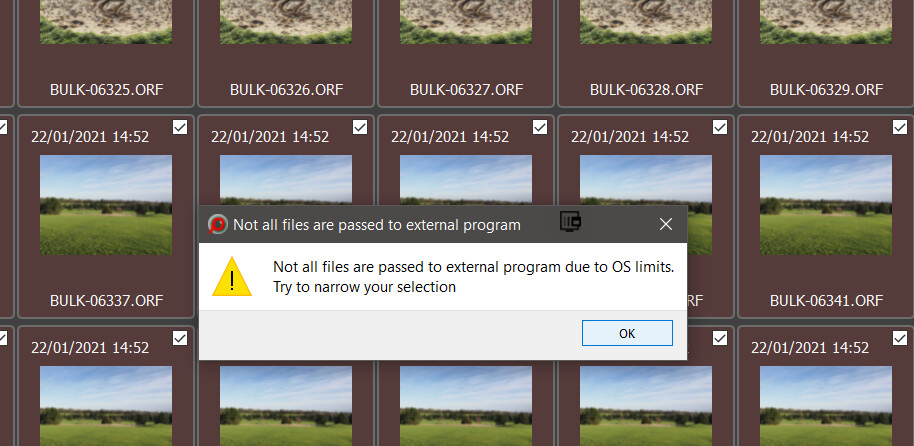
My guess is that FastRawViewer, XnView/XnViewMP, IMatch, “my” program and many others have got the simple string right, while some like FastStone Image Viewer only send each file one at a time, or only send a directory name (or send more but in such a way that the receiving program can’t make any sense of it but can use the directory entry."
The string to PhotoLab can contain more than one directory entry, i.e. each entry in the string constitutes an entry in PhotoLab, i.e. “External Selections” look the same in the database as ‘Projects’ and a ‘Project’ can have any entries from anywhere, they don’t have to be from a single directory.
As I said in a former post, I’m getting confused. The problem was that some programs calling PL ended up in loading a whole directory while others just send individual images.
I did some tests in just the cmd window. Going to the directory where the programs is and call that program with a parameter/image address. In my case only windows explorer causes PL to load the whole directory. What does FastRawViewer do?
George
I do not know, if this is of any help, but still. To get PL to open just one image via IMatch, I add a variable “{File.FullName}” concerning PL in IMatch. If I do not add this variable and open PL via IMatch, then PL opens with the same content (one image or a folder) than it had when it was closed. EDIT To clarify: in IMatch I can configure how external applications behave when starting.
@George I already stated that it sends as many as you have selected up to the limit of the OS in just the same way that “my” (and ChatGPT’s) program does.
I cannot be sure it is identical but as far as I know that is the only way that any list can be sent and the outcome with PhotoLab is identical.
189 Files Tagged in FRV
More professional than my little program.
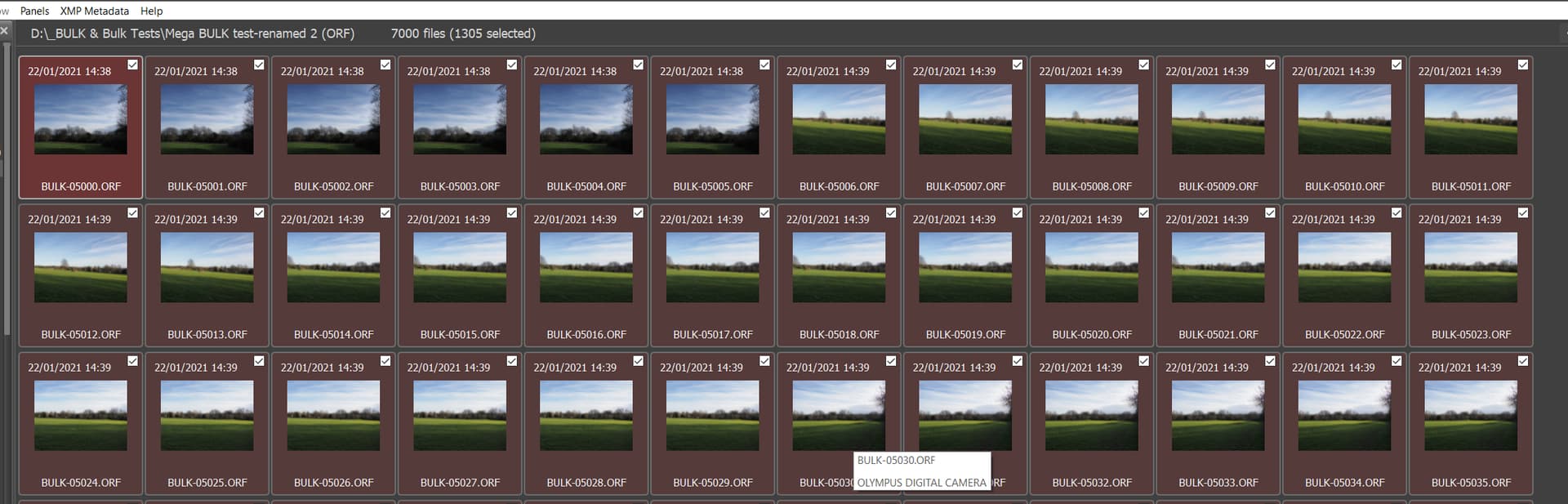
But if you select too many images, from a directory with 7000 images
I thought the subject was when sending just a single image or some more. Will PL open only these images or will it load the whole directory.
George
It will load each and every entry in the list passed to it one by one. The tests I have been conducting on my i7 4790K, about as slow as they come’ and passing all the images from a directory by selecting them is still essentially instantaneous ,
I am taking all the images by selection because it is easier to identify what left and what has arrived but I could select any entries I want from the directory and submit those. The selections and opening in PL9 are of individual images, if the sending product the user is using can actually pass from multiple directories then that works as well.
But I would need to remember how I once did that from XnViewMP or XnView, it was a long time ago.
So to repeat
Hi @SchorschGaggo !
I just pick up this thread, and a few question come up in my mind:
Let’s get this straight: My computer, LAN, and NAS are fast enough. Once all the thumbnails are created and the camera/lens plugins are loaded, working is a pleasure, and the results are impressive.
I guess, you browse in PL the photos in the NAS - and not some local drive.
But I sometimes wait up to 15 minutes before I can edit a photo. This is especially true when I want to open a photo from a folder with 3,000 images.
Note: i also have some cases a folder with 3000 photo - usually after some concert/music event.
I guess, its from NAS.
I wonder about the 15 minute.
I guess the 3000 photos itself don’t do too much with that.
If you copy this 3000 photo to some local drive (SSD), the behaviour is the same? Also 15 minute?
Also, i like to ask, what happen in this ‘15 minute’ in a bit more details?
May can you describe in some more details? For example in the following style / description way:
PL start like 20 second
I browse in PL PhotoLibrary mode in the NAS the folder with 3000 photos, clicking thru to folder may takes 30 second.
State of the Photos: none of them edited ever with PL (or some edited, or all edited?), no mask, nothing.
All photos from same camera+lens combination.
All photos in RAW
No .XMP side files in the folder
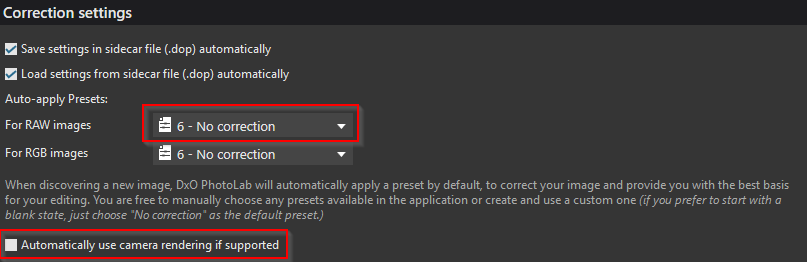
I not use any preset (screenshot below)
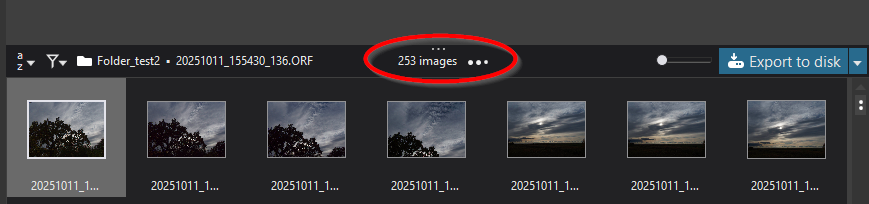
If the folder selected, in the upper part where is show how many photo discovered in the folder to finish (to 3000) takes 13 minutes. Its change like 3-4 image per second. Please see screenshot below where
After its finish (reach 3000) the ‘Download lens modul’ message or what come up after that like 2 minutes later
And whatever you experience…
May some details can helps to figure out.
If I open an image from Explorer using ‘Open with PhotoLab,’ editing is only possible after several minutes.
I don’t have NAS, so cant test it.
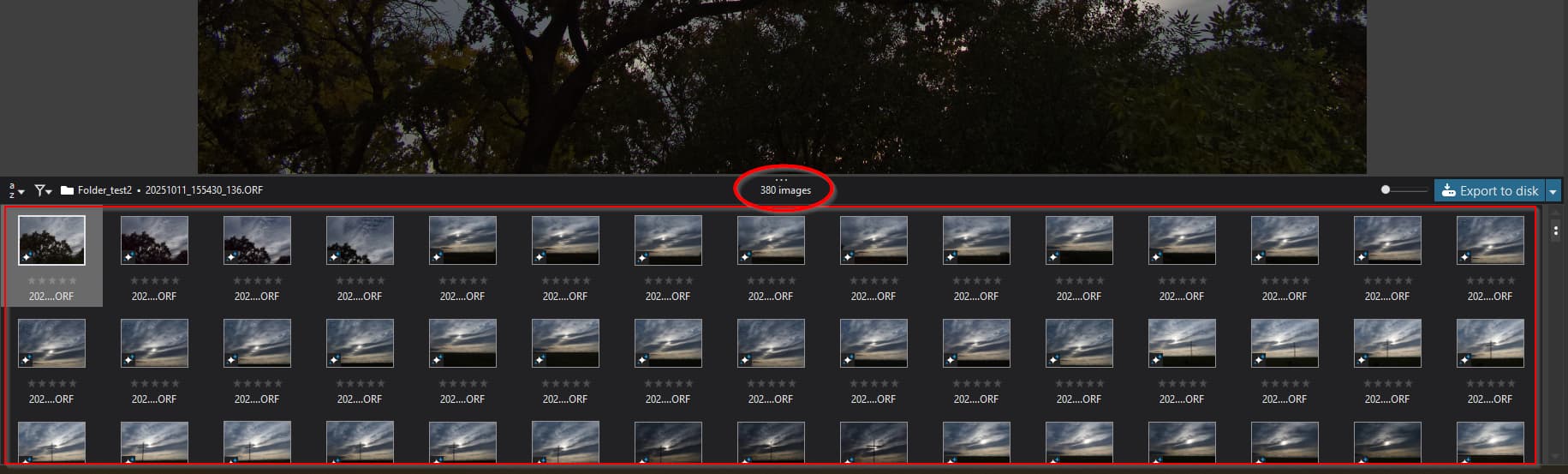
However from local SSD the open folder with 380 photo is approx 10 second if the folder was never opened previously with PL. If the folder already opened (and count all photos) than its takes 2-4 second.
I like to note, few post about NAS, may worth to check thru. NAS systems sometimes has strange behaviors. Even a lot of other apps works ‘just fine’, may they not read the photos in the way as PL. May also worth to check may your NAS has some log files to point out.
Also, PL seems do a bit more then like browse the folder from Windows Explorer or some viewer like XnView, or some DAM software. For example: PL is check thru the Camera body + Lens combinations and check DxO camera body + lens modules is exist or not, also check XMP files, check and read/apply DPO files, and so on, etc.
Hey everyone!
I read in this thread, and is some comment i see like ‘PL create thumbnails for all photos in the folder’.
Actually as i see / check PL create thumbnails only for the photos in the filmstrip, and not for all in the folder.
Example: Its create thumbnails only for this photos (45) in the ‘filmstrip’, but the folder has 380 photos.
Also, preview files created only if you click to the photo to show in ‘preview’ window. Its not create previews in the background for all in the folder or in the filmstrip.
That’s not correct, Andras - PL will create (after pre-processing) thumbnails for ALL eligible images in the current folder.
In your example (38 images rendered out of 380 in the folder) it must be that you have a filter applied, which is excluding some images.
That’s not correct, Andras - PL will create (after pre-processing) thumbnails for ALL eligible images in the current folder.
Actually i count the thumbnail .jpg files in the cache folder. Based on that PL (at least 9.1) not create thumbnails on all images in the folder, just the ‘filmstrip’ visible items (count).
No filter applied.
I noticed the same, you need to pass the full absolute filename to Photolab. I guess Windows Explorer is passing the relative file path, and then Photolab behaves differently. It would be an easy fix by dxo to get this aligned.
Then it didn’t accept the parameter send.
Relative to what?
Or by Microsoft. Or something else is going on.
George
What happen in PL when you open one folder? I check and describe!
Its a bit long, so i suggest to read/jump to the SUMMARY section(s) - highlighted with bold. Important note: when i talk about ‘all photo’ i talk about all photo in the ‘filmstrip’ visible portion
May good to know if open a folder with 3000 photo. I do some research / observations on File read/write (File I/O) - based on traces - and describe in main points. Its may a bit long, but now i guess we have some details on the process - all based on my observations, some point may not sure.
Base situation for describe my test(s):
After folder opened in PL PhotoLibrary mode:
See some details about what happens in PL during folder open (main points only, from 7000+ debug line):
I not write various icm reads, file query’s and some point it was unclear how many photos read. Pardon, its already takes many hour.
SUMMARY:
If no no tumbnails / preview generated but .dop exist and open the folder (this test)
Ok, see what’s happen if cache thumbnails and preview already generated (summary):
Some conclusion / idea / discussion:
May its seems to open one folder takes lot of query’s and lot of reads (file reads). I think its just looks enough. May some point looks less logical, like re-generate the selected photo thumbnails 3 times, but i guess its may like once without any correction, once with geometry correction, and once with all correction. Note: may you not apply for PhotoLibrary view first time the geometry correction, etc.
I think PL looks pretty fast on all of that (in my opinion). And seems logical as its goes thru.
One thing what i not get it, where the preview (cache) file (image) used. Its a relatively low resolution file 1313x972 pixel (vary sometimes, like 1336x972, etc.). May its just to fill the void in some cases. Note: PL able to read AND display the embedded jpg (even for a very small time its may display the embedded jpg for preview for first time you select one photo in PhotoLibrary)
However back to the original start of the thread, i guess for some NAS may not handle requests in this amount for 3000 photos in the folder. NAS also has soem filesystem, some protocol for network sharing (like SMB), all goes thru network, etc, and NAS may get some ‘hit’. Even NAS seems fast (like file copy/transfer, what mostly sequential read/write and its fast anyhow), may not (cant be) at the level of responses like some local SSD. Its not local drive. I think, if someone experience issues with NAS with like 3000 photos, may need some careful check also on NAS side.
Also, the comparison with like Windows Explorer file browsing vs DxO is cannot match, as its like apple vs orange question.
May you wonder about this reads durations. Its not easy to say what the exact, as Windows does file caching quite well - if you like open once a folder, read/query some file, it’s cached for a while.
So, i reboot the PC, to made more clean state. My PC has some older (8+years) SATA SDD.
For 1 (one) .ORF, approx 18MB, PL reads:
Later i also does from clean state open folder with 300 photo (.ORF) - folder never opened in PL, no editing just the ORF itself. Open and read up all the 300 files takes 11.5 sec. Actually i think the time is linear. So, 3000 photos in local may 1min 55sec in clean state. After that, clicking between folders re-open the folder takes 0-2 second. After PL restart folder open for this takes like 4-5 sec.
So, actually i think file I/O (read/write/query) operations is pretty fast - even with old sata SSD (and not new fancy nvme drive).